How to Tell 3D Printer Nozzle Size
Learn how to accurately identify your 3D printer nozzle size, why it matters for extrusion and print quality, and step-by-step methods to measure, verify, and adjust settings for reliable results.


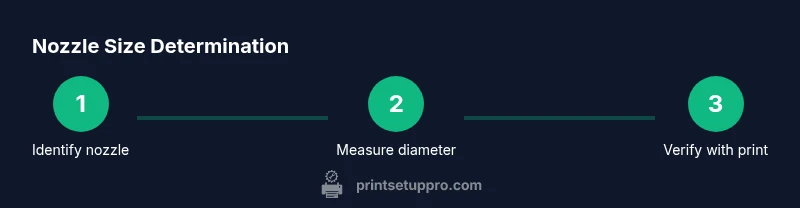
To tell your nozzle size, measure the outside diameter of the nozzle tip with precision calipers, compare it to standard sizes (commonly 0.25–0.8 mm), and verify by printing a calibration model that highlights extrusion width. This quick method helps you align tool settings with the nozzle for consistent results.
how to tell 3d printer nozzle size
According to Print Setup Pro, accurately identifying your nozzle size is essential for consistent extrusion and reliable print results. The nozzle size dictates how much filament is melted and pushed through the tip with each stroke, shaping the width of layers and the overall print fidelity. If you run with the wrong nozzle size, you can see over-extrusion, gaps, or rough surfaces, especially on curves and fine features. In this guide, you’ll learn a practical, repeatable method to determine how to tell 3d printer nozzle size, verify the result, and align your slicer settings with the actual hardware. This approach works whether you’re using a budget printer or a desktop gantry, and it can save material, time, and frustration by catching mistakes early in the workflow. By the end, you’ll have a solid method to tell 3d printer nozzle size by measurement, observation, and a quick calibration test.
wordCountInBlock":null}
Common nozzle sizes and their implications
Nozzle size is not a single universal standard; printers use a range of diameters to balance detail, strength, and speed. The most common sizes for hobby and desktop printers are 0.4 mm, which offers a balance of resolution and throughput, 0.2–0.25 mm for higher detail or small features, and larger sizes like 0.6–0.8 mm for fast, robust prints and thicker layers. Smaller nozzles produce finer features but can clog more easily with flexible or abrasive filaments. Larger nozzles reduce print time but may require adjustments to layer height and extrusion width. Understanding these implications helps you interpret measurements correctly and set expectations for your projects.
wordCountInBlock":null}
The measurement approach: tools and steps
A precise measurement of nozzle size combines a reliable measuring tool with a straightforward method. You’ll typically use digital calipers with at least 0.01 mm precision, and, if available, a small nozzle gauge or reference nozzle for cross-checking. Start by turning off and cooling the printer, then prepare a clean workspace. The goal is to measure the external diameter of the nozzle tip, which corresponds to the advertised nozzle size when integrated into the hot end. Remember that the nozzle’s outer diameter should align with standard metric sizes used by most slicers and firmware.
wordCountInBlock":null}
Practical considerations for measuring nozzle size
Deciding whether to remove the nozzle for measurement is the first practical choice. If you can safely access the nozzle without disassembly, you can measure the widest part of the tip while it is installed, but many users prefer removing the nozzle to measure it away from heat sources. Always wear protective gloves and ensure the heater is completely cool when touching hardware. When calculating the size, take multiple measurements at different angles and average them to reduce error. If your measurement falls between standard sizes, verify by testing extrusion with a calibration model to see how it prints and adjust accordingly.
wordCountInBlock":null}
Verifying nozzle size with a calibration print
Measurement is only the first step. Verification comes from a controlled calibration print that highlights extrusion width and layer consistency. Start with a simple cube or a calibration wizard model and set the slicer’s layer height to a fraction of the suspected nozzle size. Observe edge sharpness, fill patterns, and any tusking or gaps. If the extrusion width closely matches the intended nozzle diameter, you have an accurate reading. If not, recheck measurements, reassemble if needed, and adjust the extrusion multiplier or flow rate in your slicer until the test print shows clean walls and predictable infill.
wordCountInBlock":null}
How nozzle size interacts with slicer settings
Nozzle size works hand in hand with layer height, extrusion width, and filament diameter. A common rule is to set layer height to about 60–80% of the nozzle diameter for balanced surface quality. The extrusion width can be left at “auto” in most slicers, but for visual precision or poor first-layer adhesion, you might pin it to the nozzle size (e.g., 0.4 mm nozzle with 0.4 mm extrusion width). Filament tolerance must also be accounted for; some plastics flow a bit more or less, affecting the effective line width. After you confirm the nozzle size, adjust flow rate if your test prints show over- or under-extrusion. These settings ensure consistent layer adhesion and accurate feature replication.
wordCountInBlock":null}
Authority sources
- https://www.nist.gov
- https://www.mit.edu
- https://www.nasa.gov
wordCountInBlock":null}
Tools & Materials
- Digital calipers with at least 0.01 mm precision(Measure the outside diameter of the nozzle tip; take multiple readings and average.)
- Nozzle wrench or adjustable wrench(Use to loosen/tighten nozzle without damaging heater block.)
- Replacement nozzle of a known size(Keep as reference or swap-in test nozzle for cross-checks.)
- Clean rag or alcohol wipes(Clean nozzle threads before reassembly to avoid debris.)
- Safety gloves(Optional but recommended when handling hot components.)
- Calibration model (cube, retangles, or thin-wall model)(Use for test prints to verify extrusion and size accuracy.)
Steps
Estimated time: 30-60 minutes
- 1
Power down and prep tools
Power off the printer and unplug from the outlet. Gather calipers, a wrench, an extra nozzle, cleaners, and a calibration model. This ensures you have everything in one place and avoids scrambling during the measurement.
Tip: Keep a small tray to hold fasteners and prevent loss. - 2
Safety: wait for components to cool
Allow the hot end to cool completely before touching any metal parts to prevent burns. For safety, do not attempt measurements while the heater is energized.
Tip: If you must retorque a hot nozzle, use heat-resistant gloves and recheck once cooled. - 3
Remove the nozzle safely
Carefully loosen and remove the nozzle with the appropriate wrench. Keep track of screws and note any signs of nozzle wear.
Tip: Do not over-tighten during reassembly to avoid stripping threads. - 4
Clean threads and inspect
Wipe the heater block threads clean and inspect the nozzle for nicks or deformation. Replace if you see obvious wear that could affect extrusion.
Tip: A clean surface prevents misreads when reseating the nozzle. - 5
Measure the nozzle diameter
Use digital calipers to measure the outside diameter at the tip, taking several readings around the circumference and averaging them.
Tip: Take measurements at the same temperature, since thermal expansion affects accuracy. - 6
Cross-check with a reference or gauge
If you have a known-size replacement nozzle, compare its diameter to your measurement. Alternatively, use a calibrated gauge designed for nozzle sizing.
Tip: A second reference helps confirm your reading. - 7
Reinstall and test print
Reinstall the nozzle securely, reheat briefly if needed, and run a small calibration print at a conservative layer height to validate the size.
Tip: Start with a simple cube or wall test at 0.2–0.3 mm layer height. - 8
Document results for future reference
Record the nozzle size, measurement method, and final slicer settings in your project log for future prints.
Tip: Keep the log accessible with your print profiles.
People Also Ask
What is the most common nozzle size for hobby 3D printers?
The most commonly used size in hobby printers is around 0.4 mm, offering a balance between detail and speed. However, many users vary sizes for specific needs like high-detail parts or faster prototypes.
The typical size is about 0.4 mm, but depending on your project, you might use smaller or larger nozzles.
Can I measure nozzle size without removing the nozzle?
Yes, you can estimate by measuring around the exposed threads while installed, but removing the nozzle provides a more accurate measurement. Always ensure the heater is cool before handling.
You can measure while it’s in, but removing it is more accurate.
How often should I replace a worn nozzle?
Replace when you notice wear, clogging, or inconsistent extrusion. Regular inspection helps prevent print defects and ensures consistent results.
Replace the nozzle when it shows wear or starts causing inconsistent prints.
Will nozzle size affect layer height choices in my slicer?
Yes. Nozzle size constrains the maximum possible layer height and influences the recommended extrusion width. Adjust your layer height and width to match the nozzle for best results.
Your nozzle size dictates how tall each layer can be and how thick each line prints.
What symptoms indicate a mismatch between nozzle size and slicer settings?
Common signs include over-extrusion or under-extrusion, blobby surfaces, and inconsistent wall thickness. Calibrate with test prints to correct the settings.
If your prints look over- or under-extruded, your nozzle size and slicer settings may be out of sync.
Watch Video
Quick Summary
- Identify nozzle size precisely with calipers and multiple readings
- Common sizes range 0.25–0.8 mm for hobby printers
- Verify by calibration prints before committing to large projects
- Adjust slicer settings to align with actual nozzle size for best results
- Maintain a nozzle size log for future reference