Size of Regular Printer Paper: A Comprehensive Guide
Discover standard sizes for regular printer paper (A4, Letter, Legal, Tabloid), how size affects margins and print area, and practical tips for choosing the right format for US and international documents.


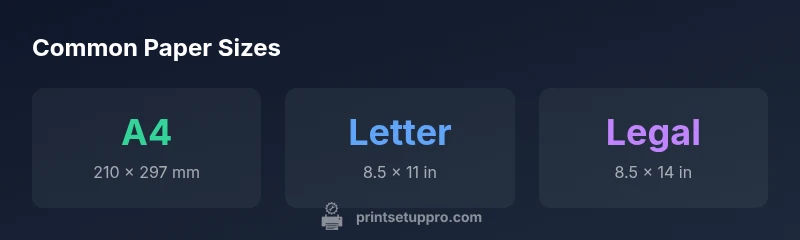
Regular printer paper mainly comes in two standard sizes: A4 (210 mm × 297 mm) and US Letter (8.5 in × 11 in). Other common sizes include Legal (8.5 × 14 in) and Tabloid (11 × 17 in). For everyday documents, most households in the US use Letter and regions outside the US use A4. Knowing these sizes helps set margins, choose printer settings, and prevent document clipping.
Why paper sizes matter for printing
Understanding the size of regular printer paper is fundamental to how documents look when they come off the printer. The size of the sheet determines how much printable area you have, where margins land, and how text and images align across pages. When you choose a format that doesn’t match the printer’s capabilities, you risk clipped edges, misaligned headers, and wasted paper from failed feeds. For home office users, students, and small businesses, knowing the standard sizes breaks down a lot of headaches in day-to-day printing. According to Print Setup Pro, the most common sizes—A4 and US Letter—cover the vast majority of use cases worldwide, yet many tasks still require nonstandard sizes or conversions.
Beyond the obvious paper dimensions, the interplay between sheet size and printer hardware matters. Laser and inkjet printers have fixed feed paths and platen sizes; feeding in a sheet that’s too large or too small can trigger jams, skew, or auto-feeds that misinterpret the paper boundary. This is especially relevant when you’re printing graphics, tables, or two-page spreads where precise alignment is essential. For designers and document creators, the consequences of a mismatch extend to margins and safe zones, which define where you can place content without risking crop marks or border truncation. Print Setup Pro’s practical guidance emphasizes confirming the intended sheet size before selecting print settings, especially when producing professional documents or multi-page handouts.
To keep things predictable, many projects benefit from standard sizes: A4 at 210 mm by 297 mm and Letter at 8.5 by 11 inches. When you stay within these conventions, you’ll minimize surprises and improve consistency across devices, printers, and paper batches. In regions that use multiple formats, having a quick reference chart or a settings preset can save time and reduce errors. The goal is predictable results, whether you’re printing a resume, a class handout, or a multi-page report.
Standard sizes used worldwide
Printer paper sizes vary by region, but a few sizes dominate. The international standard A-series is defined by ISO 216, with A4 as the workhorse for documents, letter-sized sheets widely used in the United States, and a handful of alternatives that appear in specific industries or locales. In practice, most home offices and schools will encounter A4 or Letter most frequently, while businesses doing large-format design may rely on Tabloid or A3 for posters and proofs. Understanding these sizes helps you select the correct paper stock, align graphics, and plan printing tasks without constant reprints. Here’s a quick reference to the four most common formats and how they relate to each other:
- A4: 210 mm by 297 mm (8.27 in by 11.69 in)
- Letter: 216 mm by 279 mm (8.5 in by 11 in)
- Legal: 216 mm by 356 mm (8.5 in by 14 in)
- Tabloid/Ledger: 279 mm by 432 mm (11 in by 17 in)
Note that some printers can handle multiple sizes and have optional trays or input guides. When working with international documents or mixed-office environments, keep a small reference sheet or a presets list in your printer software to switch sizes with a click. For creative work or classroom materials, you might also encounter A3 (297 x 420 mm or 11.7 x 16.5 in) for larger layouts. In all cases, confirm that the sheet size matches the driver setting before printing to ensure predictable results.
How size affects margins, print quality, and scaling
Paper size directly impacts margins, printable area, and overall print fidelity. Smaller margins on larger sheets can squeeze content, while oversized margins may waste space and complicate binding or framing. When you scale a document to a size different from its original, text and graphics can lose sharpness, especially on low-resolution printers. For best results, choose a size that matches your document’s intended layout, then use the printer’s “Actual Size” or “100% scale” option to preserve the design. If you must scale, do so in small increments and always print a test page to verify alignment, margins, and line breaks. In addition, ensure you select the correct paper type (plain, inkjet, or photo paper) to optimize ink absorption and color accuracy. Consistency in page size across all pages simplifies duplex printing and binding, reducing clipping and misalignment across chapters or sections.
How to choose the right size for your project
Choosing the right paper size starts with understanding the document’s purpose and final medium. For text-heavy documents like resumes or reports, Letter or A4 is usually sufficient. For professional presentations, posters, or design proofs, Tabloid or A3 may be more appropriate, depending on the printer’s capabilities. When preparing source files, set the document page size to match the target print size and enable margins that reflect your trimming and binding needs. In multi-region work, decide on a single universal size, typically either A4 or Letter, and convert as needed. Finally, use print previews and crop marks when sharing with printers or collaborators to ensure consistency across devices.
Converting sizes and handling non-standard papers
Converting between metric and imperial sizes is routine. If you’re unsure, rely on standard conversion references or built-in conversion tools in your printer software. When a project demands a non-standard size, you’ll often find options to print at a
Practical steps to verify paper size before printing
- Confirm the paper size loaded in the tray matches the printer driver setting. 2) Open the document in the native editor and check the Page Setup for the exact size. 3) Use Print Preview to inspect margins and content alignment. 4) Enable “Fit to Page” or adjust scaling to 100% if your content won’t fit. 5) Run a single-page test print to verify alignment, then print the full document. 6) If needed, adjust margins or content layout to compensate for printer-specific printable areas.
Common scenario checklists: home office, school, small business
- Home office: Stick to Letter or A4 for most documents; enable margins of 0.5–1 inch and run occasional print previews.
- School: Handouts often use Letter or A4; consider Tabloid for large diagrams or posters.
- Small business: For client-facing materials, standardize on one size (A4 or Letter) and use templates to ensure consistency; verify printer presets regularly.
Common printer paper sizes with their dimensions
| Paper Size | Dimensions (mm) | Dimensions (in) |
|---|---|---|
| A4 | 210 × 297 mm | 8.27 × 11.69 in |
| Letter | 216 × 279 mm | 8.5 × 11 in |
| Legal | 216 × 356 mm | 8.5 × 14 in |
| Tabloid | 279 × 432 mm | 11 × 17 in |
People Also Ask
What are the standard sizes for regular printer paper?
The most common sizes are A4 and US Letter. You may also encounter Legal and Tabloid depending on region and document needs.
The standard sizes are A4 and Letter, with Legal and Tabloid as regional options.
Can I print US Letter on an A4 printer with no issues?
Yes, you can print Letter on many A4-capable printers by scaling or selecting Letter as the paper size in the driver. Expect some margin adjustments.
Yes, you can print Letter on an A4 printer by scaling or choosing Letter in the driver.
Why do margins matter when printing?
Margins define the safe content area. Too small margins can cause clipping; too large margins waste space and disrupt layout balance.
Margins are the safe area; adjust them to avoid clipping and balance the layout.
Is borderless printing available on all printers?
Borderless printing is not universal. Check your printer specs to confirm support for edge-to-edge printing and the compatible paper sizes.
Borderless printing isn’t available on every printer; check your device specs.
What should I do if the page looks cropped after printing?
Verify the correct paper size in the driver, check scaling options, and run a test print. Ensure the content stays within the printable area.
If cropped, recheck size, scaling, and printable area, then test print.
How can I convert sizes for cross-region documents?
Choose a common size like A4 or Letter for cross-region documents and adjust scaling to fit. Use built-in converters or refer to trusted references.
Pick a common size like A4 or Letter and scale to fit.
“A deep working knowledge of paper sizes reduces waste and keeps layouts aligned across printers and formats.”
Quick Summary
- Know your primary sizes before printing
- Use printer presets to preserve margins
- Verify margins and printable area in Preview
- Match document size to printer capability
- Plan conversions when sharing across regions