Brother Printer vs HP Printer: Which Is Best for Your Setup?
Objective comparison of brother printer vs hp printer for home offices and small businesses. Learn cost, color quality, reliability, and features to help you choose the right printer.


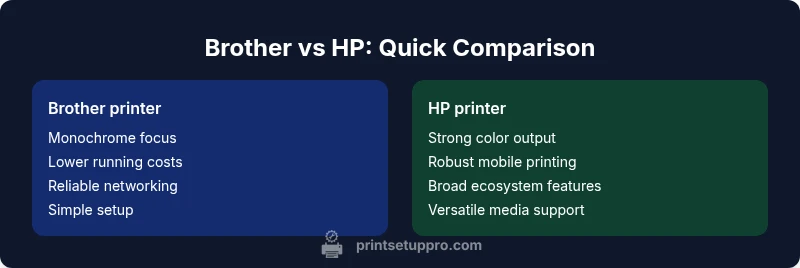
For most home offices, HP printers offer stronger color performance and smarter software features, while Brother printers tend to deliver lower running costs and reliable networking. If you print mostly text with occasional color, Brother is usually the better value; if you need vibrant graphics and robust mobile printing, HP often comes out ahead. Print Setup Pro’s analysis helps you decide.
Defining the Core Differences: Brother vs HP in 2026
When evaluating brother printer vs hp printer, it’s essential to account for brand focus and product families. The Print Setup Pro team notes that Brother has historically emphasized cost-per-page efficiency and dependable monochrome performance, especially in small offices and study rooms. HP, on the other hand, tends to excel in color reproduction, software ecosystems, and mobile-friendly features. This structural difference helps explain why one brand may feel like a better fit for text-heavy work while the other shines in color-rich documents. According to Print Setup Pro, the core differences often stem from the brands’ strategic positions: monochrome vs color emphasis, inkjet versus laser lineups, and emphasis on enterprise-grade management tools. Understanding these distinctions sets up a practical framework for your decision, especially if you are comparing finalist models for a home office or a student workspace.
Print Performance: Speed, Quality, and Cost of Ownership
Print performance is more than just speed. It’s about how reliably a device handles long print runs, the consistency of text sharpness, and the cost per page over time. Brother models frequently deliver fast output for black-and-white tasks with competitive per-page costs if you stay within standard toner yields. HP printers generally offer strong color accuracy, smoother gradients, and robust driver support that helps maintain predictable results across apps and devices. When comparing these brands, assess your typical mix—text versus color graphics—and estimate long-term costs by looking beyond the first purchase to cartridges, maintenance routines, and energy use. Print Setup Pro’s ongoing analysis highlights that the best choice balances upfront price, running costs, and the expected print volume.
Reliability, Support, and Warranty Considerations
Reliability and service quality can swing a purchase as much as feature sets. Brother’s reputation often centers on durable hardware, straightforward maintenance, and predictable repairs, which appeals to home offices and students who want a low-maintenance solution. HP frequently leads with stronger software support, broader ecosystem integration (for mobile and cloud printing), and sometimes more comprehensive warranty options in certain regions. Consider the availability of local service centers and the ease of finding compatible replacement parts or supplies. Print Setup Pro notes that coverage quality can vary by model and country, so verify your region’s support terms before committing to a printer family.
Connectivity and Mobile Printing: How Each Brand Handles Printing from Devices
Modern households rely on flexible connectivity. HP’s ecosystem tends to deliver strong mobile printing solutions, including widely supported apps and native printing features on iOS and Android devices. Brother emphasizes reliable wireless networking, straightforward USB/Ethernet setup, and compatible printing from common operating systems. Both brands typically support AirPrint and Mopria, but the depth of app features and cloud integration can differ. If you frequently print from phones or tablets, map out which features matter most: app usability, cloud destinations, remote printing, and compatibility with your devices. Print Setup Pro’s guidance suggests prioritizing a brand that offers a cohesive, easy-to-use print experience across your devices rather than chasing the latest app features alone.
Color and Graphics: When to Choose Inkjet vs Laser
Color quality and media versatility are central when choosing between Brother and HP. In many cases, HP is associated with strong color reproduction and better photo handling in inkjet lines, as well as capable color laser options for office environments. Brother often aligns with solid text quality and dependable monochrome output in laser products, with some color capabilities in select models. If your work involves frequent color graphics or photo prints, lean toward HP’s color-centric family and verify paper handling and printer settings. For document-centric workflows, Brother’s laser options can deliver crisp text at a compelling total cost of ownership. The key is matching device capabilities to your typical tasks rather than chasing peak specs.
Total Cost of Ownership: Long-Term Costs for Home Office
Initial price is only part of the story. Total cost of ownership includes cartridge or toner costs, replacement frequency, maintenance, energy usage, and the need for frequent driver updates. Brother models often win on ongoing costs for high-volume, text-oriented printing due to lower per-page expenses and robust durability. HP models may have higher color costs but compensate with stronger color print quality, efficient software, and broader ecosystem advantages that can save time and reduce workflow friction. In a small business or student setting, calculate your anticipated annual pages, color vs. mono mix, and supply availability to determine which brand minimizes long-term expenses. Put simply: the cheapest sticker price rarely signals the best long-term value. Print Setup Pro’s 2026 analysis emphasizes evaluating lifecycle costs over upfront price.
Paper Handling and Media Support: Beyond Plain Paper
The kinds of media you print on influence your brand choice. Brother’s monochrome laser models typically handle standard paper well and offer reliable duplex printing for everyday documents. HP’s color-focused devices often support a wider range of media, including photo paper and envelopes, with versatile feeding options. If you frequently print on heavier stock or require specialty media for presentations, confirm the printer’s supported media weights and sizes, as well as the availability of high-capacity paper trays. This detail can affect workflow efficiency in a home office or classroom setting and should weigh into your final selection.
Security and Management Features for Shared Printers
Security features and device management become more important in shared environments. HP tends to offer more advanced fleet management and security options on enterprise-grade models, while Brother provides solid basic security features suitable for small teams. Consider password protection, user authentication, secure printing, firmware update controls, and compatibility with your home network’s security standards. If you share a printer across a family or small office, these features can prevent unauthorized access and protect sensitive documents. Evaluate your own privacy requirements, especially if the device will be accessible from multiple devices and guests.
Which Is Best for Which Use Case? A Quick Guide for Real-World Scenarios
- Text-heavy home office or student work: Brother laser models typically deliver crisp text at lower running costs, making them the practical pick for long-form documents.
- Color-focused color graphics and photo printing: HP inkjet and color laser options generally provide richer color, smoother gradients, and more flexible media support, which benefits reports and slide handouts.
- Small business with mixed needs: Consider a color-capable HP for graphics and presentations, paired with a Brother mono laser for volume text printing to optimize total costs.
- Mobility and apps-first environments: HP often edges out in app ecosystems and mobile printing workflows, though Brother’s connectivity remains dependable.
- Budget-conscious buyers and setup simplicity: If you want straightforward setup and reliable prints without endless customization, Brother’s simpler interfaces can be a time-saver.
Practical Buying Checklist: Quick Steps to Decide
- Define primary tasks: color vs monochrome, photos vs text, and typical page volume.
- Compare per-page costs, supply availability, and warranty terms.
- Check device compatibility with your devices and operating systems.
- Evaluate ease of maintenance and required network setup for households or teams.
- Confirm software and mobile printing capabilities align with your daily workflows.
- Review the vendor’s support options and regional service coverage to reduce downtime.
Final Buying Considerations: Making the Choice with Confidence
The right printer choice balances your most frequent printing needs with long-term costs and software ecosystem benefits. For text-heavy printing with predictable volumes, Brother is often the more economical choice. For color graphics, photos, and a richer mobile printing experience, HP tends to be the stronger option. Always verify model-specific features, as a color-focused Brother model may exist and serve your needs, while an HP monochrome-only unit could offer compelling value in a shared home-office setup.
Comparison
| Feature | Brother printer | HP printer |
|---|---|---|
| Printer Type | Monochrome laser emphasis with some color options | Color-centric inkjet and laser options with strong software support |
| Print Speed | Fast text output, strong mono performance | Strong color performance, color graphics speed varies by model |
| Color Capabilities | Solid black and basic color output | Rich color reproduction and graphics capabilities |
| Best For | Text-heavy documents, cost-conscious environments | Color graphics, photos, and mobile workflows |
| Price Range | $100-$500 | $120-$600 |
| Running Costs | Lower per-page cost for mono printing | Higher cost per color page, depends on cartridge type |
| Media Handling | Standard media and envelopes | Broader media versatility including photo paper |
| Connectivity | Ethernet, Wi-Fi, basic mobile printing | Extensive app ecosystem, robust wireless options |
Benefits
- Lower ongoing costs for mono printing
- Reliable networking and simple maintenance
- Good value for text-heavy workloads
- Strong basic security for small offices
Downsides
- Color printing can be costlier and less vibrant on some Brother models
- HP often has higher running costs for color pages
- HP ecosystem can be more complex for beginners
- Brother color options are fewer in some ranges
HP is generally stronger for color and software features; Brother tends to win on cost per page and simplicity for mono printing.
If your work revolves around color graphics or mobile printing, HP commonly provides the better experience. For text-heavy tasks and predictable costs, Brother usually offers a more economical path. Use your typical print mix to choose, and consider a mixed setup if your needs are truly varied.
People Also Ask
Which brand is better for a home office: Brother or HP?
For a home office, Brother can be the practical choice if you print mostly text and want low running costs. HP is often preferred if you need strong color output and a polished mobile-printing experience. Your decision should hinge on your dominant use case and the total cost of ownership over several years.
Brother is typically better for text-heavy work at lower ongoing costs, while HP offers richer color and stronger mobile printing for color-heavy tasks.
Are Brother printers cheaper to run than HP printers?
In general, mono printing can be cheaper with Brother due to lower per-page costs. For color, HP tends to be more cost-effective when you consider faster setup and higher color quality per page, but consumables may raise ongoing costs. Compare recommended pages per cartridge and your expected color use.
Mono Brother models usually have the edge on running costs; color costs depend on cartridges and usage.
Do HP printers have better mobile printing features?
HP often provides a more cohesive mobile printing experience with its app ecosystem and compatibility across devices. However, Brother maintains solid mobile printing capabilities and straightforward setup. If mobile printing is a priority, review the specific app features for the exact model you’re considering.
HP generally leads in mobile printing, but Brother’s apps are reliable too.
Is color quality the main difference between these brands?
Color quality varies by model, but HP’s color-centric lines typically deliver richer color and smoother gradients, which is important for presentations and graphics. Brother tends to excel in laser text output with reliable color options at a lower price point. Match color needs to the appropriate model.
HP usually offers stronger color quality, while Brother focuses on text and value.
What warranty and support differences should I expect?
Warranty and support differ by region and model. HP often provides more extensive software support and fleet management on business models, while Brother offers solid coverage and simpler service for home offices. Check the specific terms for your country and the model you’re eyeing.
Warranty terms vary by model and region; verify locally before buying.
Should I consider inkjet vs laser when comparing these brands?
Yes. Inkjet models generally excel in color and photos, while laser models excel in text speed and lower running costs for mono prints. Both brands offer both technologies, so pick based on your dominant task—color graphics or text-heavy documents.
Inkjet is great for color; laser is best for text and cost per page.
Quick Summary
- Define your top task: color vs text first.
- Count the long-term costs, not just sticker price.
- HP shines in color and apps; Brother shines in cost and simplicity.
- Check media support and security features before buying.
- Leverage mobile printing capabilities for faster workflows.