RGB vs CMYK: Do Printers Use RGB or CMYK?
Do printers use rgb or cmyk? Learn how RGB and CMYK affect printing, color management, conversion workflows, and practical tips for reliable color in home or small-office printing.


Do printers use rgb or cmyk? In practice, printers operate in the CMYK color space for physical ink on paper, while RGB governs most screens. Most printing workflows begin with RGB artwork, which is then converted to CMYK before output. Color management, ICC profiles, and proofing help predict results across devices. Understanding this distinction avoids surprises when designers hand off files for print versus digital display. The Print Setup Pro team emphasizes establishing a consistent workflow early to calibrate devices and proof before printing.
do printers use rgb or cmyk in practice
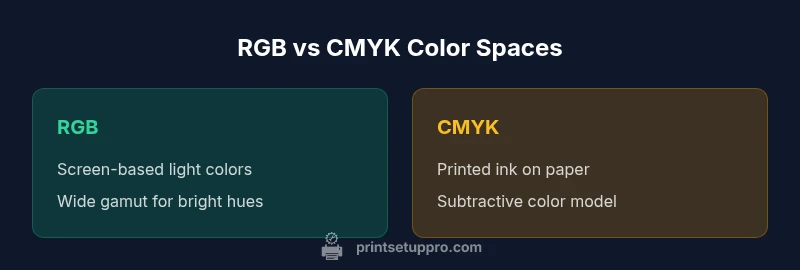
In modern design-to-print workflows, color management is the silent driver of predictable results. When designers ask do printers use rgb or cmyk, the simplest answer is that printers operate in CMYK color space for physical ink on paper, while screens render in RGB. The distinction matters because ink on paper responds differently than light emitted from a monitor. RGB is a light-based, additive model that expands when combined toward white; CMYK is subtractive, meaning ink layers absorb light and reproduce color within a smaller gamut. Most professional workflows begin with RGB artwork because it preserves the broad, vivid color opportunities available in digital design. This artwork is then converted to CMYK for final print, with careful adjustments to avoid out-of-gamut hues that would print incorrectly. Color-managed workflows use ICC profiles to translate colors from source RGB spaces to the printer’s CMYK gamut. The Print Setup Pro team emphasizes establishing a consistent workflow early—calibrate displays, select appropriate profiles, and soft-proof proofs before sending files to print. This reduces surprises and keeps branding consistent across media.
RGB vs CMYK color gamut
RGB and CMYK refer to different color gamuts. RGB covers a broader, light-based spectrum used by screens; CMYK maps colors through subtractive inks used in printing, which cannot reproduce some bright hues. This difference explains why on-screen colors may look more vibrant than the same image printed on paper. Understanding the practical limits of each gamut helps in decisions about which colors to push in design files and what to expect in print. Designers often work with wide-gamut RGB spaces for assets and then constrain colors when exporting for CMYK to minimize surprises. Print shops may adjust colors in the final pass using ICC-driven modifications, proofing, and substrate-specific adjustments. The result is a predictable translation from digital intent to printed reality, albeit with inherent limitations that require careful planning.
Color handling on screens vs printers
On screens, color is created by light. Pixels emit red, green, and blue light in varying intensities, so RGB is inherently additive: more light equals brighter color. Printers, however, create color by depositing inks on white paper. The CMYK subtractive process relies on the paper's white substrate and ink layering to produce darks and saturated hues. That core difference means a color that looks vivid on a display may appear duller in print. Color management mitigates this gap through device profiles that map one color space to another, and through careful calibration of monitors and printers. In professional workflows, designers work in RGB while designers and press operators compare soft proofs with calibrated equipment to ensure accurate translations. Understanding this separation helps explain why soft-proofing and hard-proofing steps are essential before mass production. It also reinforces the value of a clear brand color system that can survive the translation from digital to print.
The conversion pipeline: RGB to CMYK
Conversion begins with artwork created in RGB; when you export for print, you select a CMYK color profile that matches the printer and substrate. The profile translates RGB primaries into CMYK inks, but not every color can be reproduced; some vivid blues or neon greens may fall outside the CMYK gamut. In practice, designers cycle through out-of-gamut colors, replace them with CMYK-friendly substitutes, and adjust saturation and brightness to preserve visual intent. Soft proofing in a calibrated monitor, aided by ICC profiles, helps predict the final result. Press proofs bridge the gap between screen proofs and final press sheets; when color-critical work is time-sensitive, brands request a controlled proof before full production. The "do printers use rgb or cmyk" question reframes the process: RGB is the source; CMYK is the destination. The correct workflow uses a controlled conversion with consistent profiles, substrate settings, and color-management steps to ensure that the final print aligns with the designer's intent.
Color management tools and workflows
Color management tools are not optional—they are the bridge between RGB design and CMYK printing. ICC profiles describe how a given device reproduces color and allow consistent translation across monitors, printers, and presses. A typical workflow employs soft-proofing, using calibrated displays to simulate how CMYK inks will appear on a chosen substrate. You’ll hear terms like 'gamut mapping' and 'device-link profiles' that describe how colors move from one space to another. When starting a project, set a target gamut (for example, a specific CMYK profile tied to the press and stock) and keep color consistent with Pantone or brand swatches. It’s important to test proofs under the same lighting conditions, because light quality changes perception. Print Setup Pro's guidance emphasizes building a repeatable process: calibrate your monitor, calibrate your printer, and maintain up-to-date ICC profiles. A well-documented workflow reduces color drift across runs and helps you meet client expectations.
Practical workflow for designers preparing files
Start with a defined output intent: digital (RGB) vs print (CMYK). Create assets in RGB; keep a separate CMYK version for printing. Use embedded ICC profiles and convert to the correct CMYK profile before final export. Always keep color swatches in the brand palette. Use soft-proofing to check how the colors translate to the chosen substrate. Save separate Photoshop or Illustrator files with layers tuned for the two spaces. When a color hits the gamut boundary, substitute with a CMYK-friendly alternative that preserves perceived brightness and hue. Keep black tones consistent by using optimized black channels (rich black). Finally, run test prints on the actual substrate before final production. This disciplined workflow reduces revision cycles and ensures the final piece remains faithful to brand guidelines.
Soft proofing and calibration: practical tips
Soft-proofing relies on calibrated monitors and accurate profiles. Start by calibrating your monitor with a hardware calibrator and set ambient lighting to standard conditions. Use ICC profiles that match the press and substrate; apply soft-proofing in Photoshop or InDesign to simulate CMYK output. If colors look off, adjust saturation, brightness, or dark tones before converting to CMYK. A light-on-dark check for legibility and color density helps ensure readability. After conversion, compare the soft-proof to a printed proof under the same lighting. The difference between the proof and final output highlights the importance of iterative proofing. Print Setup Pro recommends building a small proofing loop: RGB source → soft-proof in CMYK → press proof → adjustment → final print. The goal is to minimize surprises without sacrificing design intent.
Common pitfalls when mixing RGB and CMYK
Common pitfalls include out-of-gamut colors, over-saturation, and poor black point handling. When RGB colors are converted, some hues may clip to muddy browns or dull purples. To avoid this, preview colors in CMYK as early as possible and choose CMYK-friendly substitutions. Another pitfall is relying on monitor brightness for print predictions; calibrate the display and verify using a controlled proof. Branding often uses very specific hues; if those colors live outside the printer’s gamut, you must adjust while preserving brand identity. Finally, ensure all artwork is embedded with the proper color profiles, and that the final export uses the intended CMYK profile rather than a generic one. By acknowledging these risks, you can plan mitigations and communicate expectations clearly with clients and printers.
Substrate, ink, and color outcomes
Substrate and ink choice strongly influence color outcomes. Paper brightness, glaze, and finish (matte vs gloss) alter perceived saturation and contrast. Coated stocks tend to reproduce richer colors; uncoated papers can shift tones toward yellows or greens. In some cases, brand color formulas rely on specific ink blends or spot colors; these require spot-color workflows rather than pure CMYK conversions. Also, black ink handling differs between printers; rich black requires a tuned mix of black and other ink plates rather than tripling black alone. The print shop or printer driver settings can enhance consistency across runs if standardized.
Home printing vs professional printing: what's different
Home printers often have smaller CMYK gamuts and less accurate color management than commercial presses, which influences how you approach RGB to CMYK conversion at home. For home projects, you may work in RGB and rely on soft proofing plus simple conversions; for professional work, expect calibrated presses, substrate-specific ICC profiles, and press proofs. The cost of color accuracy rises with the need for color-managed workflows and consistent proofing; professional services will typically offer color-consistent results across many units and media. When communicating with clients, provide proofing options and explain potential color shifts. The key point is to align expectations with output capabilities and to maintain a robust color-management routine throughout the project.
Building a robust color-management workflow
To build a reliable workflow, start with a documented color policy: specify the target color spaces, profiles, and proofing steps. Establish a calibration routine for monitors and printers; schedule regular profile updates; and store versions of assets for RGB and CMYK workflows. Create a checklist that covers file preparation, export settings, and proof approvals. Use device-link profiles when possible to simplify conversions and maintain color continuity across devices. Train team members on color terminology and signing off proofs. The payoff is fewer revisions, more consistent branding, and higher confidence in both digital and print outputs.
Putting it all together: recommended steps for do printers use rgb or cmyk
Final recommended steps combine design flexibility with print realism. Start with RGB artwork, prepare a CMYK proof early, select the correct ICC profiles for the chosen stock, and run a printed proof before full production. Establish a color-management protocol covering display calibration, export settings, and proofing criteria. Communicate color expectations with clients using concrete proof results and swatches. Document lessons learned after each project to refine the workflow. By following a disciplined, standard approach—specifically tuned to your printer, paper, and ink—you minimize color surprises and preserve brand fidelity across digital and physical media. Do printers use rgb or cmyk? The practical answer lies in managing the journey from RGB design to CMYK print with consistent profiles and proofs.
Comparison
| Feature | RGB-based workflow | CMYK-based workflow |
|---|---|---|
| Color Gamut | Wider on-screen RGB gamut; print may not reproduce all | Limited CMYK gamut; predictable print output |
| Soft Proofing | Easier on calibrated monitor with RGB source | Requires CMYK profile and substrate settings |
| Workflow Complexity | Higher in RGB-to-CMYK conversion | Lower when color-managed and direct CMYK workflows |
| Best Use | Digital design, web, UI, digital previews | Print production, packaging, branding materials |
Benefits
- Clarifies color intent across devices
- Enables consistent branding across media
- Improves client communication
- Supports professional print readiness
Downsides
- Requires extra steps and time
- Conversions can alter colors
- Dependent on color profiles and calibration
CMYK is the default for print; RGB is the starting point for design and digital previews.
For most print projects, CMYK provides reliable results across substrates. Use RGB for design and on-screen proofs, then convert with care and proof against calibrated hardware.
People Also Ask
What is the difference between RGB and CMYK?
RGB is an additive color model used for screens, while CMYK is a subtractive model used for printing. RGB can display bright colors that CMYK cannot reproduce; CMYK ensures consistent color on physical media when paired with proper profiles and proofs.
RGB is for screens, CMYK is for print. Use RGB for design and proof in CMYK to ensure accurate results.
Can I design in RGB for print later?
Yes. Design in RGB to maximize color flexibility, then convert to CMYK for printing using the correct profile. Soft-proofing helps you anticipate how colors will translate to paper.
Absolutely—design in RGB and convert to CMYK for printing, but proof first to catch color shifts.
How important is soft proofing?
Soft proofing is critical for predicting print outcomes before production. Calibrated monitors and ICC profiles help simulate the CMYK result, reducing miscommunication and costly reprints.
Soft proofing is essential to catch color issues early.
What is ICC profiling?
ICC profiles describe how devices reproduce color and enable consistent color translation. They’re used to map colors from RGB to CMYK and across monitors, printers, and presses.
ICC profiles tell devices how to color-match each other.
Why do colors look different on screen vs print?
Screens emit light (RGB); prints rely on ink on paper (CMYK). Differences in luminance, gloss, and paper color cause perceptual shifts; proper profiles and proofing minimize this gap.
Screens glow; prints are ink on paper—color will look different, proof it.
Is there a better workflow for home printers?
Home printers benefit from a simpler RGB-to-CMYK approach with local proofs and substrate-aware adjustments. Use calibrated displays and test proofs, but be mindful of your printer’s limited gamut.
For home printing, calibrate, proof, and adjust with a practical, smaller-scale workflow.
Quick Summary
- Define output intent before you start the design
- Proof with ICC profiles and calibrated devices
- Convert RGB to CMYK with profile-specific steps
- Be mindful of substrate impact on color
- Maintain a documented color workflow to avoid surprises