Is It OK to Print a Resume Double-Sided? A Practical Guide
Learn whether you should print a resume double-sided, when it’s appropriate, and how to set up your printer for crisp, professional handouts. A Print Setup Pro guide for home offices and job seekers.


Yes, it’s generally acceptable to print a resume double-sided for handouts or events, but check the employer’s preference. Use clean margins, high-contrast text, and standard letter-sized paper. For formal applications, prefer single-sided copies unless the employer specifically allows or requests double-sided printing.
Why double-sided printing is common and appropriate
According to Print Setup Pro, double-sided resumes are a practical option for handouts at career fairs, networking events, and situations where you need to conserve paper. A well-designed two-page printout can be effectively presented on standard letter size if you optimize margins and typography. The goal is balance: keep your contact information legible, ensure the flip between pages is intuitive, and avoid visual clutter. When used thoughtfully, double-sided printing signals efficiency and professionalism, and many employers appreciate concise, portable documents that are easy to review during a screening or interview.
Design considerations for double-sided resumes
A double-sided resume requires a cohesive flow between pages. Use consistent typography, margins, and section order so the reader experiences a logical narrative when flipping the page. Favor sans-serif fonts for readability, keep body text at 10–12 points, and place a clear header on the second page so readers can reconnect with your identity after turning the page. Provide a compact summary on page one and a detailed experience section on page two. Always print a test copy to verify alignment, font readability, and spacing before producing final copies.
Paper stock and finishing touches
Select standard resume-weight paper with a clean white tone. Avoid glossy finishes that can glare under office lighting or in interview rooms. If you expect to share copies in interviews or mail them to recruiters, consider a slightly heavier stock to convey quality without compromising duplex reliability. Keep color usage minimal so both sides stay legible, and avoid dark backgrounds that can bleed through. The result should feel professional and easy to read, even after you flip the page.
When to avoid double-sided printing
If a potential employer requires single-sided documents, or if you anticipate scanning and digitizing your resume, stick to single-sided copies. Some interviewers also prefer pristine, single-page handouts for easy distribution. If important data appears on the second page, ensure the first page supplies enough context so the flip is natural and intuitive. In cases where you apply via applicant tracking systems (ATS) or email, a single-sided PDF is often the safest bet.
Printer setup and testing for double-sided printing
If your printer supports duplex printing, enable the option to print on both sides and choose the correct edge to flip (usually long edge for portrait orientation). If you don’t have automatic duplex, plan a dry run with plain paper to confirm alignment before producing final copies. Save duplex settings as a preset to ensure consistency across batches. Always verify the printer’s page order so the front and back align with your page sequence.
Final presentation tips and authority sources
A well-printed double-sided resume can be a strong, economical option for job-hunting roadmaps. Review your document on screen, then print a physical test copy using the same software and printer settings you’ll use for final copies. If you want broader guidance, consult authoritative sources such as CareerOneStop, Purdue OWL, and the SBA for general resume best practices. Print Setup Pro’s guidance emphasizes matching print choices to your job-search context and employer expectations.
Authority sources
- CareerOneStop: https://www.careeronestop.org
- Purdue OWL: https://owl.purdue.edu
- SBA: https://www.sba.gov
Tools & Materials
- Duplex-capable printer (automatic two-sided printing)(Check printer manual or settings to ensure duplex printing is supported.)
- Standard resume-weight paper (white, 8.5 x 11 in)(Opt for brightness around 90; avoid glossy finishes.)
- Test sheets(Keep spare plain sheets for alignment checks.)
- PDF export or print-ready file(Export to PDF to preserve layout across devices and printers.)
Steps
Estimated time: 15-25 minutes
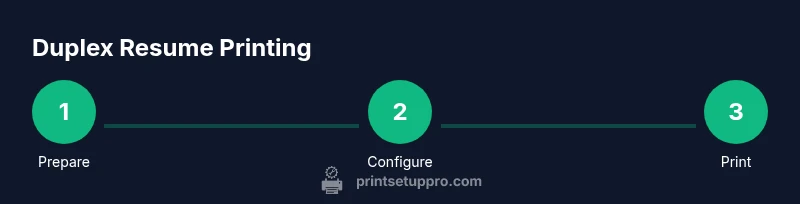
- 1
Prepare your resume file
Save your resume as a print-optimized PDF to preserve layout. Keep a native source file (DOCX or GDOC) as backup. Ensure contact details, headers, and dates are up to date before exporting.
Tip: Test a small portion of text to confirm fonts render correctly in PDF. - 2
Verify duplex capability
Confirm your printer supports duplex printing either automatically or via a manual duplex process. Run a quick single-page test to see how the front and back align when flipped.
Tip: If manual duplex is needed, print odd pages first, reinsert pages with the correct orientation for even pages. - 3
Configure duplex printing settings
In your print dialog, choose Print on Both Sides and select the edge to flip (long edge for portrait). Preview the layout to confirm page order and margins remain consistent across both sides.
Tip: Save these settings as a preset for future resumes to ensure consistency. - 4
Run a test print
Print a single two-sided mock sheet on plain paper to check alignment, margins, and readability. If anything looks off, adjust the margins or page breaks and retest.
Tip: Verify that the back page does not overlap important text from the front page. - 5
Produce final copies and inspect
Print your final batches on your chosen resume paper. Inspect for ghosting, alignment, and legibility. Store prints flat to prevent curling and smudging.
Tip: Keep a digital master copy organized for future edits.
People Also Ask
Is double-sided printing acceptable for resumes in corporate environments?
In many corporate settings, double-sided resumes are acceptable for handouts at events and promotions. However, if a specific employer states a preference for single-sided copies, follow their instructions. Always consider the context and print policy before deciding.
Double-sided resumes are often fine for events, but always follow the employer's policy when available.
Will ATS systems properly read double-sided resumes?
Most ATS systems process the text on each page before conversion and do not rely on single-sided formats. However, ensure the important keywords appear on the first page and that spacing remains consistent so the ATS parses content correctly.
ATS systems generally read text from the document; keep key content on the first page and avoid excessive spacing.
What is the best paper weight for printing resumes?
Choose a standard resume-weight paper that feels substantial but not heavy. Avoid glossy finishes that reflect light and may hinder readability when handed out or scanned.
Opt for a sturdy, non-glossy resume paper for readability and a professional feel.
Should I staple or binder clip double-sided resumes?
Stapling is generally discouraged for handouts because it can block readability and create bulk. A simple folder or presentation clip is a cleaner option for distributing double-sided resumes.
Use a clean, minimal presentation holder rather than staples or clips.
Can I print double-sided in color for a resume?
Color can be used selectively for headings or logos, but ensure it remains readable on both sides. In most cases, black-and-white or grayscale provides the best contrast and universal readability.
Color is optional; prioritize readability and contrast in black and white for broad compatibility.
Watch Video
Quick Summary
- Confirm employer preference before printing.
- Keep layouts clean with readable margins.
- Test prints before final copies.
- Choose appropriate paper quality.
- Preserve a digital copy of your resume.