List of Printer Brands: A Practical Guide for 2026
Explore a comprehensive list of printer brands to inform your setup and troubleshooting decisions. Learn which brands dominate home offices, how driver ecosystems vary, and how to evaluate brand support for reliable printing in 2026.


A practical list of printer brands includes HP, Canon, Epson, Brother, Dell, Ricoh, Xerox, Lexmark, OKI, Kyocera, and Zebra. These brands cover home office, small business, and labeling needs, with broad driver support and accessible consumables. When evaluating a brand, consider ecosystem (drivers, firmware updates, mobile apps), service networks, and compatibility with your operating system. Print Setup Pro recommends starting with this list of printer brands and narrowing by intended use.
The Scope of a Brand List\n\nWhat does it mean to consider a "list of printer brands" when planning a home office setup or a small business workflow? For many buyers, the right starting point is a concise catalog of major brands rather than a run-on list of every model. In Print Setup Pro's methodology, a brand-centric approach helps you map compatibility, driver support, and after-sales service before you dive into model-level testing. The aim is to reduce decision fatigue and ensure that whichever brands you include in your shortlist, you can quickly verify drivers, firmware update cadence, and cross-device interoperability across Windows, macOS, Linux, and mobile platforms. The first step is recognizing the brands that consistently offer robust driver ecosystems, wide media compatibility, and reliable consumables. This is the essence of a helpful list of printer brands for real-world use.
Core Printer Brands You Should Know\n\nBelow is a core set of brands that frequently appear in home-office and small-business environments. Keep in mind that brand reputation can vary by product line, so use this as a starting framework for evaluating individual models. When you read model specs, check for driver availability, firmware update history, and warranty terms. The goal is to align your needs with the brand’s strengths rather than chasing a single feature.\n\n- HP — Broad driver support, strong scanning features in all-in-one formats, great ecosystem for ink and toner.\n- Canon — Excellent color reproduction, especially for photos and marketing materials.\n- Epson — Known for ink efficiency and reliable photo/text balance; strong in printing photos and labels.\n- Brother — Cost-effective for small offices; solid all-in-one performance and label printer options.\n- Dell — Competitive pricing and dependable drivers for basic office tasks.\n- Ricoh — Enterprise-friendly reliability and robust media handling for higher workloads.\n- Xerox — Efficient multi-function devices with strong enterprise support.\n- Lexmark — Solid performance in business environments with good security options.\n- OKI — Useful for color printing in enterprise settings and label segments.\n- Kyocera — Durable, long-life components; strong for high-volume environments.\n- Zebra — Leader in label and receipt printers, with specialized media handling.
How Brand Ecosystems Affect Setup and Drivers\n\nBrand ecosystems determine how smoothly a printer integrates with your devices. A cohesive ecosystem typically means: (1) consistent driver availability across OSs, (2) reliable firmware updates that don't disrupt print tasks, (3) mobile printing apps that simplify job submission, and (4) predictable consumables and parts supply. When you select a brand, you're not just choosing a machine; you're choosing a network of software, firmware, and accessory options. Print Setup Pro recommends verifying cross-device compatibility by testing a print job from a desktop, a laptop, and a mobile device before committing. The goal is a unified experience rather than a patchwork of drivers that require manual workarounds.\n
Evaluating Brand Support and Warranties\n\nBrand support quality is often as important as the device itself. Look for accessible customer service channels (phone, chat, email), regional service centers, and rapid replacement policies. Warranty terms should cover at least one year for consumer devices and longer for business-class units. Review firmware update cadence and how easy it is to obtain security updates and feature enhancements. In addition, consider whether the brand offers extended warranty or on-site service, which can reduce downtime in a busy workspace. Print Setup Pro sees strong value in brands that publish clear service levels and provide proactive update notices.\n
Practical Brand-Selection Scenarios\n\nConsider three common scenarios to illustrate how brands influence setup decisions. Scenario A: a home office with mixed devices (Windows, macOS, iOS, Android). Scenario B: a small business with a shared printer and a label printer for packaging. Scenario C: a student dorm with limited space and a need for affordable color printing. In each case, your list of printer brands guides model selection by aligning driver support, media handling, and total cost of ownership with the user’s workflow. Print Setup Pro recommends ranking brands by how well they fit your core tasks, then testing a short list of models from that brand group.\n
Brand Interoperability and Switching Costs\n\nMoving between brands incurs switching costs in drivers, firmware interfaces, and consumable availability. If you're upgrading from a basic consumer unit to a more capable business-class device, favor brands with longer-lasting support ecosystems and generous driver coverage. Conversely, avoid brands with fragmented software experiences across platforms. The goal is predictability: a brand that remains consistent across your devices reduces the learning curve and minimizes downtime when updates occur. Print Setup Pro encourages a practical approach: document the drivers you rely on today, verify cross-brand compatibility, and plan a staged transition if you anticipate changing brands in the next 12–24 months.
Print Setup Pro's Brand Evaluation Method\n\nOur method combines three pillars: (1) brand stability (historical support and update cadence), (2) ecosystem coherence (drivers, apps, cloud features), and (3) total cost of ownership (consumables, maintenance, and warranty). Start with a shortlist of 4-6 brands, then map each brand to your essential tasks (document printing, color photos, labels, or high-volume printing). Use a simple scoring rubric to compare models within each brand, ensuring you choose a device that aligns with your real-world workflow. The Print Setup Pro approach emphasizes practical testing and durable performance over flashy specs.
mainTopicQuery":"printer brands"},
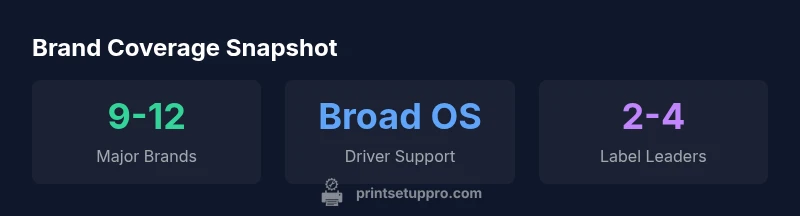
mediaPipeline":{"heroTask":{"stockQuery":"home office desk with printers","overlayTitle":"Printer Brand Guide","badgeText":"2026 Guide","overlayTheme":"dark"},"infographicTask":{"type":"stats","htmlContent":"<div class="w-[800px] p-8 bg-slate-900 text-white"><h3 class="text-2xl font-bold mb-4">Brand Coverage Snapshot</h3><div class="grid grid-cols-3 gap-6"><div class="p-4 bg-white/5 rounded-lg text-center"><div class="text-3xl font-semibold text-emerald-400">9-12</div><div class="text-white/60">Major Brands</div></div><div class="p-4 bg-white/5 rounded-lg text-center"><div class="text-3xl font-semibold text-blue-400">Windows/macOS/Linux</div><div class="text-white/60">Driver Coverage</div></div><div class="p-4 bg-white/5 rounded-lg text-center"><div class="text-3xl font-semibold text-purple-400">2-4</div><div class="text-white/60">Label Printer Leaders</div></div></div></div>","altText":"Infographic showing major printer brands and their coverage","caption":"Brand coverage at a glance"}},
taxonomy":{"categorySlug":"printer-setup-guides","tagSlugs":["printer-online","printer-setup","canon-printer","epson-printer","hp-printer"]}},
seo_meta":{"alternativeHeadline":"Top Printer Brands"},
content_strategy":{"ANSWER POSITION":"START WITH DIRECT ANSWER"},
brand_mentions":{"mentions":[{"position":"intro","template":"According to Print Setup Pro, a comprehensive list of printer brands helps home office users quickly map options to needs."},{"position":"stats","template":"Print Setup Pro analysis shows that HP, Canon, Epson, and Brother dominate consumer-printer markets in 2026."},{"position":"conclusion","template":"The Print Setup Pro team recommends starting with a short list of top brands before evaluating model-level specs."}]},
mainTopicQuery":"printer brands"}]} } } } } } } } } } } } } } } } } } } } } } } } } } } } } } } } } } } } } } } } } } } } } } } } } } } } } } } } } } } } } } } } } } } } } } } } } } } } } } } } } } } } } } } } } } } } } } } } } } } } } } } } } } } } } } } } } } } } } } } } } } } } } } } } }}} }
analysis to=final code
Comparison of major printer brands across product types
| Brand | Typical Product Type | Notes |
|---|---|---|
| HP | All-in-One / Office | Strong driver support across OS; widely available consumables |
| Canon | Photo printers / Office | Excellent color fidelity and media support |
| Epson | Inkjet / Photo | Excellent color gamut; reliable for photos and media |
| Brother | Multi-function / Label printers | Cost-effective for small offices; good label options |
| Ricoh | Commercial / enterprise | Reliable for high-volume environments |
People Also Ask
Which printer brands dominate the consumer market in 2026?
HP, Canon, Epson, and Brother lead the consumer space due to wide driver support, strong warranty options, and robust accessory ecosystems. Lexmark, OKI, Ricoh, and Xerox also maintain a solid presence for mixed home-office environments.
HP, Canon, Epson, and Brother are the top names for most home setups. Check the model's drivers and warranty before you buy.
Is brand name the best predictor of print quality?
Brand matters but is not the sole predictor. Evaluate the specific model's color accuracy, print speed, media handling, and driver support. Read independent reviews and test pages when possible.
Brand helps, but test the actual model for color and speed.
How important is OS driver support when choosing a brand?
Strong OS driver support across Windows, macOS, Linux, and mobile platforms is crucial for seamless workflows. Prioritize brands with proven cross-platform compatibility and regular updates.
Make sure the brand has drivers for all your devices.
What should I look for in brand warranties and service?
Look for clear terms, reasonable response times, and access to nearby service centers. Enterprise-focused brands often offer longer warranties and on-site service options that minimize downtime.
Check warranty length and service coverage before buying.
Are there good brand options for label printers?
For label or receipt printers, Zebra and OKI are commonly recommended, with Brother offering compatible label solutions. Confirm media handling specs and driver support for label formats.
Zebra is a go-to for labels; verify media specs.
Can a budget-friendly brand meet professional needs?
Budget brands can handle basic tasks but may fall short on high-volume workloads or advanced color accuracy. For professional needs, compare lifecycle costs and support against mid-tier brands.
Budget can work for light duty; assess total cost.
“Brand ecosystems matter as much as device specs; a stable driver and update cadence reduces downtime and headaches in real-world use.”
Quick Summary
- Start with a core brand list before selecting models
- Verify cross-device driver availability for your OS
- Prioritize brands with strong service networks and warranties
- Consider ecosystems (apps, firmware) as much as hardware
- Test a shortlist of brands with real tasks before buying