PCL Printer vs PostScript: A Practical Comparison
An analytic comparison of pcl printer vs postscript, detailing language strengths, output fidelity, and practical guidance for home offices and small businesses.


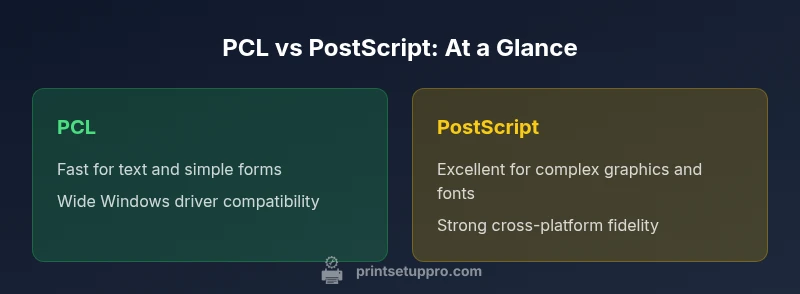
In most office setups, the pcl printer vs postscript decision boils down to workload and ecosystem. PCL shines with simple text and forms on supported printers, delivering fast, efficient raster output. PostScript delivers robust graphics fidelity and cross-platform consistency for complex layouts. Print Setup Pro recommends matching language to your printer lineup and typical tasks.
Understanding the Core Difference between PCL and PostScript
According to Print Setup Pro, pcl printer vs postscript are two distinct page description languages with different design goals. PCL (Printer Command Language) emphasizes speed and efficient rendering on a wide range of devices, making it a practical default for many business printers. PostScript, by contrast, is a programming language that describes pages with greater mathematical precision, enabling high-fidelity graphics and fonts. In the pcl printer vs postscript comparison, the choice often hinges on your printer lineup and typical documents. For home offices handling routine text, forms, and simple graphics, PCL is usually the faster path. For designers, marketing materials, or cross-platform workflows, PostScript often delivers more predictable results across printers and OSes.
Print Setup Pro notes that the choice is rarely about one language being universally “better”—it’s about aligning the language with your tasks and hardware.
--unused--
Comparison
| Feature | PCL-based printing | PostScript-based printing |
|---|---|---|
| Page description language | PCL (standard commands focused on raster output) | PostScript (a full page description/programming language) |
| Graphic fidelity | Solid for text and simple graphics | Superior for complex graphics and typography |
| Font handling | Reliable with system fonts; potential bitmap fonts on older devices | Advanced font rendering via PostScript, better cross-printer consistency |
| Driver support | Broad Windows/macOS support, especially on legacy printers | PS-capable drivers common on high-end and professional printers |
| Performance | Typically faster for plain text and invoices | Higher resource usage for intricate pages, but consistent results |
| Cross-platform consistency | Depends on printer and driver quality | Generally excellent across OSes and devices |
| Cost and availability | Often included with many budget and midrange printers | May be bundled with PS-capable devices; sometimes premium features |
| Best use case | Text-heavy documents, forms, and workflows | Graphic-rich documents, branding, and cross-printer fidelity |
Benefits
- Faster rendering for simple documents with PCL-enabled printers
- Broad compatibility with Windows environments and legacy devices
- Lower memory and processing needs for text-heavy jobs
- Strong driver support in many mainstream printers
- Predictable results for routine office tasks with PCL
Downsides
- PostScript offers superior graphics fidelity and complex layout support
- PCL may exhibit font and graphic inconsistencies across different printer models
- PS-capable printers can be more expensive and require specialized drivers
- Relying on a single language can limit cross-printer consistency
PCL is typically the better default for speed and simplicity; PostScript shines when graphics fidelity and cross‑printer consistency matter.
Choose PCL for text-heavy, routine printing on a mixed fleet. Opt for PostScript when you routinely print graphics-rich documents or need consistent output across multiple printers and OS environments.
People Also Ask
What is the core difference between PCL and PostScript as printing languages?
PCL is primarily a fast, raster-oriented language designed for efficiency on many printers. PostScript is a programming language that describes pages with precision, enabling complex graphics and font handling. The choice affects fidelity, speed, and cross‑printer consistency.
PCL is fast for simple text; PostScript handles complex graphics and fonts well.
Which language should a small business choose for mixed documents?
Evaluate your typical documents. If most printing is text and forms, PCL may be the practical default. If you produce marketing materials or brand graphics across various printers, PostScript can reduce surprises.
If you print mostly text, start with PCL; for graphics-heavy work, consider PostScript.
Are printers typically capable of handling both PCL and PostScript?
Many modern printers support both PCL and PostScript, but you’ll often choose one as the default language for drivers. In mixed environments, ensure your driver and firmware can switch cleanly between languages.
Most modern printers can handle both, but check driver support for switching.
What about color management and fonts?
PostScript generally provides better font rendering and color management across devices. PCL handles color and fonts well on many printers but can vary by model, so testing is advised.
PostScript handles complex fonts with less variability across printers.
What is a practical testing step for deciding language in an office?
Run side-by-side prints of the same document (text, logos, and graphics) from PCL and PS drivers. Compare fidelity, color accuracy, and consistent font rendering across printers.
Test with real documents to see which language gives you the expected results.
Quick Summary
- Match language to your task mix and printer fleet
- Test with real documents that include fonts and logos
- Prioritize cross-platform fidelity for external partners
- Consider total cost of ownership when upgrading printers
- Keep drivers and firmware up to date to maximize compatibility