Complete Resin Printer Setup & Troubleshooting Guide
Learn how to safely set up a resin printer, select resin, post-process prints, and troubleshoot common issues with step-by-step guidance from Print Setup Pro.


This guide walks you through setting up a resin printer, safe handling of resin, basic calibration, post-processing, and common troubleshooting. According to Print Setup Pro, resin printing delivers high-detail parts but requires proper ventilation, protective gear, and careful post-processing. By following these steps, you’ll reduce failures and improve print consistency from unboxing to cure.
What is a resin printer and how does it work?
A resin printer, often called an MSLA (masked stereolithography) or LCD printer, builds objects layer by layer by curing liquid resin with light from an LCD screen. Each layer is solidified as the platform rises or lowers, depending on the printer design. Resin printing excels at high detail, smooth surfaces, and complex geometries that are hard for filament printers to achieve. However, it requires careful handling of photopolymer resin, proper ventilation for fumes, and rigorous post-processing to achieve durable, accurate parts. Print Setup Pro emphasizes understanding the chemistry: resin reacts to light, cures through exposure, and remains sticky until fully rinsed and cured. This knowledge helps you choose the right resin for your project and mitigate common print defects.
Resin printer safety and workspace setup
Ventilation matters: use the printer in a well-ventilated area and keep a dedicated waste container for resin wash. Wear nitrile gloves, safety goggles, and a mask when handling resin or during post-processing. Keep resin containers closed when not in use to minimize fumes and accidental spills. A stable, level surface reduces first-layer failures. Consider using a disposable work mat and a container with wide opening for easy washing of prints. Print Setup Pro highlights the value of a dedicated workbench that’s easy to clean and away from food prep areas.
Resin types and post-processing materials
Resins come in many formulations: standard, tough, flexible, and clear variants suit different applications. For color consistency and mechanical properties, check the resin’s viscosity and cure guidance from the manufacturer. After printing, most parts require washing in isopropyl alcohol (or a dedicated resin cleaner) to remove uncured resin, followed by drying. Finally, parts are cured under UV light to reach final strength. Print Setup Pro advises testing a small print first when trying a new resin to calibrate exposure and washing times.
Printer setup: hardware, leveling, and calibration
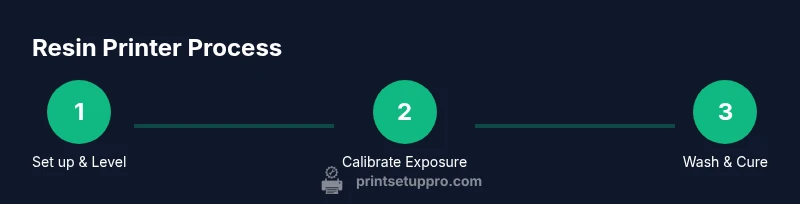
Begin with unboxing inspection, then connect power, USB, and the SD card. Level the build plate using the manufacturer’s method, usually by tightening four corner screws and using a z-offset gauge. A correctly leveled plate ensures first layers adhere evenly and reduces failed prints. Confirm the resin tank is clean and free of debris, and that the LCD screen is free of scratches that could affect curing accuracy. Regularly re-check the build plate alignment as part of monthly maintenance.
Slicing software and support settings
Choose a slicer that supports resin printers and import your model. Orientation matters: place long, flat surfaces parallel to the build plate to minimize supports and reduce warping. Supports should be adequate for overhangs but not excessive, which wastes resin and raises post-processing effort. Start with manufacturer-recommended exposure settings and adjust in small increments based on test prints. Calibrate layer height and exposure through a series of small tests to find a balance between detail and speed.
Post-processing: washing, curing, and storage
After printing, wash the model in resin-safe cleaner until surfaces feel clean and dry. Dry prints thoroughly before curing to avoid trapped moisture. Cure under UV light for the recommended duration and at an appropriate distance from the light source to avoid overheating. Store resin away from heat and sunlight in a sealed container to preserve shelf life. Proper post-processing improves strength, detail, and color consistency.
Common troubleshooting for resin printers
Prints sticking to the FEP film, first layers not curing, or prints curling are common issues. Check resin level in the tank, inspect the build plate for residue, and relevel if necessary. If prints fail due to overexposure, reduce exposure time slightly; if underexposed, increase it cautiously. Clogged resin nozzles or contaminated resin can cause inconsistent results—stir gently and replace resin if needed. Keep spare parts like FEP sheets and gloves handy for quick fixes.
Maintenance, warranty, and safe disposal
Regularly clean the resin tank and replace the FEP film as soon as it shows wear or scratches. Wipe the build plate and rails to prevent debris buildup that can scratch the screen or affect movement. Check cables and connectors for wear and protect the printer from dust. When disposing of resin, follow local regulations for hazardous waste and store waste resin in a sealed container until disposal. These steps extend the life of your machine and protect your workspace.
Advanced tips for reliability and efficiency
Develop a consistent routine for calibration and post-processing to minimize surprises. Maintain a log of resin types, exposure settings, and test results to quickly reproduce good prints. Consider heat management strategies for longer prints and build a small curing station to streamline post-processing. For large batches, batch wash and cure processes can improve efficiency while keeping safety top of mind.
Tools & Materials
- MSLA resin printer(Ensure firmware is up to date and build plate is clean)
- Resin (photopolymer)(Choose resin suitable for your project (standard, tough, flexible))
- Isopropyl alcohol (or resin-safe cleaner)(For washing prints after curing)
- Nitrile gloves(Protect hands from resin and solvents)
- Safety goggles(Eye protection during handling and post-processing)
- Face mask or respirator(Ventilation-dependent; recommended in enclosed spaces)
- Plastic welcome mat or tray(Contain spills and simplify cleanup)
- Isopropanol-safe brushes or lint-free wipes(For gentle cleaning of parts)
- Curing station or UV lamp(Post-curing for final strength)
- FEP sheets (replacement)(Replace as needed to prevent print defects)
- Calibrated test models(For initial exposure and level checks)
Steps
Estimated time: 2–4 hours for full initial setup, plus ongoing daily/weekly maintenance
- 1
Unbox and inspect
Carefully remove the printer from its packaging, check for any shipping damage, and verify all accessories are present. Record any missing items and contact the vendor if needed. This first check prevents surprises halfway through setup.
Tip: Take photos of the box contents before opening for warranty purposes. - 2
Position and connect
Place the printer on a stable, clean surface with good airflow. Connect power, data cable, and any external ventilation if available. Ensure cables are neatly routed to avoid snagging when the lid opens.
Tip: Keep the printer away from direct sunlight and heat sources that could affect resin viscosity. - 3
Level the build plate
Follow the manufacturer’s leveling procedure using the supplied tools. Adjust the z-offset to ensure the first layer adheres without dragging. A proper level foundation reduces failed prints and warping.
Tip: Do a quick test print on a small model to confirm the level after setup. - 4
Prepare resin and tank
Fill the resin tank with the chosen resin, leaving space to avoid overflow. Remove any dust or debris from the tank and build plate. This ensures consistent exposure and avoids defects.
Tip: If resin has settled, gently stir with a stick; avoid vigorous shaking that could introduce bubbles. - 5
Calibrate exposure
Load a calibration model and print a series of small test cubes at varying exposure settings. Choose the setting that gives clean details without over-curing the edges. This step tailors the printer to your resin and environment.
Tip: Document the optimal exposure for future reference. - 6
Begin a test print
Start with a small, simple model to verify adhesion and surface finish. Watch the first layers closely and pause if you notice detachment or excessive peel force. Adjust if needed before committing to larger prints.
Tip: Avoid rushing; a single well-tuned test print saves time on bigger projects. - 7
Return for washing and curing
After printing, rinse the object in resin-safe cleaner until the surface is clean. Dry and then cure under UV light per resin guidelines. Fully cured parts reach their recommended strength and durability.
Tip: Do not cure prints in direct sunlight to prevent overheating. - 8
Store and maintain
Store resin and cured parts away from heat and sunlight. Clean the printer interior, replace worn FEP sheets, and keep a log of maintenance tasks. Regular upkeep extends print quality and printer lifespan.
Tip: Create a small maintenance calendar to keep track of replacements.
People Also Ask
What is a resin printer and how does it differ from a filament printer?
A resin printer uses liquid resin cured by light to build parts, delivering higher detail and smoother surfaces than typical filament (FDM) printers. It requires post-processing like washing and curing. FDM uses thermoplastic filament melted by a heated nozzle. Resin printers have different safety and maintenance needs, including resin handling and fumes.
Resin printers cure liquid resin with light for high-detail parts, unlike filament printers that melt plastic. They need washing and curing after printing and careful safety handling.
Is resin printing safe for home use?
Resin printing can be safe at home with proper ventilation, protective gear, and safe storage of resin. Always follow the manufacturer’s safety guidelines and local regulations for disposal of unused resin and waste wash solution.
Yes, with good ventilation and protective gear, resin printing is safe at home when you follow safety guidelines.
What maintenance does a resin printer require?
Regular maintenance includes cleaning the resin tank and build plate, replacing the FEP film when worn, keeping the vat free of debris, and checking cables and fans. Keep a maintenance log to track replacements and calibrations.
Regular cleaning, FEP replacement, and cable checks keep your resin printer reliable.
How do I choose the right resin for my project?
Choose resin based on the desired properties like clarity, toughness, or flexibility. Read the manufacturer notes for post-processing and curing guidance, and run a short test print to confirm results before committing to a large run.
Pick resin based on strength and finish, then test with a small print to verify results.
What are common print defects and how can I fix them?
Common issues include failed first layers, prints detaching during cure, or surface artifacts. Solutions include re-leveling, adjusting exposure, ensuring clean resin, and verifying the resilience of the FEP film.
If a print fails, check leveling, exposure settings, and resin cleanliness.
How long should I cure resin prints?
Cure time varies by resin and UV source. Start with manufacturer recommendations and adjust based on test results. Avoid overheating by keeping a safe distance from the UV light.
Cure times depend on resin and light; test and adjust to avoid overheating.
Watch Video
Quick Summary
- Follow a strict safety workflow when handling resin
- Level the build plate meticulously to reduce failures
- Calibrate exposure for each resin to optimize detail
- Post-process thoroughly to achieve full strength
- Maintain a maintenance log for long-term reliability