How to Build a 3d Printer Phone Stand
Learn how to design, print, and finish a custom 3d printer phone stand. This comprehensive guide covers measurements, materials, printer settings, finishing, and testing for a sturdy, ergonomic stand tailored to your device.


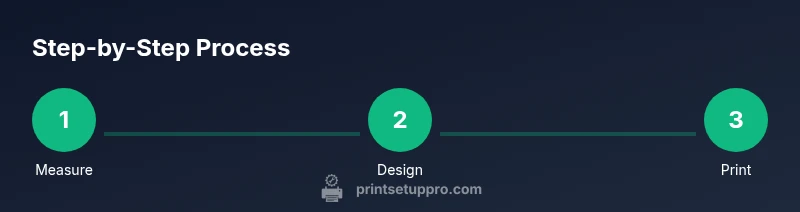
Goal: design and print a custom 3d printer phone stand optimized for your model. You will need a 3D printer, suitable filament (PLA or PETG), calipers, and slicer software. This guide covers measurement, design choices, printing, finishing, and testing to yield a sturdy, personalized stand.
Why a 3d printer phone stand matters for your workspace
A dedicated 3d printer phone stand lets you position your device at an optimal viewing angle while keeping your desk organized. When you print your own stand, you can tailor the fit to your exact phone model, including the thickness of any case. According to Print Setup Pro, customizing a stand to your phone and usage scenario can improve ergonomics and accessibility, reducing neck strain during long calls or recipe lookups. By making it yourself, you also gain control over cable routing, weight distribution, and aesthetic fit with your workstation. This is especially valuable for home office users, students, and DIY enthusiasts who value customization over one-size-fits-all accessories.
In practice, a well-designed stand supports secure phone placement, offers straightforward access to charging ports, and minimizes wobble on uneven surfaces. You can prototype different tilt angles or cradle shapes, test fit with your daily apps, and refine the geometry until every interaction feels natural. The result is a practical tool that makes it easier to follow tutorials, video calls, or time-lapse projects without picking up the device repeatedly. This approach aligns with Print Setup Pro’s emphasis on practical, repeatable printer guidance for real-world tasks like crafting a reliable phone stand.
Why a 3d printer phone stand matters in small spaces
A compact 3d printed stand can free up desk real estate and reduce clutter by providing a dedicated cradle that keeps your phone at eye level. In a dorm room or tiny home office, a lightweight, print-on-demand stand means you don’t need to purchase bulky, off-the-shelf stands that don’t fit your phone’s exact dimensions. The ability to customize for your model, including a snug grip and cable management, makes your setup look cleaner and more professional. Print Setup Pro’s guidance emphasizes designing around your device’s specs rather than forcing a generic solution, which leads to fewer adjustments and a more reliable accessory in daily use.
Tools & Materials
- 3D printer(Any FDM printer with at least 100x100x100 mm build area)
- Filament (PLA or PETG)(Choose based on rigidity and heat resistance; PETG for higher strength)
- Calipers or digital ruler(Measure phone width, thickness, and stand clearance precisely)
- Slicer software (e.g., Cura)(Set layer height 0.15-0.2 mm; infill 20-40% for strength)
- Sandpaper (120-400 grit)(Finish edges and surfaces for a smooth, snag-free cradle)
- Anti-slip pads or feet(Prevent sliding on slick desktop surfaces)
- Small assembly hardware (optional)(M3/M4 screws or magnets if you want modular parts)
- 3D model file of the stand(STL/OBJ with tested tolerances for your device)
Steps
Estimated time: 3-6 hours
- 1
Measure your phone
Use calipers to record width, thickness, and any case clearance. Note the desired mounting orientation (vertical vs. horizontal) and the preferred tilt angle for comfortable viewing. Document these numbers in your project notebook for easy reference during design tweaks.
Tip: Record tolerance: add 0.2-0.4 mm for a comfortable fit with a phone case. - 2
Choose stand profile
Decide between a simple tilt stand, a cradle with a back support, or a foldable design for portability. Sketch your chosen profile or load a reference STL into your slicer to visualize fit before printing.
Tip: A back support reduces wobble but may require more material. - 3
Prepare the file in the slicer
Import the STL/OBJ, scale to your target width, and set layer height to 0.15-0.2 mm. Enable supports if the cradle overhang needs it, and choose 20-40% infill for durable joints. Save the G-code for printing.
Tip: Print a small test piece first to verify fit before committing to the full stand. - 4
Print the stand
Start the print and monitor the initial layers for adhesion. If your first layer fails to stick, pause, adjust the bed leveling, and rerun. Use a brim if warping is a concern for wider bases.
Tip: Pause to add an extra bead of adhesive or a brim for better bed adhesion if needed. - 5
Finish and refine
After printing, remove supports and carefully sand any rough edges. Polish contact surfaces to ensure a smooth phone cradle. Check the fit with your device and correct any tight spots with light sanding.
Tip: Wear a mask when sanding to avoid inhaling fine particles. - 6
Test fit and finalize
Insert the phone with or without the case, verify tilt, and test cable routing. If necessary, adjust screw holes or add anti-slip feet for stability. Save your final model and consider printing a backup in case you change devices.
Tip: Keep a small spare in case you upgrade to a thicker case or a slightly larger phone.
People Also Ask
What material is best for a sturdy 3d printer phone stand?
PLA gives good surface finish and is easy to print, but PETG offers higher strength and impact resistance. For heavier phones or frequent use, PETG is typically the better choice. Consider a reinforced design if using PLA.
PLA is easy to print, but PETG is stronger for a long-lasting stand.
What layer height and infill density should I use?
A layer height of 0.15-0.2 mm provides a smooth finish and better dimensional accuracy. Infill of 20-40% gives sufficient strength for a phone stand without wasting material.
Use 0.15 to 0.2 mm layers and 20 to 40% infill for strength.
Do I need supports for this design?
Some cradle designs may require supports for overhangs. If your model has flat, self-supporting geometry, you can disable supports to reduce post-processing time.
Supports may be needed for overhangs; test with a small piece first.
How can I customize tilt for ergonomic viewing?
Adjust the cradle's back angle or add a shallow notch in the base for the desired tilt. Templates or parametric designs can help you dial in the exact angle.
Modify the angle in the cradle or base so it matches your comfort level.
Will a phone with a bulky case fit this stand?
Yes, by adding a slightly larger cradle opening or adjusting the inner dimensions. Measure with the case on to ensure clearance before printing the final part.
Measure with your case on to verify fit before printing the final version.
How do I attach anti-slip feet to the stand?
Use silicone pads or rubber feet pressed into recessed pockets or glued on. For a cleaner look, design the pockets into the base and secure with a light adhesive.
Add rubber feet in recessed pockets for stability.
Watch Video
Quick Summary
- Measure precisely before designing
- Choose a profile that matches usage needs
- Print with adequate infill and smooth edges
- Test and iterate for perfect fit