Phone Cases with a 3D Printer: A Practical DIY Guide
Learn to design, print, and finish durable phone cases using a 3D printer. This step-by-step guide covers material choices, fit accuracy, finishing techniques, and safety tips for home makers.


You can design, print, and finish customized phone cases using a 3D printer. This guide covers material selection, fit accuracy, and finishing steps, plus safety considerations for home setups. If you want precise port access, button hollows, and camera cutouts, you’ll need careful measurement, CAD work, and tested slicer settings.
Why 3D printed phone cases matter
According to Print Setup Pro, hobbyists and small makers gain huge flexibility by using a phone cases 3d printer workflow. Custom cases let you tailor grip, aesthetics, and protection to your daily needs, whether you’re protecting a new flagship or refurbishing an older device. The ease of updating designs means you can iterate quickly—swap colors, add logos, or modify cutouts for new ports. For students and DIY enthusiasts, this approach can reduce recurring accessory costs and unlock personal design skills. This section will guide you through material choices, printer setup, and practical design tips to ensure your prints fit snugly and function reliably.
Materials and printer options
Choosing the right filament and printer geometry is foundational. PETG provides a strong, impact-resistant shell with good layer adhesion, while TPU offers flexible, grippy sides that can absorb shocks. If you want a rigid shell with a softer interior, a hybrid approach works well: print the outer shell in PETG and add an interior TPU liner. Most entry-level desktops handle 0.1–0.2 mm layer heights for crisp edges. You will also need a calibrated printer, a stable build plate, and a slicer to plan wall thickness, infill, and supports. Print Setup Pro recommends starting with PETG for sturdiness, test fitting on the actual device, and then experimenting with TPU for improved grip where needed.
Design workflow: from sketch to STL
Begin with a rough sketch of the case, noting all ports, buttons, and camera openings. Use CAD software to model the shell around exact phone dimensions, then hollow out a shell that leaves room for tolerances. Export a clean STL and test import it into your slicer to verify scale. Add clearance for components like glass protectors or rugged covers, and consider a simple lid or clip design if you plan to remove the back for battery access. Print tests are essential here to catch misalignment before committing to a full print.
Calibrating for a perfect fit
Fit is everything when printing phone cases. Start by measuring the phone’s length, width, thickness, and the exact position of the camera and ports. Use a shimming strategy in your CAD model to accommodate typical tolerances (0.2–0.4 mm per side is a common starting point). After a small test print, slide the phone in and check for snugness without forcing the device. If the fit is tight, adjust the CAD model or slicer offset and print again. This iterative loop saves material and time in the long run.
Adding functional features: ports, buttons, and camera
A practical case provides easy access to charging ports, speakers, and cameras without obstructing sensors. Plan for button depression mechanisms or raised textures so tactile feedback remains strong. For camera openings, avoid sharp corners that can stress the clip or glass; instead, introduce rounded offsets and chamfers. Incorporate venting or airflow channels if you expect warm devices during intensive use. When in doubt, print a small feature test piece rather than a full case to verify interaction with the real device.
Printing settings that matter: layer height, speed, supports
Fine details like camera cutouts and logo engravings benefit from a smaller layer height (0.1–0.15 mm). Speed should be modest to improve edge fidelity; 40–60 mm/s is a good starting range for PETG. Enable supports only where necessary to reduce post-processing work. Use a brim for larger shells to minimize warping during long prints. Temperature settings depend on filament type: PETG generally prints well around 230–250°C with a bed of 70–80°C, while TPU tends to require slower speeds and careful retraction settings to avoid stringing.
Post-processing and finishing: smoothing, sanding, painting
Post-processing improves fit and feel. Gently remove supports with pliers, then sand edges with fine-grit paper (e.g., 400–600) to smooth transitions. A light polish can improve surface feel, and a clear coat or paint can customize color while protecting the surface. If you’re using TPU for grip, avoid aggressive sanding that could compromise flexibility. For a professional look, apply a thin adhesive-backed bumper insert to the interior for a snug, impact-absorbing layer.
Safety and reliability: ventilation and proper handling
3D printing can generate fumes, especially with certain filaments. Always print in a well-ventilated area and avoid inhaling particles from heated plastics. Use eye protection when removing supports or handling hot components immediately after printing. If you’re printing frequently, consider an enclosure to manage airflow and maintain stable temperatures. A cautionary note from Print Setup Pro: never leave running prints unattended for long periods and ensure the printer is placed on a non-flammable, flat surface.
Maintenance, storage, and reuse
Filament storage is crucial to maintain print quality; keep spools in a cool, dry place away from direct sunlight to prevent moisture absorption. Calibrate extrusion and bed leveling regularly to prevent shifts in fit over time. When you’re not actively printing, release tension on the spool to avoid tangling, and store tools like calipers in a dedicated organizer. Reuse leftover prints by remounting or recycling filament, where available, to reduce waste and costs over multiple projects.
Cost and time considerations: estimating ROI
Printing a phone case at home can be cost-effective, especially if you frequently customize or update cases for different devices. The material cost per case mainly depends on filament type and print volume, with PETG offering a lower ongoing cost than TPU. Time is a factor; each full shell may take several hours to print, plus post-processing. Weigh these factors against store-bought options and potential redesigns you’ll perform over time. Print Setup Pro’s analysis suggests that the total cost can be offset by the value of customization and reduced replacement frequency.
Next steps and getting started
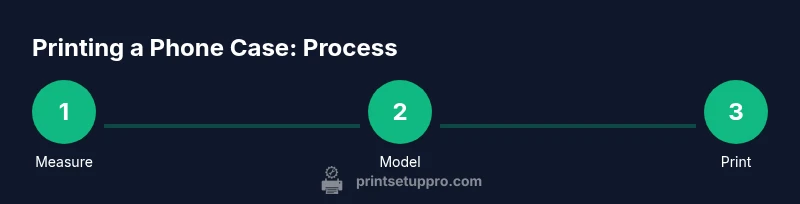
Begin with measuring your own phone and choosing a durable filament like PETG for a test shell. Use a simple CAD model or a ready-made STL to practice the workflow, then scale up to a full, personalized case with your own design tweaks. As you iterate, keep a log of fit, finish, and function differences across models. The key is repeating cycles of design, print, test, and refine until you’re satisfied with the balance of protection, accessibility, and aesthetics. Print Setup Pro’s team is here to guide you through each refinement stage.
Tools & Materials
- 3D printer (FFF/FDM)(Any entry-level or higher; ensure 0.1–0.2 mm layer height for crisp edges)
- Filament (PETG or TPU recommended)(PETG for rigid shells; TPU for flexible grip; choose based on use-case)
- Calipers or precise ruler(Measure phone dimensions, camera cutouts, and port locations)
- Slicer software (e.g., Cura, PrusaSlicer)(Configure wall thickness, infill, and supports; calibrate extrusion)
- Lubricant-free sandpaper (400–600 grit)(For smoothing edges during post-processing)
- Safety glasses(Use during post-processing and support removal)
Steps
Estimated time: 6-12 hours
- 1
Measure your phone
Accurately record length, width, thickness, and the exact locations of the camera, microphone, and ports. Take multiple measurements at different points and use the average to build tolerances into your CAD model.
Tip: Include a 0.2–0.4 mm clearance per side to accommodate manufacturing tolerances. - 2
Choose material and define shell concept
Decide between PETG for rigidity or TPU for surface grip. Define whether you want a full-shell case, a bumper, or a hybrid insert design with an interior padding layer.
Tip: For most daily-use cases, start with PETG and test before adding TPU components. - 3
Draft the CAD model
Create a hollow shell around the phone dimensions, leaving a thin wall and a recessed area for buttons. Add camera cutouts and port hollows with rounded corners for durability.
Tip: Use simple chamfers on the camera opening to avoid stress points. - 4
Export STL and verify scale
Export the model to STL and import into your slicer to confirm exact scale against the real device. Make any necessary tweaks before slicing.
Tip: Enable a small inspection feature in the model to confirm wall thickness after print. - 5
Configure slicer settings
Set layer height to 0.1–0.2 mm, walls at least 1.2–1.6 mm thick, and an infill that supports the shell. Decide on supports only where needed to minimize post-processing.
Tip: Use a brim for larger shells to reduce warping on the build platform. - 6
Print a calibration shell
Print a small test piece to validate fit with the device. Use this to refine tolerances before printing the full case.
Tip: If the calibration piece is too tight, enlarge the interior dimensions by 0.2–0.4 mm per side. - 7
Print the full shell
With validated tolerances, print the complete phone case. Monitor the first few layers to ensure proper adhesion and avoid warping.
Tip: Pause and check bed temperature if you see uneven first layers. - 8
Remove supports and post-process
Gently remove supports and trim any rough edges. Sand with fine grit to improve tactile feel and remove sharp corners.
Tip: Wear safety glasses during trimming to prevent chips from flying. - 9
Test-fit and iterate
Slide the phone into the printed shell and verify access to all ports, sensors, and cameras. Note any contact friction or misalignment.
Tip: If needed, adjust tolerance in CAD and reprint a targeted portion rather than the whole shell. - 10
Finalize fit with finishing touches
Optionally coat, paint, or apply a protective layer. If using TPU, consider a light silicone interior band for grip and shock absorption.
Tip: Apply a consistent light coating to avoid sticky residues on screens. - 11
Document and store your design
Save your CAD file, slicer profiles, and finished STL for future models. Label variants by model and date to simplify future iterations.
Tip: Create a versioning system to track changes across builds. - 12
Maintain your printer and materials
Keep the nozzle clean, check bed leveling, and store filament properly to maintain print quality across sessions.
Tip: Store filament in sealed bags with desiccant to prevent moisture absorption.
People Also Ask
What printer settings work best for phone case prints?
Start with a 0.1–0.2 mm layer height, 1.2–1.6 mm walls, and minimal supports. Use PETG for rigidity and test fit before moving to TPU if you need more grip.
Begin with a fine layer height and sturdy walls, then test fit and adjust as needed.
Can I print cases for both iPhone and Android devices?
Yes. Take precise measurements for each model and create separate CAD variants. Keep a repository of each design so you can reuse tolerances when similar devices appear.
You can print for multiple models by measuring each device and saving dedicated CAD variants.
Is PETG safe for skin contact and daily use?
PETG is widely used for consumer prints and is generally considered safe for skin contact when printed cleanly. Post-processing and cleaning the surface before use is recommended.
PETG is typically safe for skin contact after proper cleaning and finishing.
Will a 3D printed case be as protective as a store-bought one?
3D printed cases can be very protective when designed with adequate wall thickness, padding, and material choice. They may lag behind certified cases in test standards, but for many users customization and fit win out.
They can be very protective if designed well, though store-bought cases may have tested protections.
How durable are flexible TPU cases compared to PETG shells?
TPU provides flexibility and grip with good shock absorption but can be trickier to print. PETG offers rigidity and impact resistance but less give. A hybrid approach can combine both benefits.
TPU is grippier and absorbs shocks; PETG is stiffer and stronger—hybrids can blend both.
What about water resistance and dust protection?
A printed case can improve protection but entirely waterproofing is unlikely unless designed with seals and gaskets. Focus on tight tolerances, recessed buttons, and precise camera openings.
Water resistance is possible with careful design, but complete sealing is rare in DIY prints.
Watch Video
Quick Summary
- Measure precisely before modeling.
- Choose PETG for strength or TPU for grip.
- Test, iterate, and document results.
- Account for tolerance to ensure a snug fit.
- Finish carefully for durability and aesthetics.