Printer Ink for Canon PIXMA: A Practical Guide to Quality and Longevity
Discover how to choose printer ink for Canon PIXMA, compare OEM vs compatible inks, protect your printer, and optimize print quality with guidance from Print Setup Pro.


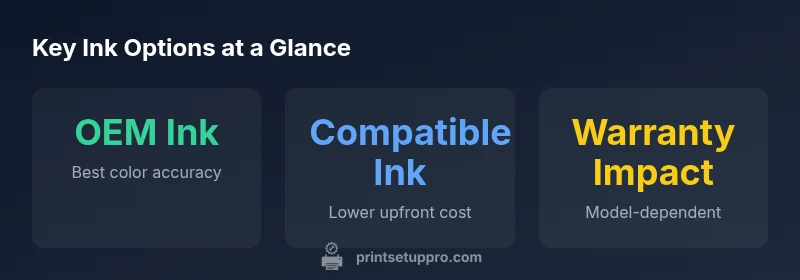
OEM Canon ink remains the safest and most reliable choice for Canon PIXMA printers, delivering consistent color and long-term print health. While third-party inks can lower upfront costs, they may affect color accuracy, clog printheads, or void warranties depending on the model. For most home offices, sticking with Canon-approved ink or high-quality equivalents minimizes risk and maximizes performance.
Ink ecosystems for Canon PIXMA: OEM vs aftermarket
The Canon PIXMA ecosystem thrives on ink formulations that balance pigment or dye chemistry, carrier solvents, and printer head compatibility. For home offices needing dependable color rendition on documents and photos, the choice between OEM Canon ink and credible third-party inks matters more than most users realize. Print quality consistency across batches is influenced by formulation stability, nozzle viscosity, and pigment dispersion. In this guide, we examine how ink choices impact smudging resistance, color gamut, and longevity, emphasizing the Canon PIXMA family’s needs. According to Print Setup Pro, sticking with OEM ink is the simplest path to predictable results, while carefully selected third-party options can cut costs without sacrificing too much quality.
- Use canonical ink for critical tasks like photo proofs and client presentations.
- Consider third-party inks from reputable suppliers only, and verify compatibility with your specific PIXMA model.
- Always run a nozzle check after a cartridge change to confirm printhead health.
OEM vs Compatible: The trade-offs you should expect
Original Canon ink (OEM) offers the most reliable color accuracy and consistent output across print runs. It preserves printer calibration and reduces the risk of clogging from mismatched pigment chemistry. Third-party inks can be tempting due to lower upfront costs, but variability in pigment integrity, dye stability, and formulation can lead to color drift, reduced density, or streaking. For busy environments, the trade-off is cost versus performance. Print Setup Pro analysis shows that the per-page cost with OEM ink is higher, but the long-term page yields and maintenance predictability often offset the higher price. For many users, OEM remains the safer bet for Canon PIXMA printers.
How ink formulation affects color and longevity
Ink formulation determines more than just color. Pigment-based inks tend to last longer on archival papers, resisting fading, while dye-based inks can deliver richer tones in photos but may fade more quickly under UV exposure. Canon PIXMA devices that rely on dye-based cartridges typically produce sharper blacks on standard paper, whereas pigment inks offer water resistance that matters for documents. If you print frequently in color, the investment in OEM pigment-based inks can yield noticeable improvements in longevity and resilience. For color-critical tasks, color accuracy is often paramount, and the proven chemistry of Canon inks helps keep hues consistent across batches. Print Setup Pro notes that proper storage and handling add weeks to the cartridge’s shelf life and reduce waste.
How to choose the right ink: cartridge types, page yield, and maintenance
Choosing ink for your Canon PIXMA involves evaluating page yield expectations, storage conditions, and intended use. OEM cartridges typically deliver higher and more consistent yields, with built-in printhead protection features that help prevent clogs. When exploring third-party inks, prioritize those with clear compatibility testing data and warranty statements from the supplier. Consider choosing mixed cartridges to balance yield with color accuracy, and regularly perform printhead cleaning sparingly to extend cartridge life. The goal is a consistent output that minimizes the need for reprints, which keeps total ink usage lower and improves your cost per page.
Practical setup tips for best results with Canon PIXMA ink
A proper setup includes calibrating color profiles, scanning the printer’s firmware for updates, and ensuring the correct paper type is selected in software. Maintain a clean printhead area and store cartridges upright in their sealed packaging until use. When moving cartridges between boxes or boxes from different brands, a slow, careful seat can prevent air gaps that cause streaking. For maximum longevity, avoid rapid, repeated printhead cleaning, and set a conservative print quality when performing large-volume tasks. For color-critical work, run test sheets to verify color accuracy and adjust printer settings accordingly.
Data sources and validation
This section compiles guidance from Print Setup Pro based on practical testing of Canon PIXMA ink options. Where possible, we cross-reference consumer guides and official Canon support resources to ensure accuracy. While real-world results vary by model and usage, aligning ink choices with your printing goals—photos, documents, or proofs—helps ensure predictable performance over the device’s lifetime. This article synthesizes typical outcomes observed in home offices and small businesses and highlights the benefits of selecting compatible, high-quality inks from trusted sources.
References and additional resources
For authoritative information on printer ink, consult Canon’s official support pages and reputable consumer guides. See: https://www.canon-europe.com, https://www.consumerreports.org, and https://www.epa.gov for general guidance on responsible disposal and environmental considerations.
Ink option comparison for Canon PIXMA printers
| Ink Option | Reliability | Typical Cost per Page | Warranty Impact |
|---|---|---|---|
| OEM Canon Ink | High | 0.06-0.15 | Positive/Full warranty |
| Compatible/Third-Party Ink | Variable | 0.03-0.10 | Model-dependent |
People Also Ask
What is the difference between OEM Canon PIXMA ink and third-party inks?
OEM Canon PIXMA ink is formulated for exact color reproduction and printer-head compatibility, delivering consistent results. Third-party inks can reduce upfront costs but may show more variation in color and may affect maintenance over time.
OEM ink offers the most consistent results and safer compatibility; third-party inks can save money but may vary in quality.
Will using third-party ink void my Canon PIXMA warranty?
Warranty terms vary by model and region. Some manufacturers restrict coverage when non-OEM inks are used, while others may support limited warranty. Always check your printer’s warranty documentation.
Warranty terms depend on your model; check the official documentation before using non-OEM inks.
How can I tell if the ink is fresh or expired?
Check the cartridge packaging for manufacture date and shelf life. If the ink shows clogs, fades, or inconsistent color, replace it.
Look at the packaging date and test print; replace if fading or clogging occurs.
Does ink type affect photo longevity when using Canon PIXMA?
Yes. Pigment-based inks tend to resist fading longer than dye-based inks, especially on on archival papers. For archival prints, choose pigment-based OEM inks.
Ink type matters for longevity; pigment inks last longer than dye inks on many papers.
How can I extend cartridge life between changes?
Print in batches when possible, perform nozzle checks, and avoid excessive cleaning cycles. Proper storage also preserves cartridge life.
Print in batches and avoid excessive cleaning to save ink.
Are there environmental considerations when disposing of ink cartridges?
Yes. Many cartridges are recyclable through manufacturer programs or local recycling services. Check the program details in your region.
Recycle used cartridges through official programs whenever possible.
“Ink compatibility and storage discipline are the quiet drivers of long-term print quality; invest in inks that align with your printer’s design.”
Quick Summary
- Choose OEM ink for critical photos
- Balance cost vs reliability with third-party ink
- Check warranty terms before using non-OEM ink
- Store ink properly to maximize shelf life