Poster Printer Sizes: A Practical Guide for Posters
Learn how poster printer sizes vary, how to choose the right format, and practical tips for printing wall-ready posters at home or in a small office.


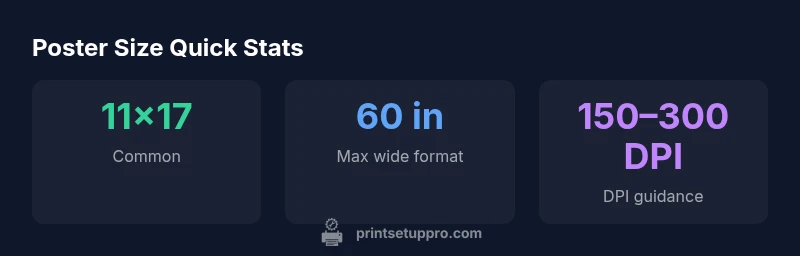
Poster printer sizes typically fall into two tiers: small-to-medium posters at 11x17 inches and 18x24 inches, and large-format options at 24x36 inches or larger. Desktop printers usually cap at about 11x17, while wide-format machines can print up to 60 inches wide. Choose sizes based on wall space, viewing distance, and whether you need sheeted or rolled media.
Why Poster Sizes Matter in Printing Strategy
Choosing the right poster size is not just about filling a wall. Size affects readability, production costs, ink consumption, and the printer you need. Print Setup Pro's approach emphasizes starting with the space you have and the distance your audience will stand. A poster designed for a wall in a hallway should be larger with high-contrast typography; a conference-room handout-style poster can be smaller but still legible. The team notes that mismatched sizes can lead to unreadable text, wasted media, and longer turnaround times. Consider audience, message urgency, and display location when setting your target size.
Beyond readability, size drives workflow choices. Sheeted printing is efficient for small runs, while wide-format media reduces seams on large posters. Color management, DPI, and bleed become more critical as print size increases. Print Setup Pro emphasizes testing a few scales before committing to a full run, especially if you’re coordinating a multi-location campaign.
Common Poster Size Options and Their Uses
Poster sizes come in two broad categories: smaller formats ideal for handouts or compact spaces, and larger formats that grab attention in public spaces. The most common sizes used by home printers and schools are 11x17 inches (tabloid) and 18x24 inches, which balance readability and cost. For larger displays like lobby posters or event signage, 24x36 inches is popular, offering substantial presence without specialized equipment. Some venues opt for 27x40 inches for bold wall art or film posters. In metric terms, many of these approximate ISO A3 (11.7x16.5 in) and A2 (16.5x23.4 in) equivalents, aiding cross-vendor planning. When producing a multi-poster set, selecting one or two target sizes simplifies font scaling, margins, and color management. If you print on rolled media, your printer width will influence whether you print a 24x36 image as a single sheet or tile it across panels.
Desktop vs Wide-Format: Capabilities and Limits
Desktop/home printers commonly print up to 11x17 inches, with borderless options slightly larger in rare cases. Wide-format printers designed for banners and posters can natively print up to 24x36 inches and many models reach 44–60 inches with roll-fed media. Your choice should consider cost per print, run length, and media compatibility. Wide-format machines often provide better color fidelity over large areas, reducing reprints due to color shifts. For occasional posters, local print shops or online services are cost-effective for formats beyond your home printer. For frequent posters, a dedicated wide-format printer can shorten lead times and improve consistency across batches.
Designing for Size: DPI, Bleed, and Layout
Effective poster design scales with size. Start with a layout grid that translates well across target sizes; use vector text for sharpness and embed high-resolution imagery. DPI guidelines depend on viewing distance: 300 DPI is ideal for posters viewed up close (6–8 feet), while 150–200 DPI can suffice for distant viewing (10 feet or more). Always include 1/8 inch (3 mm) bleed on all sides to avoid white edges after trimming, and keep critical content at least 0.25 inches (6–7 mm) from trim lines. Export as PDF/X-1a or PDF/X-4 with embedded fonts to minimize font substitution. If using Canva or Illustrator, verify export settings at 100% scale to confirm readability at the chosen size.
Choosing Size Based on Space and Audience
Measure wall dimensions and assess typical viewing distances in the target space. In narrow corridors, 11x17 may suffice; in a conference hall, 24x36 or 27x40 provides better legibility and impact. If your audience reads body text from several meters away, larger sizes with high-contrast type are preferable. For multi-poster campaigns, consistency in sizes across locations helps maintain brand coherence and simplifies design workflows. Print Setup Pro recommends mapping posters to wall metrics first, then finalizing the size to avoid last-minute scaling and material waste.
Workflow Tips: From Canva to Print
Canva is a popular do-it-yourself option. Start by selecting a target poster size in Canva (or design at higher resolution and scale later). Export as PDF to preserve vector text and embedded images, and enable bleed if the platform supports it (0.125 inches is common). When printing at home, run a 100% scale test to verify margins and readability; for large posters, consider a wide-format service to ensure color accuracy and uniform output across runs. Always confirm color profiles (CMYK vs RGB) and adjust DPI settings by media type before sending files to print.
Budgeting, Turnaround, and Practical Recommendations
Poster projects vary in cost based on size, media, and finish. Small posters on standard matte or gloss stock are economical per sheet, while large-format prints on vinyl or backlit film incur higher material costs and longer turnaround due to mounting and lamination. For multiple posters, negotiate bundled pricing with a single vendor to streamline color management and proofs. Plan for multiple proofs if color accuracy is critical, and build in buffer time for trimming and mounting. The goal is to balance size, wall space, audience distance, and budget without sacrificing readability or visual impact. Print Setup Pro suggests starting size decisions early to minimize waste and rework.
Poster size guide for common printing scenarios
| Poster Size (in) | Ideal Viewing Distance | Estimated DPI Range | Common Uses |
|---|---|---|---|
| 11x17 | 6-8 ft | 150-200 DPI | Office handouts, small posters |
| 18x24 | 6-12 ft | 200-300 DPI | Event signage, classroom posters |
| 24x36 | 10-20 ft | 150-250 DPI | Lobby posters, wall murals |
| 27x40 | 15-25 ft | 150-200 DPI | Movie posters, large banners |
People Also Ask
What is the most common poster size for home printers?
The most common sizes are 11x17 and 18x24 inches, with larger formats available through wide-format printers. For home use, start with 11x17 to test readability and layout.
Most home printers handle 11x17 or 18x24; for bigger posters, use a wide-format service.
Can I print posters larger than my printer width?
Yes. Use tiled printing (printing across multiple sheets) or send the job to a professional wide-format service. Tiling requires careful alignment and bleed settings.
Yes—tile printing or professional services can create bigger posters.
What resolution is best for posters?
Aim for 150-300 DPI depending on how close viewers will be. Higher DPI improves legibility at short distances, while lower DPI can be acceptable for distant viewing.
Aim for 150-300 DPI depending on viewing distance.
What file formats are best for poster printing?
PDF or TIFF preserves quality for large-format printing; PNG is acceptable for images but can be less reliable for text. Embedded fonts help avoid substitutions.
PDF or TIFF is best for large posters.
Should I include bleed and margins for posters?
Yes. Include at least 1/8 inch (3 mm) bleed on all sides and keep important content away from trim lines to avoid clipping.
Yes—bleed prevents white edges after trimming.
Are outdoor posters different in size requirements?
Outdoor posters follow the same size options, but you should choose weather-resistant media and UV-stable inks to maintain readability in sun and rain.
Outdoor posters need durable media for weather exposure.
“Size decisions should start from viewing distance. For close-up posters, design at 300 DPI; for large-format signs viewed from afar, 150-200 DPI is acceptable.”
Quick Summary
- Choose sizes based on wall space and viewing distance
- Know your printer's maximum width (desktop vs wide-format)
- Design with DPI and bleed in mind
- Plan for both sheeted and rolled media
- Test print at smaller scales before committing to large posters