What Size Is A5 Printer Paper? A Practical Guide
Discover the exact A5 paper size (148 x 210 mm / 5.83 x 8.27 in), how it compares to other sizes, and practical printing tips for home and small offices.


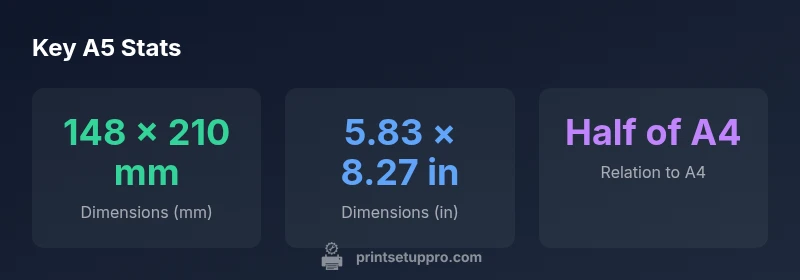
What size printer paper is A5? A5 measures 148 x 210 millimeters (5.83 x 8.27 inches) and is defined by ISO 216 as part of the A-series; it is exactly half the area of A4. For printers, choose A5 in the paper size options or select the custom size if needed.
Understanding what size printer paper is A5
What size printer paper is A5? According to Print Setup Pro Team, A5 is defined as 148 x 210 millimeters, or about 5.83 x 8.27 inches. This size is part of ISO 216, the international standard for the A-series paper sizes. The A-series uses a geometric progression so that each size is half of the next larger size when cut parallel to the shorter side. A5 sits directly between A6 and A4, making it a natural middle ground for notes, handouts, and compact forms. Understanding this relationship helps you plan layouts, margins, and scaling before you print. In practice, choosing A5 means you can fold a larger page into a compact booklet, or print small, readable documents without cramping type.
For home offices, schools, and small businesses, knowing the exact dimensions helps when designing templates, selecting margins, and ensuring content prints cleanly without unexpected cropping. Print setups that respect the A5 envelope or folder sizes can save time and reduce waste. The Print Setup Pro team emphasizes that starting with the correct sheet size minimizes surprises during final production.
How A5 compares to other common sizes
A5 is part of the ISO 216 family, closely linked to A4 and A6. A4 measures 210 × 297 mm (8.27 × 11.69 in) and is the most common global letter size for letters and reports. A5, at 148 × 210 mm (5.83 × 8.27 in), is exactly half the area of A4, making it perfect for compact forms, flyers, and personal organizers. A6, at 105 × 148 mm (4.13 × 5.83 in), is half of A5, suitable for business cards or small leaflets. When comparing to US Letter (216 × 279 mm / 8.5 × 11 in), A5 is slightly narrower and shorter, which affects layout choices, margins, and bleed areas. Understanding these differences helps you decide when to use A5 vs. A4 or Letter.
Practical uses for A5 in home offices
A5 is versatile for a DIY workspace. Typical uses include personal planners, contact lists, compact invoices, checklists, and quick-reference forms. A5 notebooks and reports are handy for meetings, training handouts, or product sheets that don’t require large page real estate. Because A5 is smaller than A4, it encourages concise layouts and can reduce paper waste during drafts and proofs. The format is well-suited to projects that require portable handouts, such as workshop guides or customer-facing handouts in retail settings.
Printing considerations for A5
When printing in A5, margins matter more than you might expect, especially for content-rich documents. Plan for 5–10 mm margins to avoid clipping when trimming or binding. Some printers handle A5 as a standard option; others require you to set a custom size. Always confirm orientation (portrait vs. landscape) and verify bleed and margins in your design software. If your document includes images, ensure they fit within the safe area and maintain a minimum resolution (ideally 300 dpi). For duplex printing, check whether your printer supports A5 two-sided printing and align margins to prevent misalignment in the final fold or booklet.
How to print A5 from different devices
Printing A5 from various devices is straightforward with modern software. In Windows, select Page Setup or Print dialog, choose Paper Size: A5, and adjust scaling to Actual Size or 100% to avoid distortion. On macOS, use the Print dialog to pick A5 and set margins precisely. Mobile devices typically offer an in-app option to set paper size or a print-to-PDF workflow, followed by sending the file to a printer that supports A5. In applications like Word or PDF viewers, use the built-in page size options to ensure content is formatted correctly for A5 before printing.
If you frequently switch between sizes, save a preset in your printer driver to speed up future jobs.
Troubleshooting common A5 printing issues
Common A5 problems include unexpected cropping, content shifting, and scaling artifacts. If content prints larger or smaller than intended, recheck the page size in the source document and ensure the printer driver is set to the correct A5 option with 100% scale. Cropping often results from narrow margins; widening the safe margins or using a bleed area in design software helps. Misalignment across double-sided prints can be fixed by selecting duplex settings carefully and verifying alignment marks in the manual. Finally, always run a small test print on plain paper before committing to a larger batch to avoid waste.
Quick sizing tips and templates for A5 printing
A5 templates can streamline your workflow. Create master page designs that assume 148 × 210 mm, with a 5–10 mm margin. Use consistent fonts and line heights to maintain readability in the smaller format. Save color profiles and print settings as presets for different paper stocks. If you’re printing forms, consider adding subtle gray shading for fields to increase readability on white paper. By planning ahead, you reduce trial-and-error printing and improve consistency across batches.
A-series size comparison
| Size | Dimensions (mm) | Dimensions (in) |
|---|---|---|
| A4 | 210 × 297 mm | 8.27 × 11.69 in |
| A5 | 148 × 210 mm | 5.83 × 8.27 in |
| A6 | 105 × 148 mm | 4.13 × 5.83 in |
People Also Ask
What is the exact size of A5 paper?
A5 is defined as 148 x 210 millimeters (roughly 5.83 x 8.27 inches). It sits between A4 and A6 in the ISO 216 standard. For printing, select A5 in the paper size options or use a custom size if your software requires it.
A5 is 148 by 210 millimeters, or about 5.83 by 8.27 inches.
Can I print A5 content on an A4 page?
Yes, you can print A5 content on A4 by selecting a 50% scale or using a 'fit to page' option, then trimming. However, this changes margins and layout, so proof the result before final printing.
You can print A5 content on A4 by scaling, but check margins first.
Is A5 the same as US Letter size?
No. A5 (148 × 210 mm) is smaller than US Letter (216 × 279 mm). The proportions differ due to ISO 216 versus US standards, which affects layout and margins when cross- using software.
No, A5 isn’t the same as US Letter.
Which printers support A5 printing?
Most modern printers support A5 printing through standard paper size options or custom sizes. If your model lacks a direct A5 option, download the latest drivers and set a custom size in the printer preferences.
Most printers support A5 via standard or custom size settings.
Can A5 be used for brochures or handouts?
Yes. A5 is popular for compact brochures, handouts, and create-it-yourself forms. It’s portable and cost-effective, especially for short runs or quick distribution.
A5 is great for compact brochures and handouts.
What should I consider when buying A5 paper?
Consider weight (gsm), brightness, and finish. For text, 70–90 gsm is common; for flyers, 90–120 gsm offers better durability. Always check compatibility with your printer’s media guidelines.
Look at weight, brightness, and finish when buying A5 paper.
“A5 is a practical middle ground for personal documents and compact handouts. Plan layouts with precise margins and test print to ensure alignment across devices.”
Quick Summary
- Know A5 measures 148 × 210 mm (5.83 × 8.27 in).
- A5 is half the area of A4, offering a compact footprint for handouts.
- Print presets: use A5 in printer settings or set a custom size when needed.
- Ensure margins and bleed are accounted for to avoid truncation.