How Big Is Printer Paper? A Practical Guide to Sizes
Explore standard printer paper sizes like Letter and A4, how they differ, and how to choose the right size for home, school, and small-business printing. Learn margins, scaling, and compatibility to avoid wasted paper.


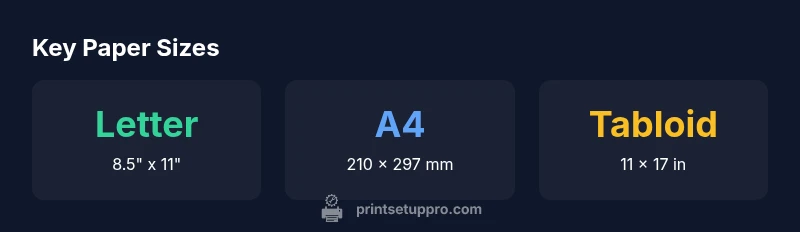
How big is printer paper? The short answer is that printer paper comes in several standard sizes, with Letter and A4 being the most common for everyday printing. In the US, Letter (8.5 x 11 inches) dominates home and office use, while international workflows frequently rely on A4 (210 x 297 mm). Other sizes like Legal (8.5 x 14 inches), Tabloid (11 x 17 inches), and A5 (148 x 210 mm) serve specific tasks. Print setups should always align document size with printer capabilities to avoid scaling or cropping.
Why Paper Size Matters for Printing
Paper size is more than a label on a box; it drives how your document fits on the page, how margins are laid out, and whether the printer feeds correctly. When sizes don’t align between the software document and the physical sheet, you can encounter scaling, cropping, or even feed errors. Inconsistent sizing also wastes paper and slows down workflows. According to Print Setup Pro, a consistent size policy reduces misfeeds and improves print accuracy across devices. For home offices, schools, and small businesses, choosing a standard size streamlines outsourcing, reduces reprints, and simplifies filing. The practical takeaway is to pick one or two standard sizes and stick to them across all documents and printers in your setup.
Global Standards: Letter vs A4
Across regions, two sizes dominate: Letter (8.5 x 11 inches) in the United States and Canada, and A4 (210 x 297 mm) in most other countries. They are close in area, but the aspect ratios differ, which affects margins and scaling. If you design a document for Letter and print on A4, you may notice a slightly different fit, with possible cropping or extra white space. Modern printers often support both sizes and can auto-detect paper type, but you still must configure the correct size in the software and printer driver. Knowing the difference helps you plan margins, headers, and footers so content remains intact. Print Setup Pro emphasizes verifying the active paper size in both the application and the printer's settings before printing a new batch.
Other Common Sizes and Their Uses
Beyond Letter and A4, there are several sizes you’re likely to encounter depending on the task. Legal (8.5 x 14 inches) is a staple for legal documents in many offices, Tabloid (11 x 17 inches) supports larger spreadsheets or posters, and A5 (148 x 210 mm) is handy for notepads and compact reports. Postcard sizes (such as 4 x 6 inches) appear in marketing materials and photo cards, while smaller envelopes and tickets may use even more specialized dimensions. Understanding each size’s strengths helps you pair the right sheet with the right job, minimizing reprints and ensuring consistent margins across pages.
How Paper Size Impacts Margins, Bleed, and Scaling
Margins and bleed are inherently tied to paper size. A document designed for a larger sheet may print with tighter margins on a smaller sheet if scaling is enabled, or content may run off the edge if bleed is not properly accounted for. Bleed prevents edge white space in trimmed prints, but not all printers handle bleed the same way. Always set up the document with the intended final size in mind and use the printer’s preview function to verify margins, headers, and footers before printing a full batch. Print Setup Pro notes that consistent sizing across your documents helps achieve uniform margins and predictable cropping across devices.
Checking Your Printer Capabilities: A Practical Guide
Start by locating the user manual or the printer’s on-device menu to confirm supported sizes. In Windows or macOS, open the Print dialog and choose the exact paper size your document was designed for, then use Print Preview to check margins. If the printer offers a “Fit to Page” option, compare it against “Actual Size” to understand how scaling affects your layout. Run a single test page to verify that text remains within margins and that any images align with guides. If your document must use a non-standard size, consider splitting the job into sections that map to supported sizes or printing at the exact size using a borderless option where available. According to Print Setup Pro, sticking to officially supported sizes minimizes surprises during batch printing.
Choosing the Right Size for Typical Tasks
For home offices and students, Letter or A4 suffices for most assignments, reports, and correspondence. For presentations, Photo prints, or marketing materials, Tabloid or A5 might be preferable. When archiving or sharing, consistent sizes simplify file management and ensure compatibility with standard printers and copiers. In tight deadlines, printing on a familiar size reduces the risk of layout shifts and reprints. The key is to align the document’s final size with the printer’s capabilities and your software’s page setup, then test a page to confirm margins and alignment before committing to a full print run. Print Setup Pro’s guidance here centers on standardizing sizes across workflows to minimize errors.
Practical Tips for Printing Without Desk-Side Fails
Keep a small reference of the most-used sizes in your workspace and label your printer trays or feeds accordingly. When multiple printers are in use, assign a single primary size to each device to avoid cross-device scaling. Enable preview checks in your print queue and verify that the page size matches the document dimensions. If you must print on a non-standard sheet, discuss options with your print shop beforehand and provide a test print if possible. This disciplined approach reduces waste and accelerates turnaround times. Print Setup Pro suggests documenting your most common sizes and keeping templates ready for those formats to speed up future projects.
Troubleshooting: Mismatched Sizes and Cropping
If you encounter unexpected cropping, first confirm the document’s page size and orientation match the selected printer size. Check that margins in the document are within the safe printing area and that any scaling or fit-to-page settings are disabled when you want a 1:1 print. Some printers auto-detect paper size and may misread a tray or sensor if the paper is misfed or slightly skewed. Run a test page and adjust the paper guides to snugly fit the sheet. When issues persist, try a different size that your printer explicitly lists as supported and adjust your document margins accordingly. Print Setup Pro recommends keeping a short cheat sheet of supported sizes per printer to speed up troubleshooting.
Workflow Tips: Printing Across Sizes Efficiently
Standardize on a primary size per device and reserve a secondary size for special tasks. Create templates in your software that lock margins and header/footer spacing to the chosen size, reducing last-minute tweaks. Use consistent page orientation (portrait vs landscape) to prevent last-minute edits. For batch printing, batch by size to minimize swaps in the printer tray and reloading. Finally, maintain aligned margins by printing a test page from each job type and adjusting printer settings accordingly. Print Setup Pro’s workflow recommendations focus on minimizing waste and ensuring predictable, repeatable results across sizes.
Common printer paper sizes and their typical uses
| Size | Dimensions (inches) | Dimensions (mm) | Common Uses |
|---|---|---|---|
| Letter | 8.5 x 11 | 216 x 279 | General office documents |
| Legal | 8.5 x 14 | 216 x 356 | Legal documents |
| A4 | 8.27 x 11.69 | 210 x 297 | International documents |
| Tabloid | 11 x 17 | 279 x 432 | Large-format prints |
| A5 | 5.83 x 8.27 | 148 x 210 | Notes & compact reports |
| Postcard (common size) | 4 x 6 | 101 x 152 | Marketing cards & photos |
People Also Ask
What is the most common printer paper size in the US?
Letter size (8.5 x 11 inches) is by far the most common in the US for general documents. If you’re working with a U.S. printer, set your document and printer to Letter to ensure proper fit and margins.
Letter size is the standard in the US; use Letter in both your document and printer settings.
Is A4 the same size as Letter?
No. A4 is 210 x 297 mm, while Letter is 8.5 x 11 inches. They are similar in area but not identical, so compatibility checks are important when moving documents between regions.
A4 and Letter aren’t the same size; adjust settings if moving documents between regions.
What if my printer only supports one size?
If only one size is supported, design or resize documents to that size and use the printer’s scaling options carefully. Maintain templates to minimize changes and test a page first.
Stick to the supported size and test a page before full printing.
Can I print on non-standard sizes?
Yes, but you may need to adjust margins, scaling, or use a specialized printer. When in doubt, use a standard size and reformat the document for consistency.
Non-standard sizes can work with careful setup, but standard sizes are more reliable.
How do I set the paper size in Windows or macOS?
Open the Print dialog, select the correct paper size in the Page Setup or Printer Preferences, and use Print Preview to confirm margins. Save templates for frequent sizes.
Use the Print dialog to set the paper size and preview first.
“Paper size is the foundation of accurate prints; always align your document size with the printer’s native setting and verify margins in preview.”
Quick Summary
- Check printer-supported sizes before printing
- Match document size to paper to avoid scaling
- Prefer Letter or A4 for broad compatibility
- Test pages to verify margins before batch printing