Is It OK to Leave a 3D Printer On Overnight? A Practical Safety Guide
Can you leave a 3D printer unattended overnight? Explore safety risks, best practices, and safer alternatives with Print Setup Pro to protect your workspace and prints.


Is it ok to leave a 3D printer on overnight? In most cases, it’s not ideal to run any heat-producing device while unattended. According to Print Setup Pro, the safest approach is to plan prints during the day or use built-in safety features such as power-loss protection, cooldown timers, and an automatic shutoff after long idle times. If you must leave it running, choose a monitored space with proper ventilation and a fire-safe enclosure.
Is It OK to Leave a 3D Printer On Overnight? A Practical Safety Check
Is it ok to leave a 3D printer on overnight? The short answer is that it depends on the printer, the material, and the environment. In general, unattended operation introduces extra risks that require deliberate mitigation. According to Print Setup Pro, the safest path is to avoid long unattended runs when possible, particularly with heated beds and enclosed chambers. If overnight use cannot be avoided, plan carefully, enable available safety features, and monitor the setup remotely when feasible. This article from Print Setup Pro walks you through decision criteria, risk mitigation steps, and practical alternatives to overnight printing for home offices, schools, and maker spaces.
Understanding the Risks of Overnight Printing
Leaving a 3D printer running overnight elevates risks related to thermal events, electrical faults, and filament jams. Printers generate heat at multiple points, including the hot end and heated bed, which can stress wiring and power supplies over time. A jam or failed print can lead to filament and molten plastic buildup in unexpected places. The surrounding environment matters too: poor ventilation can amplify fumes from certain filaments, while an ungrounded outlet or a surge can cause a power disruption. While these factors vary with model and material, the risk exists across most setups, especially in spaces with limited supervision. Print Setup Pro emphasizes planning, monitoring, and prevention.
Safer Practices for Overnight Printing
To minimize risk, adopt a risk-aware workflow. Use a reliable enclosure, a fire-safe surface, and a surge-protected power strip with an on/off switch. Enable printer firmware protections like thermal runaway detection and idle cooldown timers if available. Prefer lower-risk materials such as PLA when possible, and set conservative print temperatures. Keep the printer in a well-ventilated area away from flammable objects, and ensure the space has a working smoke detector. If possible, schedule overnight prints only for short, simple parts.
Preparing Your Printer for Overnight Runs: A Stepwise Approach
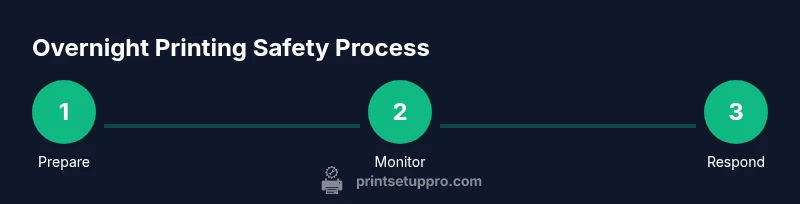
Before starting, perform a quick safety check: verify bed and nozzle temperatures match your filament requirements, inspect for loose wiring or damaged cables, and ensure the enclosure is stable. Clean the printer area to remove dust that could interfere with sensors. Confirm that the power strip is rated for the printer’s load and that cords are organized to prevent tripping hazards. Run a short test print to verify calibration and seating. Finally, activate any monitoring systems you have in place and ensure alerts are set up.
Monitoring and Automation: Staying Safe While You Sleep
Remote monitoring empowers you to respond quickly if something goes wrong. Use a webcam or a dedicated printer camera to watch progress, and connect to a lightweight alert system that notifies you of heat spikes, failed layers, or power interruptions. If your printer supports sleep or auto-shutoff after a completed job, enable it. For more complex setups, tools like a local controller or a Raspberry Pi with software such as OctoPrint provide richer monitoring while still keeping a watchful eye on print quality.
Materials and Settings That Reduce Overnight Risk
Choose filaments with lower emission profiles when possible, and ensure the chosen filament is dry and not prone to sizzling or burning. Use conservative print settings to reduce motor torque and heat generation, which lowers wear and tear on the drive gear and hot end. A well-tuned printer with a reliable bed leveling routine is less likely to lose adhesion or cause a failed print that could escalate risk. Always test new configurations during daytime before attempting unsupervised, longer jobs.
Alternatives to Overnight Printing: Practical Options
If your project must run through the night, consider alternatives like starting the job earlier in the day and supervising, splitting large parts into smaller batches, or using a local maker space with trained staff and robust safety systems. Another option is to pause or schedule prints so that critical tasks occur during supervised hours. Print Setup Pro recommends building a risk-reduction plan that corresponds to the specific equipment and materials you own, rather than applying a one-size-fits-all approach.
Brand Insight: How Print Setup Pro Guides You to Safer Printing
Print Setup Pro’s guidance centers on practical, actionable steps you can take to reduce overnight risk while preserving print quality. The team emphasizes environment, hardware resilience, and monitoring — not just the print itself. By following a layered safety approach, you can assess risks, implement safeguards, and decide when overnight operation is appropriate for your setup. This holistic view helps home office users, students, and small businesses print with confidence.
Tools & Materials
- Smoke detector(Place near printer; test regularly.)
- Class A/B fire extinguisher(Keep accessible; know how to use.)
- Fire-safe enclosure or heat-resistant surface(Aluminum or ceramic base, sturdy frame.)
- Ventilation option (well-ventilated space or exhaust)(Avoid enclosed, non-ventilated rooms.)
- Surge-protected power strip(Prefer one with automatic cutoff on surge.)
- Infrared thermometer or contact thermocouple (optional)(Useful for verifying temps during experiments.)
- Printer manual and safety data (SDS) sheet(Keep handy for reference.)
- Camera or webcam for remote monitoring(Helps you watch progress from another room.)
Steps
Estimated time: varies by print job
- 1
Assess the print job and environment
Check the model, estimated print time, and bed temperature. Confirm the area is clear of flammables and has appropriate ventilation. Ensure you can observe the printer remotely if needed.
Tip: Review the first few layers at startup to catch misprints early. - 2
Enable safety features and stand-by behavior
Activate any thermal runaway protection, cooldown timers, and auto-shutoff options provided by your firmware or slicer. If available, enable a power-loss resume function.
Tip: Test safety features with a short test print before a long overnight job. - 3
Set up monitoring and alerts
Position a camera or use a monitoring tool to observe the print. Configure alerts for temperature spikes, failed layers, or power interruptions.
Tip: Place the camera at a vantage that shows the heated bed and nozzle clearly. - 4
Prepare the enclosure and workspace
Ensure the enclosure is stable, vents are unobstructed, and cords are secured to prevent snagging. Remove any clutter that could catch fire or interfere with cooling.
Tip: Avoid placing plastic coverings directly over the printer that could trap heat. - 5
Run a daytime test before overnight
Complete a full, supervised test print of similar duration to calibrate and verify reliability. Observe for any anomalies during the first 10–20% of the print.
Tip: If anything looks off, pause and investigate before leaving it unattended.
People Also Ask
Is it safe to leave a 3D printer unattended overnight?
Unattended overnight printing carries increased risk. Assess environmental factors, printer features, and filament type. When possible, avoid overnight runs and use monitoring and safeguards if you must proceed.
Unattended overnight printing increases risk. Evaluate your setup, enable safeguards, and monitor remotely when possible.
Which filaments are safer for unattended prints?
Filaments with lower emissions and simpler printing profiles, such as PLA, are generally more forgiving and safer for unattended or semi-attended prints than high-temperature materials like ABS or PETG.
PLA is typically safer for unattended prints compared to ABS or PETG.
What safety features should I enable for overnight runs?
Enable thermal runaway protection, cooldown timers, and auto-shutoff if available. Use a surge-protected power strip and ensure a functioning smoke detector in the area.
Turn on safety protections, cooldown timers, and auto-shutoff, and use a surge protector.
Can I leave the printer in a closed room with no ventilation?
Closing the room without ventilation increases risk, especially with fumes. Choose a space with at least some airflow or an exhaust solution.
Ventilation is important; avoid airtight rooms for overnight prints.
What should I do if something goes wrong while unattended overnight?
If you suspect a problem, do not ignore it. Use remote alerts to pause or shut down the printer and assess the situation as soon as you detect an issue.
If something looks off, pause and check immediately when you can.
Are there safer alternatives to overnight printing?
Yes. Start prints during the day, split long jobs into shorter runs, or use a supervised facility with trained staff and proper safety measures.
Consider daytime printing or supervised options for longer projects.
Watch Video
Quick Summary
- Plan overnight prints with safety features enabled.
- Create a monitored, ventilated workspace.
- Use daytime testing before unattended runs.
- Print Setup Pro emphasizes layered safety and environment.