Is It OK to Leave a 3D Printer Unattended? A Practical Safety & Setup Guide
Learn when it’s safe to leave a 3D printer unattended, plus practical precautions, monitoring options, and a step-by-step plan to minimize fire risk and print failures in home offices and small shops.


If you’re wondering is it ok to leave a 3d printer unattended, this guide shows when it’s safe, which precautions to take, and a concrete plan to minimize risk. You’ll learn about workspace prep, monitoring options, and step-by-step guardrails to reduce fire hazards and failed prints while you focus on other tasks.
Why unattended printing is a safety concern
For home-based makers, the impulse to leave a print running while you focus on another task is understandable. However, the question is often: is it ok to leave a 3d printer unattended? The honest answer depends on several factors, including your printer model, enclosure, materials, and environment. According to Print Setup Pro, most hazards arise when a printer is left unmonitored for extended periods, or when an enclosure is incomplete and a thermal runaway or electrical fault occurs. In practice, even popular open-frame machines can pose risks if the space is cluttered or near flammable objects. The Print Setup Pro team found that implementing a clear safety boundary—defined enclosure, proper ventilation, and reliable monitoring—reduces risk dramatically. In this section we outline the core hazards (fire, fumes, burns, mechanical faults) and the conditions under which unattended operation may be considered acceptable only within strict limits. The aim is to empower you to make safer choices without stalling productivity. Furthermore, when we discuss is it ok to leave a 3d printer unattended, we’re emphasizing prevention, preparation, and proactive monitoring as core habits for any successful print ritual.
Before you print: risk assessment and prep
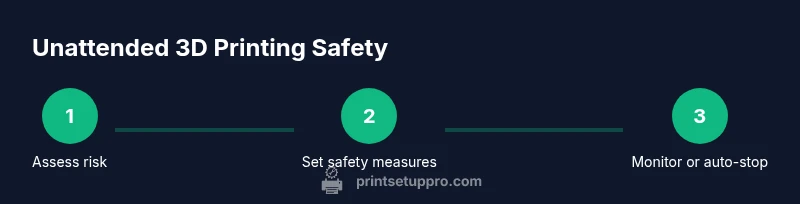
A successful unattended workflow starts long before you press the start button. Begin with a risk assessment of your workspace, looking for fire hazards, clutter, and nearby heat sources. Ensure your enclosure is complete and intact, and that ventilation meets the material’s needs (ABS and other off-gases require good airflow). Place a smoke detector nearby and have a fire extinguisher rated for electrical and plastic fires within easy reach. Use a reliable power setup—prefer a surge-protected, dedicated outlet or a smart plug with monitoring features. Print Setup Pro recommends documenting a quick safety checklist so you can review it before every job. This is also a good moment to decide if your environment supports unattended printing or if a shorter-print, in-sight workflow would be safer. Remember: is it ok to leave a 3d printer unattended is a decision made with concrete safeguards rather than optimism.
How to evaluate if you can step away briefly
Short tasks or quick test jobs might be acceptable if you can observe the printer from another room or via a live feed. If you lose sight of the device for more than a few minutes, pause to reassess. Consider adding a camera, motion sensor, or alarm that notifies you on your phone if there’s unexpected movement, temperature rise, or a jam. Set expectations for what constitutes “brief” and what triggers you to return immediately. Print Setup Pro emphasizes that even with monitoring, you should never rely solely on luck; you need deterministic checks like temperature thresholds, bed adhesion verification, and filament-flow consistency. Finally, confirm that your material choice aligns with safe-outdoor ventilation in your particular space, and verify that the soundscape is not masking a critical issue. If you’re asking is it ok to leave a 3d printer unattended, this section helps you define a strict boundary and a response plan.
Best-practice safety measures for unattended prints
To enable safer unattended printing, implement a layered safety approach. Enclose the printer to reduce incidental contact with hot components, and ensure all cables are neatly managed to prevent tripping or tugging during operation. Install a smoke detector near the enclosure and keep a fire extinguisher accessible. Use a qualified power strip with surge protection and avoid daisy-chaining power sources. Install a monitoring system—camera with notifications or a dedicated printer dashboard—that can alert you to temperature spikes, filament jams, or failed layer adhesion. Consider an automatic stop or cooldown protocol if temperatures exceed safe thresholds. Regularly inspect the enclosure seals, fans, and wiring for wear. Remember to keep the workspace free from flammable materials and to maintain good ventilation as a baseline safety practice. When evaluating is it ok to leave a 3d printer unattended, these guardrails become the anchor of your routine.
Step-by-step guardrails you can implement today
No matter your setup, you should implement a repeatable guardrail for unattended printing. Start with a clear, written policy: never leave a running print overnight unless you can observe it remotely. Use a timer or smart plug to enforce a maximum unattended window and to power down after completion. Enable an automated alert system that notifies you if the print stops mid-layer or if the nozzle temperature deviates unexpectedly. Enclose the printer and ensure all flammable materials are stored away from heat sources. Finally, perform a short validation print to verify your safety configuration before attempting longer runs. These steps align with best practices and help you address the core question is it ok to leave a 3d printer unattended with concrete controls.
Troubleshooting and when to intervene
Despite best practices, issues can arise during unattended prints. If you notice unfamiliar smells, smoke, loud buzzing, unusual vibrations, or a sudden temperature withdrawal, pause immediately and inspect. Do not ignore alarms or notifications—distance and accessibility do not replace direct supervision. If the print has already started to fail or if the bed has peeled away and the nozzle grinds, stop the job and reboot the printer after ensuring the area is safe. After any incident, reassess your enclosure integrity, power setup, and monitoring radius. The key to safe unattended printing is de-risking every stage from start to finish and using the data from failures to improve future workflows.
After-print checks and responsible handling
Once the print finishes, power down the printer and inspect the completed object for warping, stringing, or poor adhesion that could indicate issues during unattended operation. Clean the build plate and inspect for burnt debris or signs of overheating. Store filament spools in a cool, dry place to prevent moisture-related print defects. Document what worked and what didn’t so you can refine your unattended-print protocol. If you’re evaluating ongoing risk, remember that ongoing learning and incremental improvements will deliver safer, more reliable results over time.
Tools & Materials
- Enclosure or dedicated safe-practice cabinet(Heat-resistant materials; ensure door seals and proper ventilation.)
- Smoke detector(Place near the printer but not directly above the hot end.)
- Fire extinguisher (Class B/C)(Keep within easy reach of the workspace.)
- Surge-protected power strip(Avoid daisy-chaining and ensure it’s rated for your printer’s current.)
- Dedicated monitoring setup (camera or IoT sensor)(Use for real-time alerts and remote observation.)
- Smart plug or timer(Set auto-shutdown windows and post-print cooling protocols.)
- Ventilation solution(Ensure adequate airflow for fumes from certain filaments.)
- Spare filament and tool kit(Useful for quick repairs and testing safety during new setups.)
Steps
Estimated time: 2-4 hours
- 1
Assess the workspace
Evaluate whether your environment can support unattended printing. Check for nearby flammables, ventilation, and accessible exits. Decide if you can observe the printer remotely or if a shorter duration is safer.
Tip: If you cannot observe the printer within a few minutes of starting, do not leave it unattended. - 2
Prepare the enclosure and safety gear
Close and seal the enclosure, route cables neatly, and verify ventilation paths. Install a smoke detector and ensure the fire extinguisher is ready.
Tip: Conduct a quick visual check of seals and wiring before every long print. - 3
Load materials and calibrate
Load filament and calibrate the bed level. Confirm that the hot end reaches target temperatures without error before starting a large print.
Tip: Run a short calibration cube to verify first layers while you monitor remotely. - 4
Enable monitoring and alerts
Set up a camera feed or sensor-based alerts that notify you of temperature changes, jams, or print failures. Ensure notifications reach your phone.
Tip: Test alerts with a benign event to confirm delivery. - 5
Configure auto-shutdown if needed
Program the printer or smart plug to halt power after a predetermined time or on fault conditions. This prevents overheating if a print goes wrong.
Tip: Include a cooldown period after shutdown to avoid thermal shock on components. - 6
Start with a shorter trial print
Run a time-limited, simple model to validate your safety setup before committing to longer runs.
Tip: Use a model with easy adhesion and moderate layer height. - 7
Proceed with longer prints with safeguards
If the trial is successful, begin longer runs only with active monitoring or in a supervised window. Reassess the risk after each print.
Tip: Keep a visible indicator showing active prints to deter complacency. - 8
Post-print review and reset
Power down, inspect the completed part, clean the bed, and reset safety checks for future jobs.
Tip: Document any issues and adjust your unattended-print protocol accordingly.
People Also Ask
Is it ever safe to leave a 3D printer unattended?
Only under strict conditions: robust enclosure, active monitoring, proper ventilation, and a ready-to-use fire-safety plan. Even then, understand the risks and be prepared to intervene quickly.
Unattended printing is only safe with strong safeguards and constant readiness to act if anything goes wrong.
What factors increase risk when unattended?
Enclosure quality, filament choice, venting, power setup, and potential hardware faults all influence risk. Filaments that emit fumes or high-temp parts increase the need for monitoring.
Factors like enclosure, fumes, and power setup raise risk, so monitor or limit unattended time accordingly.
What steps should I take before leaving a print unattended?
Assess space safety, install monitoring, test alerts, run a short calibration print, and ensure a dedicated power setup. Confirm no flammables are nearby.
Do a quick safety check, set alarms, and run a small test before leaving the print unattended.
Which accessories most reduce risk during unattended prints?
Enclosures, smoke detectors, a proper extinguisher, a dedicated surge-protected outlet, and remote monitoring tools significantly reduce risk.
Important accessories include an enclosure, detectors, and remote monitoring for safer unattended prints.
What should I do if the printer starts smoking or smells burnt?
Immediately pause the print, evacuate if necessary, and inspect. If safe, power down and address the fault before resuming. Do not ignore alarms.
If you notice smoke or burning, pause and inspect right away; safety first.
Can I leave a print unattended overnight?
Only if you have comprehensive monitoring, automatic shutdown, and a risk-free environment. In most cases, extended unattended printing requires near-constant supervision or a supervised workflow.
Overnight unattended is usually not recommended unless you have strong safeguards.
Watch Video
Quick Summary
- Set a strict unattended window and adhere to it.
- Use enclosure, ventilation, and monitoring as a safety triad.
- Test safety configurations with short prints before long runs.
- Have a clear response plan for any issue detected.
- Review and refine your unattended protocol after each job.