Is It Okay to Keep a 3D Printer in the Garage? Safety, Risks, and Best Practices
Explore whether it's safe to keep a 3D printer in a garage, the risks involved, and practical steps to create a safer printing setup. Learn from Print Setup Pro with clear, actionable guidance.


Keeping a 3D printer in a garage is possible, but it requires strict safety controls due to fumes, fire, and electrical risks. This guide helps you decide and shows how to implement a safe setup. According to Print Setup Pro, the safer option is to print in a ventilated, enclosed space or a dedicated workshop away from daily activities. If you must use the garage, follow a rigorous safety plan.
Is it ok to keep a 3d printer in the garage? A practical question for many hobbyists and small workshops. The short answer is: it can be possible, but only with careful planning and strict controls. For home makers, the garage often feels convenient due to space and proximity to tools, but the environment can undermine safety. Print Setup Pro notes that many garage environments experience temperature swings, dust, vehicle fumes, and inconsistent humidity—factors that can affect print quality and safety. If you’re evaluating the question is it ok to keep a 3d printer in garage, start with a risk assessment that covers emissions, fire possibility, electrical safety, and accessibility during a print. The goal is to create a dedicated space that minimizes hazards while maintaining ease of access for filament changes, maintenance, and cleanup. A well-designed setup can reduce risk, but there is no substitute for vigilance and proper infrastructure. The garage is not inherently unsafe, but it is not a guaranteed safe space for a 3D printer without deliberate design choices and ongoing monitoring. The Print Setup Pro team emphasizes that you should weigh the benefits of convenience against the cost of controlling risk in this particular environment.
Key risks to understand before placing a 3D printer in the garage. Fumes and particulates from melting filaments can affect indoor air quality, particularly with ABS or other high-temperature materials. While PLA is less problematic, any heated plastic release warrants ventilation. In a garage, the risk of fire increases due to proximity to vehicles, solvents, and clutter. Electrical safety is another concern: power strips, extension cords, and possible moisture exposure can create shock hazards. Finally, cycling temperatures—common in garages—can affect printer electronics and filament properties, leading to jams or print failures. A practical takeaway from Print Setup Pro is that you should not assume a garage is equivalent to a dedicated workshop. Instead, approach the space with a safety-first mindset, implement containment, and monitor conditions frequently. This is especially important for longer prints or high-temperature materials, where emissions and heat load are sustained for extended periods. Consider a simplified decision framework: if you cannot reliably achieve ventilation, isolation, and constant monitoring, the garage is not the best long-term home for your printer.
Filament fumes, odors, and air quality. Filaments like ABS can shed stronger fumes than PLA. Even if you don’t notice a smell, those fumes can irritate eyes, nose, and throat and may pose respiratory risks over time. The garage environment compounds exposure because doors and windows are often left open for temperature control or ventilation. A practical strategy is to run a well-sealed enclosure with an exhaust path to the outdoors, and to pair it with a HEPA or activated carbon filter. If you are asking is it ok to keep a 3d printer in garage, you should consider using odor-reducing strategies—such as filters—and ensuring the space is properly ventilated during and after prints. Print Setup Pro’s guidance emphasizes keeping airflow directed away from living spaces and into a dedicated ventilation route. This is particularly important for mid-range and high-temperature filaments that emit more particulates.
Temperature and humidity: how garage conditions affect prints. Garages swing wildly in temperature, which can affect filament stiffness, layer adhesion, and print quality. Extreme cold can reduce filament flow consistency, while heat can accelerate warping and shrinkage. Humidity can also degrade certain filaments, especially hygroscopic materials. If you decide to print in a garage, monitor ambient temperature and consider environmental controls for your printer area. A modest investment in enclosure insulation and a temperature-stable micro-environment can make a difference. The goal is to keep the printer within a narrow temperature range to protect electronics, maintain consistent extrusion, and minimize warping.
Building a safer garage workstation: enclosure, ventilation, power, and storage. The core of a safe garage setup is a well-sealed enclosure that limits fumes and dust. Pair it with a dedicated ventilation pathway to outdoors, and use a clean, dedicated power circuit with surge protection. Storage matters: keep filaments sealed and away from solvents or fuels. Use a spill mat or tray to catch any resin or solvent drips, and ensure tools like knives and cutters are stored safely. Lighting should be bright enough to reduce mishaps. A robust safety plan includes routinely testing detectors, keeping a fire extinguisher accessible, and documenting maintenance schedules. This approach aligns with Print Setup Pro’s recommended safety framework for alternative workspaces.
How to assess risks and decide on space allocation. Start by mapping the garage layout to identify a safe corner for the printer: away from doors, vents, and vehicles. Check electrical codes, GFCI requirements, and proximity to water lines or drainage. If you cannot meet ventilation, enclosure, and monitoring requirements, the garage should be used for storage only, not active printing. If space allows, converting a portion of the garage into a small workshop with a dedicated exhaust vent and a sealed containment area substantially improves safety and reduces risk. In all cases, maintain clear walkways and keep combustibles away from the printer.
Maintenance, post-processing, and ongoing safety checks. After every print, inspect the enclosure for seals and potential leaks, verify detector batteries, and perform a quick cleaning of dust and debris. Sanding, solvent exposure, or acetone smoothing can release hazards; use PPE, ventilate, and work in a well-ventilated area. Keep a log of printer activity, maintenance tasks, and any incidents. The Print Setup Pro team recommends quarterly safety audits to ensure the garage remains a safe space for any future printing projects.
Tools & Materials
- Ventilated enclosure or dedicated cabinet(Sturdy, sealed, with access for filament changes)
- Ventilation system (exhaust fan)(Aim for 2-3 air changes per hour; ducting to outdoors if possible)
- Carbon monoxide detector(Place near printer; regularly test)
- Smoke detector(Install at ceiling level near printer area)
- Fire extinguisher (ABC-rated)(Keep accessible; service per local guidelines)
- ABS/PLA isolation tray or spill mat(Contain debris and minor leaks)
- Thermal insulation mat or vibration dampener(Keep printer stable and reduce noise)
- Electrical power strip with surge protection(Dedicated circuit if possible; avoid daisy-chains)
- HEPA air purifier(Helps reduce particulates in the print area)
- Cord management and grommets(Keep cords organized and away from metal edges)
Steps
Estimated time: 2-3 hours for initial setup; then ongoing monthly checks
- 1
Assess the space and prerequisites
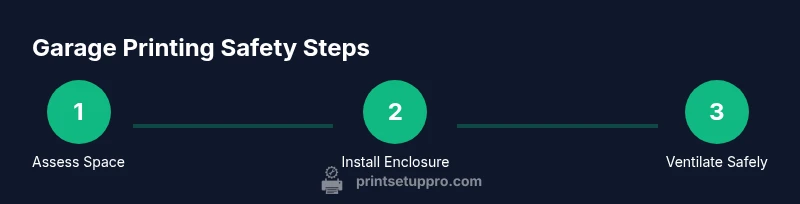
Map the garage layout and identify a corner that is away from doors, vents, and vehicles. Check local codes for garage usage, ventilation, and electrical requirements. Create a simple risk register that lists potential hazards like fumes, heat, and moisture, and document mitigation steps.
Tip: Take photos and measurements before moving equipment. - 2
Install a dedicated, ventilated enclosure for the printer
Place the printer inside a sealed enclosure to limit fumes and dust. Ensure there is easy access for filament changes, and that the enclosure has an exhaust path to outdoors or a filter system.
Tip: Use weather-stripped doors and leak-proof seals for better containment. - 3
Set up safe ventilation
Connect an exhaust fan that vents to the exterior. If you cannot vent directly outside, use a high-quality HEPA/activated carbon filtration system in combination with the enclosure.
Tip: Never vent fumes back into the garage or living spaces. - 4
Manage power safely
Install a dedicated circuit or a GFCI-protected outlet for the printer area. Use a surge-protected strip and keep power cords organized away from heat sources and water.
Tip: Avoid using daisy-chained power strips near the printer. - 5
Establish fire safety and monitoring
Place smoke and CO detectors near the printer; keep a fire extinguisher accessible and tested. Create a simple emergency plan and share it with household members.
Tip: Test detectors monthly and replace batteries as needed. - 6
Establish printing protocols and post-processing safety
Ventilate during prints, wear PPE when sanding, and store solvents away from the printer. Keep a dedicated waste container for prints and supports.
Tip: Let prints cool completely before handling or finishing. - 7
Ongoing maintenance and review
Regularly inspect enclosure seals, ducts, detectors, and cords. Update firmware when available and perform seasonal checks for garage temperature and humidity.
Tip: Schedule a quarterly safety audit and adjust based on seasonal changes.
People Also Ask
Is it dangerous to keep a 3D printer in a garage?
Yes, there are potential hazards including fumes, fire risk, and electrical concerns. You can mitigate these with a sealed enclosure, proper ventilation, detectors, and a clear safety plan.
Yes, there are dangers like fumes and fire, but you can reduce risk with ventilation, an enclosure, and detectors.
What filament types are safest for garage printing?
PLA generally emits fewer fumes than ABS or other high-temperature filaments. If you print with tougher materials, ensure robust ventilation and enclosure to manage emissions.
PLA is usually safer, but always ventilate well when printing other filaments.
How can I vent a garage printing area effectively?
Use a dedicated exhaust vent to outdoors and consider a HEPA or activated carbon filter in the enclosure. Do not vent fumes into living spaces or the garage itself without a proper path.
Vent directly outside and filter particulates; never vent back into the garage.
Are there safer alternatives to keeping a printer in the garage?
Yes. A small, dedicated workshop, a basement lab with proper ventilation, or a garage converted to a controlled environment can be safer options.
Other spaces with ventilation and containment are safer for longer prints.
What maintenance steps reduce fire risk?
Keep detectors active, clean the enclosure regularly, inspect power cords, and never leave prints unattended for long periods. Have a fire extinguisher within reach and check its pressure annually.
Test detectors and extinguisher, clean the area, and don’t leave prints running unattended.
How should I handle post-processing safety?
Sanding and chemical smoothing can release fumes; use PPE and operate in a well-ventilated area away from the main living space.
Sanding and chemical smoothing can release fumes; ventilate and wear PPE.
Watch Video
Quick Summary
- Assess safety and code compliance before printing in a garage.
- Enclosure and ventilation are non-negotiable safety features.
- Filament choice affects fumes and air quality; PLA is generally milder.
- Regular maintenance and safety checks prevent incidents.