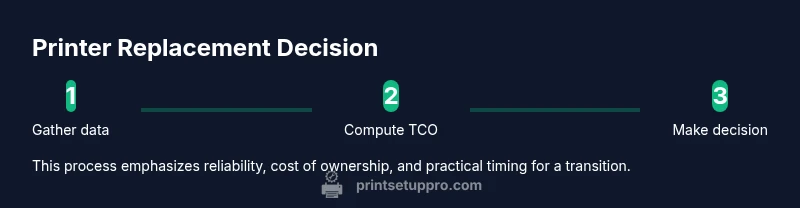
When to Replace Printer: A Practical Guide
Learn how to decide when to replace your printer, weighing repair costs against replacement and selecting a model that fits your home office or small business needs. Practical guidance from Print Setup Pro helps you compare TCO, uptime, and compatibility.


Replace your printer when ongoing repairs exceed a practical threshold, the annual maintenance cost is higher than buying a new model, or you frequently experience persistent issues that degrade work quality and uptime. Consider total cost of ownership, compatibility with current software, and availability of supplies. If in doubt, run a simple TCO comparison.
Why replacement can be smarter than endless repair
Printing is a mission-critical task for many home offices and small businesses. When a printer repeatedly jams, shows streaks, or delivers inconsistent results, the cost of downtime adds up quickly. According to Print Setup Pro, evaluating the total ownership cost — including repair bills, consumables, downtime, and energy use — often favors replacement once those costs approach or exceed the price of a new unit over a typical usage horizon. A modern printer can offer faster speeds, quieter operation, better energy efficiency, and improved network features that keep teams productive. By framing the decision around reliability and total cost of ownership rather than the upfront price, you can choose a model that minimizes headaches for years to come. Print setups, especially in busy environments, benefit from predictable performance and simpler maintenance routines. For home offices, students, and DIY enthusiasts, a refreshed device can drastically reduce time spent on troubleshooting and reprints.
Signs it's time to replace vs repair
Symptoms and signals
- Frequent paper jams with diminishing repair viability
- Noticeable drops in print quality across multiple jobs (fading, banding, or color drift)
- Recurrent error codes or firmware glitches with no lasting fix
- Consumables costs rising relative to print volume, with unreliable supply chains
- Slow print speeds, longer warm-up times, and frequent reprints
- End of official manufacturer support or discontinued drivers
Print Setup Pro analysis shows these patterns are strong indicators that replacement may be cost-effective, especially when downtime affects deadlines. If the device is out of warranty but still under service, add annual service charges to the equation and compare with a replacement price. Consider new features that matter to you, such as duplex printing, mobile printing, or cloud integration. The goal is to maximize uptime and minimize unexpected expenses over the next several years.
How to perform a quick cost-of-ownership check
A practical approach starts with identifying what you actually spend on a printer yearly. List the initial purchase price of a replacement, then estimate annual consumables (ink or toner, paper), energy use, maintenance, and downtime costs. If you already own the device, tally the past 12–24 months of repair invoices and average out the downtime impact on your workflow. Use a simple cost-of-ownership calculator or a spreadsheet to project 3–5 years of costs for your current device versus a few replacement candidates. This framework helps reveal whether repair continues to be a good bet or replacing now minimizes risk and downtime. Print Setup Pro emphasizes anchoring the decision in data, not impressions, so you can defend your choice when budgeting with stakeholders.
How to choose a replacement printer
When selecting a new model, prioritize reliability, support, and consumable economics. Look for a documented warranty that covers common failures, accessible firmware updates, and readily available replacement parts. Compare estimated costs per page for black-and-white and color printing, and factor in your typical page volume and duplex needs. Evaluate total energy consumption and network compatibility with your devices (PCs, tablets, and smartphones). Finally, review vendor support terms and ensure drivers exist for your operating system. A thoughtful purchase minimizes future downtime and simplifies maintenance over the device’s life cycle. Print Setup Pro recommends aligning features with your real-world workflow and future needs, not just current requirements.
Tools & Materials
- Printer manual or model documentation(Keep handy to check warranty terms and parts compatibility.)
- Cost-of-ownership calculator (online or spreadsheet)(Use to estimate long-term costs across multiple models.)
- Recent repair invoices or service history(Helpful for assessing repair frequency and magnitude.)
- Current ink/toner and paper costs data(Useful for accurate consumables budgeting.)
Steps
Estimated time: 15-25 minutes
- 1
Gather repair history and costs
Collect all repair invoices, error codes, and maintenance notes from the past year or two. Note recurring symptoms, service intervals, and whether repairs improved reliability. This establishes a baseline for future cost calculations.
Tip: Create a quick log (digital or paper) to record dates, issues, and costs as they occur. - 2
Check warranty and support terms
Review the current printer’s warranty window and what it covers. Confirm whether extended support is available and if known issues have known fixes. This helps determine if a repair will be a short-term fix or a long-term burden.
Tip: If under warranty, estimate the likelihood of further free or discounted repairs before replacing. - 3
Estimate total cost of ownership (TCO)
Input purchase price, annual consumables, energy use, and maintenance costs into a calculator. Compare the 3–5 year projection for your current device against several replacement options with similar output needs.
Tip: Include downtime cost by estimating lost productivity or deadlines missed due to printer issues. - 4
Compare replacement options
Shortlist models that meet your page volume, color requirements, and connectivity needs. Check consumable costs and the availability of supplies in your region. Read reviews focused on reliability and support life.
Tip: Ask vendors for total page cost estimates and warranty terms before deciding. - 5
Decide and plan the transition
Choose the model that minimizes total cost and downtime over the anticipated use period. Plan installation, driver setup, and data backups. Schedule times that avoid heavy printing deadlines to ensure a smooth swap.
Tip: Keep old printer as a backup until the new device proves stable.
People Also Ask
How do I know if repair costs are too high?
If yearly repair bills plus downtime exceed the price of a new printer over a typical use period, replacement is usually the more economical option. Consider the impact on productivity and projected consumables costs.
If repairs and downtime drive up the yearly cost beyond buying new, replacement is usually better. Think about long-term consumables and productivity impact.
Should I replace for better efficiency?
Yes. Newer models often offer faster speeds, lower energy use, and reduced maintenance through improved reliability. When these gains translate into time savings, the investment can pay off.
Upgrading can save you time and money over years if the old device is slow or inefficient.
What is total cost of ownership (TCO) and how do I calculate it?
TCO includes purchase price, consumables, energy, maintenance, and downtime. Use a calculator or spreadsheet to project 3–5 years of costs for your current device and replacement options.
TCO adds up all costs over several years to compare options fairly.
Is it worth replacing if the printer is under warranty?
If under warranty, repairs may be covered, but frequent issues can still justify replacement if downtime and future repair costs remain high. Weigh future repair likelihood against the cost of a new model with a fresh warranty.
Warranty matters, but ongoing issues can still make replacement sensible.
What features should I prioritize when buying a new printer?
Prioritize reliability, low running costs, supply availability, good driver support, energy efficiency, and features like duplex printing and mobile/cloud printing that fit your workflow.
Look for reliability, low per-page costs, and modern connectivity.
Watch Video
Quick Summary
- Assess repair history and downtime before deciding.
- Use a TCO approach, not sticker price alone.
- Prioritize reliability and support when buying a replacement.
- Plan a smooth transition to avoid workflow disruption.