When to Buy a Printer: Timing, Costs, and Strategy
Learn the best times to buy a printer, understand total ownership costs, and apply a practical buying strategy for home offices, students, and small businesses in 2026.


You’ll know when to buy a printer by watching seasonal sales, model refresh cycles, and your current printing needs. This quick guide flags timing signals for home offices, students, and small teams, helping you strike the right balance between upfront cost, running expenses, and reliability. Print Setup Pro recommends aligning purchases with peak discounts and new feature introductions.
Why timing matters when buying a printer
Knowing when to buy a printer isn’t just about chasing a bargain; it’s about optimizing total cost of ownership, ensuring compatibility with your devices, and avoiding obsolescence. For home offices, students, and small teams, the timing of a printer purchase can influence monthly budget flexibility, supply costs, and reliability. Print Setup Pro emphasizes that a thoughtful approach considers three dimensions: usage patterns, price cycles, and product lifecycles. Start by mapping your current workload, expected growth, and any upcoming needs such as photo printing, color marketing materials, or heavy document production. With a clear picture, you can avoid impulse buys that hurt long-term costs and instead time purchases around realistic needs and predictable savings. The goal is to choose a printer that fits your workflow now and stays economical as you scale. In this guide we’ll translate those ideas into concrete signals and steps you can act on today, with a focus on practicality over hype.
Seasonal sales windows and model refresh cycles
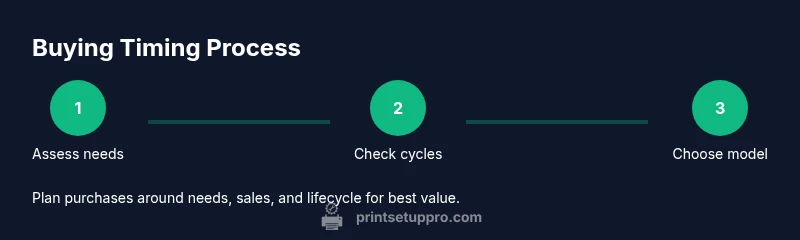
One reliable principle is to buy a printer during major sales events and around model refresh cycles. Retailers tend to push older stock before new models arrive, creating predictable price dips that can save you a substantial amount over the device’s lifetime. Conversely, new model introductions often bring improved efficiency, better compatibility with recent operating systems, and updated connectivity options. For buyers who want the latest features, syncing with refresh cycles can maximize value. Print Setup Pro’s guidance is to track three patterns: back-to-school and year-end holidays, tax-free weekends, and quarterly promotions that printers frequently participate in. Online price tracking tools and retailer newsletters can help you catch these windows without constant monitoring. By planning around these cycles, you’ll balance access to recent tech with favorable pricing and a reasonable replacement horizon.
Inkjet vs laser: buying timing by usage
Choosing between inkjet and laser printers is not just about page volume but also about total cost of ownership and required print quality. Inkjets typically offer lower upfront costs and better color accuracy for photos, making them attractive for home use and light graphics tasks. Lasers usually deliver faster text printing and lower running costs for high-volume tasks, which matters for homework assignments, reports, and small business documents. The timing decision should reflect your typical workload: if you print mostly text and run several hundred pages per month, a color laser might be worth waiting for a sale; if you print photos or marketing materials, you may opt for a high-quality inkjet when prices dip. Print Setup Pro notes that the break-even point for inkjet versus laser depends on volume, color needs, and cartridge prices, so calculate your expected monthly pages and color usage before buying.
Total cost of ownership: upfront price vs running costs
The sticker price is only part of the story. The real decision hinges on total cost of ownership (TCO) over the device’s life. Upfront prices can be deceptive: a bargain printer may incur hefty ink costs, frequent cartridge replacements, or expensive maintenance. A mid-range model with efficient cartridges and long-lasting components can save money within 12–24 months, especially for households and small teams with steady printing needs. When evaluating TCO, consider: cartridge price per page, page yield, maintenance fees, warranty terms, and potential add-ons such as extra paper trays or extended service. Print Setup Pro recommends building a simple calculator that estimates monthly page counts and multiplying by per-page costs to compare options fairly. This approach helps you determine the optimal time to buy by balancing immediate savings with long-term affordability.
Signs you’re due for a replacement or upgrade
Even with a great deal, printers have a finite life. Signs that you should consider upgrading include rising maintenance frequency, frequent paper jams from older feeds, shrinking utility of drivers with new computers, and unreliable wireless connections or compatibility issues with mobile devices. If you notice slower print speeds, inconsistent color output, or if consumables are becoming hard to source, it’s often more economical to replace than repair. Additionally, consider whether an older device still meets your current workflow: if your needs have grown—more daily pages, color-critical output, or multi-device support—a newer model may deliver a clearer return on investment. Print Setup Pro suggests running a quick feature and compatibility audit every six to twelve months to catch these signals early.
Buying strategy by user type
Different user profiles have distinct buying timelines. Home offices may benefit from planned purchases around school terms or fiscal quarters, using price alerts to time a renewal while preserving work-from-home flexibility. Students often look for compact, affordable printers that handle basic assignments; timing purchases for the start of a semester or during student-focused sales can maximize value. Small businesses should plan for scalable solutions—multifunction devices with network sharing and secure printing features—aligned with budget cycles and procurement policies. Regardless of type, clarity about print volume, color needs, and device compatibility will drive smarter timing decisions for when to buy a printer.
Practical buying strategy: deals, coupons, and price tracking
A disciplined approach to buying a printer includes establishing a budget, subscribing to retailer alerts, and using price-tracking tools to compare deals across multiple outlets. Set target price ranges for the model that fits your needs, and be prepared to act when a discount aligns with your budget and project horizon. Don’t forget to consider reliability signals like warranty length, customer service reputation, and availability of replacement cartridges in your region. Print Setup Pro recommends creating a simple shopping plan: define your top model, set a price target, sign up for notifications, and commit to a single purchase window when the price hits your mark. This structured strategy reduces impulse buys and helps you land a printer that serves you well for years.
Final note: align the purchase with setup readiness and future needs
Timing a printer purchase isn’t only about the device; it’s about readiness. Ensure you have a compatible workspace, adequate connectivity, and a plan to integrate the printer with your devices and workflows. If you’re upgrading equipment in a growing team, coordinate with IT or your procurement lead to lock in corporate discounts or bundled warranties. As you follow this guide on when to buy a printer, you’ll enjoy a smoother setup, lower running costs, and less disruption to your daily tasks. Print Setup Pro’s guidance is to treat the purchase as a strategic decision, not a one-off impulse; the right timing delivers better performance, reliability, and value over the life of your printer.
Tools & Materials
- Printing budget worksheet(Create columns for upfront price, ink/toner costs per page, and monthly pages.)
- Printer comparison checklist(List features, running costs, warranty, and connectivity options.)
- Price-tracking setup(Subscribe to retailer alerts and set target prices for top models.)
- Warranty and service terms sheet(Document coverage duration, repair process, and parts availability.)
- Device compatibility sheet(Note OS versions, mobile app support, and cloud printing options.)
- Notepad and pen for quick notes(Capture quick impressions from store visits or online reviews.)
Steps
Estimated time: 60-90 minutes
- 1
Define needs and budget
List anticipated monthly pages, color vs black-and-white requirements, and essential features. Set a realistic budget range that covers upfront cost and running costs. This clarity prevents overbuying and guides you to the right tier of printer.
Tip: Record a 12-month page estimate to estimate running costs accurately. - 2
Choose inkjet or laser based on use
Assess whether color fidelity matters (inkjet) or high-volume text output is priority (laser). Consider long-term cartridge costs and replacement intervals in your decision.
Tip: Check color versus monochrome cost per page to model true running costs. - 3
Check compatibility with devices
Verify drivers, mobile app availability, and cloud printing support for all devices in your environment. Ensure the chosen model works with your operating system and network.
Tip: Create a quick OS-wide compatibility checklist before shopping. - 4
Research running costs and warranty
Compute cost per page and compare warranties across models. Longer warranties can reduce risk if you print frequently or rely on the device for work.
Tip: Favor models with readily available cartridges in your region. - 5
Plan for sales windows and price alerts
Identify upcoming sales events and subscribe to price alerts. Act when the model hits your target price without compromising your needs.
Tip: Set a firm price target and a purchase deadline to avoid delays. - 6
Purchase, set up, and test
Buy the printer, install drivers, connect to devices, and run a test page for color, grayscale, and duplex printing if applicable.
Tip: Keep proof of purchase and warranty information for future service.
People Also Ask
What is the best time to buy a printer in 2026?
The best times are during major sales events and model refresh cycles, such as back-to-school periods and year-end promotions. Use price alerts to catch dips that align with your budget and needs.
Shop during major sales events and model refresh windows, then use price alerts to act when a model fits your budget.
Should I buy an inkjet or a laser printer right now?
If you print mostly color photos or graphics, inkjet models can be worth the investment. For heavy text printing and higher page volumes, a laser printer typically offers lower running costs.
Choose inkjet for color photos, laser for high-volume text printing to save on running costs.
How important is running cost when buying a printer?
Running costs affect monthly expenditures more than the upfront price over a printer’s life. Compare cost per page and cartridge yield to understand long-term affordability.
Don’t just look at the price—calculate cost per page to gauge long-term affordability.
Are refurbished printers a good idea?
Refurbished printers can offer savings, but verify warranty terms and cartridge availability. Ensure the seller provides service support and genuine parts.
Refurbished can save money if warranty and support are solid.
How long does a printer typically last?
Most printers last several years with normal use, but reliability declines with heavy daily workloads and age. Plan replacements when maintenance becomes frequent or performance drops.
Printers often last several years; replace when maintenance climbs or output falters.
Can I print from mobile devices easily?
Most modern printers support mobile printing apps and cloud services. Check compatibility with your devices and ensure wireless setup is straightforward.
Yes—look for strong mobile and cloud printing support.
Watch Video
Quick Summary
- Define usage and budget before shopping
- Time purchases with sales and model refresh cycles
- Base decision on total cost of ownership, not price alone
- Check compatibility and running costs upfront
- Plan a disciplined buying strategy to avoid impulse buys