Are Printer Apps Free? A Comprehensive Guide for 2026
Explore whether printer apps are free, what free features exist, and how to evaluate free vs paid options for home offices, students, and small businesses in 2026.


Quick answer: Yes, printer apps often offer free, baseline functionality, including basic printing and scanning from mobile devices. However, many apps hide advanced features behind paid tiers or in-app purchases, and some brands bundle paid services with their hardware. To avoid surprises, start with the free version, test compatibility with your printer, and only upgrade after you confirm value.
Understanding the Free vs Paid Dynamic in Printer Apps
Are printer apps free? The concise answer is: it depends. According to Print Setup Pro, the question hinges on platform, device compatibility, and what you count as 'free.' Most apps offer free installation and basic printing capabilities, but advanced features—such as remote management, cloud storage integration, multi-device sharing, or enhanced scanning—often require a paid tier or a one-time purchase. In 2026, the market includes numerous players who entice users with generous free baselines, yet the true value typically appears when you need features beyond the essentials. For home office users and students, starting with the free version is a smart first step to verify compatibility with your printer model and operating system. The approach Print Setup Pro recommends is simple: list your must-have features, compare them against the free tier, and then decide whether an upgrade delivers measurable benefits.
Core free features vs paid upgrades
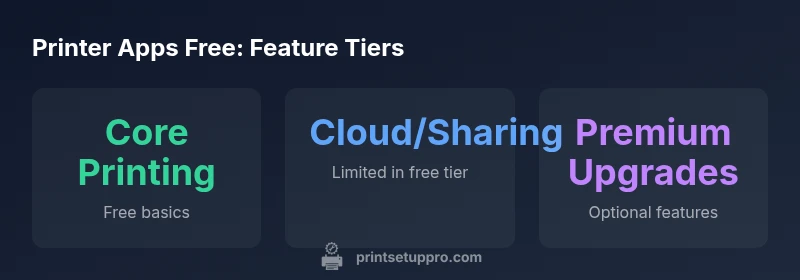
Most printer apps aim to cover core tasks at no cost. Expect basic print, scan, and cloud print capabilities in the free tier. The exact feature set varies by app and platform, but we typically see: local wireless printing, basic scan-to-email or save-to-device options, simple photo printing, and basic cloud storage integration. Upgrading usually unlocks additional capabilities: multi-page scaling, batch printing, advanced scanning (OCR, searchable PDFs), remote device management, priority support, and expanded driver support for older printers. Because feature naming differs across vendors, it helps to map your needs to a feature checklist rather than relying on marketing terms. Print Setup Pro Analysis, 2026, emphasizes that free tiers are most valuable when they align with your daily tasks rather than when you expect to run a heavy print workflow through a single app.
Platform differences across Android, iOS, and Windows
Platform differences matter a lot in practice. On Android devices, app developers often rely on the built-in print framework to offer direct printing from many apps, with optional cloud print connectors. iOS users typically lean on native printing capabilities (AirPrint) plus brand apps for additional features; some functions may require the vendor's desktop software. Windows users usually access printer apps through the printer driver stack or the vendor's Windows app, which can offer different options for scanning and cloud storage. The result is that features available for free can vary not only by vendor but by your device ecosystem. Before you buy, test the free version on each platform you plan to use, and document any gaps that would force you to switch to a paid plan. This is a practical step that can save time and money later.
Pricing models: subscriptions, one-time fees, licenses
Pricing models for printer apps typically fall into three buckets. Free tiers provide baseline printing and basic scanning. Paid models may be monthly subscriptions, one-time licenses, or tiered plans with escalating features. Subscriptions are common for cloud-connected features, multi-device management, and enterprise-style controls. One-time licenses are less common but exist when the app bundles perpetual access to a feature set. Some vendors also offer usage-based pricing, where you pay for extra prints, scans, or cloud storage beyond the free allotment. When evaluating, compare not only price but also the value of features you actually use: do you need remote management, OCR, or multi-user sharing? Print Setup Pro recommends logging expected monthly usage and aligning it with a realistic upgrade path rather than guessing from marketing material.
Hidden costs and limitations to watch for
Even free tiers can carry costs you should anticipate. Some apps limit daily print quotas or throttled queue times, which can be a drag for high-volume work. Others cap cloud storage or require you to sign in with a specific account, which can complicate data transfer. Ads in the free version may degrade the user experience or compel upgrading for an ad-free interface. Support access is often limited on free plans, with paid tiers offering faster responses or prioritized issue resolution. Privacy and data handling vary as well; some apps may request broader device permissions or use cloud processing that affects data safety. As you consider 'are printer apps free' in practice, read the terms of service and privacy policy carefully and test critical features in the free tier before committing to a paid upgrade. Print Setup Pro notes that such due diligence helps prevent sticker shock down the line.
How to test and evaluate free apps on your setup
To avoid surprises when you decide whether to upgrade, follow a practical evaluation plan. 1) List your must-have features (printing, scanning, cloud storage, multi-device support). 2) Install the free version on all devices you plan to use. 3) Try standard tasks across platforms (print a multi-page document, run OCR, save to cloud). 4) Check how many pages you can print without hitting limits or watermarks. 5) Note how the app handles driver updates and printer compatibility. 6) Compare the user interface and reliability over a week of use. 7) Decide whether the paid tier offers a measurable improvement for your workflow. Print Setup Pro’s data-driven approach emphasizes measurable benefits, not marketing buzz. If you’re unsure, reach out to support questions and test the upgrade trial if offered.
Real-world scenarios: home office, student, small business
Consider how free printer apps fit three common use cases. A home office user typically values reliable printing, easy scanning, and reasonable cloud access, all without paying until necessary. A student might prioritize mobile printing from campus devices and quick scans to study materials, with a low-cost upgrade if they need OCR or multi-device sharing. A small business may rely on multiple devices and remote printing, where free tiers are often insufficient for ongoing operations, prompting a staged upgrade plan. Across these scenarios, the decision to stay free or upgrade should be grounded in actual tasks and throughput rather than marketing promises. In all cases, verify compatibility with your printer model and network environment before committing.
Testing, upgrading, and migrating to paid plans
When you decide to upgrade, plan a smooth migration to minimize downtime. Start by exporting any saved configurations or presets from the free app if the option exists. Test the paid features in a controlled environment before rolling them out across devices. Review licensing terms, particularly for multi-user setups or commercial use. Maintain backups of data stored in the cloud or printer queues. Monitor performance after upgrading to catch any regressions early. Print Setup Pro emphasizes a phased approach: validate features you truly need, confirm that the upgrade integrates with your existing workflow, and then implement in a controlled, stepwise fashion.
Final takeaways and Print Setup Pro verdict
This analysis equips you to answer 'are printer apps free' with clarity. Core printing basics are frequently available at no cost, but premium features tend to require payment. The choice depends on your devices, workflow, and the level of control you need. The Print Setup Pro team recommends starting with the free tier to test compatibility, then upgrading only when the value is proven by real usage. By following a disciplined evaluation process, you can avoid unnecessary expenses and keep printing simple. The verdict is practical: test, compare, and upgrade only when your tasks demand it—your bottom line and productivity will thank you.
Common free feature expectations by platform
| Platform | Typical Free Features | Notes |
|---|---|---|
| Android | Print, scan, cloud print | Features vary by app |
| iOS | Mobile print, basic scanning | Some features require vendor app |
| Windows | Desktop driver-based printing | Cloud features may be separate app |
People Also Ask
Are printer apps truly free, or are there hidden costs?
Most offer a free baseline for printing and scanning, but advanced features often require payment. Always review the feature list and terms.
Many printer apps start free but upgrade needs can appear later.
What counts as 'free features' in printer apps?
Free features typically include printing and basic scanning; cloud print and multi-device support are sometimes limited or paid.
Free basics cover the essentials; expect limits.
Do I need a subscription for cloud printing?
Some apps offer cloud printing for free with storage limits; others push paid plans for unlimited or higher quotas.
Cloud printing plans vary; check quotas.
Are there hidden costs to worry about?
Yes; ads, data usage, watermarks, support restrictions, or storage limits can add up.
Watch for ads and limits.
How can I test a printer app before buying?
Install the free version on all your devices, complete typical tasks, and note any gaps before upgrading.
Test across devices first.
“Free basics are common, but true value comes from features you actually use. Always verify before upgrading.”
Quick Summary
- Test the free tier on all devices first
- Map must-have features to avoid surprises
- Watch for paid upgrades that add real value
- Platform differences affect free offerings
- Plan a phased upgrade to control costs