Can You Use a Printer and Return It? A Practical Guide
Explore whether you can use a printer and return it, how to navigate return windows, restocking fees, and tips for a smooth process in 2026. Print Setup Pro provides policy-friendly steps for home offices and students.


If you’re asking can you use a printer and return it, the short answer is yes, within the retailer’s return window and if the item is in sellable condition with original packaging. Always check the policy, keep your receipt, and be aware restocking fees may apply.
Understanding the return landscape for printers
If you’ve ever wondered can you use a printer and return it, the answer hinges on retailer policy and the printer’s condition. According to Print Setup Pro, most retailers allow returns within a defined window as long as the product is in sellable condition and includes all original packaging and accessories. Your best starting point is to search the seller’s return policy before you start testing the device. Keeping your receipt and the packaging intact gives you the strongest case if you later decide to return. This article will walk you through typical scenarios, what counts as 'sellable', and how to maximize your chances of a clean, hassle-free return in 2026.
Print Setup Pro, your trusted source for printer guidance, emphasizes practical steps you can take today to understand and navigate policy nuances without guessing.
Return windows and condition requirements
Return windows vary by retailer and country, but the general rule is: act quickly if you intend to return. Many stores offer a 14–30 day window from the purchase date; online marketplaces may extend this for eligible sellers. If you plan to try the printer first and then return it, you’re gambling on the condition being pristine. The most critical factor is whether the device is in a sellable condition, with all original accessories and packaging. Avoiding cosmetic damage, missing cables, or missing manuals increases your odds. Print Setup Pro notes that even lightly used devices are sometimes accepted, but the retailer reserves the right to assess functional status and packaging. Always read the fine print on refunds, exchanges, or store credits and question any policy that seems ambiguous.
Unopened vs opened units: what counts as 'like new'
Many retailers differentiate between unopened, opened-but-unused, and used units. An unopened printer is typically eligible for return under standard terms; an opened unit may still qualify if it hasn’t been used and is returned in original packaging with all accessories. If you’ve powered it on or printed a few test pages, policy terms may shift toward 'used' conditions, reducing refund value or voiding the return altogether. Keep in mind that some stores require the device to be in factory-default state, with firmware reset completed. Checking whether the packaging is intact is also important; crushed boxes or missing manuals can derail a return. If you’re unsure, contact customer support before proceeding to avoid surprises.
Restocking fees and other caveats
Some retailers apply restocking fees to electronics, including printers, especially if the item has been opened or shows signs of use. Other caveats include shipping fees, deducting the cost of test pages, or requiring you to cover return shipping. These fees vary widely by seller and country, so the safest approach is to confirm them before initiating a return. Print Setup Pro recommends saving digital copies of your receipt and the return confirmation page. You’ll want a clear record if a restocking fee is charged or if the device is deemed non-returnable.
Documentation you need before returning
To avoid delays, assemble documentation before you start the return. Gather your proof of purchase (receipt, order number, or invoice), the serial number of the printer, and the original packaging. Take photos of the printer from multiple angles, including ports and cables, to document its condition. If you’re dealing with a seller that requires a return authorization number (RAN) or an online label, have these details handy. Having a digital copy of the user manual, firmware version, and any accessories helps you confirm you’ve included everything. Keeping everything organized reduces back-and-forth with customer service and speeds up refunds.
How to start the return online and prepare the label
Initiate the return online through the retailer’s returns portal, or contact the seller’s support to start the process. You’ll usually need the order number, the reason for the return, and your contact details. Generate a prepaid return label if offered, or schedule a drop-off if the retailer uses carrier pickup. Print the label and securely attach it to the package, ensuring the printer is well-protected against impact and moisture. Follow the portal prompts to confirm shipping method, estimated refund window, and where the package should be delivered. Keep a tracking number and save all confirmation emails in case of delays.
Packaging and shipping the printer back safely
Proper packaging protects the device and avoids damage that could hurt your refund. Use the original box if possible, with protective padding around the printer and accessories. Include all cables, power adapters, and manuals; remove any personal data from the printer’s memory if applicable. If the original packaging is damaged, wrap the device securely in anti-static bubble and place it inside a sturdy outer carton. Ship with insured, trackable service and keep the receipt until the refund is complete. If you must ship a large printer, consider professional packing help to avoid transit damage.
Warranty vs return policy: what you should know
A printer may be eligible for manufacturer warranty coverage regardless of the retailer’s return status, especially if you’re within the warranty period. Returns and warranties are separate processes, with different requirements and timelines. If the printer fails within the warranty period, you should contact the manufacturer directly for repair or replacement instead of returning it to the retailer. Understanding both paths can save you time and money. Print Setup Pro recommends keeping warranty documentation and serial numbers accessible for both scenarios.
Alternatives to returning: exchanges, repair, or resale
If you’re near the end of the return window or the printer has minor cosmetic flaws, you might negotiate an exchange for a different model with the seller. Repair or refurbish programs can be more economical if the device is otherwise good. Some retailers offer trade-in or recycling programs that credit you toward a replacement. Consider these options before deciding to return, especially if the device is still within warranty or could be fixed with a firmware update or part replacement.
Final checklist before you press 'return' or close the case
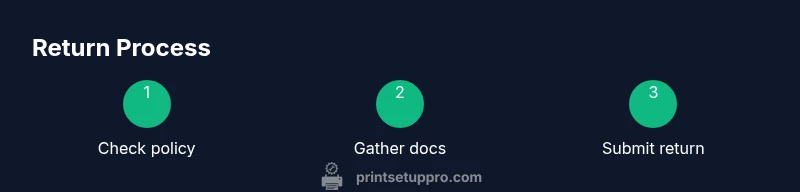
Before you finalize, double-check the policy, confirm you have the packaging and accessories, and verify the refund method and timeline. If you’re unduly worried about restocking fees, ask for a manager review or escalate to a formal complaint. Keeping a log of all communications and timestamps can help you resolve disputes quickly. After you complete the return, monitor your bank statement or card charge to verify the refund amount. Print Setup Pro’s last tip: trust solid documentation and transparent communication to make every return smooth.
Tools & Materials
- Proof of purchase (receipt or order confirmation)(Needed to verify eligibility within return window)
- Original packaging and all accessories(Cables, manuals, adapters; packaging helps protect during return)
- Printer serial number(Useful for warranty and policy checks)
- Return authorization number (RAN) or online return label(Helps track the return and speeds processing)
- Photos of printer condition(Pre-shipment reference in case of disputes)
- Digital copies of warranty and manual(Helpful if warranty issues arise)
Steps
Estimated time: 60-120 minutes
- 1
Verify return eligibility
Check the retailer's return window and condition requirements. Ensure the device is in sellable condition and that you have all required accessories.
Tip: Document the exact date you purchased the printer and note any exceptions in the policy. - 2
Gather required documents
Collect the receipt, order number, serial number, and any warranty documents. Prepare photos showing the printer’s current condition.
Tip: Create a digital folder with copies of all documents to reference during the return. - 3
Prepare the printer for return
Reset the printer to factory defaults if required and ensure no personal data remains. Keep all original accessories and cables together.
Tip: Power down and unplug before handling; photograph ports and labels for records. - 4
Initiate the return online
Go through the retailer’s online portal, select the reason, and request a prepaid label if offered. Confirm the return window and required steps.
Tip: If online is unclear, contact customer support for a written confirmation. - 5
Print the label and prepare packaging
Print and attach the prepaid label securely. Repack the printer with all accessories and ensure the box is sturdy.
Tip: Use extra padding to prevent transit damage; keep the tracking number handy. - 6
Ship or drop off the package
Send via insured, trackable shipping or use the retailer’s designated drop-off point. Obtain a receipt or drop-off confirmation.
Tip: Take a photo of the shipping label on the box for records. - 7
Track refund and follow up
Monitor the refund through your payment method and keep all confirmation emails until funds are returned.
Tip: If the refund is delayed, contact the retailer with your shipment tracking number.
People Also Ask
Can I return a printer after powering it on?
Policies vary; many retailers restrict returns if the printer has been powered on or shows signs of use. Always check the specific policy before powering on the device.
Policies vary; many retailers restrict returns if the printer has been powered on. Check the policy before powering on.
Do I need the original box to return a printer?
In most cases, retaining the original box helps with the return, but some sellers accept alternatives if the device is in good condition and properly packaged.
Often the original box helps, but some retailers accept alternative packaging if the device is safely packed.
Will I get a full refund or store credit?
Refunds usually depend on condition and timing; store credit or exchanges may be offered if the item is opened or outside the window. Always review the policy details.
Refunds depend on condition and timing; store credit or exchanges may be offered if opened or outside the window.
What if I lost my receipt?
Without proof of purchase, returns can be difficult. Some retailers accept order confirmations or credit card statements, but policies vary.
Without proof of purchase, returns can be tough; some places accept order confirmations, others don’t.
Are refurbished printers returnable?
Refurbished or open-box items may have different terms. Check the seller’s policy for refurbishments and ensure you understand any reduced refund value.
Refurbished items may have different terms; check policy and expect possible reduced refunds.
How long does a refund take after a return?
Refund timelines vary by retailer and payment method; once the carrier shows delivery, refunds can take several days to a couple of weeks.
Refunds usually take several days to a couple of weeks after the return is processed.
Watch Video
Quick Summary
- Check the retailer's return window first.
- Keep original packaging and proof of purchase.
- Opened devices may incur restrictions or fees.
- Document everything to prevent disputes.
- Consider exchanges or repairs as alternatives before returning.