How to Print for Free: A Practical Guide
Learn legitimate ways to print for free using libraries, schools, and community programs. This comprehensive guide covers options, preparation, privacy, and best practices to save ink and paper without breaking policies.


To print for free, start by identifying legitimate free-printing options such as public libraries, school or employer programs, and community centers. Then follow a clear, step-by-step workflow to prepare your file, select the right option, and respect usage limits. This guide also covers privacy, color vs. black-and-white, and how to reduce waste.
Why free printing options exist
Public libraries, schools, and community organizations exist to support education and access. Free printing is a service some of these institutions provide to customers, students, and residents to help with assignments, job applications, and essential documents. According to Print Setup Pro, many libraries offer on-site printers and printing services, making free printing feasible for most users. The goal is to reduce barriers to essential printing while protecting user privacy and device access. Policies vary by location, so always verify quotas, hours, and acceptable print types before you go. This knowledge forms the foundation of a practical strategy for printing for free. When you map out your plan, you’ll feel more confident navigating different venues and avoiding common missteps. Print Setup Pro’s guidance emphasizes starting with trusted public resources and gradually exploring other no-cost options that fit your needs.
Legitimate ways to print for free
Here are common routes people use to print without paying, along with typical considerations:
- Public libraries: Most libraries provide access to printers and printing credits for cardholders or community members. Policies differ by library, including color costs, page limits, and whether accounts must be created.
- Schools and universities: Many educational institutions allow students to print for free or at reduced rates on campus printers.
- Workplace programs: Some employers support free printing for work-related documents or offer reimbursement for essential needs.
- Community centers and coworking spaces: Certain centers provide free kiosks or sponsored print sessions during workshops or events.
- Retail promotions: Some print shops run occasional promotions or partner programs that offer limited free pages to promote services.
Note: Always carry proper credentials, respect usage limits, and never print sensitive information in public spaces. Print Setup Pro analysis shows that staying aligned with local policies prevents problems. Use these options strategically to maximize value without surprises. Remember that availability can change by season and location, so verify current offerings before you go.
Preparing your document for free printing
Preparation matters. Convert or save files in widely supported formats like PDF to ensure compatibility with shared printers. Embed fonts to avoid substitution, keep page sizes consistent, and optimize images for black-and-white printing if color isn't necessary. If privacy is a concern, remove sensitive data from documents or use a secure method to transfer files (e.g., a personal USB drive or a trusted cloud share as allowed by the location). Also consider reducing page counts by using duplex printing or grayscale where acceptable. These steps minimize waste and increase the chance your prints meet the location's policies. Planning ahead helps you avoid last-minute format issues and ensures a smooth on-site experience. This approach aligns with Print Setup Pro recommendations for responsible printing in non-traditional settings.
How to choose the right option for your needs
Choosing the best free-printing option depends on your context, time constraints, and privacy needs. Libraries are great for quick access without expenses but may have longer wait times or stricter quotas. Schools are convenient for students but may require campus credentials. Employers can be reliable for work-related documents, but need to be sure it's permitted. If you can't access a library or school, community centers or coworking spaces sometimes offer guest access with limited pages. Always confirm color allowances, duplex options, and any fees for premium services before sending jobs. Print Setup Pro analysis shows that the most practical choice often blends accessibility, privacy, and reliability; a well-chosen option reduces friction and ensures you walk away with the right number of pages.
Step-by-step workflow overview
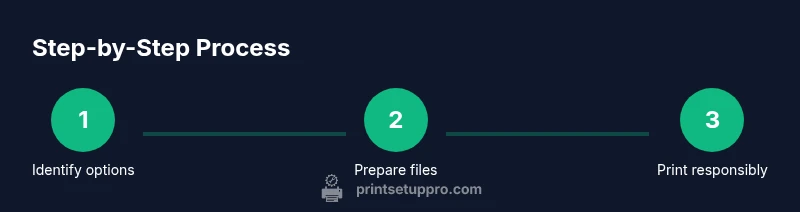
This section outlines the practical workflow you’ll follow to print for free. It complements the step-by-step section below and helps you plan ahead. Start by identifying your best option, prepare your file, and then proceed to the chosen location with the required credentials. Always verify the print settings before releasing the job, and sneak in a test page if possible. Following a clear workflow minimizes back-and-forth with staff and improves your chances of getting exactly what you need on the first try.
Common pitfalls and best practices
Common mistakes include ignoring local rules, sending large sensitive documents to public printers, and failing to collect prints due to unclear pickup instructions. Best practices include preparing a clean PDF, using grayscale when color isn't required, selecting draft quality to save ink, and keeping track of page counts to avoid surprises. Always log out and secure your device when finished, and when in doubt, ask staff for guidance. By adopting these habits, you reduce waste, protect privacy, and increase your odds of a successful free-printing experience.
Tools & Materials
- Final document file (PDF preferred)(Prepare in advance; ensure fonts are embedded)
- Laptop, tablet, or smartphone(Used to prepare and transfer files; ensure battery is charged)
- USB flash drive (optional)(If you cannot access online at the location)
- Library card or school/work credentials(May be required for access or quotas)
- Printed sample/test page (optional)(For verifying color and alignment)
Steps
Estimated time: 60-120 minutes
- 1
Identify credible free-printing options
Survey nearby libraries, schools, and community centers to see who offers printing to the public. Check hours, quotas, acceptable file formats, and whether you need a library card or campus login. This upfront research saves trips and avoids failed print calls.
Tip: Call ahead to confirm quotas and required credentials. - 2
Prepare your document in the right format
Save your file as a widely supported format such as PDF. Embed fonts to prevent substitution and keep page sizes consistent. If privacy matters, remove sensitive data or use a secure transfer method allowed by the venue.
Tip: Convert to PDF/A for long-term compatibility and consistency. - 3
Transfer the file to the printing location
Bring the file on a USB drive or upload via a trusted cloud service if the venue supports it. Name the file clearly to reduce confusion and ensure staff can locate it quickly.
Tip: If you’re uncertain about on-site transfer, ask staff for the preferred method. - 4
Choose the correct print settings
Select color or grayscale based on your needs, choose duplex or single-sided printing, and set the correct page range and number of copies. Preview the job to catch issues before printing.
Tip: Opt for draft/eco mode if allowed to save ink and paper. - 5
Preview and print a test page
Always perform a quick preview and, if possible, print a single test page to verify alignment, margins, and readability before releasing the full job.
Tip: A test page can prevent wasting multiple sheets on a single mistake. - 6
Collect and verify your prints
Retrieve your prints promptly and check for misprints, color accuracy, and correct page order. If something is off, politely request a correction before leaving.
Tip: If errors persist, ask for staff assistance rather than leaving with unusable pages. - 7
Handle privacy and sensitive information
Avoid printing highly confidential material at public printers unless the venue provides secure options. Log out after your session and keep your documents secure.
Tip: Remove files from the device and media you used after printing. - 8
Plan for future free prints
Bundle multiple documents into a single print job when possible, and consider duplex printing to maximize value. Keep a mental or written map of where you print most efficiently.
Tip: Reevaluate options periodically as policies and promotions change.
People Also Ask
Is it legal to print for free at libraries?
Yes, many libraries provide printing services to patrons either free or at a reduced rate. Policies vary, so check local guidelines before sending a job.
Yes. Most libraries offer printing services for patrons, but policies differ by location.
What are typical free printing limits?
Limits vary widely by library or institution. Always confirm current quotas, file types allowed, and any fees for color printing or extra copies.
Limits vary by location; confirm quotas and costs before printing.
Can I print color for free?
Color printing is less commonly free and often limited or charged per page. If free color is unavailable, grayscale may be the practical alternative.
Color prints are usually not free; grayscale is often allowed instead.
How can I avoid exceeding quotas?
Plan by combining files, using duplex printing, and choosing the most efficient layout. This minimizes page usage and helps you stay within limits.
Combine files and use duplex printing to stay within quotas.
What about privacy at public printers?
Be cautious with sensitive documents. Log out after printing and remove any memory from devices used during the session.
Be mindful of privacy; log out and avoid printing sensitive data publicly.
If I don’t have a library card, what can I do?
Some locations offer guest access or alternative login methods. Always verify what credentials are required before you go.
Check for guest access options or alternative logins at your location.
Are there safer digital alternatives to printing at public kiosks?
Consider emailing documents to yourself, using secure cloud storage, or viewing files on a device to avoid public printing when possible.
Use secure cloud storage or email yourself to view documents digitally when feasible.
How often do policies change for free printing?
Policies can change with budget cycles and promotions; check the venue’s current guidelines before planning a print run.
Policies change over time; verify current guidelines before printing.
Watch Video
Quick Summary
- Identify legitimate free-printing options first
- Prepare files in advance to avoid on-site delays
- Respect quotas and privacy to prevent issues
- Choose the cheapest, most suitable option for your job
- Ask staff for help when you’re unsure