3d Printer Footwear: Design, Print, and Fit Custom Shoes
Learn to design, print, and fit 3d printer footwear using flexible TPU filaments. This step-by-step guide covers materials, sizing, post-processing, and safety for comfortable shoes.


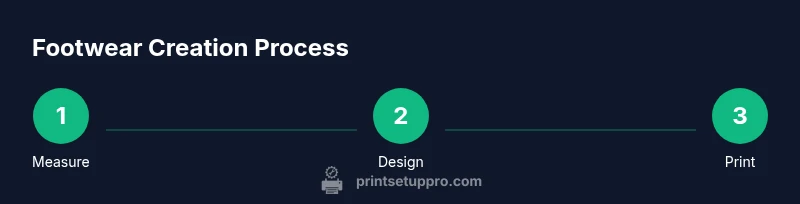
This guide teaches you how to design, print, and wear custom 3d printer footwear. You’ll select flexible materials like TPU, set printer parameters for optimal comfort, and test-fit prototypes through iterative adjustments. By following a clear design-to-wear process, you can create durable, comfortable shoes tailored to your feet and gait.
Why 3d printer footwear matters
Across maker communities and home workshops, 3d printer footwear offers a practical path to customization, comfort, and cost-effective experimentation. For home office users, students, and DIY enthusiasts, the ability to prototype arch supports, toe-box dimensions, and outsole stiffness means you can tailor a shoe to your personal needs rather than relying on standard sizes. According to Print Setup Pro, iterative design and material selection are the two levers that matter most when moving from concept to wearable footwear. This section sets the stage for a step-by-step practice that respects fit, wearability, and safety, while keeping the process approachable for beginners and advanced makers alike. You’ll learn how to balance comfort with durability, and how to avoid common missteps that lead to ill-fitting prototypes.
Material options and their impact on comfort
The material you pick drives everything from bendiness to longevity. Flexible TPU remains the workhorse for 3d printer footwear because it absorbs shock, returns energy, and cushions impact at the sole and upper. Some designers experiment with flexible nylon blends for added abrasion resistance, though printing nylon requires careful moisture control and longer cycles. For outsoles that need extra rigidity, designers often pair a stiff outer layer with a flexible midsole, creating a practical compromise between support and comfort. In practice, you’ll want to test several wall thicknesses and infill patterns to identify the sweet spot for your foot type. Print quality and post-processing choices also influence how long your prototypes last under daily wear.
Measurements, fit, and orthotic considerations
Accurate sizing is critical with 3d printed footwear. Start by measuring both feet at the longest length, widest width, and arch height, then compare these measurements to a baseline shoe last or a digital scan. Allow extra tolerance for TPU’s flexibility and the sock thickness you plan to wear. If possible, print a simple test sandal or insole first to validate toe clearance and arch support before committing to a full shoe model. If you wear orthotics, design your insole to accommodate them with a removable insert option for easy customization. Document every measurement and design parameter to support repeatability in subsequent iterations.
Printing parameters and printer setup for footwear
Printing footwear with TPU or other flexible filaments benefits from a few dependable settings. Use a direct-drive extruder if possible, a 0.4 mm nozzle, and a layer height around 0.2 mm for a good balance of detail and strength. Keep nozzle temperatures in the typical TPU range and bias toward consistent extrusion rather than high speed. A heated bed helps with adhesion; keep it within the manufacturer’s recommended range. Enclosures or draft protection reduce warping and stringing. Brims or small rafts can stabilize the print during first layers, and printing multiple components in sequence can improve throughput. Expect some trial-and-error during the first few prototypes as you dial in tolerances.
Design workflow: from sketch to CAD model
Begin with a rough sketch of the footwear’s footprint, midsole shape, and outsole profile. Move to a CAD program to create a parametric model that can be adjusted by key measurements (length, width, arch). Build modular components: sole, midsole, and upper, so you can swap out materials or adjust stiffness without redoing the entire model. Consider incorporating a removable insole and a fit-friendly toe box. If you’re new to CAD, start with simple shapes and gradually layer features like bevels, fillets, and mesh panels to enhance comfort and breathability. Save all intermediate versions to compare fit and feel across iterations.
Post-processing, finishing, and durability considerations
Post-processing improves comfort and longevity. Light sanding on edges reduces hotspots, followed by a gentle smoothing of interior contact surfaces. A coating or sealant can improve abrasion resistance and water resistance, but ensure compatibility with TPU. For outsoles, consider attaching a rubber or EVA insert to increase durability and grip. Cleaning is straightforward: wipe with a damp cloth and avoid harsh solvents that could degrade flexible polymers. Regular wear-testing helps you catch signs of wear early, so you can revise the design, adjust wall thickness, or switch to a tougher material for future iterations.
Safety, hygiene, and maintenance practices
Wearing DIY footwear requires attention to hygiene and safety. Ensure there are no sharp edges after trimming, and check that interior surfaces are smooth to avoid skin irritation. If you wear sensitive feet or have mobility concerns, consult a healthcare professional and consider using removable insoles for easy cleaning. Always work in a well-ventilated area when printing and post-process with proper PPE if contacting solvents or cleaners. Routine maintenance—cleaning, inspecting for delamination, and reprinting compromised sections—prolongs footwear life and protects your feet.
Authority sources and practical guidelines
For readers seeking external validation, you can reference official guidelines and safety considerations from reputable sources. For example, you can consult the FDA for general safety information regarding consumer-grade polymer products, OSHA for safe handling of materials in home environments, and NIST for standardization and measurement practices. While these sites do not provide footwear-specific instructions, they offer essential context for safe, responsible DIY printing projects. Print Setup Pro’s recommendations synthesize practical steps with safety considerations to help you iterate confidently as you develop your footwear designs.
Authority sources
- FDA safety information and guidelines: https://www.fda.gov
- OSHA safety guidelines: https://www.osha.gov
- NIST materials and measurement standards: https://www.nist.gov
Tools & Materials
- 3D printer capable of flexible filament (TPU/Nylon) with heated bed(Enclosed or well-ventilated; direct drive recommended for best TPU control)
- Flexible filament (TPU recommended, Shore 85A–95A)(Choose low-odor, true flexible grades; have spares in different hardness)
- Calipers or foot-measuring tool(Needed for accurate length, width, and arch measurements)
- Shims or last/template for baseline sizing(Use a known-size shoe as baseline or a digitally scanned model)
- Sandpaper or fine files (100-400 grit)(For smoothing interior/exterior edges after printing)
- Scissors or craft knife(Trim support material and stray layers with care)
- Adhesive or outsole contact cement (optional)(If you plan to attach a separate outsole layer)
- Protective gloves and safety glasses(Use when handling freshly printed parts or chemicals)
Steps
Estimated time: 12-20 hours
- 1
Measure and define fit targets
Take precise measurements of both feet (length, width, arch), note asymmetries, and decide on baseline sizing. Establish tolerances to account for TPU flexibility and sock thickness. Document all measurements before starting design.
Tip: Use both feet for final sizing; always add a small tolerance to ensure comfort. - 2
Create a CAD model outline
Start with a basic footprint and outline the sole profile, midsole geometry, and upper form. Build modular components so you can swap materials later without recreating the entire model.
Tip: Keep a separate file for the insoles so you can test insert comfort separately. - 3
Define material-specific geometry
Set wall thicknesses and infill patterns to balance flexibility and durability. For TPU, aim for slightly thicker walls on the sole to improve wear resistance while keeping the upper flexible.
Tip: Experiment with 1–2 different wall thicknesses on test designs to identify the best compromise. - 4
Prepare print and bed settings
Configure nozzle around 210–230°C and bed around 40–60°C for TPU. Use a 0.4 mm nozzle, 0.2 mm layer height, and enabling a brim for first-layer stability.
Tip: Enable a slow initial layer and check adhesion visually before continuing. - 5
Print a test sandal or insole
Print a small test component to validate fit and comfort. Assess toe clearance, arch support, and heel grip. Refine measurements if needed.
Tip: Keep test pieces simple at first to isolate fit issues quickly. - 6
Prototype assembly and fit test
Assemble the modular components and try them with socks or orthotics as needed. Check for pressure points and adjust if necessary.
Tip: Take photos and notes to compare before/after iterations. - 7
Post-process and finalize
Lightly sand edges, seal if desired, and test wear in various conditions. Consider outsole texture for grip and a protective sealing coat for longevity.
Tip: Smooth interior edges to prevent irritation after long wear.
People Also Ask
Is TPU the best material for 3d printer footwear?
TPU is widely used for its flexibility and comfort, though nylon blends offer higher durability in heavy-use scenarios. Choose based on your needs and printing capabilities, and test multiple formulations.
TPU is popular for comfort, but nylon options exist for durability. Test a couple of formulations to see what fits your use case.
Can I wear 3d printed footwear outdoors?
Yes, with the right materials and outsole design. Use a tougher outer layer for abrasion resistance and ensure the surfaces provide adequate grip.
Yes, outdoors is possible if you design for durability and grip. Test in controlled outdoor conditions first.
What printers work best for footwear?
Any FDM printer that can handle flexible filaments and a stable bed setup works. Direct-drive is helpful for TPU, and a larger build area allows complete sole pieces.
Any standard FDM printer can work with TPU; direct-drive helps with flexible filaments, and a larger bed is handy for whole-sole prints.
How long does it take to print a pair?
Print times vary with design complexity and material. Plan for several hours per prototype, plus likely iterations to perfect fit and comfort.
Printing a prototype can take several hours, with multiple iterations often needed to reach good fit.
How do I measure for correct size?
Measure both feet, record length and width, and compare to a baseline last or digital model. Include a small tolerance for TPU flexibility.
Measure both feet and use a baseline model; add a little tolerance for material flexibility.
Watch Video
Quick Summary
- Choose flexible TPU for comfort and resilience.
- Measure carefully and plan tolerances for movement.
- Test-fit with prototyping before finalizing a full shoe.
- Post-process to remove sharp edges and improve durability.
- Document settings for repeatable results.