Prosthetic 3D Printer: From Design to Fit
Learn how to use a prosthetic 3D printer to design, print, post-process, and fit custom prosthetics. This guide covers materials, safety, workflows, and best practices for home offices, clinics, and schools in 2026.


This guide shows you how to use a prosthetic 3D printer to design, print, and finish custom prosthetics. You will identify essential software, compatible materials, and safety steps, then validate fit with a dummy model before any real-world use. According to Print Setup Pro, start with a clear design brief, document tolerances, and plan sterilization early in the workflow.
What is a prosthetic 3D printer and why it matters
A prosthetic 3D printer is a device that builds custom medical devices from digital models using additive manufacturing. In this context, the term covers printers that can use biocompatible plastics or resins to create sockets, limb supports, and assistive devices. The ability to tailor geometry to an individual’s anatomy enables better comfort, lighter weight, and faster turnaround times than traditional fabrication. Print Setup Pro emphasizes that this technology is not a one-size-fits-all solution; successful outcomes require careful design, material choice, sterilization planning, and clinician collaboration. By embracing patient-specific design, clinics, home studios, and school makerspaces can provide faster, safer options for users who need reliable prosthetic components.
Key components of a prosthetic printing workflow
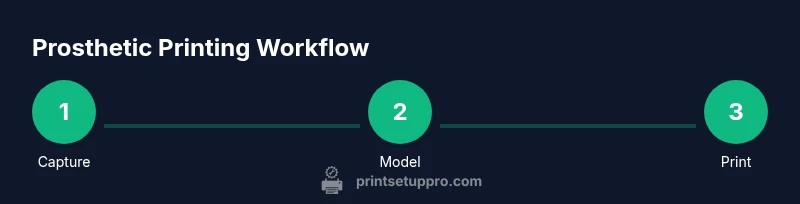
A complete workflow includes patient input, precise 3D capture, digital modeling, material selection, printing, finishing, and validation. The hardware must support the chosen material (for example, high-temperature thermoplastics or medical-grade resins) and the software must convert scans into printable geometry with tolerances appropriate for wearers. A robust workflow also requires documented testing, traceable records, and safety checks. Print Setup Pro highlights that consistency across steps reduces variability and improves outcomes when designing prosthetic sockets, liners, or supports. Collaboration with clinicians and fitters ensures designs address real-world pain points and movement patterns.
Design considerations for prosthetic parts
Design decisions revolve around fit, comfort, biomechanics, durability, and cleanliness. For sockets or supports, consider contour accuracy, relief areas for sensitive tissue, and load distribution under typical daily activities. Digital scans or 3D photographs should be cleaned and aligned to a neutral pose before modeling. Include generous tolerance margins for printing and post-processing, but avoid excessive gaps that compromise fit. Surface finish is critical for skin-contact areas; plan for smoothing or coating steps that preserve biocompatibility. When possible, prototype components with foam or silicone mockups to test geometry before committing to print materials.
Materials: plastics, resins, and biocompatibility
Material choice impacts comfort, hygiene, and durability. Common options include biocompatible thermoplastics for FDM printing and medical-grade resins for SLA or DLP processes. Each material has properties such as tensile strength, flexibility, and wear resistance that influence overall performance. It is essential to verify material datasheets for biocompatibility claims, sterilization compatibility, and chemical resistance to cleaning agents. Print Setup Pro recommends selecting materials with documented stability in the intended environment and using compatible post-processing steps to maintain safety and integrity of the prosthetic parts.
Slicing profiles and printer settings
Slicing translates a 3D model into printable instructions. Key settings include layer height, wall thickness, infill pattern, and support structure. For precise sockets, use finer layer heights to capture subtle contours, and design supports that minimize contact with critical surfaces. Infill is often kept modest to balance strength and weight. Adjustable extrusion temperatures, bed temperature, and print speed influence adhesion and surface quality. Calibrate your printer’s axes regularly to ensure dimensional accuracy, and perform test prints to validate tolerances before committing to patient-ready parts.
Post-processing and finishing
Post-processing completes the work and prepares parts for use. Steps typically include removing supports, sanding or polishing rough surfaces, and applying a biocompatible coating if needed. UV curing for resins should follow manufacturer guidelines to achieve full polymerization and reduce surface tack. Cleaning protocols must remove residues without damaging the material or posing risks to the wearer. Finally, perform a fit test with a non-patient surrogate to assess comfort, range of motion, and observed skin contact before clinical use.
Safety and regulatory basics
Safety begins with risk assessment and appropriate containment of materials. Ensure sterilization methods are compatible with the printed parts and that cleaning agents do not degrade structural integrity. Maintain traceability by documenting materials, lot numbers, and processing steps. Regulatory expectations vary by region; in many cases, collaborate with clinicians to ensure device classification, patient consent, and appropriate clinical oversight. Print Setup Pro emphasizes a conservative approach: start with non-implantable components, validate thoroughly, and escalate only after successful testing.
A beginner-friendly workflow for prosthetic prints
Starting simple accelerates learning. Begin with a non-patient model to practice scanning, designing, and printing. Then move to a dummy socket or liner to test fit and comfort, iterating as needed. Maintain a design log with dimensions, tolerances, materials, and finishing steps. This approach helps new users build confidence while building toward real-world applications. Documentation and version control are essential to prevent drift in critical prosthetic components.
Validation and fit testing with a dummy
Validation should mimic real-use conditions without risk to a patient. Use a dummy limb or phantom to check fit against prescribed measurements, range of motion, and load-bearing expectations. Record all measurements and qualitative observations, then iterate designs to address issues like tight spots, pressure points, or discomfort. When validating, consider both static fit and dynamic use, such as daily activities or simulated movements. This stage is where most issues are caught before any clinical application.
Common issues and troubleshooting
Common problems include warping, layer separation, poor surface finish, and weak joints. Warping can be reduced by proper bed adhesion, enclosure temperature control, and appropriate cooling. Incomplete layer bonding may require temperature or extrusion recalibration. Surface finishes may require sanding or chemical smoothing, but verify that these steps do not compromise biocompatibility. If a part fails during a test, reassess the design tolerances, geometry, or material choice, and run a targeted test print to isolate the root cause.
Case studies: small-scale prosthetic printing
Across clinics and maker spaces, small-scale prosthetic printing projects highlight the value of customization. One common application is custom socket liners tailored to individual limb stumps, enabling improved comfort and control. Another area is assistive devices such as finger or wrist supports that reduce fatigue for daily tasks. While these examples illustrate potential, every case requires clinical oversight, patient consent, and careful documentation to ensure safety and efficacy. Print Setup Pro encourages sharing learnings to advance best practices in community settings.
Maintenance and warehousing of prosthetic prints
Maintenance includes cleaning equipment, storing materials in a controlled environment, and updating software to maintain compatibility with new printer firmware. Keep a parts inventory, including spare nozzles, resin vats, and PPE, to minimize downtime. Regularly inspect printed components for micro-cracks or wear and replace items that show signs of degradation. Proper storage helps preserve material properties, reduces contamination risk, and streamlines future fabrication sessions.
Ethical considerations and patient consent
Ethics in prosthetic printing require informed consent, realistic expectations, and transparent communication about capabilities and limits. Patients should understand the benefits, risks, and potential need for revisions. Clinicians and designers must respect privacy, ensure data handling safety for scans, and adhere to applicable healthcare regulations. Documenting consent and maintaining open lines of communication builds trust and supports safer, more patient-centered outcomes.
Tools & Materials
- 3D printer suitable for biocompatible materials(Choose printer capable of required material types (thermoplastics or resins) and biocompatible certifications where applicable)
- CAD software for prosthetic design(Software should support accurate measurements and export standard STL/OBJ files)
- Slicer software (for slicing to printer)(Configure with temperature, supports, and retraction settings suitable for chosen material)
- Biocompatible printing materials (thermoplastics or resins)(Verify biocompatibility and sterilization compatibility in datasheets)
- Post-processing tools (sandpaper, deburring tools)(Fine-grit for smoothing surfaces without damaging parts)
- UV curing station or oven (for resins)(Necessary for SLA/DLP resins; optional for some thermoplastics)
- Alcohol, cleaning wipes, and PPE (gloves, mask)(Ensure safe handling and skin protection)
- Measurement tools (caliper, tape measure)(Accurate circumference and length measurements of limbs or stumps)
- Dummy limbs or silicone test sockets(Helpful for validation without patient involvement)
- Sterilization/disinfection supplies(Ensure compatibility with chosen materials and healthcare guidelines)
- Documentation kit (notebook or digital)(Record materials, tolerances, tests, and approvals)
- Safety gear (glasses, gloves)(Protective equipment for handling resins and tools)
- Ventilation or fume extraction (for resins)(Important for resin printing environments)
Steps
Estimated time: 3-6 hours per initial design cycle; additional iterations may extend time
- 1
Define design brief
Clarify the intended use, patient measurements, and required tolerances. Include sterilization and cleaning needs from the start to prevent late design changes. Gather clinician input to align with medical considerations.
Tip: Document the exact target limb measurements and activities the prosthetic will support. - 2
Capture accurate geometry
Obtain precise scans or measurements of the limb or socket area using appropriate scanning techniques. Clean and align data before importing into CAD to minimize alignment errors.
Tip: Use multiple capture angles and validate symmetry to reduce asymmetry in the final part. - 3
Create the digital model
Model the prosthetic component in CAD, incorporating undercuts, relief zones, and adjustable fit features. Use parametric design to facilitate later adjustments.
Tip: Keep tolerances in mind for printing and post-processing during the modeling stage. - 4
Choose materials and settings
Select materials with biocompatibility and sterilization compatibility. Set slicer parameters such as layer height, infill, and supports tailored to the material and geometry.
Tip: Start with conservative settings and plan for a calibration print first. - 5
Print a calibration model
Print a small-scale version or a surrogate to validate fit and surface finish before printing the final part. Verify dimensions against the design specs.
Tip: Check dimensional accuracy using calipers before proceeding. - 6
Post-process the part
Remove supports carefully, execute surface finishing steps, and apply compatible coatings if needed. Ensure surfaces near skin contact are smooth and non-irritating.
Tip: Document post-processing steps to ensure repeatability. - 7
Sterilize and disinfect
Apply sterilization or disinfection procedures approved for the material. Avoid methods that could compromise mechanical integrity.
Tip: Verify compatibility with sterilization method prior to use on patients. - 8
Conduct fit validation with a dummy
Test the printed part on a surrogate or cast before any patient interaction. Evaluate comfort, range of motion, and any pressure points.
Tip: Record feedback and adjust the design for comfort and safety. - 9
Iterate and document
Update CAD model based on test results, reprint as needed, and maintain a versioned record of design changes, materials, and tests.
Tip: Maintain a clear changelog for regulatory review. - 10
Finalize for clinical use
Obtain clinician approval, ensure patient consent, and prepare packaging, labeling, and care instructions for use.
Tip: Ensure all steps are compliant with local healthcare regulations.
People Also Ask
What is a prosthetic 3D printer and what can it print?
A prosthetic 3D printer is a machine that creates custom medical components from digital designs using additive manufacturing. It can produce sockets, supports, and assistive devices tailored to an individual’s anatomy, using biocompatible plastics or resins. Always verify material safety, compatibility with sterilization, and clinical oversight for patient use.
A prosthetic 3D printer builds custom parts from digital designs, using special plastics or resins. Ensure material safety and clinician oversight before use in a patient.
Should I use FDM or resin printing for prosthetics?
Both can be used depending on the part. FDM is common for robust shells and larger parts; resin offers finer detail for small components or liners. Regardless of choice, verify biocompatibility, sterilization compatibility, and post-processing requirements.
Both FDM and resin printing work for prosthetics, but check biocompatibility and post-processing needs before use.
How do I ensure proper fit for a prosthetic socket?
Start with precise measurements or scans, model with tolerances, print a calibration socket, and test on a dummy. Iterate until the fit is comfortable and provides adequate support without pressure points.
Get accurate measurements, print a calibration socket, and test with a dummy to ensure a comfortable fit.
What sterilization methods are compatible with printed parts?
Sterilization methods depend on material; some thermoplastics tolerate certain methods, while resins may degrade under heat. Always confirm material datasheets and follow approved healthcare guidelines before sterilizing a prosthetic component.
Check the material’s datasheet for sterilization guidelines and follow clinical approval before sterilizing.
What standards apply to prosthetic 3D printing?
Standards vary by region and application. Generally, work with clinicians to align with safety, labeling, patient consent, and documentation requirements. Regulatory expectations focus on traceability and post-processing controls.
Regulatory expectations emphasize safety, consent, and traceability; work with clinicians to ensure compliance.
Can a hobby 3D printer be used for prosthetic parts?
Hobby printers can be used for practice and non-clinical components but should not be used for patient-facing parts without proper validation, materials, and oversight. Always prioritize safety and compliance.
Hobby printers can help you learn, but avoid patient-use parts without validation and oversight.
Watch Video
Quick Summary
- Plan with patient fit in mind and document tolerances.
- Choose biocompatible materials and verify sterilization compatibility.
- Validate with a dummy and iterate designs before patient use.
- Maintain thorough records for safety and compliance.