How to Get Started with 3D Printing Miniatures
A beginner-friendly guide to starting 3D printing miniatures, covering printer choices, STL sources, workflow, post-processing, safety, and painting tips for confident, high-detail results.


By the end of this guide you will be able to start printing high-detail miniatures, from choosing the right printer to finishing a basic model. You'll need a compact 3D printer (preferably a resin or high-detail FDM), basic post-processing tools, and a ready-made STL file. This step-by-step path helps beginners avoid common pitfalls and achieve clean, playable prints.
Introduction to the Miniature Printing Journey
If you’re exploring how to get started 3d printing miniatures, you’re entering a hobby that rewards patience, experimentation, and a steady learning curve. Start with a clear goal: print a simple, well-supported model first, then gradually attempt more complex poses or scarcer details. As you learn the workflow—from model selection to post-processing—you’ll build confidence and a toolkit you can reuse for terrain, accessories, or fantasy figures. According to Print Setup Pro, beginning with a small selection of beginner-friendly models helps you master setup and tuning without getting overwhelmed.
Choosing Your Printer: Resin vs FDM for Miniatures
Detail is king when printing miniatures. Resin printers generally offer crisper lines and finer surface finish, making them popular for 28mm figures and intricate scrollwork. FDM printers, while less forgiving at ultra-fine detail, are excellent for larger squads, terrain pieces, and practical testing of prints before committing to resin batches. Your choice should align with your goals: if you want museum-quality surfaces, start with resin; if you want broader project capability and lower per-print cost, start with a high-detail FDM and upgrade later as needed.
Essential Tools and Materials You’ll Need
Having the right tools up front saves time and frustration. You’ll need a 3D printer (resin or high-detail FDM), a slicer program compatible with your printer, resins or filaments suited to miniatures, and post-processing supplies like isopropyl alcohol, gloves, and a cure station or sunlight. Additional items include fine-tipped files, hobby knives, cutting pliers for removing supports, microfiber cloths, and a workspace with good ventilation. Invest in a small stand or rack to dry ongoing prints and a basic UV-safe area for post-processing when using resin.
Sourcing or Designing STL Files: Where to Start
Your first prints should come from reliable STL sources or simple, well-reviewed files designed for miniatures. Reputable repositories offer models with clean topology and proper scaling. If you design your own, start with a single, manageable piece to learn orientation and support strategies. Print Setup Pro analysis highlights that using ready-made files reduces setup time and helps you focus on slicer settings, support placement, and curing procedures. Always check licensing and attribution requirements before printing.
The Basic Workflow: From Slice to Print
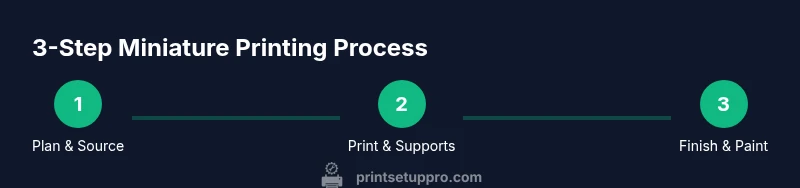
The core workflow is straightforward but unforgiving of skipped steps: select a model, ensure the scale is correct, orient to minimize supports, generate supports in the slicer, slice with printer-friendly settings, and start the print. After printing, remove the print from the build plate, clean off excess resin or filament, cure or solidify, and carefully detach supports. Throughout, document what worked and what didn’t so you can replicate successes on future miniatures. Consistency comes from a repeatable process rather than a one-off tweak.
Calibration and Build Plate Setup: Getting Consistent Results
Calibration is the backbone of reliable prints. Level the build plate, set the correct Z-offset if your printer requires it, and verify that your resin is fresh or your filament diameter is consistent. Regularly check nozzle cleanliness and ensure the build plate is free of old residue that could affect adhesion. A misaligned bed or inconsistent layer height will show up as warped bases, lifting corners, or stringing along edges, undermining even the most motivated paint job.
Safety and Handling: Working with Resins and Filaments
Resin powders and uncured resins can irritate skin and lungs; always work in a ventilated space and wear gloves, goggles, and a mask when appropriate. After printing, handle uncured resin with care, rinse prints in isopropyl alcohol, and cure them in a well-ventilated area or under UV light per the resin manufacturer’s guidelines. For FDM, be mindful of hot components and moving parts. Store materials safely out of reach of children and pets, and dispose of waste according to local regulations.
Post-Processing and Finishing Your Minis
Post-processing elevates raw prints to tabletop quality. Rinse FDM prints to remove residue, sand rough edges, and remove supports. For resin minis, a wash, scrub, and careful curing are essential; post-cure ensures the surface is fully hardened. After curing, prime and paint in layers, starting with a base coat and building toward highlights and shading. Subtle airbrush work or dry brushing can add depth. The more you practice finishing techniques, the more atmospheric your miniatures will become.
Budgeting and Planning Your First Setup
A practical start-up plan balances cost and capability. Decide whether you’ll begin with resin or high-detail FDM, then budget for basic hardware, consumables, and tools. You’ll prioritize reliability and safety over every advanced feature at first; later, you can upgrade or expand your toolset as you grow. Track your costs across printing sessions to identify the most cost-effective model types and finishes for your preferred painting style.
Painting and Finishing: Getting a Great Look Fast
Painting miniatures is a skill in itself. Start with a clean primer, then apply base colors followed by shading and edge highlights. Thin paints slightly to avoid obscuring details and use washes to enhance depth. You’ll improve with practice; consider using pre-made color palettes designed for fantasy figures and gradually add weathering and freehand details as you gain confidence.
Troubleshooting Common Issues: Quick Fixes That Save Time
When prints fail, identify the failure mode first. Warping can signal poor adhesion or over-curing; stringing might indicate improper filament retraction or curing logic. Resin prints can fail due to adhesion issues or mis-tuned exposure; check your resins, calibration, and supports. Maintain a log of what you changed between successes and failures to isolate which parameter was responsible. Small adjustments often yield big improvements when you iterate deliberately.
Next Steps and Practice Projects: Build Momentum
With your foundation in place, plan a small project loop: print a squad of three minis, then a single character with more detailing. Repeat the same pipeline to reinforce your routine, then experiment with bulk printing, dioramas, and base design. As you gain confidence, you’ll be able to tailor setups to different scales, materials, and finishes. Print Setup Pro’s guidance is to start simple, learn the basics, and progressively expand your toolkit.
Tools & Materials
- 3D printer (resin or high-detail FDM)(Resin printers excel at fine detail; high-detail FDM is a good budget-friendly alternative.)
- Slicer software(Choose software compatible with your printer (e.g., ChiTuBox for resin, Cura for FDM).)
- Resin (if using a resin printer)(Use fresh resin and follow safety guidelines; avoid mixing batches.)
- Filament (if using FDM)(Select a resin-like PLA or specialty filament suited for minis.)
- Post-processing supplies(Isopropyl alcohol, gloves, and curing setup for resin; sandpaper and clamps for FDM.)
- Cutting tools and supports removal(Fine nippers, flush cutters, and hobby knife for clean detaching.)
- Calibration tools(Feeler gauges or a ruler for bed leveling and Z-offset checks.)
- Ventilation and safety gear(Ventilated workspace, mask for resin fumes, eye protection.)
Steps
Estimated time: Total time: 2-6 hours
- 1
Plan and select your first miniature
Choose a beginner-friendly model at 28mm scale, verify scale accuracy, and inspect the model for thin parts or overhangs that require extra supports. Orient the model to minimize supports while preserving details. This planning step saves time later by reducing failed prints.
Tip: Start with a single-piece model to learn the basics before attempting multi-part minis. - 2
Prepare the STL and set your goal
Download or design your model, ensure it is manifold and scaled correctly, and export to STL. Keep a backup copy and label it with project and date to track progress easily.
Tip: Run a quick STL check in your slicer to catch non-manifold edges or flipped normals. - 3
Prepare the printer and materials
Set up your printer with the chosen resin or filament, pre-check the build plate, and ensure ventilation. Calibrate the bed or Z-offset as required by your device.
Tip: Do a quick dry run with a simple test model to confirm bed level and spacing. - 4
Slice and supports
Import the STL, orient for strength and minimal supports, then generate supports in your slicer. Use conservative support density for easy removal and clean edges.
Tip: Place supports on sturdy areas that won’t mar important details. - 5
Run the print and monitor first layers
Start the print and watch the first few layers to confirm adhesion and exposure. If you notice peeling or shifting, pause and adjust orientation or settings before continuing.
Tip: A successful first layer sets the tone for the entire print. - 6
Post-process the print
Remove the model from the build plate, clean any residue, and cure (for resin) or cool-dry (for filament). Sand rough spots and trim supports carefully to preserve fine features.
Tip: Handle resin prints with gloves; cured resin is safe, but uncured resin is irritant.
People Also Ask
What’s the best printer for starting with miniature 3D printing?
The best option depends on your goals. Resin printers excel at fine detail for minis, while high-detail FDM printers offer lower upfront costs and larger build volumes. Start with one that fits your space and budget, then upgrade as you gain experience.
For beginners, start with a resin printer for detail or a capable FDM printer for cost and volume.
Do I need to design my own models to begin printing minis?
Not at all. Start with ready-made STL files from reputable repositories, which provide tested scales and clean geometry. Designing your own models can come later as you gain confidence.
No—begin with existing models to learn the workflow first.
How long does it take to print a miniature?
Print times vary based on printer type, model complexity, and layer height. Plan for several hours for larger minis or detailed resin prints, and expect post-processing time as well.
Times vary; factor in print and post-processing when planning sessions.
What safety steps should I take with resin printers?
Work in a well-ventilated area, wear gloves and eye protection, and cure prints fully to render resin non-hazardous. Dispose of resin and solvents according to local regulations.
Use protective gear and ventilation; handle uncured resin carefully.
How do I finish minis so they’re paint-ready?
Clean, prime, and dry the minis before painting. Use thin primers, build color in layers, and seal with a matte or satin varnish to protect the paint job.
Prime and paint in layers; seal when finished.
What common mistakes should I avoid?
Avoid over-curing resin, skipping supports, and poor orientation. Each mistake reduces surface quality and increases post-processing time. Start with a few controlled tests to learn the limits of your setup.
Watch for over-curing and bad orientation; test with small prints first.
Watch Video
Quick Summary
- Plan a simple, scalable workflow
- Choose resin for detail or high-detail FDM for versatility
- Calibrate before every new print to avoid waste
- Post-process thoroughly for the best paint-ready surface
- Practice with 1-2 miniatures before tackling complex kits