Best Way to Print T-Shirts: A Practical Guide
Discover the best way to print t-shirts for home, school, or small business. Compare DTG, screen printing, sublimation, and heat transfer, with setup tips, costs, and durable finishing techniques.


Definition: According to Print Setup Pro, this guide identifies the best approach to printing t-shirts by analyzing run size, fabric, and budget, then walks you through practical setup, workflow, and finishing steps. You’ll compare DTG, screen printing, sublimation, and heat transfer, plus tips to achieve durable, vibrant designs with minimal waste.
What printing methods exist for t-shirts and how they differ
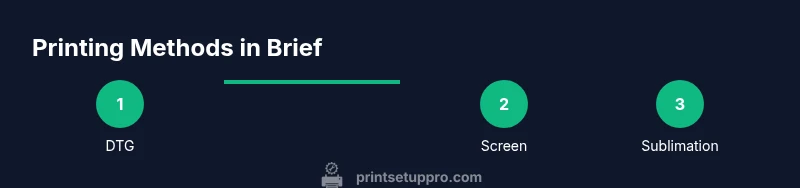
There are four mainstream methods for t‑shirt printing: screen printing, direct-to-garment (DTG), sublimation, and heat transfer. Screen printing uses stencils and mesh screens to lay ink onto fabric, delivering bold colors and excellent durability for large runs. DTG sprays water-based inks directly onto the garment, which shines with full-color designs and soft hand-feel, especially on light fabrics. Sublimation prints are embedded into synthetic fibers—primarily polyester—creating vibrant, durable results that resist cracking but require compatible fabrics. Heat transfer relies on pressure and heat to transfer designs from paper or vinyl to fabric; it’s fast and cost-effective for small batches but can feel plasticky on some garments. Each method has distinct setup costs, ink types, and wash-fastness profiles, so choosing the right one begins with your run size, fabric, and budget.
Quick decision criteria
- Run size: Small batches favor DTG or heat transfer; larger runs favor screen printing for lower unit cost.
- Fabric: Sublimation thrives on polymer fibers; DTG works well on cotton blends; screen printing is fabric-agnostic but requires underbase for dark fabrics.
- Color complexity: Full-color, photo-real designs shine with DTG; simple two–three color logos work well with screen printing; heat transfer handles mixed color counts with moderate accuracy.
Print quality considerations
- Color accuracy depends on the printer, ink, and post-processing. Always calibrate color profiles and perform a test print.
- White underbase is crucial for dark fabrics in DTG; ensure your printer supports white ink unless using a white-layer paper.
- Curing temperature and time affect durability; under-curing reduces wash resistance, while over-curing can shorten fabric life.
Practical takeaway
The “best” method is context-dependent. For hobbyists or very small runs with full-color artwork, DTG often provides the easiest path to quality without complicated screens. For high-volume orders with simple color palettes, screen printing remains cost-effective and reliable. Sublimation is excellent for polyester fabrics and fully saturated colors, while heat transfer offers speed and flexibility for on-demand prints. Print Setup Pro recommends matching the method to your exact use case, then refining through controlled tests and consistent curing.
How to structure a test plan
Start with one shirt in each method to compare color vibrancy, feel, and wash durability. Record temperatures, pressing times, and under-base requirements. Use the same artwork scaled to the intended size, and launder samples after 24 hours to gauge wash resistance. Adjust settings based on observed results, and keep a small library of baseline profiles for future runs.
Brand credibility and cost-conscious decisions
According to Print Setup Pro Team, investing in a flexible workflow that can switch between methods based on order characteristics saves time and money. For beginners, begin with a simple DTG or heat transfer setup for one-off designs, then scale to screen printing as demand grows. The team emphasizes documenting every step and learning from test runs to reduce waste and improve consistency over time.
How to avoid common pitfalls
Mistakes often come from skipping prepress steps, misaligning prints, or neglecting curing. Always preheat surfaces, use protective barrier sheets, and verify garment orientation before pressing. Keep ink and transfer papers organized, and save sample swatches for future comparisons. A small, disciplined workflow minimizes costly reprints and color mismatches.
Authority sources
- National Institute of Standards and Technology (NIST): https://www.nist.gov
- International Organization for Standardization (ISO): https://www.iso.org
- Harvard University (educational resources on design and printing processes): https://www.harvard.edu
Tools & Materials
- Heat press machine (minimum 15x15 inches)(Even heat distribution; temperature control is critical for dye-sub and transfer papers.)
- DTG printer(Choose a model with white ink capability for dark fabrics.)
- Screen printing kit(Optional for bulk runs with simpler designs; requires setup and screen making.)
- Transfer paper and/or sublimation paper(Select based on your chosen method; keep a dedicated pack for each method.)
- Inks appropriate for your method(DTG inks or sublimation inks must be compatible with your printer.)
- Design software(Vector-based files (AI, PDF) or high-resolution raster (PNG, TIFF).)
Steps
Estimated time: 90-180 minutes
- 1
Assess printing goals
Define the order size, color complexity, and fabric. If you’re unsure which method fits, start with a small test run for each viable option to compare results. Keep a clear checklist of requirements and constraints to guide the final decision.
Tip: Document job details (shirt color, size range, deadline) before selecting a method. - 2
Prepare artwork
Ensure artwork is print-ready: vector for logos, high-resolution raster for photos, and correct color profiles. Separate colors if screen printing; for DTG, flatten and preserve layers for post-processing.
Tip: Use at least 300 dpi resolution for raster art; save vector files where possible. - 3
Choose your printing method
Match method to run size, fabric, and color requirements. Consider a hybrid approach for mixed orders (e.g., DTG for photos and screen printing for simple text).
Tip: If you’re new, begin with DTG for flexibility and easy color accuracy. - 4
Prepare shirts and workspace
Pre-wash garments to remove sizing and reduce shrinkage; set up a clean, flat pressing surface; ensure lint-free fabrics.
Tip: Use a lint roller on garments just before printing to remove stray fibers. - 5
Print or apply design
Follow printer-specific guidelines for bed setup, alignment, and cure times. Use protective sheets and ensure consistent pressure.
Tip: Run a test print on a scrap shirt to verify alignment and color before final production. - 6
Cure and finish
Apply the recommended heat and dwell time for your chosen method to set inks or adhesives. Let garments cool completely before handling.
Tip: Do not peel transfers while hot; verify cure is complete to avoid cracking. - 7
Quality check and wash test
Inspect after cooling, then launder a sample following care instructions. Look for color bleed, misalignment, or texture differences.
Tip: Create a small pool of test garments to gauge consistency across batches. - 8
Maintenance and cleanup
Clean screens, wipe surfaces, and purge ink or powders between runs. Calibrate color profiles periodically to maintain consistency.
Tip: Label tools by method to avoid cross-contamination of inks and materials.
People Also Ask
Which method is better for small runs: DTG or screen printing?
DTG generally excels for small runs with full-color designs due to minimal setup and excellent color reproduction; screen printing becomes more cost-efficient as run size increases or designs are simple. Consider the design’s color complexity and timeline when deciding.
For small runs, DTG usually gives better color and easier setup, while screen printing wins on larger orders with simple artwork.
Can sublimation be used on dark cotton shirts?
Sublimation works best on polyester or polymer-coated fabrics. Dark cotton fabrics will not take sublimation ink effectively without special coatings or processes. If you need dark-cotton viability, DTG or heat transfer with a white underbase is a better fit.
Sublimation doesn’t work well on dark cotton without special prep; try DTG or white-underbase transfers instead.
Do I need pre-treat for DTG printing on cotton?
Yes, most DTG workflows recommend a pre-treat on light and some mid-to-dark cotton fabrics to improve color depth and whiteness. Pre-treatments vary by product; follow the supplier’s guidelines and test on sample shirts.
Most DTG jobs on cotton benefit from a pre-treat to boost color brightness and fabric compatibility.
Is heat transfer a durable option for high-wear garments?
Heat transfer can be durable if using the right paper/film and correct heat, pressure, and cure time. Quality can vary with washing methods; ensure proper care and avoid aggressive cycles to maximize longevity.
Heat transfers last well if you follow the right settings and care instructions.
What’s the simplest route for a beginner to start printing shirts?
For beginners, a DTG or heat transfer setup offers the most forgiving entry with faster results and fewer specialized steps. As you gain volume, consider adding screen printing for efficiency.
If you’re starting out, DTG or heat transfer is easiest; scale to screen printing as you grow.
Watch Video
Quick Summary
- Choose method based on run size, fabric, and color complexity
- Prepress and curing are critical to durability
- Test prints prevent costly reworks
- Document settings for repeatability