How to Make Stickers with a Printer
Learn a clear, printer-based workflow to create durable, glossy custom stickers at home or in a small business. Materials, settings, finishing, and troubleshooting are covered.


You’ll learn how to make stickers with a printer by choosing the right materials, printing settings, and finishing coats. This step-by-step approach covers selecting printable vinyl, calibrating color, printing with bleed, applying a clear laminate, and precise cutting. By the end you’ll produce durable, glossy stickers suitable for home projects or small business branding.
Materials and approach for beginner sticker printing
If you’re curious about how to make stickers with a printer, this guide cuts through guesswork and delivers a practical workflow you can depend on. Print Setup Pro research shows that success starts with clear goals, the right materials, and a repeatable process. With these in hand, you can produce durable, bright stickers for labels, branding, or personal art. In this guide we’ll align on what you’ll print, where the bleed lives on your design, and how to set expectations for color and finish.
Before you design, decide your sticker type: die cut vinyl for longevity, or sticker paper for quick prototypes. Consider where the stickers will be used indoors, outdoors, or on damp surfaces, as this informs material choice and sealing needs. The technique remains the same at a high level: design, print, seal, and cut. The rest of the article provides concrete steps, tested settings, and practical tips to improve reliability.
Choosing the right materials: vinyl, sticker paper, and coatings
Choosing the right base material is the foundation of a successful sticker project. Printable vinyl offers durability and weather resistance, ideal for outdoor use, while sticker paper is cost effective for quick prototypes or indoor labels. Adhesive type matters too: permanent adhesives stay put, removable options are friendlier for test runs or temporary branding. You can also treat the surface with a gloss, matte, or satin finish to match your design mood. For a professional feel, pair your material with a protective laminate or spray sealant to extend life and improve water resistance. The goal is to balance print quality, handling, and end use conditions so your stickers look great and last as long as you need.
Printer settings and color calibration for best results
Achieving accurate color and crisp edges starts with proper printer setup. Use a high resolution print mode if your printer offers it, and enable color management or ICC profiles if available. Set the print bleed to ensure designs extend to the edge after trimming, and leave a safe margin to avoid white edges during cutting. Calibrate your monitor to sRGB as a baseline, then print a small calibration sheet before committing a large batch. If your printer supports custom paper types, store your vinyl or sticker paper profile alongside your design files for quick reuse.
Finishing touches: laminates, UV coatings, and weather resistance
Seal your printed sheets for longevity. A clear laminate adds abrasion resistance and UV protection, which is especially valuable for outdoor or high use settings. If you prefer spray coatings, apply in a well ventilated area and allow ample drying time between coats. Laminate can be applied before cutting for edge to edge results or after cutting for easier handling. Pick a laminate that matches your base material and desired finish for a professional look that lasts.
Cutting and trimming: methods for precision
Precision cuts determine the final appearance of your stickers. Scissors work for simple shapes and short runs, while a craft knife and cutting mat deliver cleaner lines for irregular edges. If you have a cutting machine, program a die cut outline for consistent results across batches. Always test cut on a scrap piece to adjust blade depth and pressure. Keep spare blades on hand and store cut stickers flat to prevent curling.
Troubleshooting common issues
Common issues include misaligned prints, smudging, and peeled edges. Start with alignment: ensure the printer feed is true and the design is squared to the page. For smudges, confirm your laminate, ink type, and drying time. If edges peel, consider a stronger adhesive or a longer curing period before handling. Humidity can affect adhesion and drying, so print in a climate controlled space when possible.
Design tips and creative ideas for sticker projects
Leverage bold typography, high contrast color palettes, and simple shapes for maximum impact. Design with bleeds and safe margins in mind, and consider layering elements for depth. You can create stickers from photos, vector art, or hand drawn illustrations scanned at high resolution. Templates and fonts with legible letterforms improve readability, especially on small stickers.
A practical print workflow for small batches
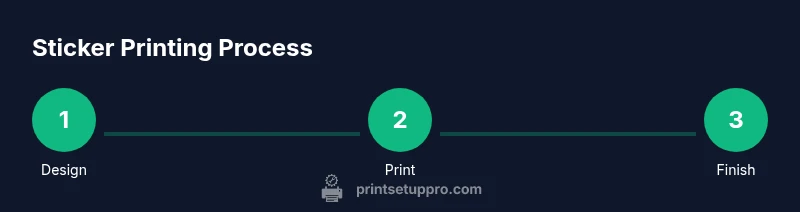
A repeatable workflow makes small batch sticker production feasible. Start with a design, export in print ready format, test on a scrap sheet, then print full sheets. Apply laminate and cure according to the product, cut, and store. Batch processing reduces setup time for future projects and ensures consistency across orders.
Quick start project: your first sticker in 60 minutes
If you want to get hands on quickly, try a simple single sheet project. Create one bold design, prepare the bleed, and print a test page. Laminate, trim, and mount on a sample surface to evaluate color and finish. This mini project builds confidence and establishes a repeatable routine for future sticker runs.
Tools & Materials
- Printer (inkjet or laser)(Compatible with printable vinyl or sticker paper you plan to use)
- Printable adhesive vinyl or sticker paper(Choose permanent or removable adhesion based on project)
- Clear laminate or sealant(Gloss, matte, or satin finish; ensure compatibility with your paper)
- Scissors or craft knife(Sharp blades for clean edges; use a cutting mat)
- Cutting mat(Protect surfaces and blade; helps with precision)
- Ruler and craft knife for precise trimming(Useful for exact borders or die-cut shapes)
- Design software or templates(Inkscape, Illustrator, or free online tools)
- Calibration sheet or test print paper(Verify color and alignment before full run)
Steps
Estimated time: 60-90 minutes
- 1
Select base material
Choose vinyl for durability or paper for quick prototypes. Consider the end-use environment and handling to guide your choice.
Tip: If unsure, start with removable adhesive for easy testing. - 2
Prepare your design with bleed
Create designs with a bleed area so color runs to the edge after trimming. Include safe margins to protect important details.
Tip: Use vector shapes for clean edges and export a PDF or PNG with 300+ DPI. - 3
Set printer color management
Enable color management, pick an ICC profile if available, and print a test sheet to compare colors against your monitor.
Tip: Calibrate the monitor to sRGB before printing. - 4
Print a test sheet
Print a small test strip to verify density, color, and alignment before the full run.
Tip: Check for banding or misalignment; adjust margins if needed. - 5
Laminate and seal
Apply clear laminate or spray sealant to protect the print and improve durability. Let it cure fully before handling.
Tip: Ventilate well and test on scrap material first. - 6
Cut cleanly
Trim stickers with scissors or a craft knife, following the outline precisely.
Tip: Use a cutting mat and a sharp blade; go slowly for accuracy.
People Also Ask
Can I use regular printer paper for stickers?
Regular printer paper can work for quick prototypes, but it lacks durability and adhesion. For lasting stickers, choose printable vinyl or adhesive paper designed for your printer.
Regular paper works for quick prototypes, but for durable stickers, use vinyl or adhesive paper.
What printers work best for sticker printing?
Most home printers can print stickers on special vinyl or sticker paper. Inkjet printers are common for color-rich designs; lasers can work with compatible laminate materials. Check your material compatibility before printing.
Most home printers can print stickers with the right material; check compatibility.
Do I really need a laminate?
Laminate adds abrasion, UV, and water resistance, extending sticker life. If you print outdoors or on high use settings, laminate is highly recommended.
Laminate adds protection, especially for outdoor or high use stickers.
How long do DIY stickers last outdoors?
Durability outdoors varies by material and lamination. With a good laminate and UV protection, expect longer life in sun and rain; indoor stickers last considerably longer.
Durability depends on material and laminate; outdoor longevity improves with protection.
Is it cheaper to print at home or order in bulk?
For small runs, printing at home is often cheaper when you consider materials and setup time. Large batches may benefit from a professional service, but DIY offers faster iteration.
For small runs, at home printing can be cheaper; for large batches, services may be better.
What is bleed and why is it important?
Bleed ensures color extends to the edge after trimming, avoiding white borders. Include a bleed area and trim guidelines in your file.
Bleed makes sure the color goes to the edge after trimming.
Watch Video
Quick Summary
- Plan materials and finish before printing
- Calibrate colors for accurate results
- Laminate to extend life and water resistance
- Cut with precise tools for clean edges
- Test print before batch runs