Can You Put Printer in the Bin? Safe Disposal Guide
Discover whether you can put a printer in the bin and learn safe, legal disposal options. This educational guide covers recycling, donation, and step-by-step preparation for responsible end-of-life handling.


Can you put printer in bin? Generally no. Printers are electronic waste and belong in recycling or take-back programs, not a household trash bin. Improper disposal risks environmental pollution and may violate local rules. Before tossing an old printer, check your municipality's e-waste guidelines or contact the manufacturer for a return option.
can you put printer in bin
The question can you put printer in bin is one many homeowners ask when they have an old device collecting dust. The honest answer is typically no, not in your regular trash. Printers contain plastics, metals, and sometimes hazardous components like toner and ink residues that require specialized handling to prevent soil and water contamination. Local regulations across many regions treat printers as electronic waste, and improper disposal can lead to fines or penalties. Printing devices also often fall under e-waste recycling programs that aim to recover usable parts and safely process hazardous materials. By following proper disposal channels, you support a circular economy and avoid contributing to landfills. According to Print Setup Pro, using legitimate e-waste streams minimizes environmental impact and protects sensitive data—even if the printer is no longer functional. Consider this your first step in turning a disposal moment into a responsible action rather than a careless bin drop.
wordCountVERIFICATION_PLACEHOLDER
Tools & Materials
- Printer unit (as-is)(Include all removable components you plan to dispose of)
- Power cable(Keep with the printer or label to avoid misplacement)
- Toner/ink cartridges(Remove and recycle separately from the main unit)
- Original packaging or sturdy box(Used to transport the unit safely to a drop-off)
- Bubble wrap or padding material(Protects against leaks and damage during transit)
- Gloves (optional)(To protect hands from sharp edges or toner residue)
- Documentation for recycling center(Helpful for staff to sort correctly)
Steps
Estimated time: 30-60 minutes
- 1
Identify disposal options
Start by researching local e-waste programs or manufacturer take-back offerings. Confirm which components are accepted and any fees or appointment requirements. This step reduces the risk of sending items to improper channels.
Tip: Check the official city or county website for an authoritative list of e-waste drop-off sites. - 2
Power down and unplug
Shut off the printer and unplug the power cord from both the wall and the device. This prevents any risk of electric shock and simplifies handling during transport.
Tip: Do not attempt to power on the device to test it; disposal happens best when the unit is non-operational. - 3
Detach cartridges and accessories
Carefully remove toner or ink cartridges and put them into a sealed bag. Detach cables, USB adapters, and any removable trays. Separating components helps recycling centers sort materials correctly.
Tip: Place cartridges in their own sealed container to minimize leakage and contamination. - 4
Package securely for transport
Wrap the printer in padding and place it inside a sturdy box or reusable tote. Use tape to seal the box and label it as electronics recycling if required by the drop-off site.
Tip: Avoid exposing the printer to moisture and keep it upright to prevent internal damage. - 5
Choose an authorized drop-off
Take the packaged unit to an authorized e-waste recycler, municipal collection event, or retailer take-back program. Use official resources to locate a drop-off near you.
Tip: If you have only a few items, some retailers offer curbside or on-site drop-offs for batteries and electronics. - 6
Obtain disposal receipt and document
Ask for a disposal receipt or recycling confirmation. This helps verify proper handling for warranty, privacy concerns, or future audits.
Tip: Keep the receipt with your records for at least a few years.
People Also Ask
Is it illegal to throw away a printer in the bin?
In many jurisdictions, disposing electronics like printers in household trash is discouraged or prohibited. Always use official e-waste channels to comply with local laws and environmental guidelines.
Usually not allowed; use e-waste recycling programs to stay compliant and protect the environment.
Do all municipalities accept printers at electronics recycling events?
Most municipalities host electronics recycling events or provide drop-off centers for printers. Availability varies by location, so check your local government or waste management site for schedules and accepted items.
Many cities offer e-waste events; verify the dates and accepted items on your local site.
What should I do with used toner cartridges?
Toner cartridges are usually recyclable. Take them to an approved recycler, participate in retailer take-back programs, or follow local instructions to ensure responsible disposal.
Most cartridges can be recycled; use official drop-off or take-back programs.
Can I donate a broken printer?
Most donation programs prefer working devices. If the printer is broken, consider repair options or sell for parts, or check whether a local charity accepts non-working electronics for recycling.
Often not accepted; look for repair options or proper recycling instead.
Should I erase data from a printer before disposal?
Printers typically don’t store sensitive data like computers do, but you should reset settings and remove any linked accounts or memory if possible before disposal.
Reset the device and remove linked accounts when available.
How do I find an authorized e-waste recycler near me?
Use your city’s official waste management website or manufacturer take-back programs to locate nearby authorized recyclers or drop-off sites.
Look up your local e-waste facilities via official city resources.
Watch Video
Quick Summary
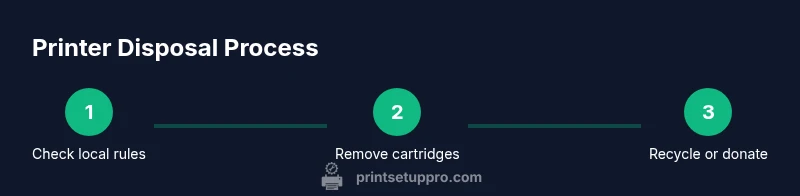
- Don’t place a printer in the regular bin.
- Use official e-waste recycling or manufacturer take-back programs.
- Remove cartridges and package securely for transport.
- Keep disposal receipts for documentation and privacy.