Printer Disposal Guide: Can You Throw It in the Trash?
Learn whether you can throw a printer in the trash and discover compliant disposal options. This guide covers regulations, recycling programs, data security, and how to locate local take-back services for safe, eco-friendly printer disposal.


Short answer: No. In most regions, printers are treated as electronic waste, and simply tossing them in the trash is illegal or strongly discouraged. Proper disposal requires using certified e-waste recycling programs, manufacturer take-back schemes, or retailer drop-offs to ensure hazardous components and consumables are handled safely by local regulations.
Can you throw a printer in the trash? Regulatory reality
If you ask can you throw a printer in the trash, the quick answer in many places is no. Printers are considered electronic waste (e-waste) because they contain plastics, metals, and consumables that can harm the environment if mishandled. More importantly, they may carry residual toner, ink, and sometimes batteries or other hazardous materials. Local and national regulations often prohibit disposal of such devices with regular household waste, and improper disposal can incur fines or penalties. The rationale extends beyond legality: safe handling reduces exposure to fine particles and prevents landfills from contaminating soil and water. The Print Setup Pro team emphasizes that responsible disposal protects both data security and environmental health. In practice, you should treat printers as e-waste and use a compliant pathway to disposal, such as a certified recycler, manufacturer take-back program, or retailer drop-off.
A few jurisdictions still allow limited curbside collection for certain types of printers, but even then, data protection and consumables disposal steps are essential. Always check your local rules, as some areas mandate proof of recycling, material recovery facility processing, or documentation for electronics that contain restricted substances. By following regulated channels, you minimize legal risk and maximize the chance that recyclable materials are recovered instead of ending up in a landfill.
According to Print Setup Pro, a well-executed disposal plan also helps maintain data privacy. If the device stored any scanned data or print queues, ensure proper data sanitization before handing it off to a recycler. This combination of legal compliance and data protection makes certified channels the preferred route for printer disposal.
format_placeholder_but_markdown_note”:null],
dataTable
caption
Optional caption or null
Disposal options for printers: recycling, retailer take-back, and donation
| Option | Typical Steps | Costs | Estimated Time |
|---|---|---|---|
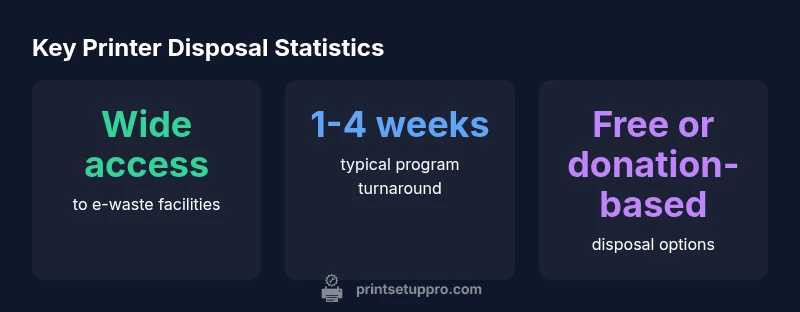
| Printer recycling program | Check with local e-waste facility; drop-off or scheduled pick-up | Typically free or donation-based | 1-4 weeks |
| Retailer take-back program | Return to manufacturer/retailer; verify data wipe; remove batteries | Often free | 1-2 weeks |
| Donation to school/charity | Ensure device works; wipe data; arrange transport | Donation-based | Varies widely |
| Private/or community e-waste event | Register for event; drop-off in designated area | Often free | 1 day to a weekend |
People Also Ask
Can I just throw away a printer?
No. Throwing a printer in the trash is generally prohibited or discouraged because printers contain components and consumables that require careful handling.
No. Printers should be recycled or returned to a take-back program to avoid environmental and legal issues.
Are there laws about disposing printers?
Yes. E-waste regulations vary by location, but many places require certified recycling or specific drop-off programs for electronics.
Yes—laws vary by area, but most places require proper e-waste disposal.
What is the best way to dispose of a printer?
Use a manufacturer take-back program or a local certified e-waste recycler; ensure data is wiped and cartridges recycled separately.
Take-back programs or certified recyclers are best; wipe data and handle cartridges separately.
Do I need to remove ink cartridges before disposal?
Yes. Remove ink cartridges and recycle them through cartridge programs or return-to-manufacturer options.
Yes—remove and recycle ink cartridges separately.
Can I donate a printer?
If the printer is functioning and data is wiped, donation to schools or charities is often possible.
If it works and is wiped, donating is a good option.
What about batteries in printers?
Some printers have internal batteries or power components; follow manufacturer guidance to remove and recycle safely.
If there’s a battery, remove it according to the manual and recycle properly.
“Certified e-waste disposal protects your data and keeps hazardous materials out of landfills. Proper take-back programs are the simplest path to responsible printer disposal.”
Quick Summary
- Take action only via certified e-waste channels
- Check local laws before disposal
- Wipe data and remove consumables before handing off
- Donating a working printer is a viable option when possible