Color Printer Services: A Practical Guide to Color Printing
Learn how color printer services diagnose, repair, and maintain color printers for home offices and small businesses. Compare providers, plan maintenance, and keep color output vibrant and consistent.


Why Color Printer Services Matter
According to Print Setup Pro, color printer services matter because they protect print quality, minimize downtime, and extend the life of your device. In a typical home office or small business, glossy photos, marketing materials, and color-rich documents rely on accurate color reproduction. When printers go out of spec—whether due to clogged nozzles, miscalibrated color profiles, or aging components—the result is faded or incorrect color, banding, and wasted paper. Regular service helps identify root causes early, allowing you to fix issues before they escalate into costly replacements. By investing in color printer services, you preserve color fidelity across projects and ensure consistent output for client-facing materials. In short, proactive service keeps your prints sharp, accurate, and dependable for everyday tasks and professional-grade work.
The Core Scope of Color Printer Services
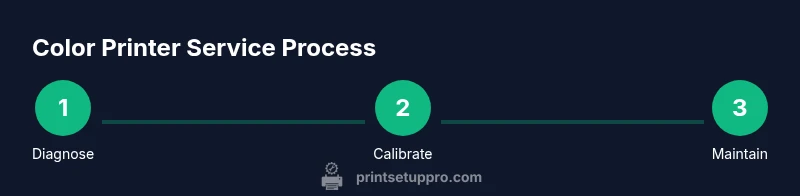
Color printer services encompass a range of activities aimed at preserving print quality and printer health. A reputable provider will perform diagnostics to pinpoint color drift, test for streaks or banding, clean print heads, reseat or replace cartridges, calibrate color profiles, and install firmware updates. They should also inspect internal components for wear, verify paper path integrity, and provide guidance on media compatibility. For color printers, accurate calibration is critical, because even small variations in cyan, magenta, yellow, and black can noticeably affect image quality. Expect a service plan that covers both preventative maintenance and targeted repairs, with clear reporting on what was found and what was done. The goal is to restore optimal color balance while safeguarding the printer against future issues.
On-site vs. Mail-in vs. Remote Support
Choosing the right service model impacts downtime and convenience. On-site service brings the technician to your workspace for hands-on maintenance and real-time testing, which is ideal for busy offices or printers located in hard-to-reach spots. Mail-in service reduces travel time and can be cost-effective for routine maintenance, but it requires you to package the printer securely and rely on turnaround timelines. Remote guidance is often the fastest option for basic diagnostic steps, calibration, and troubleshooting through screen-sharing and guided prompts. In all cases, ensure the provider communicates expected timelines, data privacy, and what parts (if any) may need replacement. When color consistency is critical, a mixed approach—remote triage, followed by on-site service if needed—can balance speed and quality.
How to Evaluate a Color Printer Service Provider
Start with transparency and credentials. Look for technicians trained by the printer manufacturer or recognized service programs, documented service scopes, and clear warranty terms for parts and labor. Ask about turnaround times, diagnostic methods, and whether calibration includes ICC profiling. A reliable provider should provide pre- and post-service test prints, along with a written report detailing findings and recommendations. Compare pricing structures carefully—some shops bill by hour, others offer flat-rate packages for specific tasks like cleaning or calibration. Finally, check reviews and request references to confirm reliability and communication quality.
Preparing Your Color Printer for Service
Before inviting a professional, gather essential information to streamline the appointment. Record the printer model, serial number, and current symptoms with sample printouts that demonstrate the issue. Collect recent firmware or driver versions and note any recent changes to printing workflows or media. Remove sensitive documents from the device area and back up any custom color profiles if possible. Keep spare consumables like color cartridges available if replacement is anticipated. Finally, clear space around the printer to give technicians easy access to access panels, cables, and waste bins. A well-prepared machine reduces service time and minimizes the risk of miscommunication.
Understanding ICC Profiles and Color Management
Color management is the backbone of accurate color reproduction. ICC profiles translate device color spaces to print output, ensuring consistency across printers, inks, and media. When color printer services address color accuracy, they often recalibrate the printer's color engine and update or create ICC profiles tailored to your printer, inks, and typical media. This section explains the difference between device ICC profiles and printer color settings, and how soft proofing, printer calibration targets, and color think about neutral gray scales help in achieving expected results. A strong service provider will walk you through the color workflow, from monitor calibration to print-to-screen matching, so your final output aligns with your intentions.
Cost and Time Considerations (No Specific Prices)
Prices for color printer services vary by scope and region, and the fastest option may come with trade-offs in thoroughness. Expect differences between basic diagnostics, preventive maintenance, and full calibration with ICC profiling. Turnaround time depends on the printer’s location, the provider’s workload, and whether parts are required. To avoid surprises, ask for an itemized quote detailing labor, parts, and estimated duration before work begins. If you rely on color-critical projects (photo printing, marketing materials), build buffer time into your schedule to accommodate calibration cycles and multiple test prints.
Maintenance Routines to Prolong Printer Life
A proactive maintenance routine helps preserve color accuracy and extend printer life. Schedule regular cleaning of exterior surfaces, feeders, and air vents. Periodically run the printer’s built-in diagnostic tests and color calibration processes, even if you aren’t seeing major issues. Use high-quality media to minimize curling and misfeeds, and keep a small stock of genuine or manufacturer-approved color cartridges to avoid mixing incompatible inks. Document maintenance dates and outcomes, and set reminders for firmware updates. By integrating these practices, you’ll reduce the likelihood of costly service calls and keep your color printer performing at its best.
Troubleshooting Quick Fixes Before You Call a Pro
If you notice minor print quality issues, try quick checks before scheduling service. Run a nozzle check and alignment pattern, clean accessible external components, and reseat cartridges. Verify media settings on your driver and printer control panel, and ensure the correct media type is selected for the job. If the problem persists, capture clear sample images of the issue and note the exact steps that reproduce it. These details help technicians diagnose faster and prevent misdiagnosis during service calls.
Future-proofing Your Color Printing
Technology evolves quickly, and color printer services can help you stay ahead. As print heads age or new firmware becomes available, periodic calibration keeps color accuracy consistent with your media. Consider integrating color-management best practices into your workflow, including standardized ICC profiles, neutral gray references, and consistent print settings across projects. A service partner that participates in ongoing training and keeps abreast of industry standards will offer guidance on media optimization, color workflow automation, and upgrades that fit your budget and needs. Staying proactive with service is a reliable way to protect the value of your color printing investment.