Where to Print in Color: Your Guide to Color Printing Options
Explore where to print in color beyond your home printer—local shops, libraries, and online services. Learn file prep, media choices, color accuracy, and cost considerations for vibrant, reliable color prints.


Learn where to print in color beyond your home printer—local print shops, big-box stores, libraries, and online services. This guide covers file prep, media choices, and what to expect in terms turnaround and cost. Print Setup Pro helps you choose the best color-printing option for your needs. Whether you’re printing photos, posters, or reports, you’ll find practical tips on where to print in color and how to prepare for reliable results.
What does 'where to print in color' really mean?
When you search for where to print in color, you’re evaluating venues beyond your home printer that can deliver vibrant, accurate results on the media you care about. This means considering local print shops, big-box retailers, community libraries, campus centers, and online color-printing services. The decision hinges on color accuracy, media compatibility, turnaround time, and overall convenience. Print Setup Pro emphasizes starting with a clear file and a realistic expectations for each venue. By understanding common venues and their strengths, you can pick a printer that matches your project from photos to posters or professional reports. For home projects, you may still opt for color printing, but external options often provide better media choices and color calibration. In this guide, we’ll break down options, prepare files, compare costs, and offer a practical checklist to help you decide where to print in color for any project.
In-store color printing options
Color printing in-store is one of the most convenient paths for quick turnarounds and broad media options. Large chain retailers and local copy centers often have color laser or inkjet printers that can handle standard office tasks and more graphic-heavy jobs. You’ll typically find: a variety of paper weights, glossy to matte finishes, and binding or finishing options. Expect that price and color fidelity vary by location and media type. If you have a high-resolution photo or a marketing document, ask for a print proof or color match before committing to a full run. Bring your file on a USB drive or have it accessible via cloud storage, and verify that the color space aligns with the venue’s workflow. Pro Tip: If you’re printing multiple copies, ask about bulk rates or volume discounts and whether the venue offers bulk media packages.
Libraries and community resources
Many libraries and community centers offer color printing, often at a lower cost than commercial shops. This can be ideal for students or community projects and frequently includes scanning, basic editing, and access to public computers. Library color printing typically supports standard formats like PDFs, images, and presentation slides. Policies vary—some libraries cap pages per day, restrict certain media types, or require a library card. If color accuracy matters (for resumes, portfolios, or art prints), print a small test on library media and compare to your monitor. If you’re printing a large batch, verify turnaround times and whether printouts can be picked up at a different branch to save time.
Local print shops vs big-box retailers: pros and cons
Local print shops often deliver personalized service, better media options, and faster proofs, but prices may be higher than national chains. Big-box retailers usually offer lower base prices and wider hours but may have more standardized media selections and longer wait times for complex prints. When deciding, consider: color accuracy, available media (glossy, matte, card stock, photo paper), service options (proofs, lamination, binding), and proximity to your location. If you’re working with brand colors or precise color matching, ask about color calibration services or color-managed workflows. Print Setup Pro suggests visiting a few venues with a small color print test to compare results before committing to larger jobs.
Printing from home vs using external services
Printing color at home offers control and privacy but requires ongoing ink or toner costs, regular maintenance, and media compatibility. If you only print occasionally, external services are often more cost-effective and can produce higher-quality media for photos and marketing materials. A hybrid approach works well: print draft content at home for reviews, then use a local shop or library for final color prints on presentation-grade media. When choosing, factor in turnaround time, convenience, and total cost per page or per project. Print Setup Pro notes that for color-heavy jobs with heavy ink usage, external services can save you time and maintain color consistency across batches.
File preparation for color printing
Solid color printing starts with properly prepared files. Use the correct color space (CMYK for most print workflows; RGB may be accepted for some online-to-print services), set a resolution of at least 300 dpi for images, and embed all fonts if possible. Include bleed and margins if your design runs to the edge of the page, and export proofs in a widely supported format such as PDF or high-quality TIFF/PNG. Name files clearly and organize them by job. If you’re unsure about color accuracy, request a printed proof or test page before running a full batch. Print Setup Pro recommends creating a color-test sheet to evaluate ink saturation, brightness, and contrast before final printing.
How to evaluate color quality and color accuracy
Color accuracy depends on monitor calibration, printer hardware, media, and color profiles. Start by calibrating your monitor for color consistency and creating a controlled viewing environment free from ambient glare. If you’re sending files to a shop, request the venue’s color profile and a proof print on your chosen media. Compare the proof to your on-screen image and adjust contrast, saturation, and brightness if needed. For critical work, consider a color-management workflow that uses ICC profiles and printer calibration targets. Print Setup Pro reminds readers to document the final color settings and media used so future orders reproduce the same results.
Cost considerations and typical workflows
Color printing costs vary widely by venue, media, and location. In general, you’ll pay more for high-quality photo papers, heavier card stock, or glossy finishes, and less for standard office paper. If you’re printing logos or marketing materials with precise color, budget for proofs and potential reprints. When evaluating options, compare per-page costs, media availability, and any setup fees. Some shops offer color bundles or economies of scale for larger prints. Libraries and community centers often provide lower-cost options, while home printing saves on per-page expenses but may incur more frequent ink replacements. Print Setup Pro encourages you to map out a quick cost forecast based on your project size and chosen venue to avoid surprises at pickup.
Quick-start color printing workflow
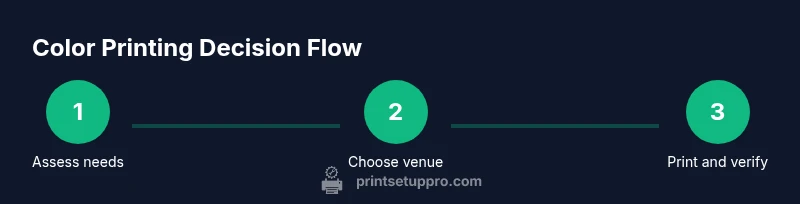
If you’re short on time, follow this practical workflow to get color prints quickly. Start with a color-ready file, choose a venue that suits your media needs, and confirm color expectations with a test print. Ensure the color space aligns with the venue's workflow, collect a proof if offered, and inspect for color accuracy and media finish. Place the order, and track delivery or pickup times. After receiving prints, compare them to your source and make notes for future jobs. This approach keeps color printing predictable and efficient.
Tools & Materials
- Color-ready file (PDF/PNG/TIFF)(Ensure 300 dpi or higher; embed fonts; use CMYK color space for print services when required)
- Media samples (glossy, matte, card stock)(Match the project type and finish you want for final prints)
- Color calibration target (optional)(Helpful if you own a printer and want to verify color accuracy)
- USB drive or cloud storage access(Useful for in-store or library print kiosks that accept direct uploads)
- Access to a color printing venue (in-person or online service)(Choose a venue based on your project size, media needs, and budget)
Steps
Estimated time: 45-75 minutes
- 1
Prepare color-ready file
Finalize your design with correct color space, resolution, and bleed. Export as PDF or TIFF when possible and verify embedded fonts. This minimizes color surprises at print time.
Tip: Check one-page mockups on screen and a printed proof if available. - 2
Choose the printing venue
Select a venue that matches your media needs, turnaround time, and budget. Compare in-store chains, local shops, libraries, and online services.
Tip: Ask about color profiles and proofs before committing to a run. - 3
Set color mode and media
Specify color mode (CMYK or RGB as required) and the exact media you will use. Confirm weight, finish, and any special coatings.
Tip: If unsure, bring a sample of your desired media to the venue for reference. - 4
Request proofs or test print
Ask for a proof or a small test print to verify color accuracy and media quality before proceeding with a full batch.
Tip: Use a color-calibrated monitor to compare against the proof. - 5
Review proof and adjust
Evaluate the proof for color, brightness, and saturation. Request adjustments if needed and confirm any changes with the operator.
Tip: Document the final settings for repeat orders. - 6
Collect and verify final prints
Inspect the final prints for color consistency, alignment, and finish. Check for defects or misalignment and address with the printer if necessary.
Tip: Compare to the approved proof to ensure fidelity. - 7
Store and transport prints safely
Store prints flat in a protective sleeve or portfolio. Use rigid tubes for larger posters to avoid bending during transport.
Tip: Label each print batch with date, venue, media type, and color settings.
People Also Ask
What is the best place to print color photos?
For color photos, local print shops and photo labs often provide higher-quality color and media options. Libraries and online services can be cheaper or more convenient depending on your location. Always request a proof when color accuracy is critical.
For color photos, local print shops and photo labs usually deliver the best color quality. Libraries or online services can be cheaper—get a proof if color accuracy matters.
How should I export files for color printing?
Export in a print-friendly format such as PDF or TIFF with embedded fonts and a 300 dpi resolution. Use the CMYK color space if the venue requires it, and include bleed margins if your design runs to the edge.
Export as PDF or TIFF with embedded fonts and 300 dpi. Use CMYK if needed and include bleed for edge-to-edge prints.
What color spaces should I use for printing?
Most printers use CMYK for color accuracy. Some shops accept RGB, but converting to CMYK beforehand can prevent unexpected results. Confirm with the venue and print a test if possible.
Use CMYK for accuracy; RGB can work for some services, but check with the venue and test if possible.
How long does color printing usually take at a shop?
Turnaround varies by venue, media, and queue length. Most shops offer same-day or next-day options for standard prints. For large orders or specialty media, plan extra lead time.
Most shops offer same-day or next-day color prints, but plan extra time for large or specialty orders.
Can libraries print in color for free or cheaply?
Many libraries offer color printing at a reduced per-page rate or with limited free pages for patrons. Check your local library’s pricing and limits before submitting large jobs.
Libraries often offer color printing at low per-page rates; check your local library’s pricing and limits.
Is it cheaper to print color at home?
Home color printing can be cheaper per page for small projects but requires ongoing ink or toner purchases and media costs. For larger runs or higher media quality, external services may be more cost-effective and consistent.
Home color printing can be cheaper per page for small jobs, but for larger runs, external services may save time and money.
Watch Video
Quick Summary
- Identify venues that meet media needs and color accuracy
- Prepare color-ready files with correct color space and resolution
- Request proofs and compare against references
- Compare costs and turnaround times across venues
- Use a color-management workflow for repeatable results