Book Printer: A Complete How-To Guide
Learn how to pick and use a book printer for DIY publishing, student projects, or small business workflows. This Print Setup Pro guide covers types, features, setup, and cost considerations.


According to Print Setup Pro, you can confidently print books at home or a small office by choosing the right book printer, preparing print-ready PDFs, and aligning binding, media, and workflow. This quick guide will help you evaluate printers, set up files, and establish a repeatable, cost-effective process for consistent book production.
What is a book printer?
A book printer is any device or system that produces multi-page literature in a bound format. For home offices, the term often refers to a desktop printer paired with a binding method and a workflow that delivers professional-looking pages, covers, and spines. In the context of small businesses and DIY publishing, a book printer may be a compact desktop model or a mid-volume digital press. The core idea is to combine pages, printing quality, media handling, and an appropriate binding method. When choosing a book printer, consider your typical page count, color needs, and how many copies you’ll produce in a given period. Print quality, ink or toner cost, and media compatibility all influence long-term results and overall ownership costs.
Throughout this guide, we’ll discuss how to evaluate a book printer against your needs, how to prepare files for printing, and how to build a repeatable workflow. Print Setup Pro recommends thinking of your book printer as part of an end-to-end system: file preparation, media selection, binding, and finishing all affect final quality. The book printer you select should align with your project goals—whether you’re printing a reader-friendly novel, a photo-illustrated coffee-table edition, or a short-run workbook for a classroom.
Types of book printers
When you start evaluating a book printer, you’ll encounter several categories that influence cost, speed, and finish. Entry-level book printers are often inkjet or laser devices paired with a binding solution for small runs. Mid-volume book printers may resemble compact digital presses with more robust media handling and automated bind options. Professional-grade book printers are designed for higher volumes, color accuracy, and batch finishing. Each type has trade-offs in terms of maintenance, ink or toner consumption, and the bound look. For most home offices and small businesses, the goal is to strike a balance between initial purchase cost, per-copy cost, and the binding style you want to achieve.
In practice, a typical home or small office setup uses a capable printer, plus a binding approach such as perfect binding or thermo-adhesive binding, and a workflow that produces consistent margins, bleeds, and color. Your choice should reflect the kind of books you publish and the expected run size. Print Setup Pro notes that most DIY projects benefit from a printer that supports standard page sizes, reliable duplexing, and user-friendly media handling. A well-chosen book printer will reduce waste and expedite production while maintaining professional appeal.
Key features to consider for home vs small business
For home users and small businesses, certain features in a book printer matter more than others. First, look for media handling: the printer should support the paper weights you plan to use, as interior pages often require heavier stock than typical office sheets. Next, check print quality and color management: high resolution (at least 1200 dpi or better) and embedded color profiles help you reproduce photos and typography clearly. Duplex printing is a plus if you plan to print double-sided pages, but it adds to maintenance complexity. Finally, consider binding support: some printers are compatible with accompanying finishing equipment or cleaning guarantees that prevent ink bleed at the binding edge. When choosing a book printer, map your expected output to these features and confirm that your binding plan can be executed with the device you select. Print Setup Pro emphasizes balancing upfront cost with long-term running costs: ink or toner price per page, media waste, and maintenance frequency all affect total cost of ownership.
File preparation and color management for book printers
A strong book printer workflow starts with preflighted, print-ready files. Export interiors as PDFs with embedded fonts and 300 dpi image resolution for crisp text and photos. Include bleed (usually 3-5 mm) to avoid white edges after trimming, and ensure margins accommodate binding so text isn’t lost near the spine. Color management is essential for any book with color images; use ICC profiles suited to your paper stock to maintain consistent hues from screen to print. Calibrate your monitor before soft-proofing, and, when possible, print a physical proof to check color accuracy, alignment, and bleed. A reliable book printer workflow minimizes guesswork and reduces costly reprints. Print Setup Pro suggests maintaining a consistent file-naming convention and a saved printer preset to speed future jobs and preserve quality across runs.
Binding options and media compatibility
Binding options have a direct impact on the perceived quality of your book printer output. For simple DIY books or short runs, saddle-stitching or comb binding can be economical and straightforward. For sturdier, professional-looking results, perfect binding (a spine where pages are glued) is common for magazines and booklets, while lay-flat binding improves usability for photo-heavy pages. Media compatibility matters too: interior pages should be paper with good opacity to prevent show-through, while covers may benefit from heavier stock with a coating for durability. Your printer should handle the chosen media weight, bleed, and binding edge without ink smudging or curl. If your book printer struggles with a specific stock, consult the manual or a local print shop for compatible media and recommended profiles.
Setup, calibration, and basic maintenance
Once you’ve chosen a book printer, set up a calibration routine to maintain consistency over time. Start with a clean print path, update drivers, and verify media type settings match the stock you’ll use. Run a few test pages to check alignment, margins, bleed, and color consistency. If you notice banding, color drift, or misfeeds, adjust paper type settings, feed paths, and ribbon or roller pressure as described in the user manual. Regular maintenance—like cleaning print heads and performing nozzle checks—will prevent quality dips and extend the life of your book printer. Print Setup Pro recommends logging each print run, noting stock, settings, and outcomes to reproduce successful results later.
Budgeting, ROI, and long-term cost control
Budgeting for a book printer involves upfront costs plus ongoing consumables. Consumer-grade units cost less upfront but may incur higher per-page ink usage, while professional-grade devices have higher initial costs but lower ongoing costs and better media handling. Consider the cost of paper, binding supplies, and maintenance when calculating return on investment (ROI). For DIY and small runs, a practical approach is to pilot a project with a modest print volume and then scale up if demand grows. Print Setup Pro notes that long-term profitability depends on efficient workflows, minimal waste, and disciplined file preparation. Track per-copy costs and compare them against potential freelance or in-house alternatives to decide if a book printer is a sound investment for your operation.
Workflow tips for consistent results
Consistency is built from a repeatable process. Create a preflight checklist for every project, including font embedding, bleed, image resolution, and color profiles. Use consistent templates for interiors and covers, so margins and spine widths stay uniform across runs. Maintain a standard print queue with named presets and a clear binding plan. Save proofs and align them with your final run, adjusting only when necessary. Document any deviations from standard settings to avoid repeating mistakes. A predictable workflow minimizes surprises and ensures that your book printer delivers steady results project after project.
Tools & Materials
- book printer(Select model based on volume, binding method, and media support)
- computer with design software(Powerful CPU, ample RAM; compatible with printer driver and RIP if applicable)
- bleed-capable paper stock(Interior stock 80-120 gsm; ensure opacity and weight match project needs)
- bleed and trim guides(Set up 3-5 mm bleed in document and printer driver)
- binding equipment(Glue binder or comb binding depending on book format)
- color management tools(Color calibrator or ICC profiles for consistent color)
- spare ink/toner and media(Maintain stock to avoid production delays)
- cutting tools(Sharp craft knife, straightedge for trimming)
Steps
Estimated time: 6-12 hours
- 1
Define project scope
Clarify book size, page count, binding, and finish. Confirm target audience and proofing plan. Establish a conservative production window and acceptable waste levels.
Tip: Create a one-page spec sheet with dimensions, margins, and binding method. - 2
Choose the book-printer type
Evaluate whether a consumer desktop printer, a mid-volume printer, or a professional digital press best fits your run size and binding needs. Consider maintenance routines and supplier support.
Tip: Match printer capability to your anticipated monthly volume to avoid over- or under-investment. - 3
Prepare print-ready PDFs
Export interiors as PDFs with embedded fonts and 300 dpi images. Include bleed (3-5 mm) and ensure fonts are subset or embedded. Prepare cover files separately with spine dimensions.
Tip: Proof fonts visually at 100% size to catch legibility issues early. - 4
Set up media and bleed
Configure bleed and margins in your document and printer profile, then align page size with final trimmed size. Verify duplex settings if printing double-sided.
Tip: Run a mock copy on the actual media to verify edge alignment and binding margins. - 5
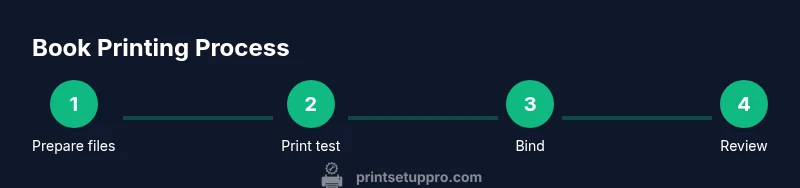
Print a test copy
Produce a single test book to assess color, bleed, margin safety, and binding fit. Use this proof to adjust printer settings before the final run.
Tip: Note any issues in a log and address them in the next iteration. - 6
Review and run final print
Review the test copy, implement changes, and proceed with the final print run. Maintain a consistent process log for future projects.
Tip: Keep a change log to replicate improvements in subsequent runs.
People Also Ask
What is a book printer?
A book printer is a device or system designed to produce multi-page books, often combining a printer with binding options and a workflow optimized for small runs or DIY publishing.
A book printer is basically a printer setup that handles both pages and binding, ideal for small runs and DIY publishing.
Can I print professional-quality books at home?
Yes for small runs and basic to mid-quality projects, especially with good file prep and binding. For larger runs or higher color accuracy, consider a professional service.
You can print good quality books at home for small runs, but for big runs, a professional service may be better.
What binding options work best for DIY books?
Saddle-stitch and comb binding are economical for simple projects; perfect binding offers a more book-like finish but requires appropriate glue and trimming.
For DIY, saddle-stitch is quick and cheap; perfect binding looks professional but needs proper setup.
Do I need special paper for book printing?
Interior pages benefit from heavier stock with good opacity; covers may require coated stock. Always verify media compatibility with your book printer.
Yes, use heavier stock with good opacity for interiors and a suitable cover stock; confirm compatibility with your printer.
What file formats should I use?
Use print-ready PDF with embedded fonts and high-resolution images. Include bleed and keep fonts embedded to ensure consistent output.
Use print-ready PDFs with embedded fonts and proper bleed to ensure reliable results.
How long does it take to print a book?
Time depends on volume, color needs, and binding method. A small run may take several hours to a day, while larger runs require scheduling and batch processing.
It varies, but small runs can take a few hours to a day depending on color and binding.
Watch Video
Quick Summary
- Plan book dimensions and binding early.
- Choose a book printer that fits volume and binding needs.
- Preflight files with bleed, fonts, and image resolution.
- Test with a proof copy before full production.