Can You Print at Staples? A Practical Printing Guide for Home Offices
Learn how to print at Staples, whether you should use in-store or online options, file prep, and tips for fast, high-quality results. Print Setup Pro guides you through the steps.


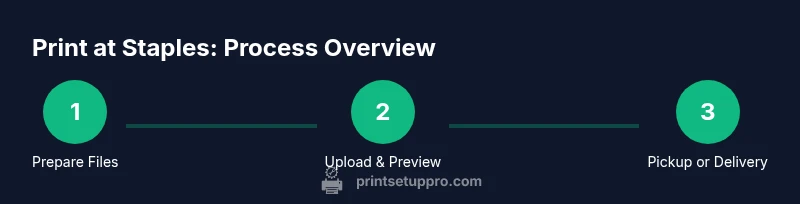
Yes—you can print at Staples, both in-store and online, for documents, photos, posters, and more. Start by uploading a print-ready file, selecting size, color, and finish, then choose pickup or delivery. According to Print Setup Pro, preparing clean, font-embedded files speeds the process and helps ensure consistent results. You can also use Staples' online previews to check alignment and margins before printing.
Staples Printing Services: What You Can Print and Why People Use Them
Staples offers both in-store and online printing, covering documents, photos, posters, business cards, and general marketing materials. With a broad selection of sizes, finishes, and binding options, it’s a versatile option for students, home office users, and small teams. Print Setup Pro notes that the combination of convenience and predictable quality makes Staples a popular choice for quick, reliable results when you’re pressed for time. Many customers rely on Staples for school projects, urgent flyers, or last-minute presentation handouts, because the process typically emphasizes speed without sacrificing basic accuracy. Regardless of whether you’re printing a handful of pages or a batch of marketing materials, understanding the available formats helps you choose the best path for your project.
In-Store vs Online Printing: Pros and Cons
Choosing between in-store and online printing depends on your priorities: speed, convenience, and the level of hands-on support you want. In-store printing offers immediate feedback, on-site staff to help with layout issues, and the chance to review proofs before any money changes hands. It’s especially helpful for large or color-intensive jobs where you want to inspect color fidelity, paper texture, and binding options in person. Online printing, on the other hand, is ideal when you want to draft several versions at once, upload files from home, and have the order queued for pickup. Staples’ online system typically provides previews, crop tools, and color checks, while you monitor progress from your computer or phone. Print Setup Pro recommends using online ordering for large batches or multi-format projects to streamline coordination across formats and sizes.
File Prep: Formats, Resolution, and Color
Preparing your files correctly saves time and reduces the back-and-forth that can delay delivery. Most Staples printing centers accept common formats such as PDFs, JPGs, PNGs, and DOCX files; PDFs with embedded fonts are generally preferred for print consistency. For photos and posters, aim for a resolution of at least 300 DPI at the final print size to avoid pixelation. If your design includes color, consider converting to CMYK to better approximate color output on physical prints; when in doubt, request a quick color check at the store or through the online preview tool. Print Setup Pro emphasizes keeping fonts embedded or outlined to prevent font substitutions during printing, which can alter layout and readability. If your project involves multiple pages, create a single multi-page PDF to minimize file handling and ensure page order remains intact.
Paper, Size, and Finish Options: What to Expect
Staples typically offers a range of sizes—from standard letter and legal to larger formats—and a selection of paper weights and finishes. Common choices include matte and glossy finishes for photos, as well as heavier stock for posters and presentations. Finish and weight affect the perceived quality and durability, so consider how the prints will be used (e.g., handouts vs. wall display) and the expected viewing distance when selecting stock. For presentations or handouts, a lighter weight may suffice, while posters or signage usually benefit from a heavier stock with a durable finish. If you’re unsure, staff can guide you toward the best option based on your content type, color photos, and anticipated viewing distance. Print Setup Pro suggests aligning material choice with your audience’s needs to prevent over-spending on premium finishes that won’t be noticed from a typical distance.
Uploading and Ordering: A Quick Reference
Uploading your file is typically straightforward: access Staples’ printing tool, upload your document or image, and review the on-screen cropping and alignment. The platform usually offers optional proofs or previews to check margins and color. When dealing with larger PDFs or high-resolution images, it helps to zip files or use cloud storage links to avoid upload errors. After confirming the visual preview matches your expectations, select the print options—such as color vs. black-and-white, number of copies, and any binding or finishing services—then proceed to checkout. You’ll receive a confirmation with pickup or delivery details. Print Setup Pro notes that confirming all variables upfront minimizes rework and delays at the counter.
In-Store Experience: What to Expect on Arrival
If you choose in-store printing, arrive with enough time for the staff to process your order. A quick check-in at the print desk after upload allows you to confirm format, color, and finish. If your project requires color-sensitive output, ask for a staff-assisted proof to ensure fidelity before the final print run. It’s common to review a sample or a smaller sheet before the full batch is printed. For busy times, call ahead or check store hours online to ensure you’ll have access to the print desk when needed. Packing and handling practices at the desk are typically straightforward, with staff guiding you through any binding, lamination, or cropping extras.
Turnaround Times, Pickup, and Delivery: What Affects Speed
Turnaround times can vary based on format, quantity, and current store demand. In-store orders for standard documents or photos are often available the same day, while larger or more complex jobs may require additional processing. Online orders placed for pickup generally provide an estimated ready time during checkout, which you can adjust by selecting a preferred pickup window. Delivery options sometimes exist for certain regions or services, but availability depends on location. Print Setup Pro suggests planning ahead for multi-format orders to maximize the probability of same-day pickup and minimize back-and-forth.
Quality Control: Checkpoints That Save You Time
Before leaving the counter, inspect a few sample prints for color accuracy, alignment, and legibility. If you spot cropping issues or color shifts, request an on-the-spot adjustment or an alternate proof. For multi-page documents, verify that page order is correct and that binding or finishing works as intended. If you’re printing a batch for an event or classroom, bring an extra set for quick verification after you’ve picked up the main order. This proactive approach minimizes returns and reprints, saving time and money for you and Staples alike.
Tips for Printing at Staples: Best Practices
- Use print previews to catch cropping issues before you commit. - Avoid tiny text; increase font size for legibility. - If color accuracy matters, ask staff about color management options. - Consider batch printing for large projects to save time. - Confirm store capabilities for bindery and finishing options before ordering. Print Setup Pro emphasizes that small, early checks reduce the need for reprints and keep your project on track.
Print Setup Pro Verdict: Is Staples Right for You?
Staples is a strong option for quick, reliable prints when you need in-store support, fast turnarounds, or a local pickup option. For simple, standard formats like documents and basic photos, Staples can deliver quality with minimal setup. If you’re coordinating complex multi-format materials, online ordering can streamline the process, but you should plan for previews and proofs. The Print Setup Pro verdict is to leverage Staples for time-sensitive or single-location projects while keeping a backup plan for specialized formats that may require a dedicated print shop.
Tools & Materials
- Internet-connected device(To upload files and place orders.)
- Print-ready files (PDF, JPG, PNG, DOCX)(Fonts embedded preferred; ensure correct resolution.)
- Staples account or access to staples.com(Needed to order online for pickup or delivery.)
- Pickup location or Staples store address(Helps route the order and estimate pickup time.)
- Optional: USB drive or offline submission(If you cannot upload online.)
Steps
Estimated time: 30-60 minutes
- 1
Prepare your files
Organize your content, ensure high resolution, and embed fonts where possible. Save as a print-ready PDF or high-quality image, and double-check margins.
Tip: Export to PDF with fonts embedded to prevent font shifts. - 2
Choose your print options
Select size, color mode, paper type, and finish (glossy/matte). Consider binding or lamination for durability.
Tip: If unsure, default to 300 PPI and standard letter or A4 size. - 3
Upload or submit your file
Upload the file via Staples' online tool or bring a USB drive to the store. Confirm that the file uploads completely before proceeding.
Tip: Use cloud links for very large files. - 4
Review and place the order
Preview the print, crop options, and color accuracy. Confirm quantities and pickup method, then place the order.
Tip: Always check margins and color accuracy in the preview. - 5
Pickup or delivery
Choose a pickup time at your preferred Staples location or select delivery if available. Inspect prints on pickup to verify they meet expectations.
Tip: Bring order confirmation and check store hours.
People Also Ask
Can I print photos at Staples?
Yes. Staples supports photo printing in-store with options for sizes, finishes, and quick turnaround. Check for photo-specific settings in the online tool.
Yes, Staples offers photo printing in-store with different finishes and sizes.
What formats does Staples accept?
Staples generally accepts common formats such as PDF, JPG, PNG, and DOCX. For best results, export as PDF with embedded fonts and high resolution.
Staples accepts common formats like PDF, JPG, and PNG; PDFs with embedded fonts are preferred.
How long does it take to print at Staples?
In-store printing is often available the same day, depending on scope and queue. Online orders will show an estimated ready time during checkout.
In most cases you can get it the same day in-store, with online options showing estimated times.
Can I pick up prints the same day?
Yes, many Staples locations offer same-day pickup for standard prints. Availability varies by location and current demand.
Yes, many stores offer same-day pickup; check your local store's hours.
Is there a limit on print size?
Print size options vary by format and store capabilities. Review the available options in-store or online before placing an order.
Size options vary by location, so verify what's available before printing.
Do Staples offer bulk discounts?
Discounts for large orders or multiple copies may be available at participating locations; terms vary by store. Contact customer service for precise quotes.
Bulk discounts can be available, but terms depend on location.
Watch Video
Quick Summary
- Know what Staples offers for prints and posters
- Prepare print-ready files and confirm fonts
- Online and in-store options
- Review proofs before finalizing
- Pickup options vary by location