Do You Need a Card to Print at the Library? A Practical Guide
Find out if you need a library card to print at the library, explore guest printing options, typical fees, and how to print from mobile devices.


Do you need a card to print at the library? In most cases, yes, you need a library card or library account to print, but policies vary by branch. Some libraries offer guest printing codes or temporary accounts, while others charge per page or restrict printing to certain file types. Always check your local branch for current rules before you go.
Do you need a card to print at the library
According to Print Setup Pro, printing at the library is generally accessible, but the requirement for a card or account varies by location. In many public libraries, you must have a valid library card to print, register a guest account, or sign in to a temporary print service. Some branches offer guest printing codes for visitors or allow pay-per-page options. When planning a visit, check the branch’s digital policy page or ask a librarian about the correct process. This affects not only who can print but what printer options are available, how much you can print, and which file types are supported. As with any service, policies are designed to protect resources while encouraging responsible use.
How library printing policies work: cards, guest accounts, and pay-per-page
Library printing policies are not uniform. The core idea is to provide access while preventing abuse or misuse of shared equipment. Many libraries require an active card or account tied to a user, but they may offer guest accounts or guest codes for short-term use. Some branches provide a limited number of free pages each day or month, then switch to per-page fees. Others permit flexible options based on user type (student, senior, staff). The takeaway is: before you go, verify whether you need a physical card, a digital login, or a guest code, and note any daily quotas or file-type restrictions.
Access models: library cards, guest accounts, and pay-per-page options
Access models differ by library type: city libraries emphasize card-based access; university libraries may require campus credentials; some public libraries support third-party print services. In many cases, you’ll be asked to sign in with a library card, campus ID, or a temporary guest account. If you don’t have a card, staff can guide you through the available alternatives and help you estimate any costs before you print.
Fees and limits you might encounter
Fee structures vary widely. Some libraries advertise free printing up to a small quota, others charge per page, and color printing often costs more than black-and-white. Daily limits or monthly caps may apply, especially in high-traffic branches. If you’re on a strict budget, look for libraries that publish pricing online and consider printing only essential pages. If in doubt, staff can confirm the current rates and available quotas before you print.
Preparing your file for print: file types, fonts, and color
Before you print, ensure your document is in a supported format and that fonts are embedded to preserve layout. PDFs are generally a safe choice for transfer, especially when leaving formatting intact. If you must print from Word or image files, double-check margins and page scaling. Consider saving a test page to verify print quality and color accuracy. Some libraries require you to bring your file on a USB drive or access it via cloud storage on a library workstation.
Printing from mobile devices and laptops: steps and tips
Many libraries support wireless printing from phones or laptops. Typical steps include connecting to the library’s Wi‑Fi or guest print network, uploading or emailing the document to the printer, selecting color or monochrome, and collecting the print at a designated device. If you encounter issues, staff often can assist with selecting the right printer queue or converting files to a compatible format. Always have a backup plan in case your document doesn’t print on the first try.
On-site printing workflow: what staff will ask you
At the printer, staff may verify your account status, confirm per-page rates, and explain available print options. You might need to select the printer, choose color settings, and specify duplex printing. If you anticipate problems, prepare your file in advance, know your login details, and have an alternate payment method or print source. A calm, cooperative approach speeds up the process and reduces delays for everyone.
Troubleshooting printing issues and common roadblocks
Connectivity problems, file incompatibilities, or insufficient funds are common obstacles. Fixes include reconnecting to the network, re-uploading files, rechecking color settings, and ensuring you have the correct permissions for the chosen printer. If problems persist, ask staff for direct help or try printing from a different printer or workstation. Sometimes a quick re-export of your document resolves the issue.
Alternatives if printing on-site isn't possible
If on-site printing isn’t feasible, consider digital submission, emailing files to recipients, or using cloud storage sharing to distribute documents. Look for nearby print shops or campus print centers that offer budget-friendly options. Some coworking spaces and libraries partner with local services to provide out‑of‑house printing at lower costs. Your librarian can point you toward the best nearby options.
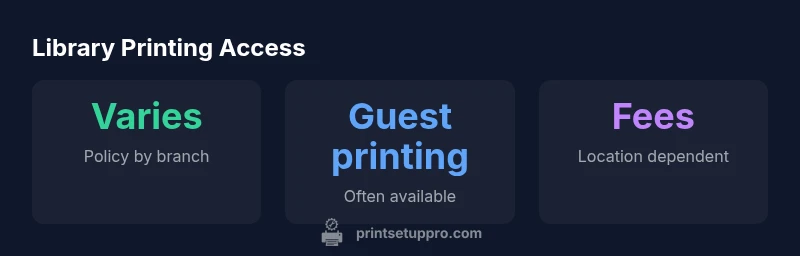
Library printing access overview
| Policy Item | Typical Policy | Notes |
|---|---|---|
| Card requirement | Most libraries require a library card | Check local branch policy for guest options |
| Guest printing | Often available with codes or temporary accounts | Some branches limit duration or pages |
| Printing fees | Varies widely by location | Some offer free prints up to a limit; others charge per page |
People Also Ask
Do you need a library card to print at the library?
In most cases, you need a library card or account to print, but guest printing or pay-per-page options exist at some branches. Always check your local branch for current rules.
Most libraries require a card, but guest printing is sometimes available.
Can I print at the library without a card?
Yes, in some libraries guests can print with codes or temporary accounts. Availability depends on the branch policy and local rules.
Yes, guest printing is possible at some locations.
Are there fees for printing at the library?
Fees vary; some libraries offer free prints up to a limit, while others charge per page. Check the branch’s posted rates before printing.
Fees vary by library; ask staff for exact rates.
What file types can I print?
Libraries typically support common formats such as PDFs, Word documents, and image files. If in doubt, convert to PDF to preserve layout.
Most libraries support common formats like PDF and Word.
Can I print from my phone or laptop?
Yes, many libraries support wireless printing from phones or laptops via a guest network or app.
Yes—wireless printing from devices is common.
What should I bring to print at the library?
Bring your library card or ID, and any guest credentials if required. Have your file ready and know your printing preferences.
Bring your card or ID and your file.
“Library printing policies are designed to balance access with resource security, and most libraries require a user account, though guest options exist.”
Quick Summary
- Check local branch policies before printing
- Most libraries require a card; guests may be possible
- Prices and limits vary widely by location
- Print from mobile devices using library apps when supported
- Ask staff for any accessibility or special accommodations