Printer 3D Resin: Step-by-Step Setup and Post-Processing Guide
A complete, educational guide to resin 3D printing covering setup, safety, washing, curing, and post-processing for home offices and hobbyists.


You will learn how to setup and operate a resin 3D printer, level the build plate, run a test print, and perform safe post-processing. This guide covers safety gear, workspace setup, wash and cure steps, resin handling, and disposal, plus common troubleshooting so home offices, students, and hobbyists can complete successful printer 3d resin projects.
Why resin 3D printing matters
Resin 3D printing, often called SLA or DLP printing, uses light to cure liquid resin layer by layer, creating parts with exceptional detail and smooth surface finishes. If you’re shopping for a hobbyist or small-biz workflow, a printer that uses resin can deliver stunning results far beyond typical filament-based machines. The keyword here is precision: fine features, crisp text, and intricate lattice structures that are hard to achieve with fused deposition modeling. In the world of desktop manufacturing, printer 3d resin shines for miniatures, jewelry cad designs, dental models, and rapid prototyping. According to Print Setup Pro, resin-based printing helps makers achieve professional-grade detail in relatively small parts, which is why many home offices and schools adopt this approach for design iteration. The workflow requires careful handling of resin, proper ventilation, and thorough post-processing to ensure safe, high-quality outcomes.
tip_description_in_bodyBlock_1_text_warning_disclaimer_not_needed_for_tip_prompt_only_special_placeholder_for_formatting_mockup_text_placeholder_for_alignment_purposes_ending_here_placeholder_Stop
Tools & Materials
- Resin (unfilled, light-cured liquid)(Purchase a color or clear resin compatible with your printer. Keep sealed and away from heat.)
- Isopropyl alcohol (IPA) 90%+(Used for washing prints. Use a sealed container and ventilated area.)
- Nitrile gloves(Chemical resistant; change frequently if resin is sticky.)
- Safety goggles(Protect eyes from splashes during handling and rinsing.)
- Face mask with organic vapor cartridge(Helps reduce fumes in poorly ventilated spaces.)
- UV curing light or designated curing station(Needed to fully cure the print after washing.)
- Wash station or dedicated plastic tub(Used to agitate prints in IPA to remove uncured resin.)
- Waste containment bottle for used resin and IPA(Label and store resin waste securely; do not pour down drain in liquid form.)
- Calipers or a small leveling tool(Helps verify bed level and Z-offset before printing)
Steps
Estimated time: 60-120 minutes
- 1
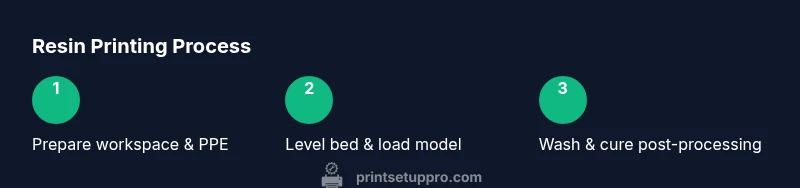
Prepare workspace and safety gear
Set up in a well-ventilated area with a stable surface. Put on nitrile gloves, safety goggles, and a mask. Clear clutter, and lay down protective coverings to minimize resin spills. This step ensures you start with a clean, safe environment before loading resin or starting a print.
Tip: Have a spill kit ready and keep resin containers closed when not in use. - 2
Level the build platform and verify printer readiness
Power on the printer, clean the vat, and level the build plate using the appropriate method for your model. A properly leveled bed reduces flawed layers and failed prints. Confirm the Z-offset and ensure the vat is free of debris.
Tip: Run a quick calibration cube if your printer offers a test render option. - 3
Prepare and import your 3D model
Load your model into the slicer, orient it to minimize supports, and generate supports if required. Set layer height based on your resin and desired detail. Export the sliced file to the printer and review the estimated print time.
Tip: Choose a conservative exposure for the first layers to improve bed adhesion. - 4
Start the print and monitor initial layers
Begin printing and watch the first few layers to confirm proper adhesion and consistent exposure. If first layers fail, pause and relevel or adjust exposure in the slicer. Avoid interfering with the print for the first several layers.
Tip: If you see air gaps, stop and check vat cleanliness and plate level. - 5
Remove the finished print from the vat
Power down or pause the printer and carefully detach the print using tools designed for resin printing. Avoid bending fragile features and remove supports as needed after the print has cooled slightly.
Tip: Use plastic-safe tools to minimize surface scratches. - 6
Wash the model to remove uncured resin
Submerge the print in IPA or compatible solvent and agitate gently to dissolve residual resin. Rinse until the liquid runs clear. Dry the print with a lint-free cloth or air dry before curing.
Tip: Do not reuse wash liquid; dispose of it according to local regulations. - 7
Cure the print for full strength
Place the print under a UV lamp or in sunlight for the recommended duration to reach final hardness. Curing times vary by resin and lamp intensity; avoid overheating during this step.
Tip: Rotate prints during cure for uniform exposure. - 8
Post-processing and storage
Remove any remaining supports, perform light sanding if needed, and store parts in a dust-free area. Label prints with resin type and cure date for traceability in future projects.
Tip: Keep cured parts away from heat sources to maintain stability. - 9
Safety disposal and resin waste management
Seal used resin, wash liquids, and contaminated rags in a compliant waste container. Do not pour uncured resin down the drain. Review local regulations for hazardous waste disposal.
Tip: Always vent the workspace and sanitize surfaces after disposal.
People Also Ask
Is resin 3D printing safe for home use?
Resin printing can be safe in a home setting when you use proper PPE, adequate ventilation, and follow resin safety data sheets and disposal rules. Maintain cleanliness and avoid skin contact with uncured resin.
Yes, with gloves, goggles, and good ventilation you can safely print at home.
What is the difference between SLA and DLP printers?
SLA uses a laser to cure resin point by point, while DLP uses a projector to cure entire layers at once. Both offer high detail, but SLA is generally more common in hobby setups and tends to have broader material compatibility.
SLA uses a laser for each point, DLP cures whole layers at once; both give high detail, with SLA often more versatile for hobbyists.
How long should curing take for a typical print?
Curing times vary by resin and lamp intensity. Follow the resin manufacturer’s guidelines and your curing station’s recommendations to achieve full strength without overheating.
Curing times differ; use the resin’s guide and your UV lamp to decide.
What should I do with leftover resin?
Seal and store unused resin in its original container and label with color and date. Do not pour leftovers down the drain; follow local hazardous waste rules for disposal.
Seal leftovers and follow local disposal rules instead of pouring them away.
Why did my print fail to stick to the build plate?
Possible causes include improper bed leveling, too little initial layer exposure, or resin that’s too viscous. Re-level, adjust exposure, and ensure scaffold supports are adequate.
Check bed level, adjust initial layer exposure, and ensure you have the right supports.
Watch Video
Quick Summary
- Practice safe handling of resin and PPE
- Prioritize bed level and exposure calibration
- Wash, cure, and finish promptly for best results
- Dispose of resin waste responsibly and per local rules