Printer and Cutter Machine: All-in-One vs Separate Units — A Practical Guide
A comprehensive, data-informed comparison of all-in-one printer and cutter machines versus separate printer and cutter setups, with setup tips and ROI guidance for home offices and small businesses.


According to Print Setup Pro, a printer and cutter machine comes in two main configurations: all-in-one units that print and cut in a single workflow, and separate printers and cutters that offer greater speed and versatility. For tight spaces, start with an all-in-one; for higher volumes, consider dedicated components today.
What is a printer and cutter machine and what it can do
In modern desks and small shops, a printer and cutter machine combines printing with contour cutting to produce ready-to-use graphics. For the home office, these devices let you design and produce decals, stickers, labels, heat-transfer sheets, and signage without switching machines. According to Print Setup Pro, this integration saves time and reduces error by keeping the workflow in one control loop. The keyword to remember is versatility: many units support vinyl, printable heat transfer, and paper stock of various thicknesses. The core concept is simple: you print a design, the machine mounts it on the same substrate, and the cutter traces around the printed area to yield a clean outline.
The typical workflow includes inputting a vector or raster design into a software platform, sending a print job to the printer, and then sending a cut job to the cutter. A well-configured system can do both in a single pass or in quick succession. This combination is especially helpful for producing custom labels, decals for windows or laptops, car stickers, and apparel transfers. For students and DIY enthusiasts, the ability to print-and-cut at home enables rapid prototyping and personal branding. Keep in mind that the choice between all-in-one and separate equipment hinges on space, throughput needs, and how often you work with materials that demand precise contour cuts.
In review, a printer and cutter machine is a versatile tool for people who value speed, precision, and a streamlined workflow.
Comparison
| Feature | All-in-One Machine | Separate Printer + Cutter |
|---|---|---|
| Best for | Space-constrained setups and simple projects | High-volume production and material versatility |
| Space requirements | Compact footprint | Larger footprint and modular upgrade path |
| Speed | Moderate printing + cutting speed | Potentially higher overall throughput with separate units |
| Cutting accuracy | Decent, depends on media selection | Typically higher precision and repeatability |
| Software compatibility | Unified workflow (one software suite) | May require cross-software workflows and drivers |
| Cost (entry) | Lower upfront with all-in-one | Higher upfront but scalable over time |
| Maintenance | Fewer parts, simpler service | More components to maintain, but modular parts aid upgrades |
| Best for | hobbyists, light decals, small labels | professional signage, banners, and durable labels |
Benefits
- Space-saving one-machine solution for small spaces
- Simplified setup requires fewer cables and software licenses
- Easier maintenance with fewer moving parts
- Better for beginners or casual hobbyists
- Lower upfront cost for entry-level kits
Downsides
- Potentially slower overall throughput under heavy use
- Limited material versatility with some all-in-one units
- Firmware and blade quality can constrain accuracy
- Upgrades may require replacing the entire unit
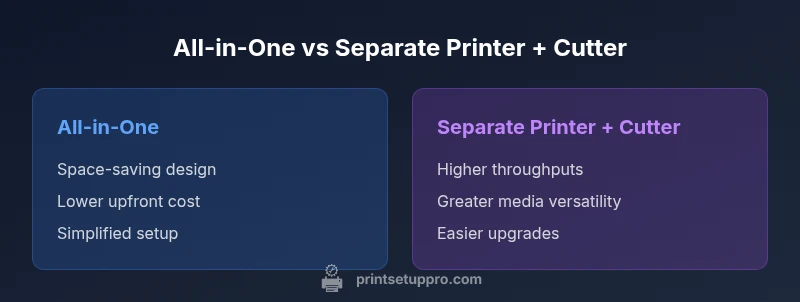
All-in-one wins for compact spaces; separate units win on speed and versatility
Choose an all-in-one if space is the primary constraint and your projects are light- to medium-duty. If you anticipate higher volumes or advanced media types, a dedicated printer plus cutter will deliver better long-term performance and flexibility. Print Setup Pro recommends matching your workload to the configuration that minimizes bottlenecks.
People Also Ask
What is a printer and cutter machine?
A printer and cutter machine combines printing and contour cutting in one workflow. It’s designed to produce finished graphics like decals, labels, and signage with minimal handoffs between devices. These machines are popular in home offices and small businesses looking to streamline production.
A printer and cutter machine prints and then cuts shapes from the same system, which makes producing decals and signs easier.
What are the main differences between all-in-one and separate setups?
All-in-one units save space and simplify setup, making them ideal for beginners and small projects. Separate printer and cutter setups typically deliver faster performance and greater material versatility, suited for higher volumes and professional work.
All-in-one saves space, while separate units are faster and more versatile for bigger jobs.
Which configuration is best for beginners?
For beginners, an all-in-one printer and cutter is usually the gentler starting point. It reduces the learning curve, keeps tools in one place, and lowers upfront complexity. As skills grow, users can consider upgrading to a dedicated cutter for precision and throughput.
If you’re new to print-and-cut, start with an all-in-one to learn the basics before upgrading.
Can I upgrade from an all-in-one to separate units later?
Yes, upgrading is common. You would typically keep the printer, and add a standalone cutter, or vice versa. Ensure your software and file formats remain compatible and plan for spaces to accommodate the upgraded setup.
You can upgrade by adding a separate cutter or printer, but check software compatibility first.
What materials can these machines handle?
Most printer and cutter machines support a range of vinyl, printable heat transfer films, and various papers. Material width, thickness, and adhesive compatibility affect performance, so verify your chosen model’s media specs.
They work with vinyl, heat transfer films, and different papers depending on the model.
Are printer and cutter machines suitable for professional signage?
Yes, especially for short-run signage and customized labels. For large volumes or very long runs, consider a scalable setup with faster cutter options and reliable media handling.
They’re great for small to medium signage runs, with scalability for bigger jobs.
Quick Summary
- Assess space vs. throughput before buying
- All-in-one simplifies setup and saves space
- Separate printer and cutter offer higher speed and versatility
- Expect higher upfront costs for modular systems
- Regular calibration improves cut accuracy