Printer vs Plotter: Understanding the Difference
A practical guide clarifying the difference between a printer and a plotter, with use cases, technology contrasts, and guidance to choose the right device for documents or large-format drawings.


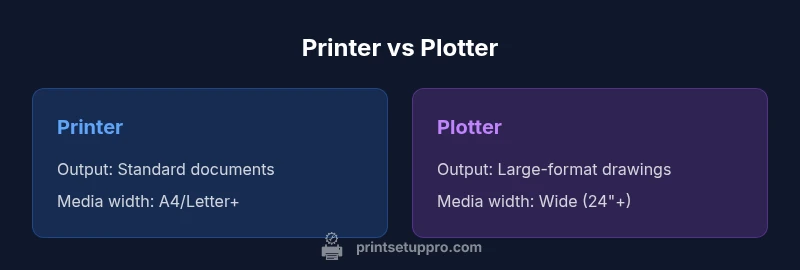
The difference between a printer and a plotter hinges on size, capability, and purpose: printers reproduce high-quality documents on standard media, while plotters excel at large-format, vector-based drawings for engineering, architecture, and design. For most home offices, a printer handles daily tasks, but when you need wide prints or precise scales, a plotter becomes the better option. This quick comparison helps you map your output needs to the right device.
What is the difference between a printer and a plotter? Foundational definitions
At a high level, a printer is a general-purpose device designed to reproduce text and images on standard media such as A4 or Letter sheets. A plotter, by contrast, is built for large-format output, delivering scalable vector graphics and line drawings on wider media. Understanding the difference between a printer and a plotter is essential for choosing the right tool for your work, whether you’re producing everyday documents or specialized technical drawings. According to Print Setup Pro, context matters: start from your typical output width, print volume, and required clarity, then align those factors with the device family that best matches your workflow.
In practice, most home offices rely on printers for speed, convenience, and compatibility with consumer software. Professional environments that require posters, architectural plans, or CAD drawings often turn to plotters or wide-format printers to meet scale and precision demands. The decision comes down to how you plan to use the device, not just what it can print in isolation. Print Setup Pro’s framework emphasizes matching workload patterns to device capabilities rather than chasing the latest model spec.
How printers and plotters work: core technologies and output models
Printers typically reproduce raster images: tiny colored dots laid out by print heads to form text and pictures. Common technologies include inkjet and laser, each with strengths in photo realism or fast, clean text. Plotters, however, are built around vector output or wide-format inkjet systems that can render scalable lines without pixel-based degradation. For vector work, line accuracy and repeatability matter more than photographic richness, so plotters prioritize stable feed mechanisms, precise step control, and software that preserves vector data across the print path. The practical upshot is that printers excel at broad compatibility and everyday tasks, while plotters shine on precision line work and large canvases. Print Setup Pro notes that your software pipeline—CAD, GIS, or vector drawing tools—will influence driver needs and color management settings just as much as the hardware itself.
Media, size, and workflow implications
Media width and handling define the core differences between these devices. Printers are optimized for standard sheet sizes and a broad range of media types that fit on desks, shelves, or small offices. Plotters handle wide media—rolls or sheets—often with specialized feeds, temperature control, and ink systems designed for long prints. The workflow implications are significant: map files or architectural drawings may require tiling for print storage, but large-format plots demand robust media alignment, color consistency across long runs, and reliable archival considerations. Software compatibility matters here too: CAD programs, GIS suites, or vector design tools must communicate cleanly with the plotter’s drivers to preserve line weights, margins, and scale during output.
Use cases: everyday documents vs large-format designs
The everyday printer serves home offices, students, and small businesses with reports, resumes, photos, and class assignments. It offers convenience, speed, and broad media support for standard tasks. Plotters serve engineers, architects, sign shops, and educators who need large, precise drawings—blueprints, technical plans, banners, and posters. The distinction is not merely about size; it’s about fidelity for lines and scales. If your work requires exact dimensions, line weights, and an ability to print on very wide media without tiling, a plotter (or wide-format printer) is the appropriate tool. If you mostly produce text, charts, and color photos on standard media, a printer remains the most efficient choice.
Cost of ownership and maintenance considerations
Total cost of ownership combines upfront price, ongoing consumables, and service costs. Printers typically have lower upfront prices and a broad supply ecosystem, with cost-per-page varying by ink or toner and media. Plotters or wide-format printers usually demand higher initial investment and more expensive media, inks, and maintenance cycles, especially for color, archival, or high-precision outputs. Routine maintenance—print head cleaning, media alignment checks, and driver updates—will affect downtime and performance in both cases, but large-format devices tend to require more frequent calibration and more specialized consumables. Print Setup Pro recommends planning for space, cooling, and ventilation when sizing a plotter, as larger devices can impact room layout and energy use.
Choosing the right device: decision factors and a practical framework
When deciding between a printer and a plotter, start with output width, required line accuracy, and the prevalence of vector vs raster work. Consider the typical print volume, the software ecosystem you rely on, and the total cost of ownership over a 3–5 year horizon. Space and maintenance needs are practical constraints: printers are generally compact and easier to integrate into a standard desk setup, while plotters need dedicated space and more robust cable/driver management. A structured decision framework helps: list your primary tasks, estimate output sizes, confirm software compatibility, assess the impact on color and media choices, and finally compare total costs across devices. The result should be a device aligned with your core workflows, not just a feature checklist.
Common myths and misconceptions
A frequent misconception is that a single printer can fully substitute a plotter for large-format work. While some high-end printers offer wide-format capability, many plotters specialize in long, precise vector lines and archival media. Another myth is that more megapixels on a printer automatically translate to better large-format results; in reality, print fidelity at large scales often depends on dot placement, media width, and driver calibration more than native image resolution alone. Finally, some buyers assume plotters are outdated; modern plotters include color inkjet options, improved RIP software, and tighter integration with CAD and design pipelines. Understanding these nuances helps prevent overspending on capabilities you won’t use.
Setup, connectivity, and integration tips
Connectivity is a foundational practical concern. Ensure you have reliable network access or a direct USB/HDMI path to your machine. Install official drivers and confirm driver compatibility with your design software. Color management and calibration are essential for consistent results across devices, especially when multiple machines exist in the same workspace. For mixed environments, use a standardized file format and a shared color profile to maintain consistency. Finally, plan for regular maintenance windows and stock consumables in advance to minimize downtime during critical projects.
Practical guidelines: best practices for success
- Define output width expectations early and segregate workflows for standard documents vs large-format prints.
- Regularly calibrate color profiles and perform print checks on representative media.
- Maintain a clean print path by cleaning nozzles, feed rollers, and media guides as part of routine housekeeping.
- Document driver settings and software configurations to simplify scalability or multi-user setups.
- Allocate dedicated workspace and ventilation for wide-format devices to sustain performance and longevity.
Comparison
| Feature | Printer | Plotter |
|---|---|---|
| Output focus | Standard-sized documents/photos | Large-format drawings/posters |
| Media width | A4/Letter common | Wide media (24"+ / 610mm+) |
| Print technology | Raster-based inkjet/laser | Vector-based pens or wide-format inkjet |
| Color capabilities | Full color and grayscale | Color-heavy for posters/graphics |
| Precision and scale | High resolution for small media | Precise scales for long drawings |
| Operating costs | Lower per-page cost for documents | Higher consumables for large-format output |
| Space and setup | Compact, desk-friendly | Larger footprint with room for media handling |
| Best for | Home offices, students, general business printing | Architects, engineers, signage, and design studios |
Benefits
- Versatile for everyday document printing and photo output
- Lower upfront cost on many common models
- Compact options available for small spaces
- Wide availability of consumables and replacement parts
- Strong software and driver support for general use
Downsides
- Limited to standard media widths on many consumer printers
- Plotters require more space and specialized alignment
- Higher long-term costs for large-format consumables and media
- Maintenance can be more complex on wide-format devices
Printers are typically the default for everyday tasks; plotters excel for large-format, precise drawings.
Choose a printer for documents and photos. Opt for a plotter if you need wide, scalable drawings with precise dimensions.
People Also Ask
What is the main difference between a printer and a plotter?
The printer reproduces documents on standard media, while a plotter handles large-format, vector-based drawings. The distinction shapes the right tool for documents versus plans or posters.
Printers print standard documents; plotters print large-format drawings. The choice depends on your output size and precision needs.
Can a standard printer print engineering drawings?
Some printers can handle drafts, but plotters are designed for scale and accuracy on wide media. For precise engineering plans, a plotter or wide-format printer is recommended.
Printers can print drafts, but plotters are better for exact engineering drawings.
Do plotters require special software?
Yes, plotters usually require CAD or vector graphics software and compatible drivers that preserve line weights and scale across output.
Plotters need CAD or vector software and proper drivers to output vector lines correctly.
Are plotters still used with inkjet technology?
Many modern plotters use inkjet technology for color output on wide media, while some use pen-based plotting for specific line work. Behavior depends on the model and intended use.
Yes, modern plotters often use inkjet for color on wide media, or pen-plotting for precise lines.
What should I consider when choosing between them?
Consider output width, required precision, software compatibility, space, and long-term costs. Align your decision with your primary workflows and media needs.
Look at width, precision, software compatibility, space, and ongoing costs when choosing.
Quick Summary
- Define output width before choosing a device
- Assess your software and driver ecosystem
- Plan for space and calibration needs
- Estimate total cost of ownership over time
- Match device capabilities to your primary workflows