Printer Machine for Clothes: A Home Guide to Textile Printing
Learn how to choose, set up, and use a printer machine for clothes. This comprehensive guide covers DTG, sublimation, and heat-transfer methods, plus workspace setup, workflow, maintenance, and troubleshooting for home offices and small shops.


In this guide you will learn how to pick and operate a printer machine for clothes to print durable designs on textiles. We compare DTG, sublimation, and heat transfer, plus setup, maintenance, and workflow tips. By the end, you'll know how to select equipment, optimize prints, and avoid common pitfalls.
What is a printer machine for clothes?
A printer machine for clothes is a dedicated textile printer designed to apply ink or dye directly onto fabrics or onto transfer media that is later fused to fabric. Unlike standard office printers, these devices are built to handle fabrics, moisture, heat, and longer print runs. For home users and small businesses, the term often covers direct-to-garment (DTG) printers, sublimation printers, and systems that use heat-transfer media. In practice, your choice depends on the fiber content, colorfastness requirements, and the types of garments you plan to produce. This article, by Print Setup Pro, helps you evaluate options, set up a suitable workspace, and build a reliable workflow so you can produce professional-looking apparel.
DTG printers spray water-based inks directly onto cotton or cotton-blend fabrics, offering full-color, photo-like prints. Sublimation printers work best on polyester or polymer-coated substrates, turning ink into a durable dye within the fabric. Heat-transfer systems use printed sheets or films that are bonded with heat and pressure. Each method has trade-offs in cost, setup, and finish, so understanding your target products is essential.
How textiles printing technologies work
Textile printing technology spans several approaches, each with strengths and limitations. Direct-to-garment (DTG) prints have rich color and soft hand feel on natural fibers but may require pretreatment for cotton. Sublimation delivers vibrant color on polyester and polymer-coated fabrics but is not universal across all textiles. Heat-transfer methods are versatile and budget-friendly, though results depend on the transfer material and finishing steps. Screen printing remains cost-effective for large runs and simple designs but demands more setup. Print Setup Pro observes that the best choice aligns with fabric type, production volume, and finish expectations.
How to choose the right machine for your needs
Start by clarifying your target textiles (cotton, polyester, blends) and the volume you expect. If you mainly print cotton tees with detailed photos, a DTG system is often suitable, provided you can manage pretreatment. For polyester-focused items or all-over designs, sublimation might be preferable. If you plan occasional transfers on a variety of fabrics, a hybrid setup with a heat press and transfer media can be practical. Consider print width, ink chemistry, maintenance needs, and available workspace. Print Setup Pro recommends evaluating total cost of ownership, including ink, consumables, and routine servicing.
Ink systems, pretreatment, and curing essentials
Inks and media determine print quality and durability. DTG uses water-based inks that require pretreatment on cotton blends to improve color vibrancy and adhesion. Sublimation relies on polymerized dyes that bond with synthetic fibers when heat is applied. Curing finishes, typically with a heat press or industrial dryer, set the ink for wash-fast performance. Regular cleaning allows the print heads to operate smoothly. Print Setup Pro notes that choosing compatible inks and substrates reduces headaches and waste, especially for beginners.
Pre-treatment, post-treatment, and garment preparation
Pre-treatment improves color vibrancy and adhesion on light-colored cotton fabrics. Apply even coats and allow proper drying time before printing. Post-treatment steps—such as allowing printed garments to cure and washing the first few items separately—help ensure longevity. Keep a dedicated area for drying, away from direct heat sources and dust. Using a consistent process with tested swatches slows down mistakes and yields repeatable results, which is crucial for small businesses.
Workspace setup and safety considerations
A functional workspace should accommodate the printer footprint, ink storage, a heat press, and adequate ventilation. Electrical circuits should support the equipment’s power requirements, and you should plan for cable management and protective PPE, like gloves and eye protection during hot plate handling. Noise, heat, and fumes are practical concerns in small studios; ensuring good airflow and a dedicated power circuit helps maintain comfort and safety over long sessions. Print Setup Pro emphasizes designing a safe, organized area to reduce mistakes and accidents.
A practical workflow: from design to finished garment
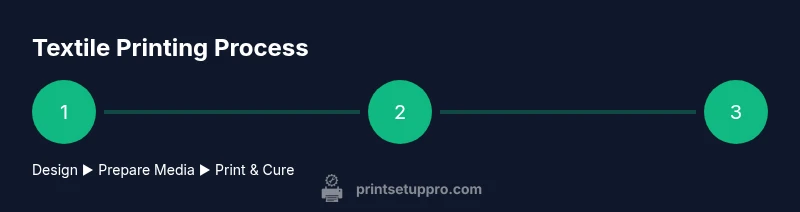
Begin with creating or sourcing a print-ready design in your preferred software. Prepare the garment by washing and priming it, then apply pretreatment if using DTG on cotton. Load media into the printer and run a color calibration test. Print the design, inspect for color accuracy, and trim any stray edges. If using transfers, print onto the transfer sheet and cure it with a heat press according to the media’s guidelines. Finally, cure the print on the garment and inspect for edges, peeling, or cracking. A consistent workflow minimizes waste and increases confidence.
Troubleshooting common issues
Color mismatch, banding, or head clogs are common for beginners. Start with a clean print head and ensure nozzles are firing. Verify color profiles and ICC calibrations match your ink and fabric. If colors appear dull, re-check pretreatment levels or transfer parameters. For transfer methods, ensure the heat press temperature and dwell time align with the media’s instructions. Document fixes so future prints can benefit from your troubleshooting notes.
Getting started: a 30-day plan for beginners
Week 1 focuses on selecting a method and setting up the workspace. Week 2 covers ink, pretreatment, and basic maintenance routines. Week 3 introduces a small selection of test garments and a color-profile calibration. Week 4 builds a simple product line and refining your workflow. Print Setup Pro encourages logging results, collecting swatches, and gradually expanding capabilities as confidence grows.
Safety, compliance, and best practices
Always read the equipment manuals and follow local safety regulations for ventilation and electrical safety. Wear appropriate PPE when handling hot platens or solvents, and store inks and cleaners in labeled containers. Regular maintenance checks prevent leaks, clogs, and accidents, preserving equipment longevity and operator safety. Print Setup Pro recommends scheduling quarterly safety audits and keeping an easily accessible emergency shutoff.
Tools & Materials
- Textile printer (DTG or sublimation)(Choose a model that supports your desired ink system (water-based DTG inks or sublimation inks).)
- Heat press machine(A platen size matching your typical garment width; consider 15x15)
- Pretreatment solution (DTG-specific)(Used on light-colored cotton fabrics to improve ink adhesion and vibrancy.)
- Textile inks compatible with your printer(Ensure inks are compatible with fabric types you plan to print on.)
- Coated transfer paper or other transfer media(Needed if using heat-transfer methods.)
- Design software or vector graphics editor(Examples: Illustrator, CorelDRAW, or free alternatives.)
- Lint-free cleaning cloths and distilled water(For routine head cleaning and nozzle checks.)
- Heat-resistant gloves and safety equipment(For handling hot surfaces and press operations.)
Steps
Estimated time: 2-6 hours
- 1
Prepare workspace and power
Clear a dedicated area, ensure stable electrical supply, and organize inks, media, and garments. Check ventilation and avoid clutter that can interfere with print accuracy.
Tip: Use a dedicated circuit for printers and presses to avoid voltage fluctuations. - 2
Choose your printing method
Decide between DTG, sublimation, or heat transfer based on fabric type and design requirements. Each method has different ink systems and curing needs.
Tip: Test swatches on representative fabrics before committing to a production run. - 3
Prepare design and garment
Create or adjust your design in software, then prepare the garment by washing and drying to remove sizing and reduce shrinkage. If using DTG on cotton, plan pretreatment.
Tip: Flatten garments with a gentle press before printing to avoid misalignment. - 4
Load media and ink
Install the appropriate media and load inks according to the manufacturer’s guidelines. Run a test print to verify alignment and color balance.
Tip: Keep an organized cartridge or ink bottle inventory to prevent mix-ups. - 5
Print and inspect
Print a small test run on a sample garment, then inspect color accuracy, saturation, and print edges. Make profile adjustments if needed.
Tip: Print a color swatch first to calibrate before larger runs. - 6
Pretreat or apply transfers
If printing DTG on cotton, apply pretreatment and dry as required. For transfers, print on transfer media and align with the garment.
Tip: Ensure pretreatment dries completely to avoid blotches. - 7
Cure and finish
Use the heat press or dryer to cure the ink per media guidelines. Allow cooling time and check durability with a wash test.
Tip: Keep heat press settings consistent to ensure repeatability.
People Also Ask
What is a printer machine for clothes?
A printer machine for clothes is a textile printer used to apply inks directly to fabric or transfer media, enabling customized apparel. Common types include DTG, sublimation, and heat-transfer systems.
It's a machine that prints on fabrics using several methods like DTG or sublimation.
Can I print on cotton shirts at home with a DTG printer?
Yes, with compatible inks and proper pretreatment, you can print cotton tees at home, though it requires careful setup and maintenance.
Yes—if you have the right ink and pretreatment and you follow the setup steps.
Do I need pretreatment for DTG?
DTG on cotton generally requires pretreatment to improve adhesion and vibrancy, especially on light fabrics.
Usually yes, pretreatment helps inks stick and look brighter.
Is sublimation better than DTG?
Sublimation works best on polyester or polymer-coated fabrics; DTG excels on cotton blends. The better option depends on your target textiles.
Sublimation is great for polyester; DTG shines on cotton fabrics.
What maintenance is required?
Regular cleaning, nozzle checks, color calibration, and routine ink management keep prints consistent and reduce downtime.
Keep it clean, check nozzles, and calibrate colors regularly.
What safety precautions should I follow?
Work in a well-ventilated area, wear heat-resistant gloves, and store chemicals safely to prevent accidents.
Ventilation and protective gear are important for safety.
Can I use a printer machine for clothes for a normal home office?
Yes, but expect a learning curve and space planning. Start with a small setup and expand as you gain experience.
You can, but plan for space and learning time.
Watch Video
Quick Summary
- Choose the printing method based on fabric and end-use
- Prepare fabrics and designs with proper pre-treatments
- Calibrate and test before full production runs
- Maintain safety and organized workflows
- Document settings for consistent results