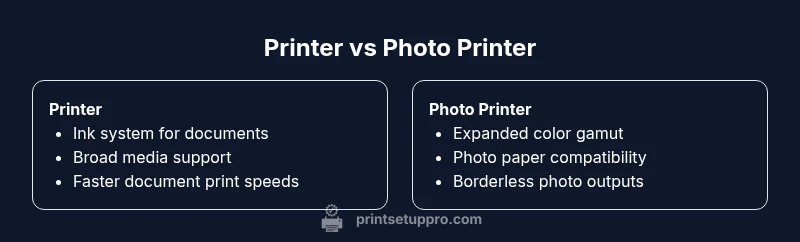
Printer vs Photo Printer: A Practical Comparison
Explore the differences between printers and photo printers, focusing on output quality, media handling, costs, and real-world use cases to help you decide which device fits your home office or student setup.


Printer vs photo printer is not just about ink and paper. For most home users, the choice hinges on whether you primarily print text documents or want gallery-quality photos. In practice, printers are versatile, while photo printers optimize color accuracy and media handling for images. According to Print Setup Pro, understanding your typical workload helps you pick the right device and avoid wasted ink and frustration.
Overview: printer vs photo printer — what’s the core difference?
According to Print Setup Pro, the practical distinction between a standard printer and a dedicated photo printer goes beyond print resolution. It hinges on color management, ink systems, and media handling that affect output quality and long-term costs. A general-purpose printer prioritizes versatility and speed for documents, emails, and school projects, while a photo printer emphasizes accurate color reproduction, wider color gamut, and specialized media compatibility. For most households, the decision should start with a clear assessment of your most frequent tasks: do you print mostly text and charts, or do you regularly produce museum-quality photos for framing? By framing the choice around your primary workload, you can minimize waste and maximize satisfaction.
The core functions set the baseline
- General printers excel at text sharpness, mixed-color charts, and fast throughput.
- Photo printers focus on color fidelity, gradients, skin tones, and media variety.
- Both classes rely on proper paper selection and calibration for best results.
In short, the “printer” of today is a versatile workhorse, while the “photo printer” is a precision tool for images. The key is to map your tasks to the tool that best fits them, and to avoid overpaying for capabilities you will rarely use.
Print technology and inks
Most home printers rely on inkjet technology, using either dye-based or pigment-based inks. Dye inks tend to deliver bright, vibrant colors ideal for photos, while pigment inks offer crisper text and better longevity for documents. Photo printers, however, often deploy expanded ink sets with extra color channels (such as light cyan and light gray) to improve skin tones and gradients. Some models combine dye and pigment chemistries to balance everyday versatility with photo-optimized output. When you choose a photo printer, you’re usually committing to an ink system that prioritizes a wider color gamut and smoother tonal transitions, which pays off on glossy photo media but may cost more per page than a standard office printer. For text, pigment inks are often preferred for durability, while dye inks can still produce good color for graphs and charts.
Output quality and color management
Color accuracy becomes the deciding factor when printing photos versus documents. Photo printers typically support wider color gamuts and more advanced color management workflows, including ICC profiles tailored to specific photo papers. For regular documents, a printer with good grayscale and color accuracy is usually sufficient. The ability to calibrate your monitor and printer so that what you see on screen matches the print is important for both paths. In practical terms, you’ll want a printer that supports ICC color profiles, offers color management options in the driver or software, and can maintain consistent results across different media. Print Setup Pro recommends running a calibration test when you switch media or media brands to minimize surprises.
Media compatibility and paper handling
Media handling is a critical differentiator. General printers are designed for a broad range of media, including plain paper, labels, envelopes, and basic photo paper. Photo printers, by contrast, emphasize compatibility with high-end photo papers—glossy, satin, and art papers—plus weight options that range from 180 gsm to 300 gsm and beyond. Borderless printing is another frequent requirement for photos, so you should verify whether the model supports edge-to-edge output at your preferred sizes (4x6, 5x7, 8x10, etc.). In addition, photo printers often accommodate specialty media like canvas or metal-backed sheets, though availability varies by model. When evaluating media support, consider the sizes you print most often and the types of finishes you expect to use.
Cost of ownership and maintenance
Running costs can sway the decision as much as upfront price. General printers typically have lower initial cost and widely available replacement inks, which makes them appealing for mixed usage. Photo printers may demand higher upfront investment but can deliver lower per-photo costs if you print many images and use compatible papers with optimized ink sets. Maintenance tasks—head cleaning, nozzle checks, and occasional alignment—are a consideration for both categories, but photo printers often require more frequent maintenance when using specialty media. To avoid sticker shock, estimate your monthly page volume for documents and photos, then compare ink refills and paper costs across models.
Speed, reliability, and workflow
Document printing tends to be faster in general-purpose printers, especially for black-and-white and color text. Photo printing is typically slower, particularly when printed at higher resolutions or on glossy media. When evaluating speed, look at the manufacturer’s stated pages-per-minute (ppm) for text and color photos, but treat these numbers as rough guidelines because real-world results vary with media type and print settings. Reliability matters too: consider whether the printer has a robust paper path, fewer paper jams on thick photo media, and a dependable wireless workflow that works with your computer, tablet, or phone. If you frequently print large batches, you may prioritize models with higher-capacity ink tanks or faster warm-up times.
Paper types, finishes, and borderless printing
Beyond weight and finish, the finish you select affects perceived color and contrast in photos. Photo printers are designed to reproduce subtle gradients on glossy papers, while general printers handle matte and standard-coated papers with solid results. Borderless printing is a crucial feature for photographers who want edge-to-edge photos, but not all printers support all sizes. Check the list of supported photo papers for your target sizes and verify whether you can print borderless at 4x6, 5x7, or A4/letter sizes. For DIY enthusiasts, experimenting with different paper brands and finishes helps you understand how ink interacts with media and yields the most consistent results.
Photo-centric features you should look for
When shopping for a photo-printer, seek models that advertise expanded color gamuts (e.g., additional cyan/light cyan channels), high-dynamic-range (HDR) rendering, and reliable color consistency across media. Features like automatic photo mode, color correction presets, and printer software that lets you select paper type and print quality are valuable. For document printers, prioritize sharp text rendering, economical black ink, and simple media handling. Connectivity options (USB, Ethernet, Wi-Fi, and mobile printing) are important for both paths, particularly in shared home offices or dorm setups where devices may be diverse.
Use-case scenarios: home office vs dedicated photo printing
If your workload includes a mix of reports, presentations, and occasional photos, a versatile printer with strong color printing and decent photo output is a sensible compromise. If you regularly produce family albums, portfolios, or gifts, a dedicated photo printer can deliver professional-looking results with dedicated color inks and compatible media. Students and DIY enthusiasts who print assignments, diagrams, and creative outputs can benefit from the flexibility of a capable all-purpose printer, while photographers and hobbyists who value color precision may prefer a photo-printer-first setup. Consider your primary task and then explore models that align with that scenario.
How to choose: a step-by-step decision framework
- List your primary tasks (documents, photos, art prints).
- Estimate monthly page volume for each task.
- Decide if color-critical image output justifies higher upfront cost.
- Check media compatibility for your most-used papers.
- Compare ink costs and availability for long-term ownership.
- Assess connectivity and software ecosystems (mobile printing, cloud print).
- Read reviews that test color accuracy, print speed, and reliability across media.
A structured decision process helps prevent overbuying and ensures you pick a device that fits both your budget and your workload.
Common mistakes and care tips
One common misstep is buying a photo printer solely for its glossy output without considering the cost of specialty inks and media. Another pitfall is ignoring borderless capabilities and paper compatibility, leading to awkward trimming or wasted media. Regular maintenance such as cleaning the print head when switching media brands, using genuine inks when possible, and performing routine nozzle checks can prevent clogging and ensure consistent results. Finally, set expectations for longevity: photos printed on home printers may not match lab prints in terms of archival life, especially on certain media. If archival quality is critical, pair your printer with tested media and consider archival-graded papers.
Final buying considerations and next steps
Summarize your needs around print quality, media flexibility, and ink costs. Create a shortlist of 3–5 models that meet your criteria, then compare owner reviews and warranty terms. If you find yourself printing more photos and media than documents, lean toward a photo printer with a proven track record for color accuracy and borderless printing. If your priority is versatility and speed for documents, a mid-range all-in-one printer may be the most practical choice. Finally, check for ongoing promotions and consider the total cost of ownership over 3–5 years to avoid surprises.
Comparison
| Feature | Printer | Photo Printer |
|---|---|---|
| Ink system | Standard inks for documents; adequate color for charts | Dedicated photo inks with expanded gamut and smoother gradients |
| Media compatibility | Broad media support: plain paper, envelopes, labels | Premium photo papers: glossy, satin, art papers; heavier weights |
| Borderless printing | Often supported; varies by model | Typically strong borderless options for common photo sizes |
| Color accuracy | Good color for everyday use; optimized for text | Excellent color fidelity and skin tones for photos |
| Print speed | Faster for documents; solid performance overall | Slower when prioritizing photo quality; higher-quality mode preferred |
| Upfront cost | Lower initial price; widely available | Higher upfront price for dedicated photo printing |
| Ongoing ink costs | Ink costs vary by model; often economical for documents | Photo inks can be pricier per color; cost per print depends on media |
| Best for | General documents, schoolwork, mixed tasks | Dedicated photo printing, display-quality outputs |
Benefits
- Versatility for documents and mixed tasks
- Strong option for everyday color printing
- Wide media compatibility with many models
- Good availability of consumables and accessories
Downsides
- Photo output may not match dedicated photo printers
- Inks and media for photos can increase total ownership costs
- Borderless photo printing depends on model and media
- Some models prioritize speed over absolute photo fidelity
Choose based on primary use: general documents or mixed tasks vs. dedicated photo output.
If most prints are documents, a versatile printer is best. If photo quality is your main goal, a dedicated photo printer delivers superior color accuracy and media options.
People Also Ask
What is the main difference between a printer and a photo printer?
The main difference is in ink systems and media handling tailored for photos. Photo printers use expanded color sets and media types to achieve better image fidelity than most general printers.
The key difference is ink and media focus: photo printers are built for color accuracy and photo quality, while standard printers emphasize versatility for documents.
Can I print photos on a standard home printer?
Yes, you can print photos on many standard printers, especially with compatible photo paper and proper color settings. Results may vary compared to a dedicated photo printer.
Yes, but expect better results from a photo printer with the right paper and color management.
Do photo printers support borderless prints?
Many photo printers support borderless printing for common photo sizes, but you should verify supported sizes and edge-to-edge printing before buying.
Most photo printers support borderless prints, but check the exact sizes they cover.
Which is cheaper to run long-term?
Long-term costs depend on usage. General printers often have lower upfront costs, but photo printers can be cheaper per photo if you print many images with compatible media.
It depends on your volume: documents usually cheaper on a general printer; photos can be costlier per print unless you print a lot of them.
What features matter most when buying?
Look for ink type, color gamut, media support, borderless capability, and reliable mobile/desktop printing options. These determine output quality and usability for your tasks.
Prioritize ink quality, color range, media support, borderless printing, and easy connectivity.
Quick Summary
- Assess your primary print tasks before buying
- Expect higher upfront cost for true photo quality
- Verify media compatibility and borderless options
- Consider total cost of ownership, not just purchase price
- Prioritize color management features for photo work