Shirts Printer Setup Guide: From Setup to Printing Success
Comprehensive, step-by-step guide to setting up a shirts printer for home-based garment printing. Learn how to choose methods, prepare materials, calibrate color, and maintain equipment for durable, vibrant transfers.


This guide shows you how to set up a shirts printer for home-based garment printing. You’ll learn how to pick the right printer type, prepare inks and shirts, and run a calibrated print workflow. According to Print Setup Pro, following a structured setup reduces waste and reprints, delivering durable, vibrant results. The steps cover equipment, workflows, and safety considerations for beginners.
What a shirts printer does and when to use it
A shirts printer is a device designed to apply durable graphics directly onto fabric. For home-based businesses, it enables on-demand customization of t-shirts, hoodies, tote bags, and other apparel. There are three common pathways: Direct-to-Garment (DTG) printing, sublimation, and heat-transfer with printable sheets. DTG prints are ideal for full-color images on light or white fabrics and can handle gradients with good softness. Sublimation works best on polyester blends and produces vibrant, long-lasting colors, but it requires special coating and fabric compatibility. Heat-transfer methods are versatile and budget-friendly, using heat-press systems and sheets or vinyl. When to choose each path depends on fabric type, print volume, and budget. For occasional hobby projects, a compact heat-transfer setup can be enough; for a small shop or a home-based business with growth potential, investing in a true shirts printer plus a reliable heat press yields the most durable results. Print Setup Pro emphasizes starting with a clear workflow, proper substrate selection, and routine maintenance to minimize waste and reprints. In practice, plan for fabric colors, ink costs, curing times, and storage space, then tailor your setup to your goals.
Types of shirts printers: DTG, Sublimation, and Transfers
Direct-to-Garment (DTG) printers deliver ink directly onto cotton-rich fabrics, producing soft-hand feel prints with vibrant color. They excel with photo-realistic images and color gradients, but textiles with high polyester content may require pretreatment to achieve opacity on dark garments. Sublimation printers use heat to embed dye into polymer-coated fabrics; the result is bright colors that resist cracking and fading, best on white or light-colored polyester or poly-blend fabrics. Transfers and vinyl-cut methods rely on heat to fuse pre-made graphics onto fabric; these are versatile for small runs and complex designs, but the transfer layer can add stiffness. For beginners, a DIY approach using heat-transfer sheets or a modest DTG starter system lets you learn the ropes before scaling. The best choice depends on fabric type, intended durability, and appetite for ongoing ink costs. Print Setup Pro stresses mapping the workflow to your fabric decisions and volumes.
Space, power, and ventilation: preparing your workspace
Create a dedicated, clean workspace with ample room for the printer, platen, heat press, and garment storage. Ensure a stable power supply; many printers require a dedicated circuit and clean power to avoid voltage drops that degrade print quality. Good lighting, ventilation, and a dust-free environment help maintain consistency. Schedule a separate area for heat-press operations to limit heat exposure on non-target equipment. Consider a spill tray, off-gassing precautions for solvent inks if used, and a logical layout that minimizes cable clutter. Finally, keep a simple workflow map or checklist nearby so anyone can set up and operate the system safely and consistently.
Selecting inks, media, and pretreatment
Choose inks that match your printer type: DTG inks for direct garment prints, sublimation inks for polymer-coated fabrics, or vinyl sheets for transfers. For DTG, pick water-based inks designed for apparel and use manufacturer-recommended curing temperatures. Pretreatment is essential for darker shirts in DTG workflows to ensure opacity; apply evenly, then heat-set to secure ink. Media choices include transfer papers, vinyl sheets, and heat presses—select the right combination for your design complexity and run length. Fabric weight and fiber content impact color density and wash durability, so run swatch tests on your target fabrics. Start with a small color palette and expand as you gain confidence. Print Setup Pro recommends testing swatches on actual garment colors to reveal ink behavior and color shifts before larger runs.
File preparation and print workflow
Prepare artwork with clean layers, avoiding excessive transparency that can bleed. Convert text to outlines to prevent font substitutions, and embed fonts when possible. Use vector graphics for crisp edges and raster images for photo-like details; align image size with the print area. Establish substrate-specific color profiles and soft-proof on a calibrated monitor to anticipate how print colors will look on fabric. Maintain clear file naming and a color swatch library for quick reference. Before printing on garments, run a nozzle check and a small test print to verify ink deposition and alignment. Keeping a log of successful settings for different fabrics helps you reproduce consistent results over time.
Color management and calibration for accurate results
Color management is a critical factor in achieving consistent shirt prints. Use ICC profiles for your printer, ink, and substrate to align on-screen colors with printed output. Calibrate your monitor to a standard white point and brightness so your screen previews match the actual print. When printing on multiple fabrics, develop separate profiles for each material and color category. Proof prints on target garments should inform adjustments to ink density and curing times. Print Setup Pro Team notes that reliable color management starts with proper profiling, test charts, and a robust color log to capture successful parameter sets for future runs.
Maintenance and safety practices
Establish a routine cleaning schedule for the print head, platen, and waste ink system. Follow the manufacturer’s guidance for cleaning frequency and safe handling of inks and solvents. Wear heat-resistant gloves during heat-press operations and keep the work area ventilated. Store inks upright, away from sunlight, and track expiration dates. Use protective covers for the platen and keep the area free from clutter to prevent accidents. Have spare maintenance parts on hand, such as replacement blades or wiper kits, and schedule routine deep-clean sessions. Regular upkeep reduces downtime and extends equipment life.
Troubleshooting common issues
Common problems include misalignment, color bleed, banding, and poor adhesion. Start with a nozzle check and alignment test; fix any clogged heads or miscalibrations before continuing. If colors appear faded on dark shirts, verify pretreatment coverage and cure duration. Banding often results from loose rails or dirty guides—inspect and lubricate moving parts as needed. Cracking or cracking after washing can indicate excessive transfer thickness or incomplete curing; re-evaluate heat, pressure, and dwell time. If colors shift between swatches, re-check ICC profiles and monitor calibration. Always test on the exact garment color and fabric you plan to print to catch issues early.
Budgeting, costs, and long-term considerations
A shirts printer setup involves upfront equipment costs and ongoing consumables. Plan for the printer, heat press, pretreatment units, inks, transfer media, and maintenance parts. Ink costs vary by process; DTG inks may be pricier per unit but offer excellent cotton prints, while sublimation inks excel on polyester with strong color fidelity. Over time, service visits, head replacements, platens, and reconditioning components add to running costs. Evaluate your monthly production target, garment mix, and run length when choosing a system, as this drives cost-per-print. Print Setup Pro emphasizes tracking actual costs, forecasting future needs, and revisiting equipment choices as your business scales to maintain profitability.
Tools & Materials
- Shirts printer (DTG or sublimation compatible model)(Choose a model that matches your budget and expected volume)
- Water-based DTG inks or sublimation inks(Select according to your workflow and substrate)
- Pretreatment solution(Used for DTG on dark fabrics; apply evenly and cure as directed)
- Heat press(For curing DTG pretreatment and applying transfer sheets)
- Blank shirts (cotton or polyester blends)(Pre-wash; ensure consistent fabric quality)
- Transfer sheets or vinyl (optional)(Depends on chosen workflow (heat transfer vs DTG))
- Squeegee or spreader(For even ink distribution and pretreatment application)
- Teflon sheets or parchment paper(Protects garment and platen during heat application)
- Printer cleaning kit(Keeps nozzles and path clear; schedule regular use)
- Isopropyl alcohol and lint-free wipes(For quick maintenance and surface cleaning)
- Color swatches and ICC profiles(For color matching and cross-fabric consistency)
Steps
Estimated time: 6-8 hours
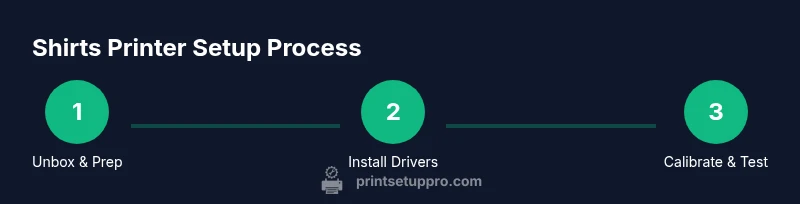
- 1
Unbox and prepare workspace
Clear a flat, clean area with good ventilation. Set up a sturdy table, organize power outlets, and inspect the printer for transit damage. This initial setup reduces surprises during install and calibration.
Tip: Check for protective packing around moving parts before powering on. - 2
Install drivers and connect to computer
Install the printer drivers from the manufacturer, connect via USB or Ethernet, and verify the device is detected by your computer. Disable any power-saving settings that might interrupt data transfer.
Tip: Use the latest driver version compatible with your OS. - 3
Prime ink system and run nozzle check
Follow the manual to prime the ink system and run a nozzle check pattern. This confirms that ink lines are clear and ready for loading colors.
Tip: If nozzles appear clogged, repeat priming steps and run a cleaning cycle as recommended. - 4
Prepare garments and platen
Wash and dry blanks to remove sizing. Mount the platen securely and ensure it sits level to prevent misalignment during prints.
Tip: Pre-warm the platen if your process requires it to reduce head strike on fabrics. - 5
Apply pretreatment (DTG workflows)
Evenly apply pretreatment to dark fabrics using a sprayer or roller; let it dry completely before curing to fix the ink. This step improves opacity and color accuracy.
Tip: Avoid over-application which can cause cracking or stiffness. - 6
Load artwork and set color profiles
Prepare the artwork in the correct color space (CMYK), embed fonts, and select the substrate-specific color profile. Soft-proof to anticipate how prints will look on fabric.
Tip: Save a master color profile for each fabric type you plan to support. - 7
Run a test print on sample fabric
Print a small swatch to verify alignment, density, and color. Compare the outcome against your target and adjust ink density or curing time as needed.
Tip: Keep a log of successful test settings for future runs. - 8
Quality check and adjustments
Inspect the test print for bleed, layering, and edge sharpness. If discrepancies appear, tweak ICC profiles, ink density, or cure duration.
Tip: Document changes to avoid regressing in future batches. - 9
Cleanup, storage, and maintenance plan
Power down safely, clean the print area and components, and store inks and media correctly. Create a simple maintenance log to track upcoming servicing needs.
Tip: Schedule routine deep-clean cycles after heavy production days.
People Also Ask
What is the best shirts printer for beginners?
For beginners, a compact DTG starter system or a heat-transfer setup provides hands-on learning with moderate upfront cost. Choose based on fabric type and expected run length, then scale as you gain confidence.
For beginners, start with a small DTG or heat-transfer setup, choose based on fabric type and planned volume, and scale as you learn.
Do I need a heat press if I use DTG?
DTG prints often benefit from a post-print heat cure to fix inks and improve wash durability. A heat press or a dedicated conveyor dryer can provide reliable curing.
Yes, you typically need a heat cure step after DTG printing to ensure durability.
Can I print on dark shirts without pretreatment?
Dark shirts usually require pretreatment to achieve opacity and color vibrancy. Skipping this step often results in pale, translucent prints.
Yes, most dark fabrics require pretreatment for good opacity and color.
How much does a shirts printer cost?
Costs vary by model and workflow. Consider the upfront printer and heat press plus ongoing ink, media, and maintenance expenses when planning.
Printer prices vary; plan for upfront costs plus ongoing ink and media expenses.
What fabrics work best with DTG?
DTG works best on cotton-rich fabrics and blends; 100% cotton typically yields the best color and softness, while high-polyester fabrics may require special techniques.
DTG shines on cotton-rich fabrics, with best results on 100% cotton and certain blends.
How often should I perform printer maintenance?
Regular maintenance should be scheduled based on usage: weekly quick cleans and monthly deep cleans, plus part replacements as wear appears.
Do quick cleans weekly and deeper cleans monthly to keep performance steady.
Watch Video
Quick Summary
- Choose the right method for fabric type
- Calibrate color before production
- Maintain a clean, organized workspace
- Document settings for repeatable results
- Plan for ongoing ink and media costs