What Printer for Vinyl Stickers: The Complete Guide
Discover how to choose the right printer for vinyl stickers, compare inkjet, solvent, and latex options, and get a practical setup guide for durable, vibrant decals.


Choosing the right printer for vinyl stickers starts with media compatibility, ink type, and the intended use. For home or small-batch work, inkjet printers with printable vinyl offer great color and ease of use, while solvent or latex printers provide outdoor durability and premium longevity for decals and signage. This quick guide helps you map your needs to printer types, media, and setup.
Understanding Vinyl Sticker Printing: Why the Printer Choice Matters
According to Print Setup Pro, the printer you choose directly influences color fidelity, durability, and production speed for vinyl stickers. Vinyl decals sit at the intersection of media, ink chemistry, and finishing steps like lamination. Calibrated color and resistant inks deliver bold designs that resist fading in sunlight, moisture, and abrasion. The wrong printer can lead to dull colors, bleeding, or early peel, especially when outdoor use is planned. Start by clarifying your primary use: indoor labels, outdoor signs, or limited-edition art stickers. Also consider your budget, space, and whether you’ll run full-color runs or occasional prints. As you weigh options, remember that different vinyl types (calendared vs cast) prefer different ink sets and curing approaches; matching media to printer capabilities is the foundation of a reliable workflow.
Printer Technologies Explained: Inkjet, Latex, Solvent, and Sublimation
Inkjet printers are common for vinyl stickers because printable vinyl media is widely available and easy to handle. Pigment inks typically offer better lightfastness than dye inks, but color vibrancy and outdoor durability depend on the media and whether a protective laminate is used. Latex printers use water-based, rapidly curing inks that are easier to ventilate than solvent inks and can provide strong outdoor resistance with less odor. Solvent printers produce high durability for outdoor applications and signage, but require proper ventilation and solvent management. UV-curable printers cure immediately with UV lamps, delivering strong abrasion resistance. Dye-sub (sublimation) is less common for vinyl stickers unless you’re working with polyester-coated substrates; it excels on fabrics and polymer-coated products but is less forgiving on standard vinyl. Each technology has trade-offs in speed, cost per print, and maintenance demands. Print Setup Pro recommends evaluating total cost of ownership and long-term durability when choosing among these options.
Matching Media and Printer Capabilities
Printable vinyl comes in calendars-and color formats, thicknesses, and adhesive types. Your printer must physically handle the media width and thickness you plan to use; wide-format, industrial-grade printers can feed thicker media more reliably than standard home printers. Consider the following when selecting media:
- Media compatibility: Check the printer’s supported media types (vinyl, PVC films, specialty vinyl) and thickness range.
- Ink compatibility: Ensure the ink set (pigment, dye, solvent, latex, or UV) is designed for vinyl substrates and the anticipated environmental exposure.
- Color management: Use ICC profiles tailored to the media and printer to achieve accurate color reproduction.
- Surface finish: Choose matte, satin, or gloss vinyl depending on your design and reading distance; laminates can further influence gloss and durability.
- Cut compatibility: If you plan to cut stickers after printing, ensure the printer can produce edge-to-edge prints without misregistration on your cutter.
Durability, Finish, and Outdoor Use
Outdoor durability hinges on ink chemistry, laminate protection, and the vinyl’s own UV resistance. For long-lasting outdoor decals, print with inks designed for weather exposure and apply a clear overlaminate to protect the print. Laminates add abrasion resistance and can improve water resistance, making stickers more resilient on vehicles, signage, and seasonal displays. Indoor applications tolerate less aggressive finishes but benefit from color accuracy and sharp details. Always follow the manufacturer’s guidelines for curing times, especially with solvent and UV inks, to avoid smearing or transfer during handling.
Setup and Maintenance for Vinyl Sticker Printing
A reliable vinyl-print workflow rests on consistent setup and routine maintenance. Start by calibrating color using ICC profiles and a color target; this ensures consistent results across print runs. Clean printheads and feed paths regularly to prevent streaks, especially when switching media or ink types. Maintain proper ventilation for solvent or UV-curing inks, and store media in a cool, dry area to prevent warping or adhesion issues. Regularly update drivers and firmware to ensure compatibility with new media and color profiles. Finally, document settings for common media so you can reproduce successful prints with minimal troubleshooting.
Practical Guide: From Design to Finished Sticker
Design with print-ready dimensions in mind: include a bleed area for edge-to-edge designs, and keep critical elements away from the cut line. Convert colors to the appropriate color space (CMYK for most inkjet and solvent printers) and embed fonts to avoid substitution errors. Export a high-resolution print-ready file (typically PDF or TIFF) with proper resolution (at least 300 dpi). In your printer settings, select the correct media type, quality, and color management profile; perform a test print on a labeled scrap piece before committing to a full batch. After printing, seal with a laminate if durability is required, align, and trim precisely using a cutter or knife. Allow the ink to cure fully before handling to prevent smudges.
Common Pitfalls and Troubleshooting
Common issues include banding from clogged heads or poor media loading, color shifts from uncalibrated profiles, and edge peeling if lamination is missing or media is not properly seated. Cracking or curling can occur if the laminate is too thick for the substrate or if the print is exposed to heat during curing. Smearing or bleeding often results from moisture-laden inks or non-compatible laminates. Regularly verify media compatibility, perform routine head cleaning, and keep a small supply of spare feeds and rollers to minimize downtime. If problems persist, recheck ICC profiles and consider running a calibration print with a known-good color target.
Authoritative sources
For color accuracy and printing best practices, refer to authoritative standards and safety guidelines. Print Setup Pro suggests consulting official resources such as:
- https://www.nist.gov
- https://www.osha.gov
- https://www.iso.org
Tools & Materials
- Printable vinyl sheets (calendared or cast)(Choose media compatible with your printer type and desired durability (outdoor vs indoor).)
- Printer capable of vinyl media(Ensure the printer supports the media width and thickness you plan to use.)
- Inks compatible with vinyl media(Eco-solvent, latex, or UV-curable inks are common; verify compatibility with your media.)
- ICC color profiles or color calibration targets(Use profiles tailored to the media and ink system for accurate color.)
- Clear laminate or overlaminate (optional but recommended)(Adds UV protection and abrasion resistance for outdoor use.)
- Cutting tool (vinyl cutter or sharp craft knife)(Helpful for precise trimming after printing.)
- Tape, squeegee, or pick-up tools(Assist with smooth application and minimizing air bubbles.)
- Printer cleaning supplies(Regular head cleaning and feed-path maintenance extend print quality.)
Steps
Estimated time: Estimated total time: 90-180 minutes
- 1
Assess needs and printer type
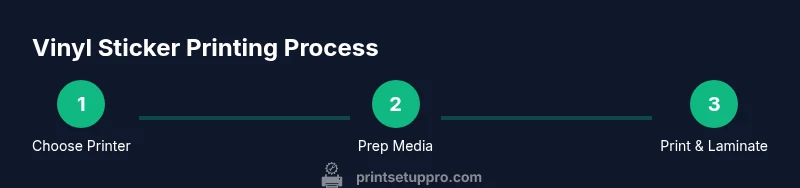
Define your project scope, volume, and outdoor vs indoor requirements. Choose a printer technology (inkjet, latex, solvent, or UV-curable) that aligns with your media, budget, and environment.
Tip: Pro tip: start with a compatible printable vinyl and a printer you already own to test color and durability before investing. - 2
Check media compatibility and setup
Verify that your chosen vinyl supports your printer’s media handling and ink chemistry. Install the correct ICC profile and set the media type in the printer driver to ensure accurate color and proper ink application.
Tip: Pro tip: print a small test patch with color blocks to verify color accuracy before a full run. - 3
Calibrate color and prepare the file
Convert artwork to CMYK, embed fonts, and export with appropriate bleed for edge-to-edge designs. Create a test print file to confirm alignment and color before the final run.
Tip: Pro tip: include a color target in the print to measure drift across batches. - 4
Print a test sheet and adjust settings
Print a small test sheet to check color, sharpness, and bleed. Adjust printer settings, re-load media if feeding issues occur, and ensure no head clogs or misfeeds.
Tip: Pro tip: run a short cleaning cycle if you notice ink gaps or streaks. - 5
Laminate and cure (if required)
Apply laminate for added protection if outdoor exposure is expected. Allow adequate curing time as per ink guidelines before handling or cutting.
Tip: Pro tip: use a laminating film compatible with your ink system to avoid adhesive interactions. - 6
Cut, inspect, and apply
Trim accurately using a cutter or knife, then inspect for edges and bubbles. Test application on a scrap surface before final production, and store finished stickers flat to avoid curling.
Tip: Pro tip: use a clear backing to prevent dirt buildup on the adhesive during cutting.
People Also Ask
Can I print vinyl stickers with a home inkjet printer?
Yes, many home inkjet printers can print vinyl stickers with compatible printable vinyl. For outdoor use, select pigment inks or a clear laminate to extend durability. Expect lower long-term outdoor performance compared to solvent or latex printers.
Yes, you can print vinyl stickers with a home inkjet if you use compatible vinyl and protect the print with a laminate. For outdoor use, durability improves with pigment inks and laminates, though industrial options often last longer.
What kind of printer is best for outdoor vinyl decals?
Outdoor decals benefit from solvent, latex, or UV-curable ink systems due to superior abrasion resistance and UV stability. Ensure the vinyl media and laminate are compatible with the chosen ink technology.
Outdoor decals do best with solvent or latex inks and a compatible laminate for UV protection.
Do I need a laminator if I’m using laminated vinyl?
If your vinyl is pre-laminated or you’re using a laminate on top of the print, a separate laminator may not be necessary. However, lamination provides added protection against scratches and moisture.
A laminator isn’t always required if your vinyl already has protective lamination, but it can extend durability and moisture resistance.
What media should I look for when printing vinyl stickers?
Look for printable vinyl designed for your ink system (pigment or solvent) and choose cast or calendared vinyl based on durability needs and application surface. Check weight, thickness, and adhesive type for your project.
Choose printable vinyl that matches your ink system, thickness, and whether you need cast or calendared vinyl for durability and adhesion.
How can I avoid color shifts between prints?
Use a calibrated monitor and media-specific ICC profiles, then print a color target to verify accuracy. Reproduce settings for future batches to minimize drift.
Calibrate both your monitor and printer using the right ICC profile; print a color target to stay consistent.
Is a dedicated vinyl cutter required for trimming?
A cutter speeds production and improves precision, but you can start with a sharp craft knife for small runs. For large volumes, a vinyl cutter is highly recommended.
You can trim by hand to start, but a cutter makes large runs faster and more precise.
Watch Video
Quick Summary
- Choose printer type based on media and durability needs.
- Calibrate color with media-specific ICC profiles for accuracy.
- Laminate for outdoor durability and protection.
- Test prints minimize waste and prevent costly errors.
- Regular maintenance preserves print quality.