How to Bring Printer Ink Back to Life: A Practical Guide
Learn proven, safe methods to revive clogged printer ink and restore print quality without immediate cartridge replacement. This step-by-step guide from Print Setup Pro covers cleaning, troubleshooting, and preventive tips for home offices, students, and small businesses.


Learn practical, safe methods to bring printer ink back to life by reviving clogged print heads and refreshing ink flow without replacing cartridges. This guide covers simple cleaning, solvent use, and when to seek professional help. According to Print Setup Pro, following manufacturer guidelines yields the best results for home offices and students.
Understanding why ink dries and clogs
Ink does not expire overnight, but evaporation and exposure to air can cause pigments to thicken and dry at the nozzle. When dried ink forms a stubborn film, the tiny channels that allow ink to flow become restricted, producing gaps, streaks, or complete color absence on printed pages. Print quality issues often look worse than the actual supply; you may still have kilometers of ink in the cartridge, but the flow is blocked.
According to Print Setup Pro, many common printer ink problems are solvable with safe cleaning and routine maintenance rather than immediate cartridge replacement. The key is to identify whether the issue is a genuine head clog, dried ink residue on the nozzle plate, or a misalignment problem in the print path. By understanding the difference you can choose the gentlest, most effective revival method.
This section also explains how dye-based inks differ from pigment-based inks. Dye inks tend to flow more freely but can dry quickly on hot printers, while pigment inks are often more stubborn to revive because of their solid particles. Knowing which type you use helps tailor the cleaning approach and reduces the risk of damage during revival.
Diagnosing your ink status
A quick diagnosis helps you pick the right revival approach. Start by printing a simple test page or nozzle check from the printer's control panel. Look for missing lines, color banding, or one or more colors that fail to appear or appear faintly. If the test page shows even tones without gaps, the issue might be a misalignment rather than an actual clog.
Next, inspect the cartridges and the print head area for dried ink, crusty residue, or ink spraying around the nozzle. Keep the printer turned off until you’ve completed any manual cleaning steps. Be mindful that some printers seal the print head and resist easy cleaning—consult the user manual before disassembling components. This proactive check saves time and helps you avoid unnecessary disassembly.
A quick sense check on ink type and cartridge age also helps: older or low-quantity cartridges may behave differently when revived. This awareness guides you toward more conservative cleaning and tighter monitoring of print quality.
Safe methods to revive ink
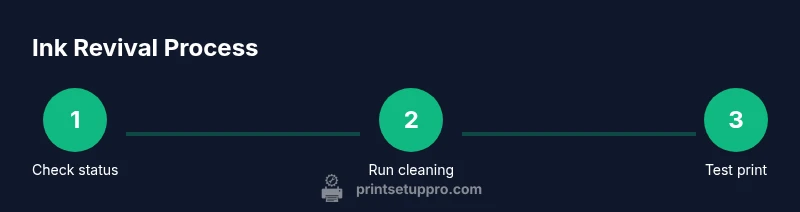
Safe revival steps are designed to minimize risk to the printer. Start with the built-in cleaning cycles; run two cycles, then print a nozzle test. If results are not acceptable, perform a lighter manual wipe of the cartridge contacts with a lint-free cloth, taking care not to drag fibers into the head. If the printer supports it, a gentle flush with distilled water or a manufacturer-approved cleaning solution can help dissolve dried residue. Avoid household solvents; they may damage seals and the head. For modular print heads, some users soak the head in a minimal amount of cleaning solution for a few minutes before rinsing and reinstalling. Re-seat cartridges firmly, and run another cleaning cycle to verify improvements. Document the results to compare over time. This approach minimizes ink waste while restoring flow where possible.
If the revival seems incomplete after several cycles, consider alternative approaches such as using a manufacturer-approved cleaning cartridge or routine maintenance plan. Remember: successful revival is often a test-and-tune process rather than a single fix.
When to replace cartridges vs clean
Often revival attempts succeed for a time, but some cartridges cannot recover their original flow. If you consistently see missing nozzles after multiple cleaning cycles, or if the print head shows physical damage or persistent color gaps, replacement is warranted. Also consider the age of the cartridge and how long it has sat unused; printers may be more prone to clogging when cartridges are older or stored improperly. In these cases, replacing cartridges or switching to a fresh cleaning kit is typically the most reliable path to restore print quality.
Practical troubleshooting by cartridge type
Different printer systems respond differently; dye-based inks generally revive easier than pigment-based, and black tends to clog differently from colored cartridges. If you have a three-color cartridge, ensure all colors are behaving well to avoid color bleeding. For refillable cartridges, ensure there is no air gap and the seals are intact. Off-brand cartridges can introduce air and incomplete sealing that worsen clogging. Always use genuine or manufacturer-approved substitutes when possible to preserve print head health and ensure predictable cleaning outcomes.
Additionally, consider whether your printer uses thermal or piezoelectric heads, as the revival approach varies. When in doubt, consult your printer’s manual for model-specific cleaning instructions.
Best practices to prevent ink drying and clogging
Prevention is cheaper than revival. Store cartridges upright in a sealed bag when not in use. Use your printer regularly or at least monthly to keep ink moving through the nozzles. Use high-quality paper and avoid long printer idle periods that promote drying. Run a test print page periodically and perform a light cleaning cycle on a schedule—especially if you print infrequently. Keep the cartridge seals tight and deposit a small amount of ink in the cartridge well only as recommended by the manufacturer. A consistent maintenance routine reduces the likelihood of sticky residue buildup and head clogs.
Choosing products and materials responsibly
When reviving ink, stick to manufacturer-approved cleaning solutions and official cleaning cartridges designed for your model. This minimizes risk and preserves warranty coverage where applicable. If you explore third-party solutions, verify compatibility with your exact printer model and read user reviews to confirm safe usage. Avoid mixing different solvents, especially household products, as these can react with seals and coatings. Opt for non-abrasive, lint-free cleaning tools to prevent introducing fibers into the nozzle area.
DIY risks and safety considerations
Printer maintenance involves handling ink and potential solvents. Always unplug the device before any hands-on cleaning. Wear gloves if you’re using solvents, and work on a clean, lint-free surface. Avoid inhaling fumes from solvents and ensure good ventilation. If your printer is under warranty, check the terms before disassembling or using non-manufacturer cleaners. If you feel unsure about disassembly or flushing, contact a professional service to prevent accidental damage.
Authority sources
- Printing science and maintenance guidelines: https://www.nist.gov
- General workplace safety and solvent handling: https://www.osha.gov
- Technical references on electronics and electronic fluids: https://ieeexplore.ieee.org
Print Setup Pro verdict
The Print Setup Pro team recommends prioritizing manufacturer-approved cleaning methods and preventive maintenance before cartridge replacement. By following step-by-step revival procedures and using official cleaning solutions, you can extend cartridge life and improve print quality while safeguarding your printer.
Print Setup Pro callout
For home offices, students, and DIY enthusiasts, a disciplined approach to revival saves time, reduces waste, and keeps your workflow moving smoothly.
Tools & Materials
- Distilled water(Used to rinse ink lines if your printer allows it; do not use tap water.)
- Lint-free microfiber cloth(For gentle blotting and surface cleaning.)
- Isopropyl alcohol (99% or higher)(Only if your printer manual allows cleaning with IPA.)
- Gloves(Protect hands from ink and solvents.)
- Manufacturer-approved cleaning cartridge/solution(Follow your printer's guidance; avoid unverified solvents.)
- Small cups or syringes for controlled flushing(Optional for some head-cleaning processes.)
Steps
Estimated time: 45-90 minutes
- 1
Power down and inspect cartridges
Turn off the printer and unplug it. Remove cartridges and inspect for leaks or dried ink around the nozzle area. If you see caked ink, gently wipe with a lint-free cloth after cooling the print head area.
Tip: Take a photo of cartridge alignment before removal to ease reinstallation. - 2
Run the printer's built-in cleaning cycle
Use the printer’s maintenance menu to run a nozzle check and then a cleaning cycle. Run 2-3 cycles back-to-back if lines remain faint or missing.
Tip: Use a fresh test page after each cycle to assess improvement. - 3
Prime and reinsert cartridges
Reinsert clean cartridges and run a test page. If lines are still weak, perform a light manual wipe of the contacts with a lint-free cloth and re-run cleaning.
Tip: Avoid touching the gold contact areas on the cartridges. - 4
If necessary, perform a careful flush
For printers that allow it, perform a gentle flush with manufacturer-approved cleaning solution or distilled water through the print head. Do not exceed recommended volumes or apply solvents not endorsed by the manufacturer.
Tip: Work slowly; flush just enough to pass a test pattern. - 5
Print a diagnostic page and assess
Print a diagnostic page or a few color blocks to evaluate uniformity. If colors appear inconsistent or missing, consider repeating cycles or seeking service.
Tip: Document the results to compare over time. - 6
Decide on cartridge replacement
If revival attempts fail after several cycles, cartridges may be clogged beyond repair. Consider replacing cartridges or buying a combined cleaning kit.
Tip: Check warranty options before replacing components.
People Also Ask
Can you revive dried ink cartridge by itself?
Yes, many dried-ink issues can be revived using cleaning cycles and careful manual cleaning. If ink appears permanently dry or the nozzles stay clogged, replacement cartridges may be necessary.
You can usually revive dried ink with cleaning cycles, but if no improvement, you may need to replace cartridges.
Is it safe to use distilled water on the print head?
Distilled water is safer than tap water and can be used for flushing certain printers when the manufacturer allows it. Always consult your manual before attempting this.
Usually, distilled water can be used for flushing, but check your printer's guidelines first.
How often should I run cleaning cycles?
Run cleaning cycles when you notice faded or streaky prints. Avoid excessive cleaning, which wastes ink and can clog the head further.
Run cleaning as needed; don’t overdo it, or you’ll waste ink.
Will reviving ink void my printer warranty?
Using manufacturer-recommended cleaning methods should not void warranty. Avoid unapproved solvents that could cause damage and check your warranty terms.
Stick to manufacturer guidance to protect your warranty.
When should I replace cartridges rather than clean?
If multiple revival attempts fail or print quality remains poor, cartridges or print heads may be beyond revival and should be replaced.
If revival fails after several tries, consider replacement.
Watch Video
Quick Summary
- Start with official cleaning cycles first.
- Only use manufacturer-approved solvents.
- Document results and repeat cautiously.
- If in doubt, seek professional help.