How to Refill Printer Ink: A Complete Step-by-Step Guide
Learn how to safely refill printer ink at home with our step-by-step guide, pick compatible ink, prime heads, and test prints to prevent clogs and mistakes.


By following these steps, you will safely refill printer ink at home, save money, and extend cartridge life. This guide covers cartridge identification, choosing compatible ink, preparing your workspace, a careful refilling technique, priming the print head, and running a test print to verify quality. Print Setup Pro recommends practicing in a clean area and wearing gloves.
Why refilling printer ink at home matters
Refilling printer ink at home can dramatically reduce ongoing operating costs for home offices, students, and small businesses. When you know how to perform a clean, controlled refill, you preserve print quality while avoiding the waste and expense of disposable cartridges. This section explains why home ink refills can be a smart, budget-friendly option and how to evaluate your printer’s compatibility with refillable cartridges. The goal is practical, actionable guidance that helps you make informed decisions and minimize waste. The Print Setup Pro team notes that many printers support refillable cartridges, but success relies on careful selection of ink and adherence to manufacturer guidelines. With the right approach, you can maintain consistent results while reducing ongoing supply costs.
Safety and preparation before you begin
Before you touch any cartridges, set aside time in a well-lit area and wear protective gloves to avoid ink stains. Disconnect the printer from power when removing cartridges to prevent electrical issues during handling. Work on a protected surface and keep a trash bag or sealable container for waste. Read your printer’s manual to confirm which cartridges are refillable and follow any manufacturer warnings about refilling. If you notice damaged seals, cracks, or damp cartridges, stop and replace the cartridge rather than attempting a refill. Thorough preparation reduces mess and helps prevent clogs or misfires when you reseat the cartridge.
Choosing ink and cartridges: compatibility matters
Not all inks are interchangeable between brands or models. The safest approach is to use ink designed for your specific cartridge type and printer model. Verify color codes, cartridge numbers, and the cartridge’s refill compatibility from your printer manufacturer or trusted suppliers. If you rely on third-party inks, read reviews about color accuracy, viscosity, and clog resistance. Having the right ink in the correct color is essential to avoid poor print quality or damage to the printhead. This section also covers how to identify genuine vs. third-party cartridges and what to do if your printer refuses refills.
The refilling process: controlled, clean, and systematic
Refilling should be performed slowly and methodically to minimize air introduction and leakage. Use a clean work area and your syringe or refill tool to draw ink from the bottle, then inject into the cartridge’s refill holes. Keep the cartridge oriented as the manufacturer specifies; tilting or shaking can introduce air and cause leaks. After refilling, cap the holes securely and wipe away any excess ink with a lint-free cloth. This moment of care determines whether the refill will print cleanly or smear, so proceed with patience and precision. The key is steady hands and a calm workspace to manage ink flow and avoid spills.
Cleaning and priming after refill
Once the cartridge is refilled, reinstall it into the printer immediately and power on. Run a brief, low-volume cleaning cycle if the printer offers it, then print a test page to observe color accuracy and alignment. If you notice streaks or gaps, lightly wipe the printhead area and print again. Avoid over-cleaning, which can waste ink and wear the printhead. Regular maintenance improves long-term results and reduces the need for frequent refills. The goal is clean, consistent output and a longer printable life for each cartridge.
Testing, troubleshooting, and maintenance
A successful refill ends with a test print and a quick quality check. If colors are off or streaks persist, run another cleaning cycle or re-test after a short wait. Note any error codes and consult your printer’s manual or manufacturer support for guidance. To preserve cartridge life, store spare inks properly, keep lids on bottles when not in use, and avoid exposing inks to high temperatures or direct sunlight. Regular maintenance, gentle handling, and following the manufacturer’s guidance are the keys to reliable, cost-saving ink refills. Print quality and printer health improve when you approach refills as a regular maintenance task rather than a one-off fix.
Common mistakes to avoid and long-term maintenance
Avoid overfilling, which can cause leaks and ink pooling. Always use the correct ink color for the cartridge, and never mix different brands in a single cartridge. Label cartridges after refilling to track color, batch, and usage. Regularly inspect seals, hoses, and printer rollers for wear, and plan for occasional professional service if your printer model requires it. With consistent practice and careful handling, the ink refill habit becomes a dependable part of your printer maintenance routine. This approach helps sustain print quality and keeps operating costs low over time.
Tools & Materials
- Printer cartridge type check (model-specific)(Confirm cartridge model and color codes before refilling.)
- Refill ink bottles compatible with your cartridge(Choose dye-based inks for most home printers unless otherwise specified.)
- Refill syringes or pigment transfer tools(Use the included needles or blunt tips for safety.)
- Gloves and protective layer (old newspaper or plastic sheet)(Protect skin and surfaces from ink stains.)
- Lint-free towels or paper towels(Keep wipes ready to clean spills without leaving fibers.)
- Isopropyl alcohol (70% or higher) for cleanup(Optional: helps remove dried ink from surfaces.)
- Clean, flat workspace and good lighting(A stable surface reduces spills and mistakes.)
- Sealable waste container or tray(Contain waste ink and prevent contamination.)
Steps
Estimated time: 45-60 minutes
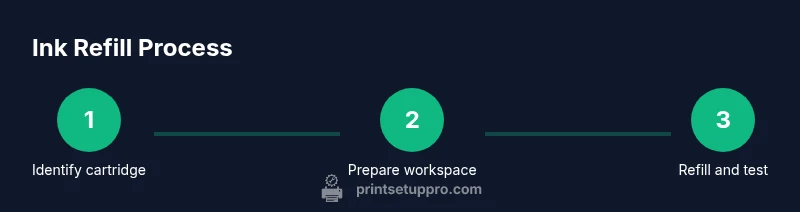
- 1
Identify cartridge and read guidelines
Locate the cartridge type on the printer or cartridge label and review manufacturer warnings. This prevents warranty issues and guides compatible ink choices.
Tip: Always start with the manual to confirm refillability. - 2
Prepare workspace and safety gear
Lay down a protective sheet, put on gloves, and power off the printer. This minimizes mess and prevents electrical issues while removing cartridges.
Tip: Protect surrounding surfaces with newspaper or a disposable sheet. - 3
Draw ink and prepare cartridge holes
Carefully extract ink from the bottle into the syringe. Identify refill holes on the cartridge and align the syringe tip with the hole without forcing ink.
Tip: Do not overfill; insert ink slowly to manage ink flow. - 4
Refill the cartridge
Inject ink slowly into the cartridge, pausing to release any trapped air. Stop when the cartridge appears full according to the manufacturer’s guidance.
Tip: If ink bubbles, pause and let them settle before continuing. - 5
Seal, clean, and reinstall
Cap the holes, wipe away spills, reinstall the cartridge, and reattach the printer components.
Tip: Ensure seals are intact to prevent leaks. - 6
Test print and verify
Power on, run a test page, and evaluate color consistency and alignment. Repeat cleaning if necessary.
Tip: Start with a simple test grid to check color accuracy.
People Also Ask
Can I refill any printer cartridge?
Not every cartridge is designed to be refilled. Some printers use sealed or proprietary cartridges that can be damaged by refilling. Always consult the manual and verify compatibility with refill inks.
Most cartridges can be refilled if the model supports it, but some are sealed by the manufacturer.
Will refilling ink void my warranty?
Refilling can affect warranties depending on the manufacturer and model. Check the warranty terms and consider replacing cartridges with manufacturer-approved options when in doubt.
Warranties vary; read your terms to know whether refilling affects coverage.
What should I do if ink leaks during refilling?
If ink leaks, stop immediately, seal the cartridge, and clean the area with a lint-free cloth. Ensure caps and seals are properly seated before restarting.
If leaks happen, stop, clean, and reseal before trying again.
How many times can a cartridge be refilled?
Refill counts vary by cartridge and brand. Some cartridges tolerate several refills, while others may fail after a single cycle due to damage or drying out.
It depends on the cartridge; some can be refilled a few times, others not at all.
Is bulk refill ink safe for printers?
Bulk refill inks can be cost-effective but may vary in quality. Use reputable inks designed for your cartridge type and avoid mixing brands.
Quality matters; use inks designed for your cartridge and printer.
Watch Video
Quick Summary
- Refill ink with a controlled, clean process
- Verify cartridge compatibility before refilling
- Test prints confirm print quality and alignment
- Label and maintain refill records for future use
- Follow safety guidelines to prevent spills and stains