3D Printer Kit Setup: The Complete Step-by-Step Guide
A practical, educational guide to selecting, assembling, and calibrating a 3D printer kit for home or small workspace. Learn safety, setup, first prints, and maintenance with clear steps and troubleshooting tips.


By the end of this guide, you’ll assemble a 3d printer kit, connect it to your computer, and run your first test print with proper calibration. You’ll identify essential tools, prepare the workspace, and complete basic safety checks to prevent common errors. According to Print Setup Pro, following a structured setup shortens print times and increases first-print success.
Why a 3d printer kit is a smart choice for beginners
Choosing a 3d printer kit can simplify setup, reduce assembly guesswork, and standardize components for reliable results. For home offices, students, and DIY enthusiasts, a kit provides an organized path from unboxing to the first print. Print Setup Pro recommends starting with a kit that includes a pre-assembled frame, extruder, controller board, power supply, and a simple user manual. The kit approach reduces the risk of missing parts and mismatched hardware, so you can focus on learning CAD, slicer settings, and print quality. When evaluating a kit, look for clearly labeled parts, standardized fasteners, and a documented assembly sequence. This helps you build muscle memory and minimizes mistakes during the crucial first build.
In practice, a well-chosen 3d printer kit shortens the learning curve by offering a unified hardware baseline. You’ll spend less time hunting for compatible belts or screws and more time practicing fundamental skills like straight bed leveling and calibrating extrusion. Print Setup Pro analysis shows that beginners who start with a kit report higher confidence and fewer early failures than those who cobble together parts from mixed sources. That consistency translates to faster progress and more satisfying first prints.
Choosing the right 3d printer kit for your needs
Your choice should balance budget, footprint, and print goals. For reliability and low maintenance, opt for a kit with a rigid aluminum frame, a proven hotend, and an enclosed area to reduce drafts. If you plan high-temperature materials, verify the bed, hotend, and controller are rated for the temperatures you’ll use. Consider the size of the build volume that fits your workspace and whether the kit includes auto-leveling or manual bed leveling. The wiring harness should be clearly labeled, with accessible connector points to minimize wiring mistakes. Battery backups or power supply protection are nice-to-haves, but not essential for beginner setups.
Budget-conscious buyers should compare total cost of ownership, including filament, upgrade parts, and potential replacement parts. Read user reviews and check that the kit ships with a warranty and a spare parts package. A well-documented assembly guide online is a major advantage, making it easier to troubleshoot during the first few prints. Your goal is a dependable baseline that you can tune over time as you learn slicing strategies and material properties.
Essential tools and safety you need before you start
Even a simple kit requires the right tools to assemble safely and efficiently. Gather a hex wrench set, a suitable screwdriver, needle-nose pliers, calipers for measuring clearances, a digital caliper for precise bed leveling, a hobby knife, and a small brush for debris removal. Keep a non-slip mat, gloves, and eye protection handy for handling hot parts. A digital multimeter is optional but helpful for checking continuity on heated beds, while spare screws, nuts, and washers can prevent future wear. Before powering anything, inspect the frame to ensure all joints are tight and that belts are routed correctly. Running a quick continuity check ensures your electronics are safe before you power up the controller.
Step-by-step overview: unboxing to first print
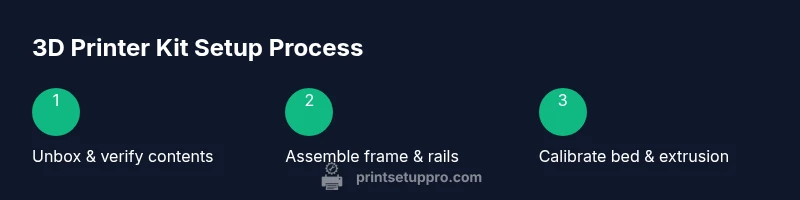
- Unbox the kit on a clean surface. Verify each item against the BOM (bill of materials) and check for damaged pieces. 2) Assemble the frame per the manual, install the axis rails, and attach the hotend carriage. 3) Mount the extruder and feed filament guides to reduce snagging. 4) Connect the controller board, stepper drivers, and end-stops, then run the factory calibration script. 5) Level the bed manually or with an auto-leveling feature, install insulation if included, and tighten belts to eliminate wobble. 6) Power on and load a sample filament. 7) Bring up the slicer, load a simple test model, and print a calibration cube. 8) Observe the first layers carefully and pause if adjustments are needed to avoid prints failing early.
Follow the kit’s safety notes at every step and avoid rushing the wiring or quick-connects. Working slowly with purpose reduces errors and protects your components.
Calibration essentials: bed leveling, extrusion, and first-print fixes
Bed leveling is the foundation of print quality. If your bed isn’t level, prints will detach or warp. Use a piece of standard printer paper to gauge the gap and adjust each corner until there’s a consistent, slight resistance when moving the nozzle. Calibrate extrusion by printing a small cube and measuring actual filament flow against expected dimensions. If under-extruding, adjust the flow rate in the slicer; if over-extruding, reduce the extrusion multiplier. Ensure the nozzle height is set to the correct initial Z offset for your slicer. Periodically check belt tension and rail smoothness; loose belts cause layer misalignment and ghosting, while tight belts wear faster. After adjustments, re-run a calibration print to confirm improvements.
Maintenance and ongoing improvements after your first prints
Regular maintenance keeps a 3d printer kit performing well. Wipe down rails and lubricate with light machine oil or manufacturer-recommended lubricant. Clean the nozzle to prevent clogs and replace worn gears or bearings as needed. Periodically inspect the power supply cables for signs of wear and test the printer’s basic safety features. As you gain experience, you’ll start adding upgrades such as a better hotend, improved cooling, or an enclosure. Document your settings and notes in a dedicated log so you can reproduce successful prints.
Authoritative sources for continued learning and safety
For workplace safety and general best practices, consult trusted sources such as OSHA for safe handling of equipment and electrical components. MIT OpenCourseWare offers in-depth introductions to 3D printing concepts, materials science, and design for additive manufacturing. NIST provides measurement standards and calibration guidance that help you benchmark printer performance and repeatability.
- OSHA: https://www.osha.gov
- MIT OCW: https://ocw.mit.edu
- NIST: https://www.nist.gov
Tools & Materials
- Hex wrench set (metric)(Sizes M2–M5; essential for frame assembly)
- Screwdrivers (Phillips and flat)(Magnetized if possible)
- Calipers or digital caliper(0.01 mm precision preferred)
- Spare screws, nuts, and washers(Keep a small hardware kit)
- Non-slip mat or work surface(To prevent parts from sliding)
- Wire cutters/pliers(For cable management and trimming)
- Digital multimeter (optional)(Helpful for electrical checks)
- Replacement nozzles (spare hotends)(For future upgrades)
Steps
Estimated time: 30-60 minutes
- 1
Unbox and verify contents
Unbox the kit on a clean surface and inventory every part against the included BOM. Check for damaged components and missing fasteners. This prevents mid-project interruptions.
Tip: Take photos of each box layer to verify parts later. - 2
Assemble frame and rails
Attach the base frame, then install vertical supports and linear rails. Ensure corners are square and fasteners are tight to avoid alignment issues later.
Tip: Use a square or right-angle tool to confirm perpendicular joints. - 3
Mount motion system and belt routing
Install X/Y/Z rails and route drive belts according to the manual. Check belt tension with a light pull—belts should offer slight resistance but not flex.
Tip: Rotate the axis by hand to confirm smooth travel before wiring. - 4
Install hotend and extruder
Mount the hotend assembly securely and attach the extruder. Run filament guides to minimize snagging and ensure proper clearance from moving parts.
Tip: Don't over-tighten mounting screws; allow for thermal expansion. - 5
Wiring and electronics check
Connect the controller board, stepper drivers, and end-stops as per the wiring diagram. Double-check connectors before powering up.
Tip: Power off when plugging or unplugging cables. - 6
Level bed and set Z-offset
Begin with manual bed level or enable auto-leveling if available. Set the initial Z offset so a sheet of standard paper slightly resists under the nozzle.
Tip: Do this step with the printer cooled to room temperature for accuracy. - 7
Load filament and run a test print
Load filament, heat to the appropriate temperature, and print a calibration cube. Observe extrusion, layer adhesion, and surface finish.
Tip: If you see blobs or gaps, stop and check nozzle height and extrusion rate. - 8
Fine-tune and store settings
Record slicer settings and calibration results. Save recommended profiles for different materials, and label your filament spools.
Tip: Create a simple setup journal for future reference.
People Also Ask
What is a 3d printer kit and why choose it?
A 3d printer kit includes most major components assembled or partially assembled for guided setup. It reduces missing parts and speeds the learning curve compared to starting from individual parts.
A 3D printer kit includes the main parts for a faster, guided setup. It's easier for beginners to get prints started quickly.
Do I need prior experience with CAD or firmware to use a kit?
Some familiarity with basic CAD and slicer software helps, but many kits include beginner-friendly guides and preloaded firmware options to simplify the first prints.
Basic CAD or slicer use helps, but kits often come with guides and simple defaults for beginners.
What safety precautions should I follow?
Work in a ventilated area, keep kids and pets away, avoid touching hot parts, and use protective equipment when handling sharp fasteners or heated components.
Work in a ventilated area and avoid touching heated parts. Wear protective gear when handling small fasteners.
How long does it typically take to complete setup?
Initial assembly and calibration usually take 30–90 minutes, depending on kit complexity and your familiarity with tools.
Most setups take about 30 to 90 minutes, depending on the kit.
What should I do if printing quality is poor?
Check bed leveling, nozzle height, extrusion settings, and filament quality. Start with a calibration cube to diagnose issues.
Check bed level, nozzle height, and extrusion; print a calibration cube to diagnose issues.
Can I upgrade a kit later?
Yes. Many kits are modular and compatible with popular upgrades like improved hotends or enclosures. Plan upgrades after mastering basics.
You can upgrade later; plan upgrades after you learn the basics.
Watch Video
Quick Summary
- Assemble with care for reliable starts
- Choose a kit with clear guides and support
- Calibrate bed and extrusion early
- Document settings for repeatable prints