Is Laser Printer the Same as Inkjet? A Comprehensive Comparison
A practical, objective comparison of laser and inkjet printers for home offices and small businesses. Learn differences in speed, cost, color quality, and use cases to pick the right printer.


In short, no — is laser printer the same as inkjet? They use different technologies, so each excels in distinct scenarios. Laser printers deliver fast, sharp text for heavy workloads; inkjet printers shine with vibrant color and photo quality. For home offices or small businesses, your choice should hinge on your primary tasks, budget, and long-term costs.
Is laser printer the same as inkjet? A practical clarification
The question "is laser printer the same as inkjet" often comes up when evaluating printing strategies for a home office or small business. Print Setup Pro emphasizes that the two technologies address different priorities: speed and text quality vs color fidelity and photo printing. In this guide, the Print Setup Pro team explains how to interpret the differences and avoid common misconceptions. Understanding these distinctions helps you map your workload to the right technology rather than chasing a single best device. By the end, you’ll know which option aligns with your volume, color needs, and budget, and you’ll be able to justify the choice to stakeholders without guesswork.
How laser and inkjet technologies work
Laser printers use a laser beam to etch an image onto a rotating drum, which then attracts toner powder that is fused to paper with heat. Inkjet printers eject tiny droplets of liquid ink onto the page. The core difference is in deposition method and drying: toner is dry and resilient, while ink dries by absorption into the paper. This fundamental contrast underpins performance in speed, longevity, and media compatibility. For readers asking is laser printer the same as inkjet in terms of maintenance, the answer hinges on usage patterns and print volumes: lasers tend to be lower-maintenance for text-heavy output, while inkjets require occasional nozzle checks but excel at color accuracy for photos and graphics.
Print quality: text vs color and photo handling
Text rendering is where laser printers typically shine, delivering crisp, readable characters at high speed. Inkjets, meanwhile, excel at color vibrancy and photo reproduction due to their droplet-based deposition and broader color gamut. If your daily needs involve business documents dominated by typography, a laser may yield more consistent results with less bleed. For marketing materials, school projects, or photo-heavy reports, inkjets can produce richer color and smoother gradients. The key distinction for is laser printer the same as inkjet is not capability in isolation but the context of your primary tasks: heavy text vs rich color imaging.
Speed and efficiency: real-world expectations
Printing speed is a major differentiator: laser printers typically deliver faster output for multi-page documents, especially in monochrome workloads. Inkjet devices may lag on long print runs but can accelerate for color tasks when configured properly. In practice, consider your typical daily volume, the mix of black-and-white versus color pages, and how often you print graphics. A high-volume text-focused office benefits from laser speed, while occasional color brochures or marketing handouts benefit from inkjet flexibility. When evaluating is laser printer the same as inkjet, speed is often the deciding factor for heavy workloads.
Running costs: toner vs ink, maintenance
Consumable costs shape the total cost of ownership. Toner cartridges used in laser printers usually yield many more pages than ink cartridges in color inkjets, making lasers cost-effective for heavy printing. However, inkjet printers can be cheaper upfront and may have lower maintenance needs for light usage or color-intensive tasks. Maintenance frequency tends to be lower for laser devices because toner clogs are less common than dried ink blocks in some inkjet heads. If your workload involves frequent, high-volume printing, the long-term cost advantage often leans toward laser.
Durability and media handling differences
Laser printers generally handle a wider range of plain-weight papers with less smudging, making them reliable for everyday office use. Inkjets can struggle with certain coated or specialist media and may require more careful handling to avoid smearing, especially in humid environments. Media versatility matters when you print reports, presentations, or color visuals on varied substrates. If you need durable hard copies or fast, clean monochrome output, laser stands out; if you require glossy photos or detailed color graphs, inkjet delivers superior color fidelity.
Environment, noise, and energy considerations
Energy use varies by model and workload, but laser printers often run hotter and slightly louder during heavy duty cycles compared with many compact inkjets. For a quiet home office or dorm room, an energy-efficient inkjet might be preferable during late-night printing, while a modern, efficient laser can still meet daytime demands without a significant energy spike. Consider your space constraints, noise tolerance, and energy goals when assessing is laser printer the same as inkjet in your environment.
Color printing and image reproduction nuances
Color accuracy and saturation influence how you present graphics and photos. Inkjet technology generally produces truer photo reproduction on many coated papers due to finer ink droplets and a broader color range. Laser color printers have improved over time but often rely on toner formulations that can produce slightly different color blends. If you frequently print high-quality color images, an inkjet is typically preferred; for sharp business graphics with strong black text, a color laser can offer speed and legibility advantages.
Use-case scenarios: home office, small business, students
Home offices focusing on documents benefit from the speed and crisp text of laser printers. Small businesses that require a mix of documents and occasional color graphics may opt for a color laser or a high-quality color inkjet, depending on the balance of volume and color needs. Students producing reports, posters, and presentation materials may prefer inkjets for vibrant visuals, unless their workload is predominantly text-based. The decision framework for is laser printer the same as inkjet hinges on your typical print mix and where you value speed, color, and total cost of ownership.
Setup and compatibility: drivers, connectivity, mobile printing
Modern printers offer a broad range of connectivity options: USB, Ethernet, Wi-Fi, and mobile printing protocols. If you already have a networked environment, ensure your chosen device supports your operating system, cloud services, and printing apps. Driver compatibility is important because software updates can affect performance. Print Setup Pro recommends validating your device’s compatibility with your computer or mobile devices before purchase, and ensuring your network can sustain burst printing without bottlenecks.
Common myths and misconceptions
A common myth is that laser and inkjet are interchangeable or that one is universally better for all tasks. Reality shows is laser printer the same as inkjet only in the sense that both can produce documents; they excel in different contexts. Another misconception is that laser printers always require less maintenance; some color lasers may need more frequent calibration for color accuracy. Debunking these myths helps ensure you pick a device aligned with your actual workload, not perceived stereotypes.
How to choose: practical decision checklist
Create a checklist based on your expected print volume, color needs, and budget. Start with a simple question: Are most pages monochrome or color? If text is dominant and volume is high, lean toward a monochrome laser. If you require rich color or photo quality, assess color inkjets or color laser options. Consider total cost of ownership over your expected device lifetime, factoring cartridge yields, energy use, maintenance, and potential downtime. Print Setup Pro suggests testing sample prints for critical tasks before committing to a model.
Print Setup Pro's guidance for budgets and workloads
For users with steady text-heavy workloads, we typically favor a color-capable or monochrome laser depending on color needs. For color-dominant work, an inkjet offers vivid images and flexibility with media. The brand's approach is to map your workload to the technology rather than force a one-size-fits-all choice. If your budget is mid-range and your prints are mixed, a mid-tier color printer (laser or inkjet) often provides the best balance between print quality, speed, and cost.
Side-by-side perspective: what this means for your purchase
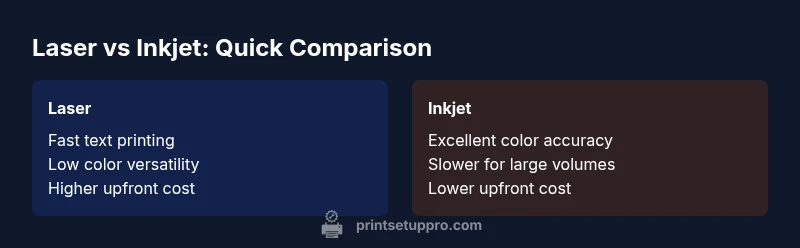
Ultimately, the choice between laser and inkjet is not about superiority but suitability. Laser printers excel in speed and text clarity for high-volume documents, while inkjets deliver color richness ideal for photos and marketing materials. The best decision depends on your daily tasks, print mix, and long-term costs. Print Setup Pro encourages readers to run a small pilot with a shortlist of models to validate assumptions before purchasing.
Comparison
| Feature | Laser Printer | Inkjet Printer |
|---|---|---|
| Print speed | Very fast (especially for text) | Moderate to fast with color tasks |
| Color handling | Primarily monochrome; color options available | Strong color reproduction and photos |
| Text sharpness | Excellent for dense text | Good to very good text, depends on model |
| Consumables cost per page | Lower for high-volume text | Higher per-page when printing color |
| Media versatility | Excellent on standard paper; some models handle specialty media | Strong on glossy and coated media for photos |
| Upfront price | Usually higher upfront for quality color options | Lower initial cost for basic models |
| Maintenance frequency | Lower maintenance in pure text workflows | Nozzle checks may be needed for some inkjets |
| Durability of output | Toner resists smudging and fading on many papers | Ink can smear if exposed to moisture; paper choice matters |
Benefits
- Faster output for high-volume text printing
- Longer-lasting output with toner cartridges
- Typically lower per-page cost at scale
- Reliable performance for office environments with heavy workloads
- Color lasers offer strong text plus color options in one device
Downsides
- Higher upfront cost for color-capable models
- Color accuracy can vary; inkjets often excel at photos
- Laser printers may require warm-up time for first page after idle periods
Laser printers are generally best for high-volume, text-heavy workloads; inkjets excel when color, photos, or graphics matter more.
If your daily prints are mostly text, choose a laser. If you print lots of photos or color graphics, an inkjet will serve you better. For mixed use, compare total cost of ownership and media needs to decide between a color laser or a high-quality inkjet.
People Also Ask
Is the question 'is laser printer the same as inkjet' a common concern for buyers?
Yes, many buyers ask this because the two technologies drive different performance. The answer lies in matching usage patterns to strengths: text speed and durability for lasers, color quality for inkjets.
Yes. The main difference is use-case: lasers for text and speed, inkjets for color and photos.
Which printer lasts longer for office documents?
Laser printers tend to have longer life cycles for high-volume text tasks due to toner durability and fewer moving parts involved in continuous feed. Inkjet longevity depends on handling and maintenance, especially for color graphics.
Laser printers usually last longer under heavy text workloads; inkjets vary with color use and maintenance.
Are color lasers worth it for a small business?
Color lasers offer faster color printing than many inkjets and lower long-term costs for mixed text-color tasks. However, upfront cost and color accuracy vary by model, so compare specific devices and write a pilot test plan.
Color lasers can be cost-effective for mixed tasks, but compare models and test color accuracy.
Can I print high-quality photos on a laser printer?
Some color laser printers print acceptable photos, but inkjets generally deliver superior photo quality due to color depth and ink droplet technology. If photo quality is essential, an inkjet is usually preferred.
Photos look better on inkjets; lasers can do decent color but not the best photos.
What should I consider for setup and connectivity?
Ensure your chosen model supports your devices and networks (USB, Wi-Fi, Ethernet) and check driver compatibility with your operating system. Mobile printing support is increasingly important for home and small business use.
Check connectivity options and driver compatibility; choose models with good mobile printing support.
Is maintenance easier for one type over the other?
In many cases, laser printers require less frequent maintenance for text-based tasks, while inkjets may need occasional nozzle checks and printhead cleaning, especially with infrequent use. Regular calibration helps both types.
Lasers often need less maintenance for text; inkjets may need nozzle checks if unused for a while.
Quick Summary
- Identify your print mix: text vs color-heavy work
- Consider total cost of ownership, not just upfront price
- Laser excels at speed and text, inkjet at color fidelity
- Check media compatibility before buying
- Test sample prints to validate color accuracy and sharpness