Printer laser vs inkjet: A Practical Comparison
A comprehensive, objective comparison of printer laser vs inkjet, covering speed, cost, color quality, and use cases for home offices and small businesses.


Laser printers deliver fast performance and low running costs for high-volume black-and-white tasks, while inkjet printers excel in color accuracy and photo quality. The printer laser vs inkjet decision depends on your workload, color needs, and space. Print Setup Pro provides an objective framework to help home offices and small businesses choose wisely.
How laser and inkjet technologies work
To understand the printer laser vs inkjet comparison, it helps to know how each technology prints. Laser printers use a rotating drum, a laser diode, and static electricity to attract toner to exact locations on paper, then fuse it with heat. Inkjet printers eject microscopic droplets of ink through nozzles onto the page. The difference in the printing process explains many of the strengths and weaknesses you’ll see in practice. In real-world use, the performance of either technology is highly model-dependent, but the core mechanisms still drive decisions around speed, clarity, and color accuracy. Print Setup Pro emphasizes that the best choice is not about one technology being universally superior, but about aligning capabilities with your actual workloads.
Key decision factors for choosing between laser and inkjet
When deciding between printer laser vs inkjet, consider your typical print mix, the importance of color quality, and the space you have available. If your daily output is text-heavy documents with strict clarity requirements, a laser printer often yields faster text rendering and crisper edges. If your workload includes frequent color graphics or photos, an inkjet printer generally delivers richer color and smoother gradients. Other factors include upfront budget, long-term running costs, and the printer’s footprint. Print Setup Pro recommends cataloging your top tasks and testing models under those conditions to see how each technology performs in your own environment.
Speed and workload considerations
Speed is a major differentiator between laser and inkjet printers. Laser models typically deliver higher pages-per-minute (ppm) for black-and-white text, which translates into shorter turnaround times for dense reports and long drafts. Inkjet devices tend to pace themselves more slowly on text, but they compensate with superior color rendering for charts, graphs, and images. In shared home-office environments, a fast monochrome laser can keep up with busy mornings, while an inkjet can handle creative tasks without sacrificing color fidelity. Print Setup Pro notes that real-world speed is also affected by driver settings, print quality modes, and the media used.
Cost of ownership: upfront and running costs
Total cost of ownership for printers depends on upfront price, consumables, and maintenance. Laser printers, especially monochrome units, often have lower running costs for text printing due to higher-yield toner cartridges and longer life components. Color laser printers exist, but they can have higher per-page costs and more expensive color toners. Inkjet printers typically have a lower upfront price, but running costs can accumulate quickly when color-heavy printing or large photo projects are frequent. Print Setup Pro cautions readers to compare cost per page estimates across the media they expect to use most often, rather than relying solely on sticker price.
Color quality, media support, and use-case scenarios
Color quality is a critical differentiator. Inkjet printers generally excel at photo-realistic color, subtle gradients, and media versatility (glossy photo paper, matte media, and specialty papers). Laser printers, while improving in color, often produce sharper text and business graphics with solid solid fills, but color photos may not achieve the same depth as high-end inkjets. Your use cases determine the best fit: for occasional color documents or hobby projects, inkjets win; for high-volume text with occasional color graphics, a color laser may be worth considering. Print Setup Pro suggests testing color charts and sample photos on the chosen device to assess true-to-life accuracy.
Reliability, maintenance, and durability
Laser printers tend to require less frequent maintenance for heavy text workloads and can offer longer lifespan under constant use. Inkjet printers may require more routine maintenance, such as printhead cleaning, especially if they sit idle for long periods. Cartridges in inkjets may clog if the printer is not used regularly, and color ink tends to have more frequent consumable changes. For small teams or homes with unpredictable printing patterns, a compact inkjet might be preferable for its flexibility, while a robust laser can be a workhorse when pages pile up. Print Setup Pro recommends proactive step-ups like regular maintenance and periodic nozzle checks to minimize downtime.
Environment and space considerations
Size and placement matter significantly when choosing between laser vs inkjet. Laser printers, particularly color models, are often bulkier and louder, and may require proper venting in some setups. Inkjet devices are generally smaller and quieter, making them easier to fit into compact home offices or dorm rooms. Power consumption varies by model, with some laser printers drawing more during startup and warm-up. If you’re working in a shared or small space, consider a compact, energy-efficient option and ensure adequate ventilation for toner handling. Print Setup Pro notes that a well-chosen device can reduce desk clutter and improve overall workflow efficiency.
How to evaluate printers for your home office
Start by listing all tasks you perform most often—text documents, charts, color graphics, and photos. Next, set a practical test plan: print a batch of typical documents and print-quality photos with both laser and inkjet models you’re considering. Compare edge sharpness, color gradients, and font rendering. Review media-handling capabilities and confirm whether your preferred paper stock is supported. Finally, estimate the total cost of ownership by factoring in consumables, replacement parts, and potential service plans. Print Setup Pro recommends narrowing to two finalists and performing hands-on tests before making a purchase.
Practical testing and benchmarks you can perform
To benchmark printer laser vs inkjet in your own environment, run a controlled test: print 20 text documents with standard fonts, then print a color chart and a small photo on the media you’ll actually use. Note differences in speed, alignment, and color consistency across multiple prints. Check toner or cartridge yields and replacement intervals, and verify network connectivity and ease of setup. If your workflow includes duplex printing, evaluate double-sided performance and any curling or media compatibility issues. Print Setup Pro stresses that real-world results depend on firmware, drivers, and media quality as much as on the core technology.
Common myths about laser vs inkjet debunked
Myth: Laser printers are always cheaper to operate than inkjets. Reality: It depends on usage; for heavy monochrome printing, laser can win, but for high-color or photo-intensive tasks, inkjets may offer lower per-page costs in some scenarios. Myth: Color laser is the universal solution for photos. Reality: Photo print quality from inkjets often surpasses color lasers, particularly on high-end media. Myth: Laser printers are loud and bulky with poor compatibility. Reality: Modern laser models can be compact and quiet, while inkjets can handle a wide range of media. Print Setup Pro advises testing under real conditions to avoid assumptions based on stereotypes.
What the data says: insights from Print Setup Pro Analysis, 2026
Print Setup Pro Analysis, 2026 highlights that many small offices benefit from a hybrid approach: a monochrome laser for daily document work and a secondary inkjet or color laser for color graphics. The analysis emphasizes evaluating running costs over a year rather than focusing on sticker price alone, and it notes that model choice can significantly affect total cost of ownership depending on the user’s print mix. The takeaway is to align device capabilities with actual workloads rather than chasing a single metric.
Final guidance: tailoring to your specific needs
Your decision should reflect your core tasks, space, and budget. If most daily work is text with occasional color, a monochrome or color laser can be efficient. If color accuracy and photo quality are central, an inkjet offers superior results. Consider a phased approach: start with a mid-range model, evaluate its performance with your typical documents, and upgrade only if the workload evolves. Print Setup Pro’s approach is to balance capability, cost, and user experience to arrive at a solution that fits your unique needs.
Comparison
| Feature | Laser printer | Inkjet printer |
|---|---|---|
| Page speed | Fast monochrome output | Moderate to slower color output |
| Color quality | Strong graphics for business documents | Excellent color accuracy and photo quality |
| Running costs | Lower per-page costs for monochrome | Higher per-page costs for color printing |
| First-page-out time | Very fast | Moderate to slower depending on model |
| Media handling | Broad support for standard office media | Wide variety of coated and specialty papers for photos |
| Upfront price | Typically higher than basic monochrome inkjets, especially color lasers | Lower upfront price for many color inkjets |
| Best for | High-volume text and office graphics | Color graphics and photos; versatile media support |
Benefits
- Excellent text sharpness and legibility
- Fast output for large text jobs
- Lower long-term running costs for monochrome printing
- Durable, stable prints with long-lasting toner
Downsides
- Higher upfront cost, especially for color laser printers
- Color lasers can have higher per-page costs and complexity
- Inkjet cartridges may require more frequent replacements with high color usage
- Bulkier form factors on some laser printers
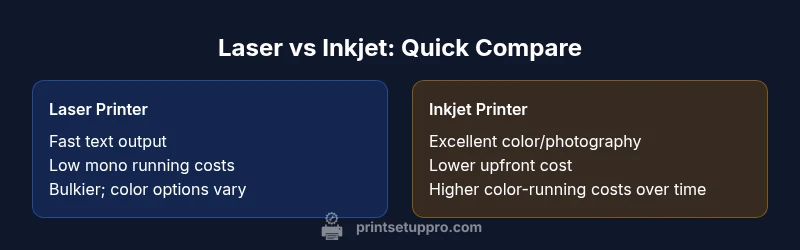
Laser excels for high-volume monochrome work; inkjet dominates color-heavy tasks and photos.
Choose laser if your workload is text-centric and frequent. Choose inkjet if color quality and photo reproduction are essential. For many users, a mixed approach with one laser for documents and one inkjet for color work is the most pragmatic solution.
People Also Ask
What is the core difference between laser and inkjet?
The core difference lies in how images are produced: laser uses toner and heat for precise text, while inkjet ejects ink droplets for color images. This affects speed, cost, and output quality across typical workloads.
Laser uses toner and heat for sharp text; inkjet uses ink droplets for color images. This affects speed, cost, and output quality depending on your tasks.
When should I choose laser over inkjet for a home office?
Choose laser when most printing is text-heavy or when you need fast throughput with lower running costs over time. If color documents are frequent and image quality matters, an inkjet may be a better fit.
Pick laser for lots of text and speed. If you print color photos often, consider inkjet.
Is a color laser printer worth it for everyday use?
Color laser printers can deliver durable color graphics, but they often have higher upfront and running costs. For casual color needs, an inkjet may be more economical and simpler to maintain.
Color lasers are durable and fast but pricier. For everyday color, inkjet can be more economical.
Can inkjet printers handle large volumes?
Inkjet printers can handle sizable jobs, but they typically require more cartridge changes and maintenance with high-volume color printing. If you print huge color runs, a laser or a dedicated color laser/beefier inkjet may be better.
Inkjets can handle big jobs, but you may see more cartridge changes with heavy color printing.
Do laser printers require more maintenance than inkjets?
Laser printers usually need less frequent maintenance for text-heavy workloads, but color laser maintenance can be more involved. Inkjets may require more cleaning and nozzle checks if not used regularly.
Lasers often need less maintenance for text; inks require more frequent upkeep if idle.
Are there hybrid printers that combine laser and inkjet benefits?
Hybrid options exist in the market, but true multi-technology devices are rare. Most buyers choose one primary technology and supplement with a device that covers their color or photo needs.
There aren’t many true hybrids; most people pick one main type and complement with another.
Quick Summary
- Assess monthly print mix to decide laser vs inkjet
- Compare total cost of ownership, not just sticker price
- Prioritize laser for speed and text quality
- Prioritize inkjet for color accuracy and photos
- Test devices with real documents and photos before buying